I enjoyed PhpStorm, and I like its focus on the whole PHP application rather than just the current file. A request can pass through routing, middleware, dependency injection, templates, and a database before the browser receives a response. Helping turn that hidden path into something I can follow is a good reason to want a dedicated environment.
Quick verdict
I recommend PhpStorm for regular PHP application maintenance.
- Best for
- PHP developers following requests, dependencies, tests and runtime state through a project.
- Main benefit
- I like the connection between reading unfamiliar code and making a careful change.
- Biggest drawback
- The interpreter, dependencies and runtime setup still need to match the real application.
PhpStorm
JetBrains · Choose the local store or delivery region
Check price and availability: PhpStorm at JetBrainsProduct link.
Reviewed version: PhpStorm
Compatibility: Choose the exact personal, business or bundle licence for the intended work. Check the current host, project-toolchain and account requirements.
Review context: The review focuses on pHP developers following requests, dependencies, tests and runtime state through a project.
We paid for our JetBrains software. The images in this article are official screenshots from JetBrains documentation.
The PhpStorm product page offers a trial and presents the IDE around professional PHP work. My reason to consider it is simpler than the full feature list: a mature application becomes easier to maintain when navigation, analysis, and checking the running app live close together.
The application is larger than its PHP files
An editor can show a method and still leave its place in the application unclear. A framework may call it indirectly. A template can rely on data prepared elsewhere. A container can decide which implementation arrives at runtime. These relationships make project understanding more valuable than syntax colouring.
PhpStorm’s attraction is the attempt to understand that wider project. For a developer entering an unfamiliar codebase, following a symbol or a framework relationship can be more useful than generating another block of code. The work begins with learning what the existing system means.
That value depends on a correct setup. The PHP interpreter, dependencies, generated files, and language expectations all influence the editor’s view. If those do not match the environment running the application, the developer may be looking at an incomplete picture.
Related reading

I would treat setup as part of the review decision. A tool that fits a local service neatly may need more work for an application running in containers or on a separate host. That work can still be worthwhile, but it belongs in the cost of adoption. A licence does not make the runtime setup disappear.
The interpreter needs to be clear
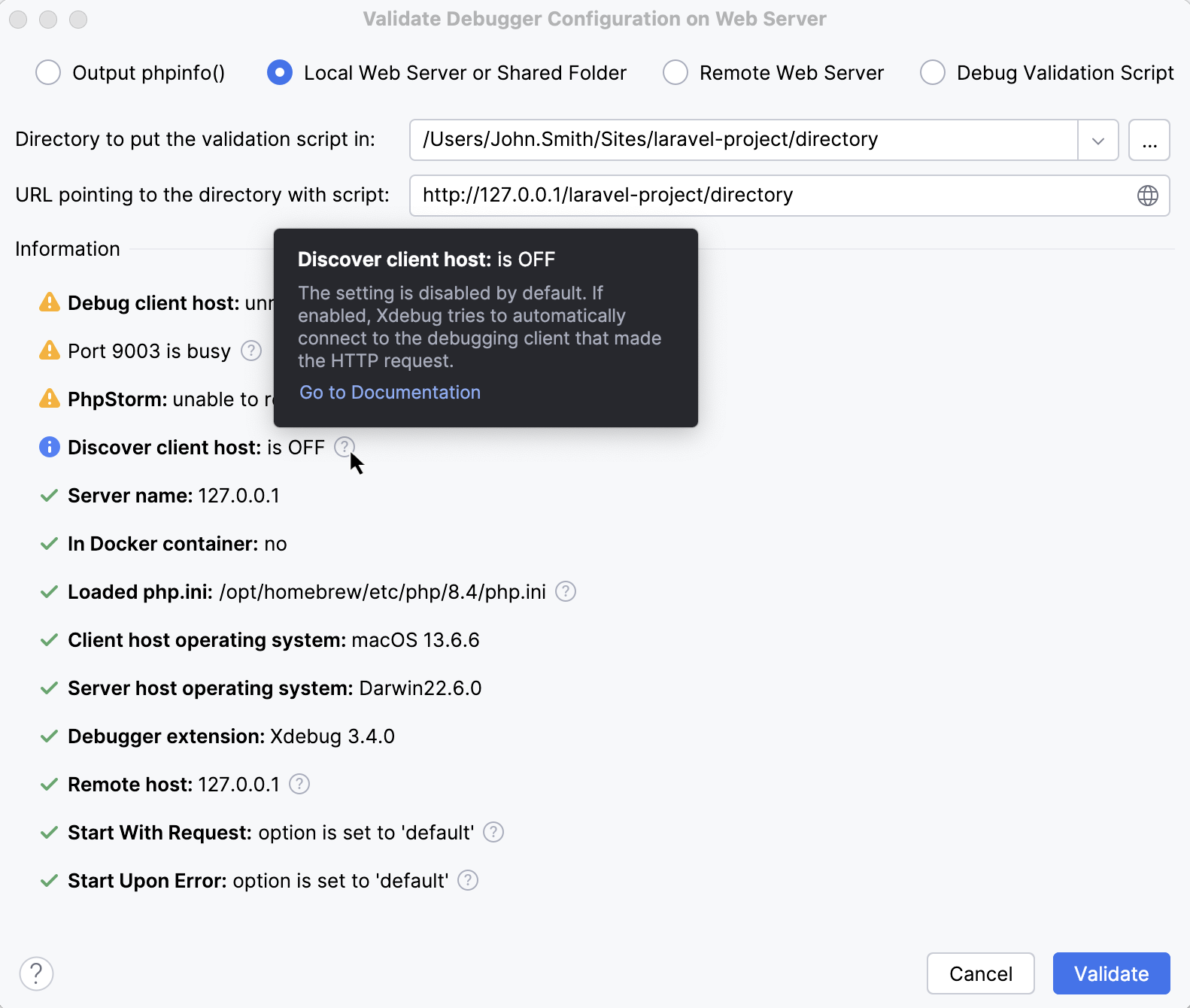
JetBrains’ PHP environment guide separates the PHP engine, web server, database, and debugging setup. That is a useful model because these parts can fail independently. A project opening successfully in the IDE says little about whether the correct server will execute a request.
For example, a command line script and a web request can use different PHP settings. An extension present in one environment may be missing from another. A dependency installed inside a container may not exist on the host. These are ordinary reasons for confusing behaviour, and they deserve a clear view rather than repeated guessing.
The IDE is useful when it makes those boundaries visible. The developer should know which interpreter a run setup uses and which application receives a request. A convenient green run button is more valuable when its meaning is clear.
I also want the project to remain understandable outside PhpStorm. Installation steps, dependency commands, and required services should be documented for the team. The IDE can make a shared process comfortable to use without becoming the only place its rules are recorded.
Xdebug is the central attraction
PHP debugging is sometimes reduced to adding output and refreshing the browser. That approach has a place, but it becomes awkward when the useful value exists deep inside a request or changes several times before the response.
The official PhpStorm and Xdebug guide explains the relationship between the PHP extension, the IDE listener, path mappings, and breakpoints. These are separate pieces of one connection. Understanding them is more useful than memorising a screenshot of a working setup.
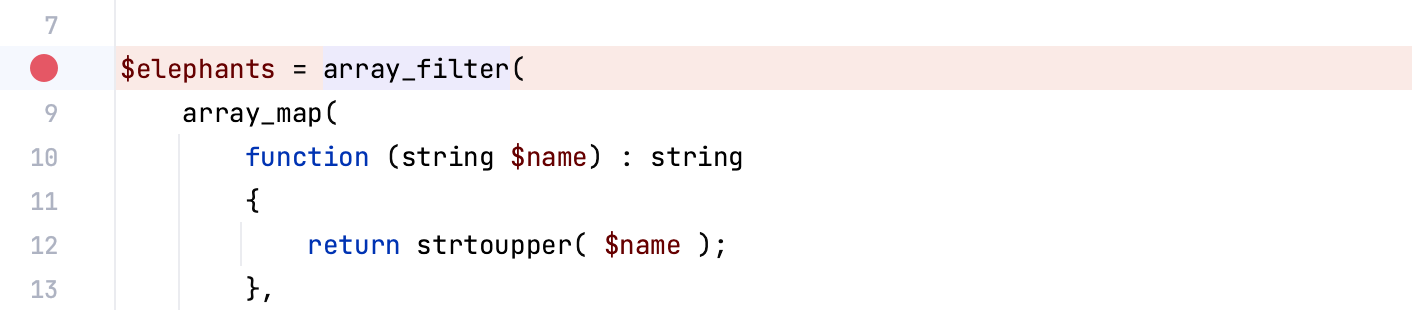
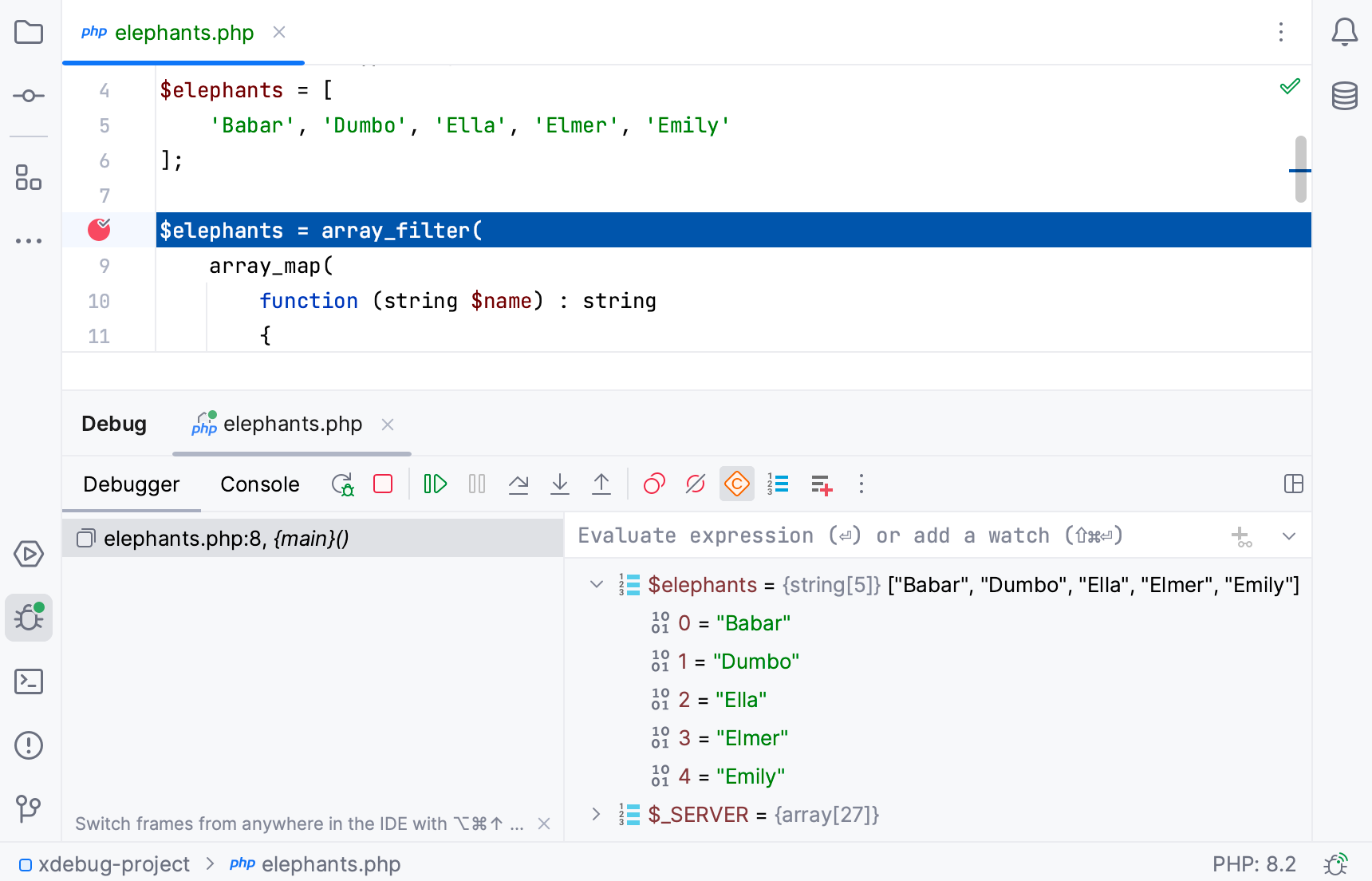
A breakpoint can answer an exact question: which value reached this branch, and which call led here? That turns an argument about what the application should have done into an investigation of what it actually did. For maintenance work, that is a strong reason to want an integrated debugger.
Remote paths are a good example of the remaining complexity. The runtime may refer to a file inside a container while the IDE has the corresponding file in a local folder. The debugger needs a correct mapping between those views. When the mapping is wrong, changing unrelated settings is unlikely to help.
I would give the debugging setup a clear owner in a team. A short explanation of the runtime address, path relationship, and expected trigger can save repeated setup work. The benefit is practical knowledge that new colleagues can reuse, rather than a mysterious setup copied from an old machine.
Refactoring is about contracts
A PHP method can be used by ordinary calls, framework shared rules, templates, or setup. Changing a name therefore raises a larger question than whether the current file still looks correct. The developer needs to understand which references are visible to the tool and which agreements live elsewhere.
Related reading

PhpStorm’s feature overview presents navigation, analysis, refactoring, and framework support as part of the same environment. The important connection is between discovering the affected code and reviewing the change before it spreads too far.
A focused refactoring is especially useful when improving an older codebase. Renaming an unclear service can make the next bug easier to investigate. Extracting a piece of behaviour can make a test more direct. These are small improvements with a clear purpose, rather than a reason to rewrite a working application.
The tool should help preserve that purpose. A patch that changes naming, formatting, dependencies, and behaviour all at once is harder to judge. Even a capable IDE cannot make a confused scope easy to review. Keeping changes narrow remains part of using the product well.
The frontend belongs to the same feature
Many PHP applications also contain templates, scripts, styles, and API calls. A backend change can alter a value that reaches the browser. A template can assume a field always exists. Treating these as connected work is a good reason to want a broader environment.
That does not mean every frontend specialist needs PhpStorm. A team may prefer separate tools for different roles. The benefit is clearest for someone who moves across the request and response path, especially while maintaining a feature rather than building an isolated page.
I would still check behaviour in the actual browser. Valid PHP and a clean editor view do not establish that a control is reachable, a request handles failure correctly, or a layout remains usable. An integrated environment helps reach the relevant code, while the application remains the place where the result matters.
This is also why a review should focus on a complete workflow. The product is useful when it reduces the effort of following a failure from the visible symptom to its cause. Counting menu items or bundled tools says much less about that everyday value.
A larger IDE should stay out of the way
PhpStorm has enough settings and views to become busy. The answer is not to enable everything at once. A clear project view, the editor, and a few meaningful run settings form a better starting point than a screen full of panels.
Inspection settings deserve the same care. A warning should either point to a real issue or enforce an agreed project rule. If the project already uses a formatter and static analyser, the IDE should cooperate with those tools. Conflicting style advice creates noise that hides more useful signals.
The cost also includes learning. A developer moving from a light editor needs time to understand how the IDE represents the project. That investment makes more sense for regular PHP maintenance than for occasional changes to one small script. The right tool depends on the repeated work, rather than the language name alone.
What I like about a dedicated PHP tool
PHP can be approachable enough that the surrounding application gets underestimated. A short controller may represent only the visible entrance to a much larger request path. I like a tool that gives that wider system proper attention, rather than assuming that an easy to read language makes maintenance simple.
Related reading

That is part of why I enjoyed PhpStorm. The interesting work is often connecting a visible symptom to the relevant code and runtime state. I want that process to feel supported. Knowing where to inspect the request, interpreter, or breakpoint is more useful to me than another promise of writing whole features without effort.
I also appreciate the idea of a focused environment for an established stack. A product can be valuable through careful attention to ordinary tasks. The common questions still matter: which code ran, which value arrived, and which contract must remain true? PhpStorm is attractive to me because those questions fit naturally into its role, and because they remain relevant long after a new feature has been launched.
My verdict
PhpStorm is a convincing purchase for someone who spends a large part of the week maintaining PHP applications. Its strongest case is the link between source understanding and a real checking the running app. A good debugger and a useful project model can make a difficult request path less obscure.
It is harder to justify for a person whose PHP work consists of occasional small edits and a simple command line process. A lighter setup may already cover that job. The trial is valuable because it lets the buying decision follow a real project and its environment.
I would choose PhpStorm for clear navigation, careful changes, and the route from a request to the state behind it. Before paying, check the current licensing options and give the runtime setup the attention it deserves. The best reason to keep the IDE is that the next task in existing code becomes easier to understand.
Where to buy
See PhpStorm at the official product page. This is the product page for the model covered in this review. Check the model number, colour, included parts and delivery options before ordering. Prices and stock can change, so I use this page for the current offer. Matching the product to the review matters more to me than finding a similar name.
What worked
- I like the connection between reading unfamiliar code and making a careful change.
- Navigation and refactoring have a clear purpose when a change affects more than the current file.
What bothered me
- The interpreter, dependencies and runtime setup still need to match the real application.
- Containers and remote services can add setup work that belongs in the adoption decision.
Who should not buy it
- Someone expecting an IDE licence to fix a mismatched PHP environment.
Alternatives I would consider
- WebStorm. I would choose WebStorm for a JavaScript or TypeScript project without PHP. PhpStorm makes sense when the PHP application is the centre of the work. Read my WebStorm review.
Evidence and sources
The article separates my judgement from specifications and claims credited to their sources. Product images are identified by the credits in the article.
Features, compatibility and rated figures from the maker are manufacturer information. My opinions are identified in the review.
Conclusion
Worth it for repeated PHP work; occasional edits to a small script may not justify the learning and licence cost.
PhpStorm
JetBrains · Choose the local store or delivery region
Check price and availability: PhpStorm at JetBrainsProduct link.
One email a week with practical Mac workflows, useful comparisons and honest tech recommendations.