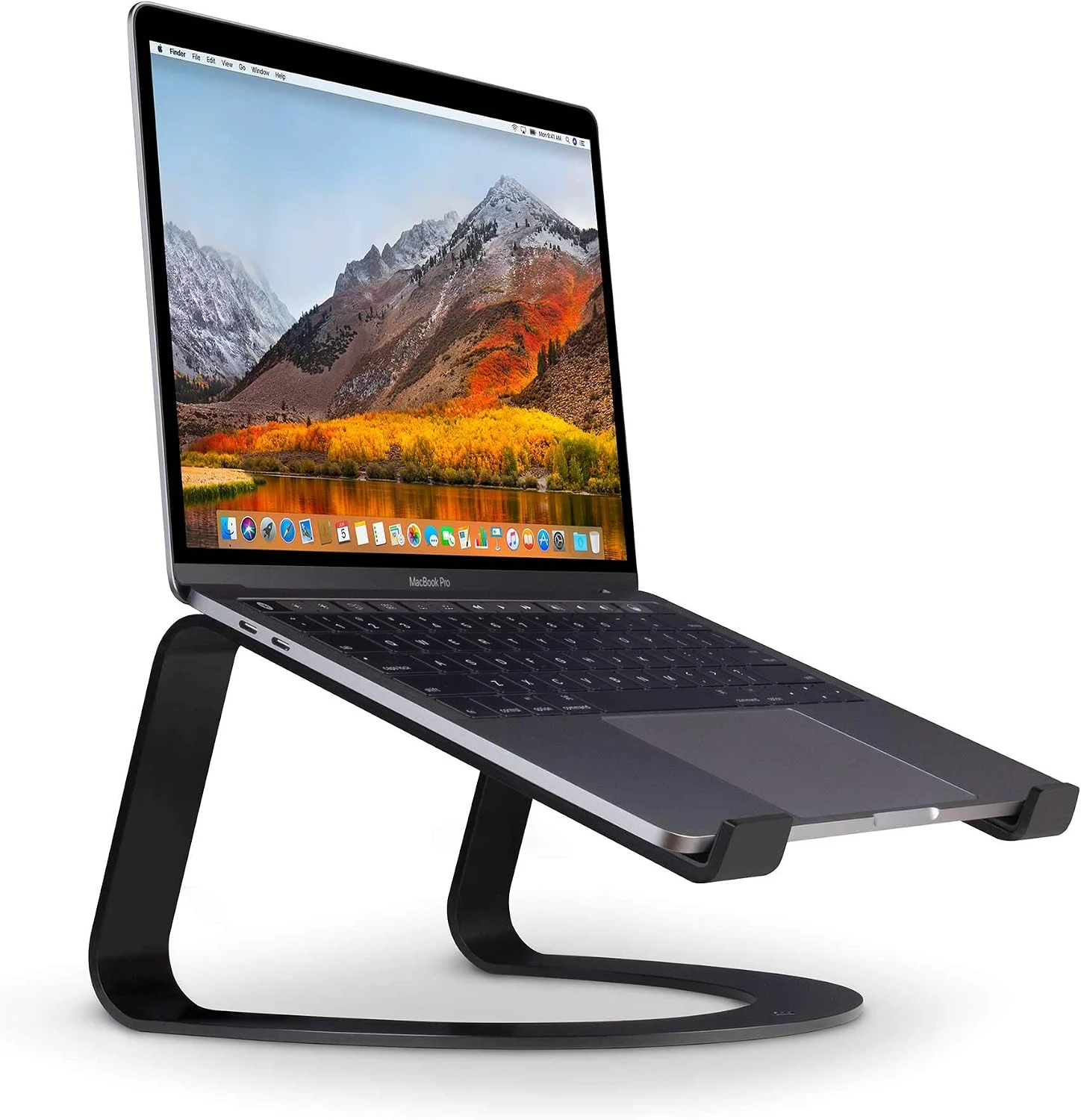
I like a laptop stand when it solves a clear layout problem. The Twelve South Curve has an appealingly simple job: hold an open laptop above the desk while separate input devices stay below. It can give the built-in screen and webcam a more useful position without adding a large platform around the computer.
Quick verdict
I would choose it for a mostly fixed desk using an external keyboard and mouse or trackball.
Best for: I would choose it for a mostly fixed desk using an external keyboard and mouse or trackball.
Main benefit: It gives an open laptop a raised, uncluttered position beside a separate display or input devices.
Biggest drawback: Its fixed height cannot adapt to every person, desk or monitor, and it needs separate input devices for the intended posture.
Twelve South Curve Laptop Stand
Amazon US · US
Check price and availability: Twelve South Curve Laptop Stand at Amazon USAffiliate link. As an Amazon Associate I earn from qualifying purchases.
Reviewed version: Twelve South Curve, Cooling Laptop Stand for MacBooks & Laptops,Matte Black
Compatibility: Fixed Twelve South Curve, model12-1708, matte black; not Curve Flex. Check laptop size, supported weight, case contact and required external keyboard and pointing device.
Review context: I assess a raised open laptop, webcam position, desk depth, support contact and cable routing.
I would choose this fixed Curve for a desk whose dimensions already make sense. I would not buy it expecting the adjustment of Curve Flex or a travel stand that folds flat. My positive view depends on the complete arrangement: screen height, chair position, keyboard, pointing device and cables. Raising one part of the setup is useful only when the rest can follow comfortably.
The fixed height is both the idea and the limit
Twelve South’s Curve information describes a raised aluminium laptop stand. The selected listing is the fixed matte-black model, not another Curve version. I would check those dimensions against the desk rather than assume a picture with a MacBook represents my own viewing position.
Related reading

A fixed stand can be pleasant when it removes adjustment from a permanent setup. Once the laptop is supported at a suitable height, there is little to configure. I like that simplicity. It becomes less attractive on a shared desk or when the laptop needs to line up with several displays at different heights.
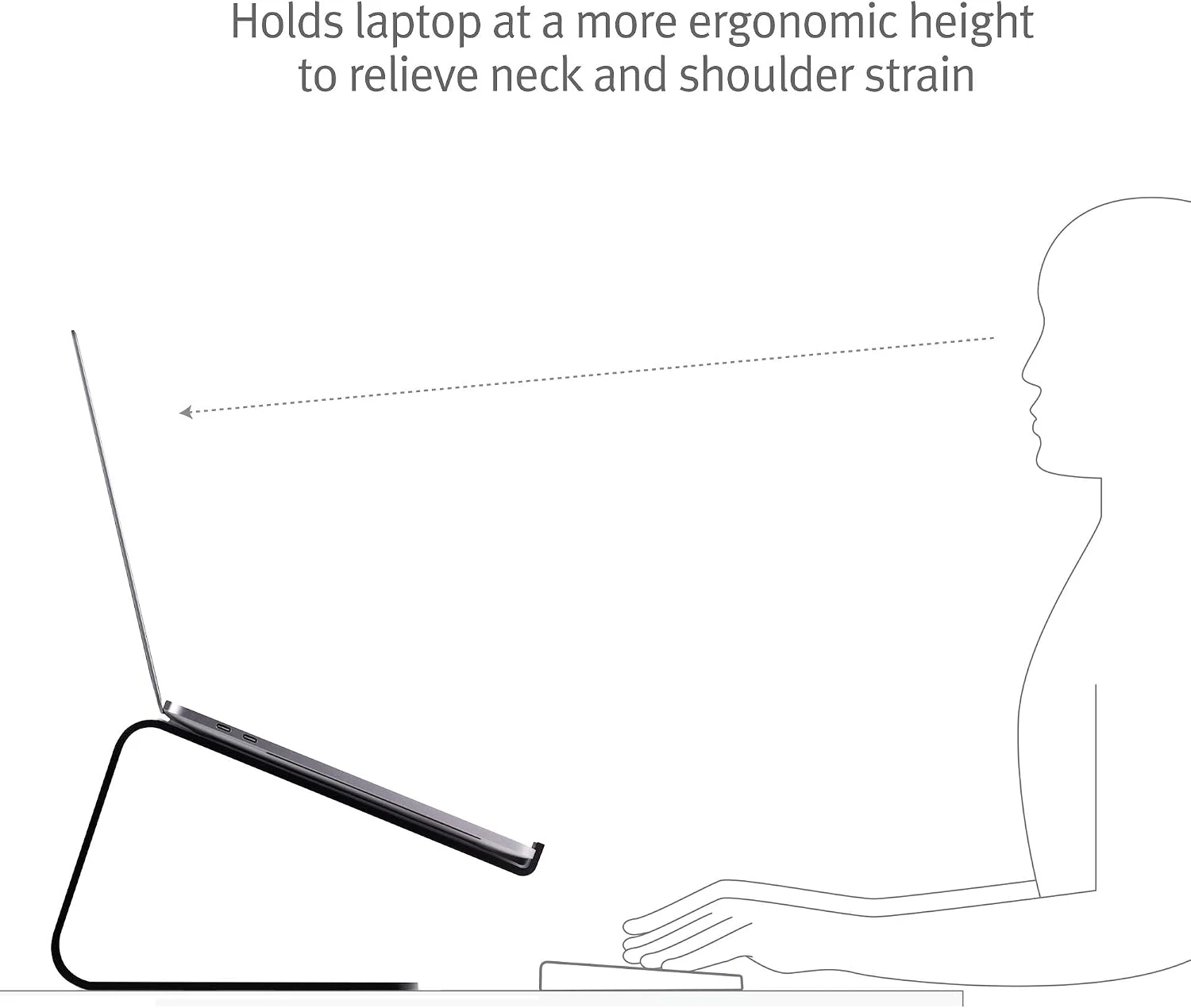
I would measure the intended screen position before ordering. The stand height alone is not the height of the top of the laptop display; the laptop’s own size and opening angle contribute. A taller screen can end up in a different place from a small one on the same support. The useful measurement is the complete screen in front of the seated person.
Separate input devices make the arrangement work
The intended desk role uses a separate keyboard and mouse or trackball. I would not raise the laptop and then assume prolonged typing on its own keyboard gives the same benefit. The screen and hands need different positions, which is the main reason to separate them in the first place.
That means the stand is not the full cost of a first desktop arrangement. I would include suitable input devices and enough desk room to use them. If the desk is too shallow, raising the laptop may leave the keyboard close to the edge without giving the screen enough distance. The result should be assessed as a whole rather than one attractive accessory.
I would also decide whether the built-in screen is useful beside an external monitor. A laptop raised as a secondary display can hold reference material or communication tools. If I rarely look at it, a closed-laptop arrangement may be simpler. I would not keep a second screen visible just because the stand makes it easy to display one.
Support contact matters more than appearance
The product uses padded support arms and retaining shapes. I would check that the actual laptop, including any protective case, rests in the intended places. A case can change thickness or contact points, and different laptop bases have different shapes. A general MacBook label is not a substitute for checking the supported device information.
Related reading

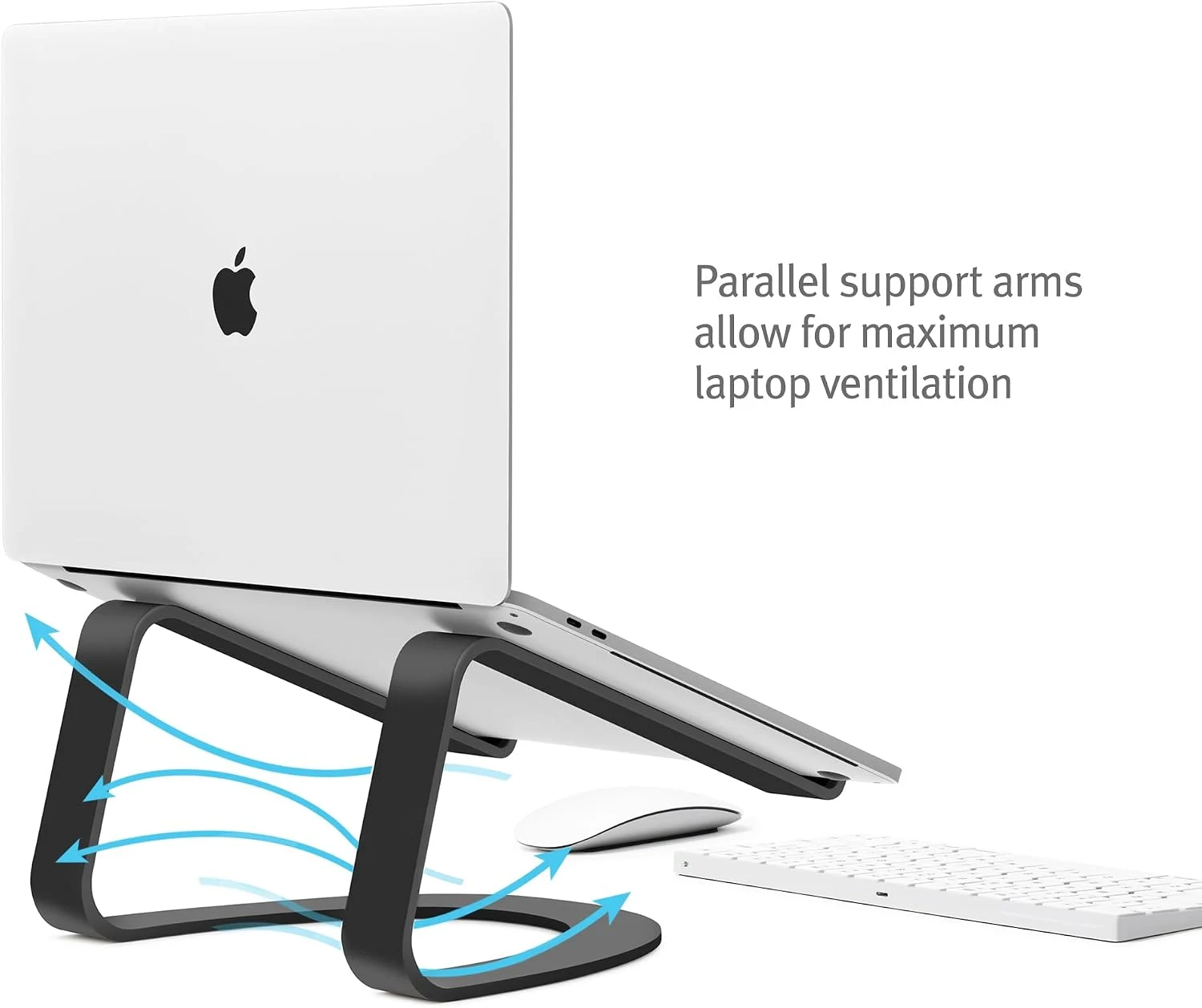
I would place the stand on a stable, level surface and keep its contact areas clean. The laptop should sit properly rather than balance on an edge or rely on a cable pulling it into position. I would also avoid moving the loaded stand casually across a cluttered desk. A supported computer is still valuable equipment that deserves ordinary care.
For a larger laptop, I would confirm size and weight guidance before treating a wide photograph as proof of fit. The physical arrangement should feel settled without improvised padding or pressure on the screen. If the exact device sits awkwardly, I would choose another stand rather than force a fixed design to serve an unsupported shape.
Cables and air need their own space
Raising a laptop can make its cables more visible and can change how much slack they need. I would route the power, display and accessory connections so they do not pull on the computer when the desk moves or someone touches a cable. A short lead that was fine on the tabletop may become awkward on the stand.
I would keep the laptop’s ventilation paths clear according to its own instructions. An open stand can leave space around the base, but I would not turn that shape into an unmeasured cooling-performance claim. The computer, workload and room conditions determine the thermal result. This review does not establish a temperature reduction from the stand.
The webcam position is another practical reason to raise a laptop. I would check the actual framing in the call application, including where the eyes look relative to the main display. A higher camera can be useful, yet it does not automatically align perfectly with the external screen. The arrangement should support a natural call position rather than merely look tidy from across the room.
Related reading

When I would choose adjustment instead
An adjustable stand is my alternative for a shared desk or an uncertain screen position. I would choose a closed-laptop setup with an external monitor when the built-in display contributes little. The fixed Curve is appealing when the position is already known and a clean permanent support is the whole job.
I would check the exact model, supported laptop and current offer before buying. My assessment is positive for that stable desk role. Its value is a coherent arrangement that keeps the screen, hands and cables where they belong, rather than an assumption that lifting a laptop by a fixed amount guarantees a better posture for every person and every desk.
The product images come from the selected listing and identified manufacturer materials. My assessment uses the linked product information and the buying decisions explained here. Specifications are manufacturer or retailer claims; the conclusions are my own editorial judgement.
What worked
It gives an open laptop a raised, uncluttered position beside a separate display or input devices.
What bothered me
Its fixed height cannot adapt to every person, desk or monitor, and it needs separate input devices for the intended posture.
Who should not buy it
Someone needing a flat travel stand, frequent height changes or comfortable typing directly on a steeply raised laptop.
Alternatives I would consider
An adjustable laptop stand. I would choose it for a shared desk or when the best height is not yet known.
A monitor with the laptop closed. I would choose that arrangement when a second built-in screen adds little to the work.
Evidence and sources
The linked product documentation and exact retailer listing support the product details. Images: Amazon product gallery. These are not personal test photographs or measurements.
Features, compatibility and rated figures from the maker are manufacturer information. My opinions are identified in the review.
Conclusion
Worthwhile when the fixed dimensions already fit; choose adjustment if the position is uncertain.
Twelve South Curve Laptop Stand
Amazon US · US
Check price and availability: Twelve South Curve Laptop Stand at Amazon USAffiliate link. As an Amazon Associate I earn from qualifying purchases.
One email a week with practical Mac workflows, useful comparisons and honest tech recommendations.