I like smart home products most when I can explain their purpose in one sentence. The Sensereo MSC-1 puts smoke and carbon monoxide detection in one device and connects it to a Matter home. That is a job worth doing. I enjoyed this product because the smart part belongs to something useful, rather than adding another screen and another account to the house.
Quick verdict
I like the MSC-1 for bringing smoke and CO information into a clear physical device and a compatible Matter home.
- Best for
- Households with the required Matter controller, Thread Border Router and suitable local installation requirements.
- Main benefit
- I like the combination of a local display, alarm and Thread-based smart-home connection.
- Biggest drawback
- The Matter badge does not remove the need for compatible home hardware and correct placement.
Sensereo MSC-1 smoke CO alarm Matter Thread
Sensereo · Choose the local store or delivery region
Check price and availability: Sensereo MSC-1 smoke CO alarm Matter Thread at SensereoProduct link.
Reviewed version: Sensereo MSC-1 smoke CO alarm Matter Thread
Compatibility: Sensereo specifies Matter over Thread for the MSC-1, with a compatible Matter controller and Thread Border Router required.
Review context: The review focuses on households with the required Matter controller, Thread Border Router and suitable local installation requirements.
Sensereo supplied my MSC-1 free of charge. The company provided information about the product, and my opinion remains my own. My home uses Apple Home, which is the context for this article. The important questions for me are how clearly an alarm communicates, how it fits into the room, and how much attention it asks for during ordinary life.
A useful kind of smart device
A home can collect a surprising number of devices that mostly report on themselves. I do not want another thing to manage simply because it has a radio. I want a product whose connected features make an existing job easier to understand. The MSC-1 appeals to me because its purpose is visible before I open an app.
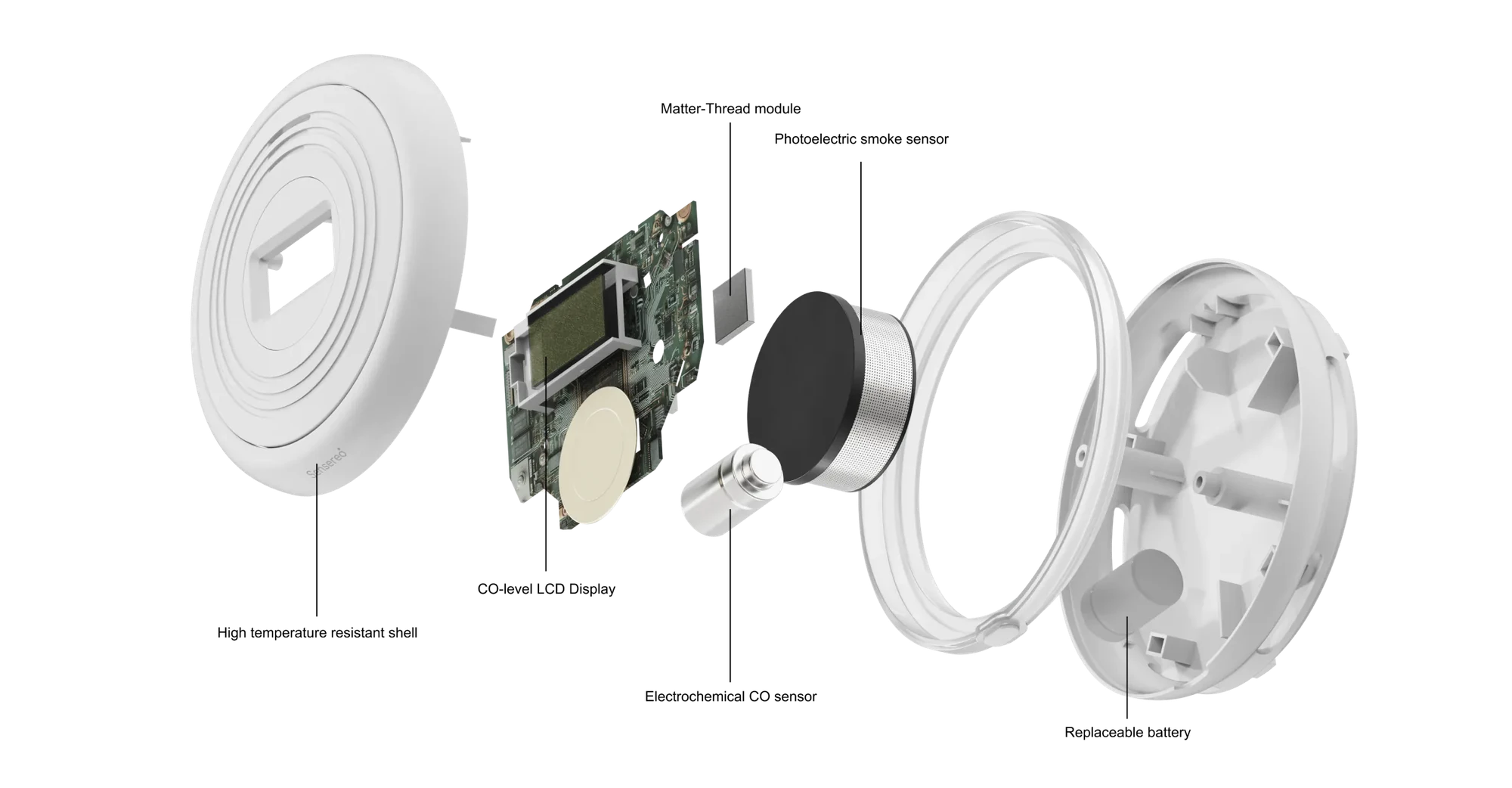
The product combines smoke and CO detection. Those are different hazards, and I like having a design that gives each a clear place rather than treating one as a minor extra. The device has its own display and alarm. The phone adds another view of the information, but the physical product remains important.
That balance is what makes the idea attractive in a normal home. A person standing near the device should not need to find the correct app just to understand its basic message. I also want a visitor or another family member to recognise it as an alarm, rather than a mysterious piece of smart home equipment. This is a product category where plain communication has real value.
Related reading

The design belongs in a room
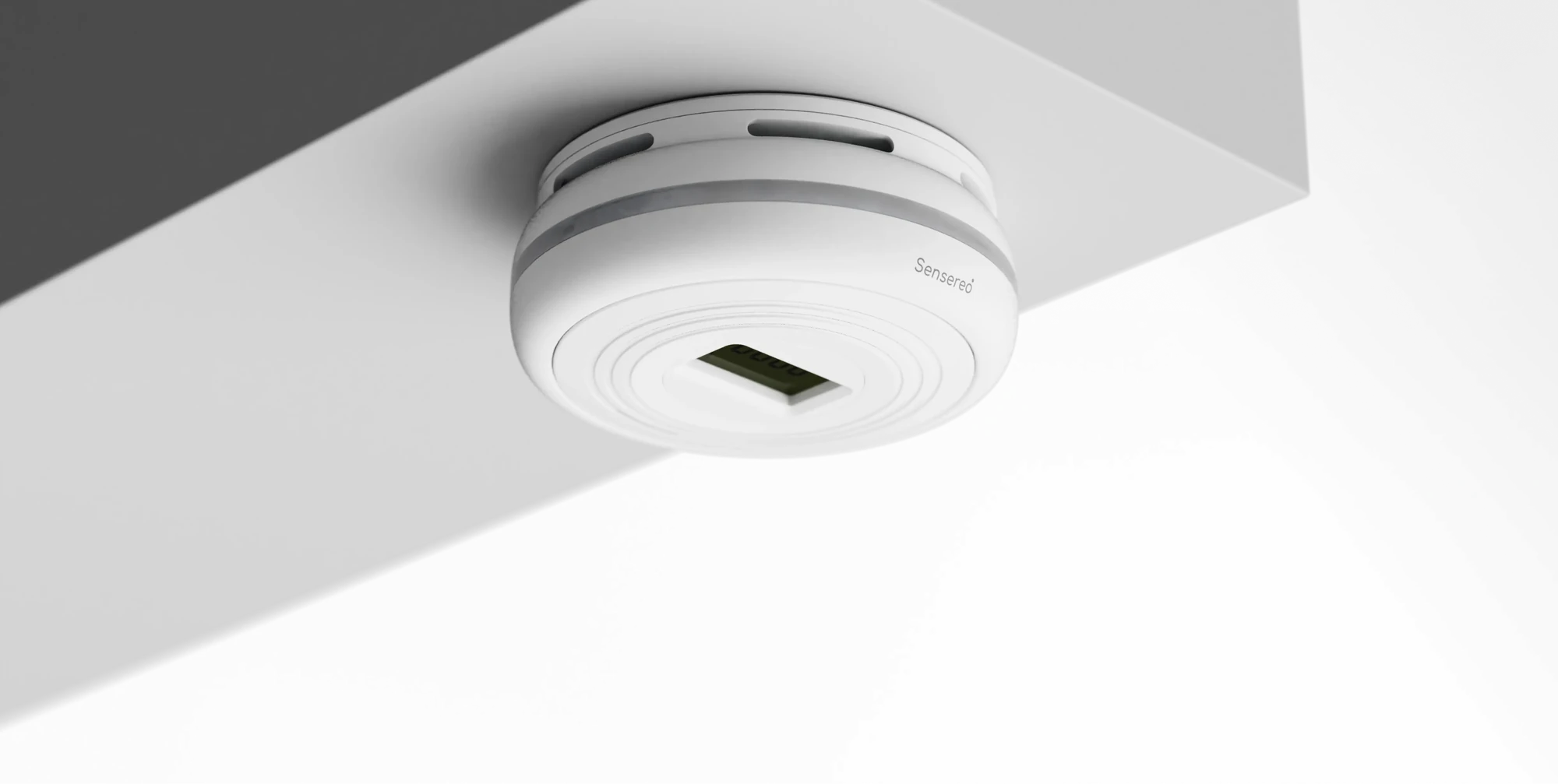
I like the simple look. An alarm will be visible for far longer than the first few minutes after installation, and I would rather it sit quietly in the room than announce a technology brand every time I look up. The clean shape works with that preference. It looks like something designed to remain in place.
Packaging and accessories matter here because installation is part of the product. I want to understand which piece attaches to the room, which piece is the alarm, and how they come apart when attention is needed. A clever shape is less appealing if it makes a routine battery change feel like a puzzle.
For me, good industrial design includes those less glamorous moments. It is easy to make a product look nice in a front-facing photograph. The better question is whether the whole object feels understandable: front, back, mount and controls. That is the standard I bring to the MSC-1. I enjoyed its overall approach because it keeps the visible design calm while giving the product a clear reason to be there.
Installation is about the room first
The battery-powered design is attractive because it removes a wiring project from the decision. That does not mean placement becomes arbitrary. I would choose the location using the MSC-1 instructions and the rules that apply to the home, rather than choosing the spot with the nicest photograph or the closest socket.
That distinction matters to me. A smart home article can spend so much time discussing the app that the room itself disappears. Airflow, the intended mounting position and the manufacturer’s placement guidance still come first. A connected alarm should fit a useful safety plan for the building.
I also like thinking about future access before a device goes up. Can I reach the control? Is the label information recorded somewhere useful? Will the device remain accessible when furniture changes? These are ordinary ownership questions, but they have more practical value than an exciting unboxing description.
The MSC-1’s wireless approach makes the installation concept approachable. I still see the mount, the room and the instructions as one system. That is the kind of practical simplicity I appreciate: fewer installation obstacles, with the important decisions still easy to recognise.
Why Matter over Thread appeals to me
Sensereo specifies Matter over Thread for the MSC-1, with a compatible Matter controller and Thread Border Router required. I like the direction this represents. I want home devices to join the home system I already use, instead of building a separate island around each brand.
It helps to keep the names straight. Matter is the shared smart home language. Thread is the network used here. Buying a product with a Matter badge does not remove the need for the right home hardware. For an Apple Home household, that is something to check before ordering rather than during installation.
My preference is for a small number of clear relationships: the alarm, the local home network and the home controller. I do not enjoy managing a new cloud account for every sensor. The appeal is especially strong for equipment that I expect to stay in place for years, because accounts, subscriptions and apps can become the least durable parts of an otherwise useful device.
Related reading

That is also why I avoid treating the phone as the only interface. A connected view is convenient, but the physical alarm still has its own job. The network should add useful information to that job without making the product’s purpose harder to understand.
CO information should be readable
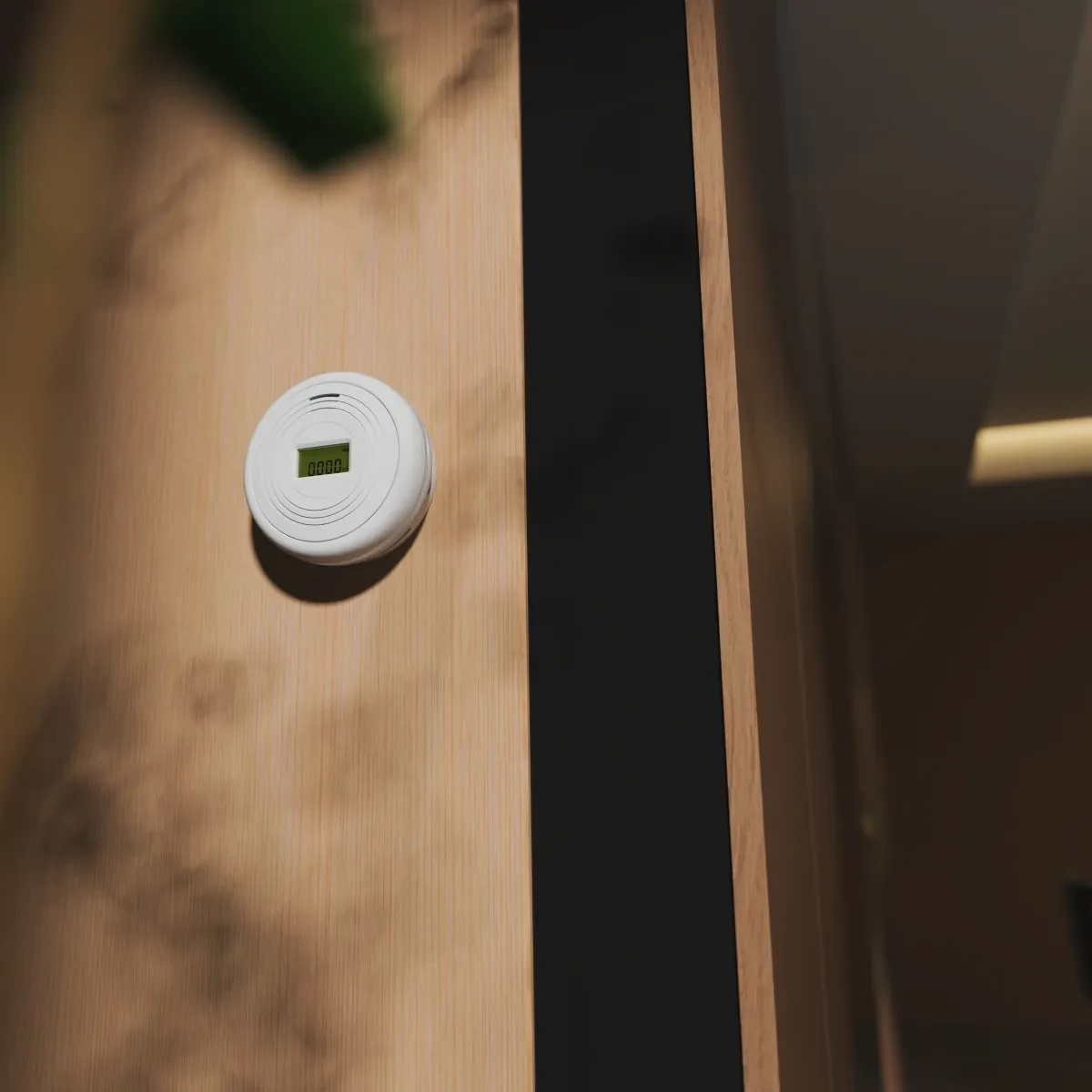
Sensereo says the MSC-1 has a built-in CO display and exposes concentration information in supported home platforms. Its product page specifically names Apple Home. I like the intention behind that: a number on the physical device and a useful view in the home system can make the information feel less hidden.
The unit is ppm, meaning parts per million. It describes concentration; it is not a separate kind of gas. I prefer that term to be explained once in plain language rather than presented as a technical badge. The useful question is what information the product is communicating and which action the manufacturer’s instructions call for.
I would not use a live number as a reason to delay responding to an alarm. A home dashboard is a convenient view, and the device instructions remain the reference for warnings and response. What I appreciate about the display is its clarity as part of the product, rather than any invitation to turn a serious alert into a personal experiment.
I also like keeping smoke status and CO information in my mind separate. They belong in the same device, but they should remain easy to distinguish when someone needs to read them quickly. For me, that clarity is more important than filling an app tile with every possible measurement.
Local operation is a good foundation
The Sensereo brief describes local Thread communication without a dependency on the manufacturer’s cloud. That is a strong part of the appeal for me. I want fewer key household functions tied to a remote login or a company’s continued interest in running a service.
Remote phone notifications are a different layer. They depend on the home platform, its setup and connectivity. I like being precise about that because local device operation and a message arriving on a phone away from home are different parts of the system.
The MSC-1 also includes a built-in self-test. That is the control I want to see clearly explained and easy to find in the instructions. A self-test has a clear purpose; it is not a substitute for the certification process behind the product. I value an understandable maintenance routine more than a dramatic demonstration.
I see this as a good fit for a calm smart home: a device that stays understandable on its own, with a connected layer that adds another useful view. That is a much more appealing reason to add technology to a room than collecting automations for their own sake.
Battery claims and the exact model
Sensereo lists replaceable CR123A power and an approximate three-year battery life for the MSC-1. That is its estimate, with the actual replacement interval depending on operation and the device’s battery warnings. I like knowing the power arrangement before buying because maintenance is part of long-term ownership.
The company lists EN 14604 and EN 50291 certification for this model. I would keep the exact product identification with the household paperwork, along with the instructions. Certification information belongs to a particular product and market, and it should remain easy to trace.
The MSC-1 is also distinct from Sensereo’s MS-1 Interlink. I am reviewing one MSC-1, so the useful subject here is this device’s design and connected information. Home Assistant, Google Home and SmartThings belong on the list of supported platforms according to Sensereo; my own household context remains Apple Home.
Related reading

My verdict
I like the MSC-1 very much. It is a great example of a smart home product with an understandable purpose, a pleasant design and an appealing local-first architecture. It interested me as a piece of home technology because the connected features support a practical job.
My favourite part is the balance: a physical alarm that makes sense in the room, plus information in the home system I already care about. That is the kind of product I enjoy having in a home. The manufacturer’s MSC-1 page is the right place to check the current regional package, controller requirements and instructions.
Where to buy
See Sensereo MSC-1 smoke CO alarm Matter Thread at the official product page. This is the product page for the model covered in this review. Check the model number, colour, included parts and delivery options before ordering. Prices and stock can change, so I use this page for the current offer. Matching the product to the review matters more to me than finding a similar name.
Update, 21 November 2026: Sensereo tells me its MS Series Black Friday Bundles run from 23 to 27 November 2026, with savings of up to 25% on selected bundles, at shop.sensereo.com. I’ll take this note down when the offer ends.
What worked
- I like the combination of a local display, alarm and Thread-based smart-home connection.
- The built-in self-test and replaceable power arrangement give maintenance a clear place in the design.
What bothered me
- The Matter badge does not remove the need for compatible home hardware and correct placement.
- Battery life and supported concentration displays are manufacturer information, not a substitute for the product instructions.
Who should not buy it
- Someone choosing only by an app badge without checking installation guidance, region and supported home equipment.
Alternatives I would consider
- A suitable certified non-connected alarm. I would choose a simpler alarm that meets the home's requirements when smart-home integration has no useful role, and the MSC-1 when its supported local connection is the reason to add it.
Evidence and sources
The article separates my judgement from specifications and claims credited to their sources. Product images are identified by the credits in the article.
Features, compatibility and rated figures from the maker are manufacturer information. My opinions are identified in the review.
Conclusion
Worth considering when local smart-home integration is useful; confirm the exact certification and country requirements before choosing the model.
Sensereo MSC-1 smoke CO alarm Matter Thread
Sensereo · Choose the local store or delivery region
Check price and availability: Sensereo MSC-1 smoke CO alarm Matter Thread at SensereoProduct link.
One email a week with practical Mac workflows, useful comparisons and honest tech recommendations.