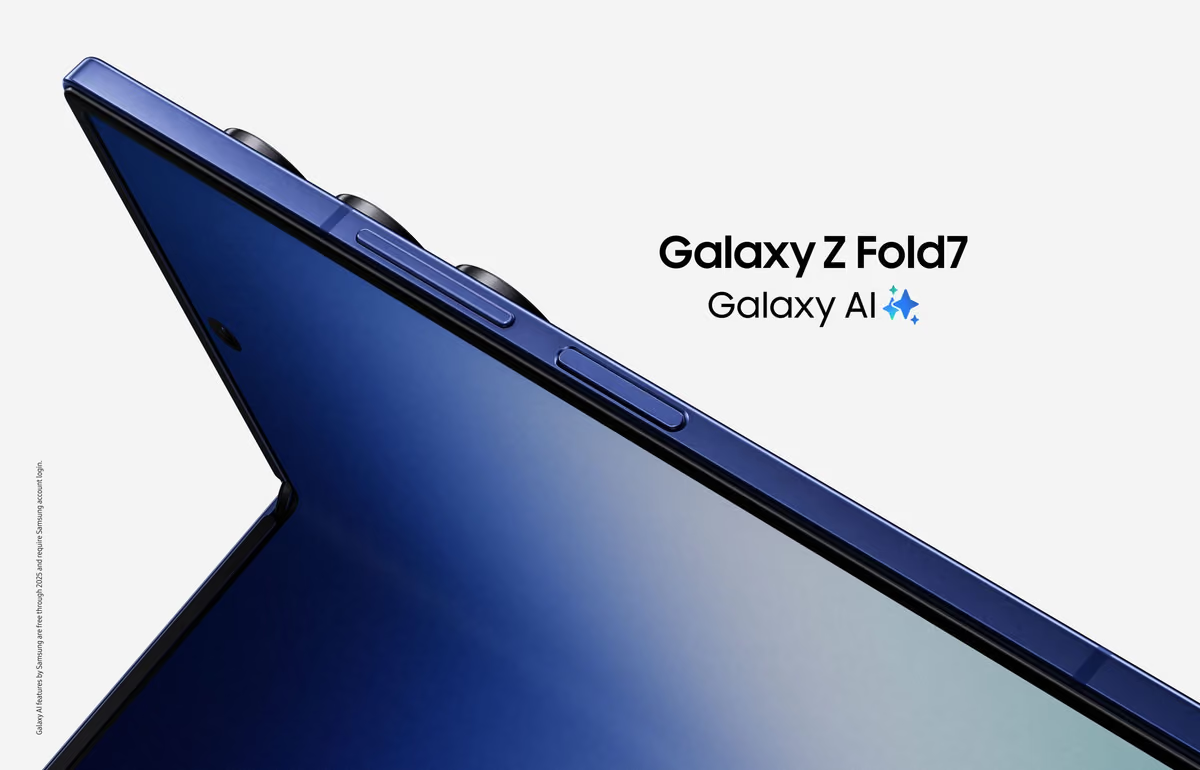
The Galaxy Z Fold7 gave the cover more of the work
The Galaxy Z Fold7 went on sale in the United States on July 25, 2025. Samsung widened the cover to 6.5 inches, expanded the inner display to 8 inches and brought the weight down to 215 grams. The main camera also switched to 200MP. The compromise for someone who had used the inner screen to write was that the Fold7 no longer supported the S Pen. I would have started by comparing a short task on the new cover and a long one inside, and then considered what happened to a previous pen routine. Samsung’s Fold7 hardware and US retail release Samsung’s Fold7 pen compatibility
Quick verdict
Retail release in the United States · Archive date
I would have chosen it when the thinner folded body and wider cover made the larger inside screen much easier to keep with me.
Best for: A buyer who regularly uses a wide touch screen and whose normal folded routine benefits from the cover feeling more like another phone.
Main benefit: It made both sides more useful in a thinner and lighter body, with much more practical support on the cover for some everyday typing.
Biggest drawback: The S Pen workflow from the Fold6 no longer works. A suitable traditional phone or previous pen-supporting Fold remained a sensible alternative.
Reviewed version: The US Galaxy Z Fold7 sold from July 25, 2025, with an 8-inch inner view, 6.5-inch cover and 256 GB at entry.
Compatibility: The Fold7 has no S Pen support. It runs the foldable Samsung interface with compatible apps, and has a distinct 3x optical camera.
Review context: I evaluate the documented retail hardware and the software available in its release window. Regional variants and software changes are identified where they affect the verdict.
This retrospective concerns the first US retail model at its $1,999.99 starting price. The separate product assessment discusses the phone as an available model. The changes in this launch were visible even if you did not try any of the optional software. The new measurements gave one reason to see if the Fold could serve as the regular phone for somebody who had been unsure about earlier versions.
A wider cover could remain the main screen for short work
Open a message and use a keyboard in the closed state. Compare the area you can use with the Fold6 and with a conventional phone you already like. The Fold7’s outer panel had a much more useful format for an ordinary task. A person who wants to read a part of the initial message while entering a reply might notice the difference each day. It is still important to check the actual app and the reach that comes with a larger cover. A short task that works fully closed gives the extra inner display something distinct to do when you choose to open it.
Related reading
The Fold7 measured 8.9 millimetres folded according to Samsung, before the case and depending on the part measured. The hinge and camera are still physical features. I would have tried reaching for the phone while it was with the things I carried ordinarily. A thinner body helps directly when it changes what can stay in the same pocket. If you had a good way to carry a prior Fold with a cover and pen, the right comparison is the whole setup. A smaller and lighter phone is more useful if you can use it without adding back most of that bulk.
The deeper open workspace had a new reason to use touch
An 8-inch screen is a better place to judge documents, wide images and two applications than a narrow cover for short checks. Open the usual messaging app and a second piece of information it needs. See whether the two stay useful at a normal text size. For editing or reviewing a picture, the extra width takes some pressure off the area shared by the controls and the work. A wider view can still provide a limited return if an app merely stretches its controls. I would have used an ordinary document before choosing based on the size alone.
The loss of S Pen support was a distinct trade. Somebody using the Fold6 and a compatible pen to take notes or annotate a diagram could not move that exact input habit to the Fold7. If you used a pen for only a few precise tasks, you could decide where else those should happen. Someone who uses it frequently may have a stronger reason to stay with one of the supported Folds or choose a Galaxy with its own pen storage. The extra width remains useful for hands, text and multiple apps. That does not solve a separate need for a fine stylus input.
The higher-resolution Main camera helped if the final picture showed it
The 200MP Main camera was useful to evaluate with a stable object in reasonable light. Take a wider image for context and check the part that needs to show readable detail. The Fold7 retained a separate 3x optical camera and a Wide and Ultra Wide set of options with different purposes. For an object across a space, the first test is finding the useful lens rather than trying to force every photo into the largest output. The inner display helps see whether a crop or choice of lens gave you the details you needed. Someone sending a small file may put a clearer limit on the advantage than someone inspecting more of the original onscreen.
The camera on the inner display moved to a visible opening for a different 10MP view. That can help in a call or if you need more of the inside frame, with the opening occupying part of the visible surface. Try comparing the two front camera arrangements if a call with another app on the main display is part of your routine. This is an identifiable reason to evaluate the difference, separate from how you use the main rear camera.
The cost of a thinner Fold includes the accessories the work needs
I would have compared the 215-gram body with a case or holder already planned. Do the shortest action you use every day, such as checking a train platform or sending a map link, then set the phone up for an open task where you really use the screen. Look at whether the phone stays easy to hold and which accessories only come out for one of these jobs. A phone that fits both can change what you carry. If a small tablet and an ordinary phone are already available where you need them, the expensive fold is a different convenience.
Related reading

This is also a better way to judge the fixed battery capacity than comparing the weight alone. The display that stays active and the work it contains have a significant effect. A shorter session on a broad screen may use more of what you need than a longer search on a narrow one. Whatever choice you would make in the field is an input to your buying decision. The same can be true for supported camera or messaging apps that make productive use of the space. I would have tested them as a combined device with the equipment I had rather than expecting every distinct specification to be the single reason it made sense.
My verdict on the Fold7
I would have chosen it if a more comfortable outside screen and folded size allowed me to carry the bigger panel into more of the work that needed it. The Galaxy Z Fold6 offered a similar role for several apps at once while retaining compatible S Pen input. The Galaxy review timeline records where these changes fit among Samsung’s folding models.
What worked
It made both sides more useful in a thinner and lighter body, with much more practical support on the cover for some everyday typing.
The 200MP Main camera and desired framing could be inspected on a wide screen immediately after getting a useful photograph.
What bothered me
The S Pen workflow from the Fold6 no longer works. A suitable traditional phone or previous pen-supporting Fold remained a sensible alternative.
The inner camera now used a visible opening. Applications still have to make enough of the extra width worthwhile when you use them.
Who should not buy it
Anyone whose main reason to open a Fold was working with the S Pen or whose most useful apps already work well on a standard phone.
Alternatives I would consider
Galaxy Z Fold6. The preceding model keeps the pen option and a 7.6-inch inner screen with a narrower cover and more weight. Read my Galaxy Z Fold6 review.
Evidence and sources
The release date refers to general availability in the named market. The archive filing is ten days later. Feature assessments are editorial judgments based on the documented retail model.
Features, compatibility and rated figures from the maker are manufacturer information. My opinions are identified in the review.
Conclusion
Compare the actual shape and typing in a case. Pay the difference if bigger inside work is useful often enough and the change justifies itself.
One email a week with practical Mac workflows, useful comparisons and honest tech recommendations.