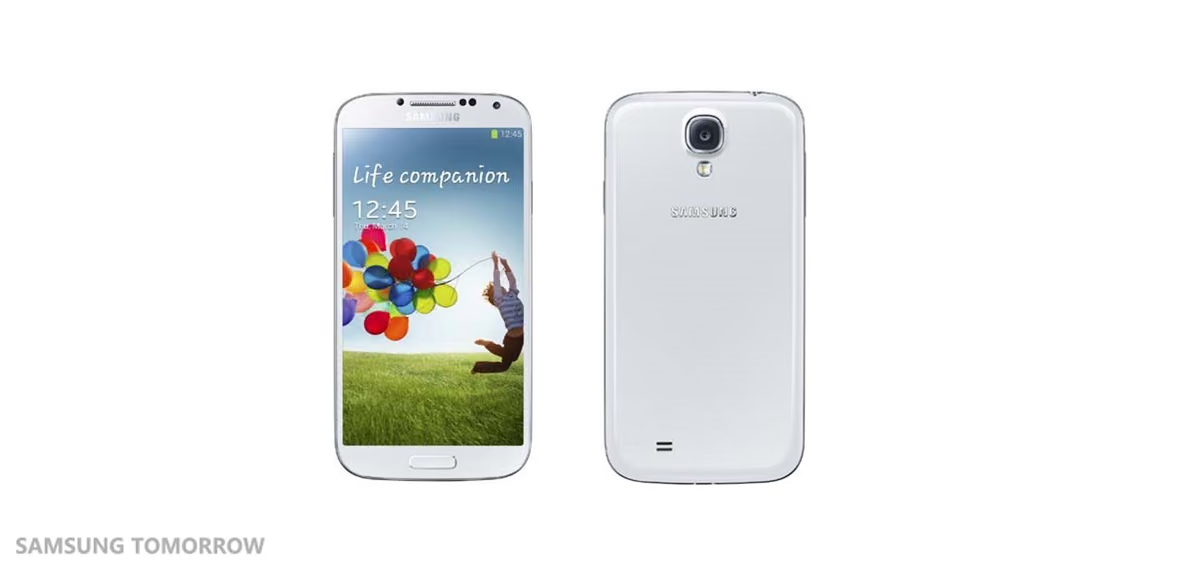
The Galaxy S4 kept a bigger screen in a phone that felt familiar
The Galaxy S4 went on sale in its first global wave on April 27, 2013. Samsung moved the display to a five-inch Full HD Super AMOLED panel, gave the rear camera 13 megapixels and retained hardware such as a removable battery and microSD. It had a similar family shape to the S III. This was a phone you could consider for more usable room in everyday apps before deciding whether you wanted to learn any of Samsung’s more inventive additions to Android. Samsung’s record of the Galaxy S4 retail launch
Quick verdict
Retail release in first global rollout · Archive date
I would have taken the S4 for the clearer and larger screen and simple camera improvements if I already liked Samsung's physical controls.
Best for: A buyer using the phone frequently for reading and basic photography who already knew which model supported their service and usual accessories.
Main benefit: The five-inch panel gave more space in a slightly slimmer shape than the S III, with a useful change to the ordinary rear camera.
Biggest drawback: Many advertised interactions needed the right app and action, which reduced their value if you rarely used those specific jobs.
Reviewed version: The Galaxy S4 in Samsung's first global retail rollout that began April 27, 2013. Processor and network variants differed across markets.
Compatibility: It shipped with Samsung's software on Android 4.2.2, microSD, a removable battery and different carrier and processor versions. The new gestures worked in particular situations.
Review context: I evaluate the documented retail hardware and the software available in its release window. Regional variants and software changes are identified where they affect the verdict.
This review looks back at what Samsung specified and released in April. Some buyers got a different processor or mobile network support depending on the country or carrier. That matters when comparing how one version behaves or which service it can use. The main display and layout choices still show why the S4 was a distinctive model in the S series. Samsung’s introduction and original device specifications
More space comes from the glass and what is around it
The five-inch display supported 1920 by 1080 pixels. On the S4 this fit into a body slightly narrower and thinner than the previous S III. A person could get a bigger reading area without assuming the phone would be harder to wrap a hand around. Try the reading size you like while a keyboard is open, then hold the phone at a regular distance for reading a short page. Extra pixels can help make edges of text clear. The shape of the body and the place where you can comfortably support it tell you whether the right part of the display still sits within reach.
Related reading
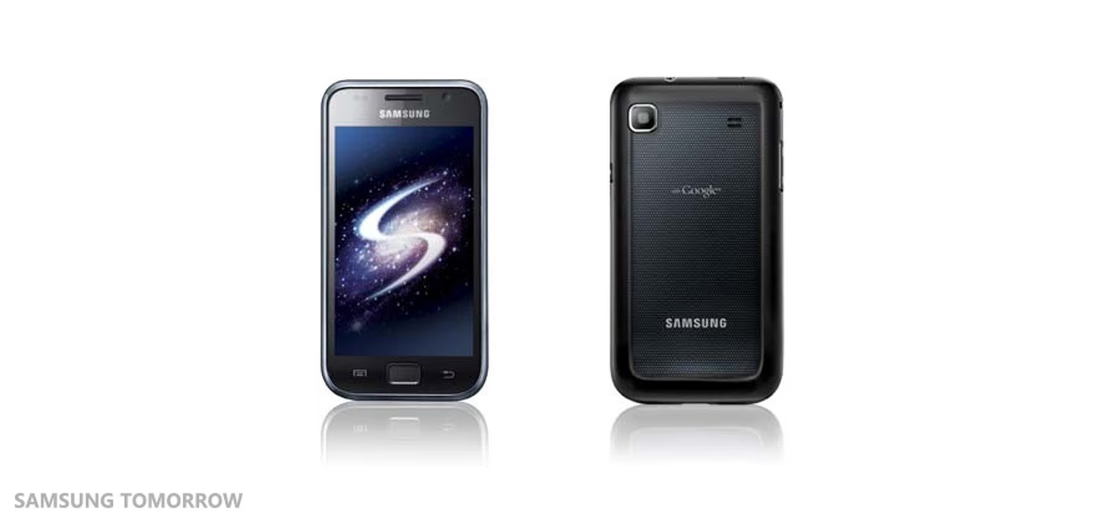
The screen and the controls were a more stable reason to choose the S4 than the most unfamiliar gestures in the advertising. Somebody who already knew the S III’s physical Home button and Android layout could open most of the same apps in a similar way. Samsung’s additions gave you several possible routes to a task. It was useful to check which ones you would adopt before considering them in the value of the upgrade. A short route to a setting can make as much difference as the ability to use an impressive new interaction on command.
The simpler parts of the camera gave it a good starting point
The 13MP rear camera offered more source detail than the previous main camera in useful conditions. A photo of a sign in good light is one reasonable way to check how much of that detail remains when sharing. Take the photograph from a place where you already intend to work and inspect the smallest part you need to read. When the subject moves or the light changes, exposure and focus matter as much as the number. I would have tried an easy scene and a difficult one before choosing whether a whole new phone was justified by what the pictures looked like.
Dual Camera let the two cameras contribute to a combined image. Several other modes offered ways to capture short events, sound or several frames. These were interesting when the event itself called for them. A buyer might use the rear camera most of the time and want the extra possibilities only occasionally. Try taking a picture you could make twice. One version with an unusual mode and one with plain framing will show whether the extra element explains something about the scene or just takes up space.
Use the gestures when they shorten a real action
Samsung introduced gestures that let a person interact with a compatible screen or feature without directly touching it. Air View could preview certain information when the finger hovered in the right place. Smart Pause reacted to someone looking away in a supported situation. These were ideas for specific tasks as opposed to a different way of operating every app. Someone thinking about a photo gallery or using a device while their hands were occupied had a sensible place to try one of them. The ordinary touch controls still offered a predictable way to get back to work when the feature did not recognise the action or the app did not have it.
It helps to start with the action you already use. Hover to check a relevant detail, then compare that with touching it and returning to the same place. If it shows enough information to make the next decision, it can be helpful. When you always need to reopen the full item anyway, that feature may only be an extra step. The number of available gestures told you less than where they worked and how reliably they fit a routine.
Related reading
The removable battery and the applicable model mattered at the shop
The S4 used a removable battery and accepted microSD. A person who carried a suitable spare could trade extra equipment for faster return to use away from an outlet. A card was useful for files that compatible features could store there. It did not make all internal capacity irrelevant. I would have checked the base capacity, what applications had to live on the phone and how much of the rest was media I could move. Then I would have checked the exact carrier model rather than expecting a name shared around the world to tell me everything about its radios.
Try the new screen with a file somebody will actually read
The change in resolution helped some tasks more than opening the same icons as before. A marked-up page, a sign photographed from where you normally stand and a note inside two sections of an app can all benefit differently. Try reading and answering a short line with the keyboard taking up some of the display. A larger clear area makes that easier only if the controls and remaining part of the line also stay visible. I would have tested that before ascribing much value to an extra gesture or a bundle of added software.
An existing S III owner could have borrowed that baseline from their current device. Find one piece of text normally viewed on the phone, set the same comfortable size and compare how both looked. If the S4 showed more of the working part or revealed useful fine detail in a photo, there was a concrete reason to consider the upgrade.
My verdict on the Galaxy S4
I would have bought the S4 to keep a familiar shape and get more useful display and ordinary camera capability. The removable battery and storage were still concrete advantages for people who used them. I would have assigned much less value to features I could not connect to an actual task. The Galaxy S III already had a lot to offer at a suitable price, while the Galaxy review timeline traces the display, camera and interaction changes that followed.
What worked
The five-inch panel gave more space in a slightly slimmer shape than the S III, with a useful change to the ordinary rear camera.
The normal touch controls and access to a spare battery stayed familiar while the new display showed more useful detail.
What bothered me
Many advertised interactions needed the right app and action, which reduced their value if you rarely used those specific jobs.
Gestures that worked in one place did not make the interaction better everywhere. Check whether they cut a real step out of something you already did.
Who should not buy it
Somebody shopping only for a new gesture or assuming every regional variant has the same cellular service and performance.
Alternatives I would consider
Galaxy S III. The older design offers familiar controls and battery access with a smaller and lower-resolution view. It may meet the same basic needs. Read my Galaxy S III review.
Evidence and sources
The release date refers to general availability in the named market. The archive filing is ten days later. Feature assessments are editorial judgments based on the documented retail model.
Samsung retail release information
Samsung's Galaxy S4 launch hardware and interaction specifications
Features, compatibility and rated figures from the maker are manufacturer information. My opinions are identified in the review.
Conclusion
Value the standard screen and camera before assigning value to each extra feature. Include the storage, battery and compatible seller model the purchase actually covers.
One email a week with practical Mac workflows, useful comparisons and honest tech recommendations.