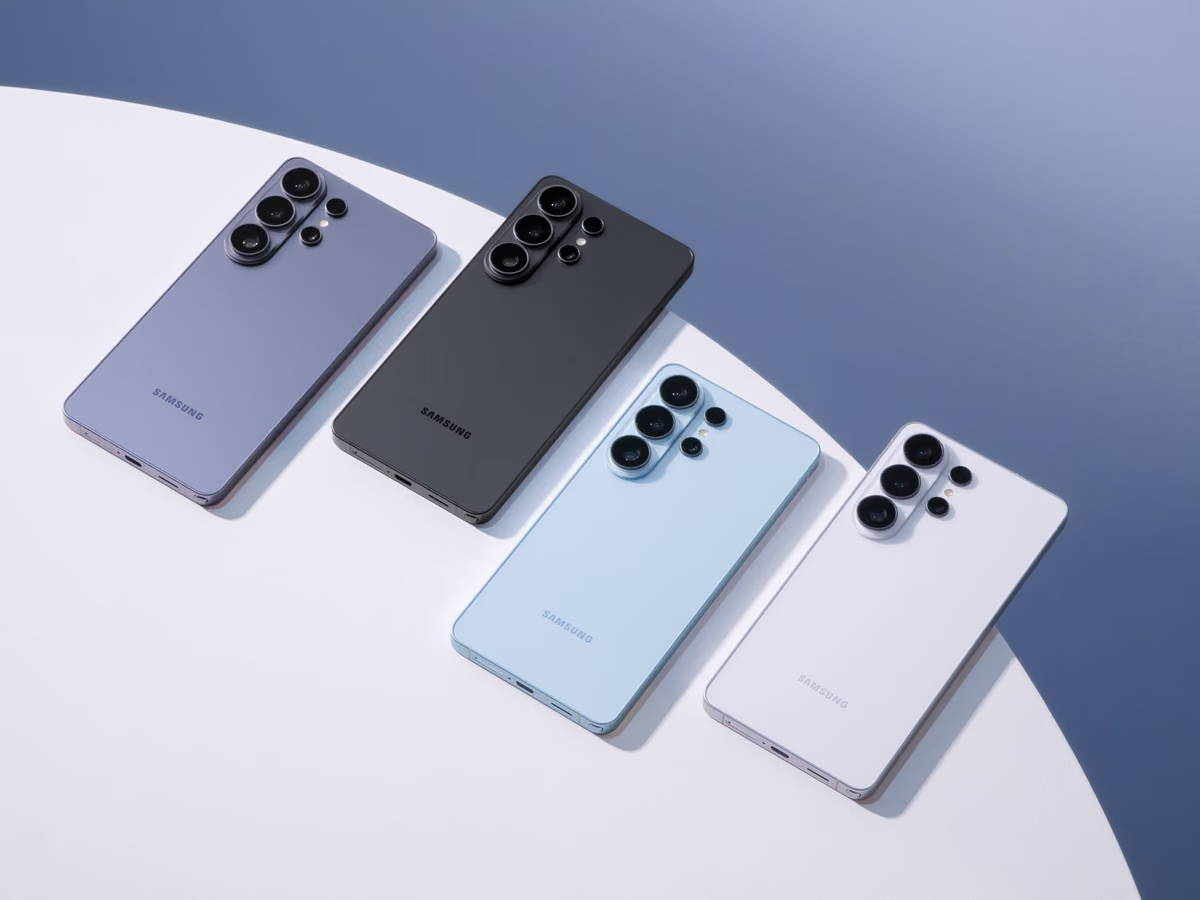
The Galaxy S26 Ultra made it possible to narrow the view from the side
The Galaxy S26 Ultra went on sale in the United States on March 11, 2026. Its built-in Privacy Display could reduce what somebody beside the user saw under supported settings. The phone also changed the light-gathering specs of two rear cameras and offered compatible wired charging up to 60W. It was an Ultra with an integrated pen and a large working surface. The screen change made the most distinct case for buying it when sensitive information actually appeared on that large surface away from a desk. Samsung’s S26 Ultra availability and hardware specifications
Quick verdict
Retail release in the United States · Archive date
I would have chosen it if I needed to check information around other people and could put the camera or brief charging provision to a regular second use.
Best for: Someone often working in shared places who benefits from selective reduced side visibility, while still wanting a large working surface.
Main benefit: A built-in way to make supported areas of a wide display harder to read at an angle can improve a frequent privacy decision.
Biggest drawback: A reduced view from the side can be inconvenient when showing the phone to someone. It cannot replace selecting what to expose and who can have access.
Reviewed version: The US Galaxy S26 Ultra on sale March 11, 2026, with a 6.9-inch panel, integrated S Pen and 256 GB at entry.
Compatibility: Privacy Display applies to supported viewing conditions and settings. Peak 60W wired charging needs compatible equipment. Separate optical cameras cover 3x and 5x.
Review context: I evaluate the documented retail hardware and the software available in its release window. Regional variants and software changes are identified where they affect the verdict.
This launch retrospective refers to the US 6.9-inch Galaxy S26 Ultra with a starting price of $1,299.99 for 256 GB. The privacy changes apply to the display and its supported modes. They are most useful after a buyer has looked at the angle, workspace and content they mean to make harder to glance at. The usual choices about notifications, access and handling still matter when you use the phone around other people.
Try Privacy Display for the exact thing you want to see
A person travelling alongside others may need to read a brief private message, enter a short code or open a sensitive application. Start with something harmless standing in for the information at the same text size. Observe it from a normal front position and ask someone to see what remains readable off-axis. Do that in the kind of light and angle you expect. This demonstrates whether the ability to narrow the useful view could help that routine. It does not make the screen invisible from every position or replace putting the information away when you cannot control who sees it.
Related reading
Samsung described settings that could enable that effect more broadly or in selected situations, such as supported apps or parts of the display. I would have set the simple restriction I expected to use and compared the screen with it on and off. A mode that suits checking a message in transit might interfere when you deliberately show a map or picture to the person next to you. The ability to choose when it applies is as relevant in this use as the difference in viewing angle on a fixed sample.
The wide screen still has to work for the person holding it. Ensure you can read an ordinary paragraph and make a short mark with the S Pen using the appropriate viewing setting. A screen change that protects an occasional check may be worth enabling for particular work. During other use you can value how well the regular screen shows photographs or a long document. Those are independent reasons to buy a large device of this type.
Look for light and motion on the camera you are actually using
The Ultra continued with separate 3x and 5x optics. Samsung specified wider apertures for the 200MP main camera and the 5x camera than the preceding generation. In suitable conditions that lets more light reach the relevant sensor. A dim subject holding still and a person taking a step use that additional light differently. I would have checked that actual result before assuming the new lens did all the work. The phone may choose a different exposure or processing response according to the conditions and mode.
For a distant scene, use the 5x view to check what sits around the initial detail while you remain at a fixed distance. A closer software option can be helpful if the part you need is small and the available light gives it enough to work with. I would not choose on the maximum setting alone. The separate optical cameras are easier to value if you can name where you use each. Photograph a moving subject and a stable object before deciding whether the new main camera solved an issue that was actually present on the S25 Ultra.
Faster charging helped most at the stop you already took
Samsung listed up to 60W wired charging with compatible equipment. The result depends on the starting battery level, temperature, cable, charger and conditions. Think first about the charging stop that would otherwise be too short to do much. If a shopper frequently had a brief chance to recharge after navigating or recording, a suitable charger might make the higher supported rate useful. Someone who primarily charged overnight would have less reason to replace working equipment. The 5,000 mAh typical listed battery capacity gives a different comparison from the number printed on the charger.
Related reading
The 6.9-inch display and stowable S Pen gave the phone familiar Ultra jobs to do. A finished note or a legible preview is more useful than a feature a person can only show off once. I would have lined up the exact charging plan, carrier requirements and regular apps to see which new provisions changed everyday work. For a different type of buyer, the ordinary S26 screen, weight and camera might already suit the way they use a phone.
The important angle changes when you are the person reading the screen
I would have compared reading handheld with reading from a stand. If you normally look from a little to one side while typing on another device, the angle protection could affect your own view too. Move the phone to the position where you need to use it and check the difference under the applicable settings. This is easier to judge if the material includes the kind of text you actually read and something that shows the effect on colour and display brightness. Someone next to you might see a different amount according to how close they are to your viewing position. Privacy at a shared table remains a different problem from somebody directly behind you.
The feature is more useful if you can set it up in a way that matches how often you really need it. A phone that uses a lower side angle all the time may get in the way of sharing or viewing from a stand. I would have used a few full-screen and notification situations and then chosen the right level of protection for that context. A buyer who already uses a simple privacy accessory can also compare what the built-in control gives back while it is inactive.
My verdict on the Galaxy S26 Ultra
I would have chosen the S26 Ultra if I frequently needed a harder-to-glance-at screen around other people and could benefit from its updated cameras or a short charging stop. The S25 Ultra already had a large flat display, stowed pen and separate long cameras if those needs were more important. The Galaxy review timeline keeps this launch in order with the earlier Ultras and the other Galaxy S releases.
What worked
A built-in way to make supported areas of a wide display harder to read at an angle can improve a frequent privacy decision.
Revised apertures and supported faster charging made sense for separate use in dim capture and during brief visits to a compatible charger.
What bothered me
A reduced view from the side can be inconvenient when showing the phone to someone. It cannot replace selecting what to expose and who can have access.
A heavy and expensive large phone was still a poor fit if the new display and camera capability only came out occasionally.
Who should not buy it
People who often share screen contents from the side, use the prior Ultra comfortably or mainly need its standard-size sibling.
Alternatives I would consider
Galaxy S25 Ultra. It has a large flat screen, integrated pen and separate 3x and 5x cameras. The newer viewing options and selected optics belong to the S26 release. Read my Galaxy S25 Ultra review.
Evidence and sources
The release date refers to general availability in the named market. The archive filing is ten days later. Feature assessments are editorial judgments based on the documented retail model.
Features, compatibility and rated figures from the maker are manufacturer information. My opinions are identified in the review.
Conclusion
Try the same task from the front and side and consider where you would share the screen. Price charging equipment as part of the work it actually helps.
One email a week with practical Mac workflows, useful comparisons and honest tech recommendations.