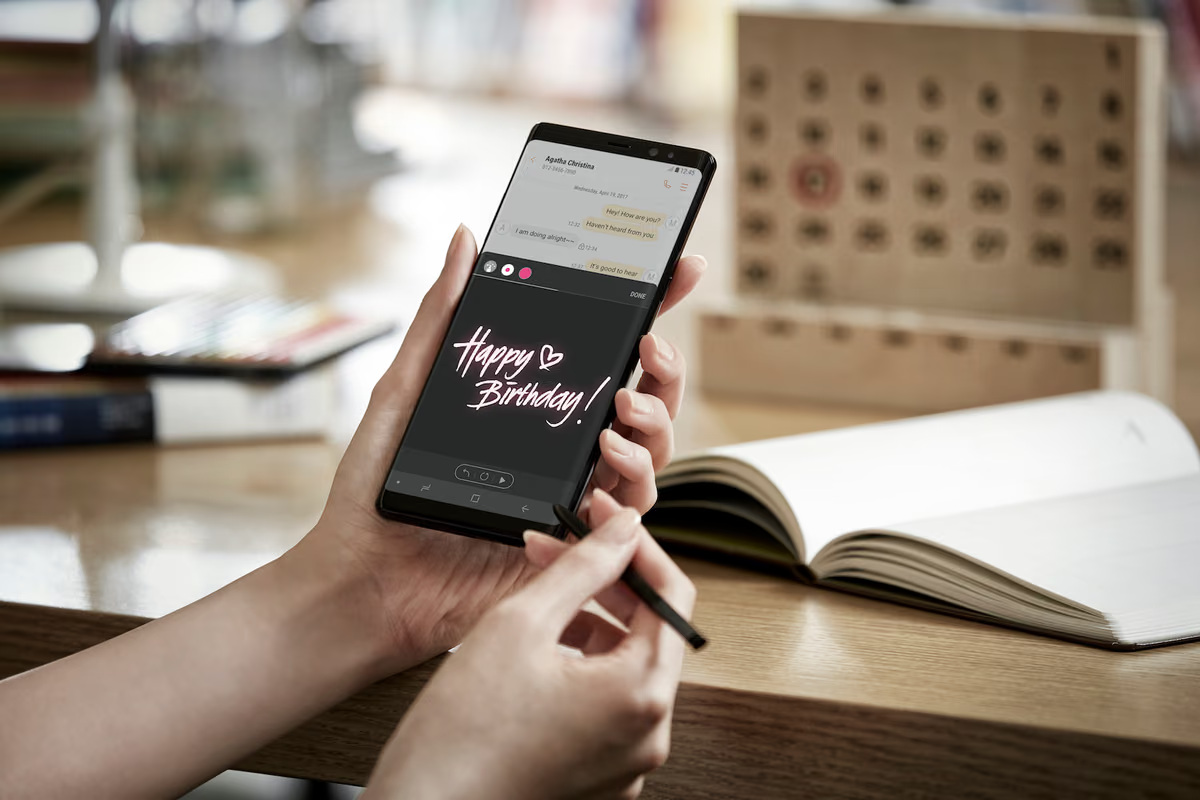
The Galaxy Note8 put two stabilised cameras alongside the pen
The Note8 reached US stores on September 15, 2017. Its 6.3-inch screen and integrated S Pen gave you a wider working surface for ordinary notes and markups. The camera offered two 12MP rear views with optical stabilisation on both. This made a reasonable difference from a Note whose camera had only one lens. The phone had to earn its size from at least one of the things that set it apart, and both worked best when the buyer had a particular job in mind. Samsung’s Note8 US retail availability
Quick verdict
Retail release in the United States · Archive date
I would have chosen the Note8 where its second field and integrated pen saved enough steps to make the bigger size worth carrying.
Best for: Someone frequently checking or marking an image or document and expecting to use both of the supplied rear views in normal conditions.
Main benefit: The two stabilised rear fields and large working display made it possible to capture a useful detail and then do something with the result nearby.
Biggest drawback: The tall body asked for a larger reach, and some of the pen and multi-window work depended on apps suited to the new shape.
Reviewed version: The September 15, 2017 US Galaxy Note8 with two 12MP rear cameras, an integrated S Pen and a 6.3-inch display.
Compatibility: Both rear lenses had optical stabilisation. Live Focus and App Pair depended on the supported mode or apps. The smaller Galaxy S8 had a different camera setup.
Review context: I evaluate the documented retail hardware and the software available in its release window. Regional variants and software changes are identified where they affect the verdict.
This review returns to the first US retail period with a focus on the documented Note8 hardware. The Galaxy S8 and S8+ were available by then, so somebody who wanted the tall screen could compare a Note with its camera and pen peers. The larger Note added a type of input and a different way to place the camera at the same familiar distance. Samsung’s launch features and technical data
The second camera could help with a clear editorial decision
A photograph of someone across a small room can often work either as a broad view that shows where they are or a tighter view concentrating on the person. The two separate lenses leave you room to choose between them without moving closer. Both included optical image stabilisation. That helps with movement of the person holding the camera. It cannot by itself stop the subject from moving. I would have chosen a fixed place to take a normal picture and compared what the picture needed to show at two useful distances.
Related reading
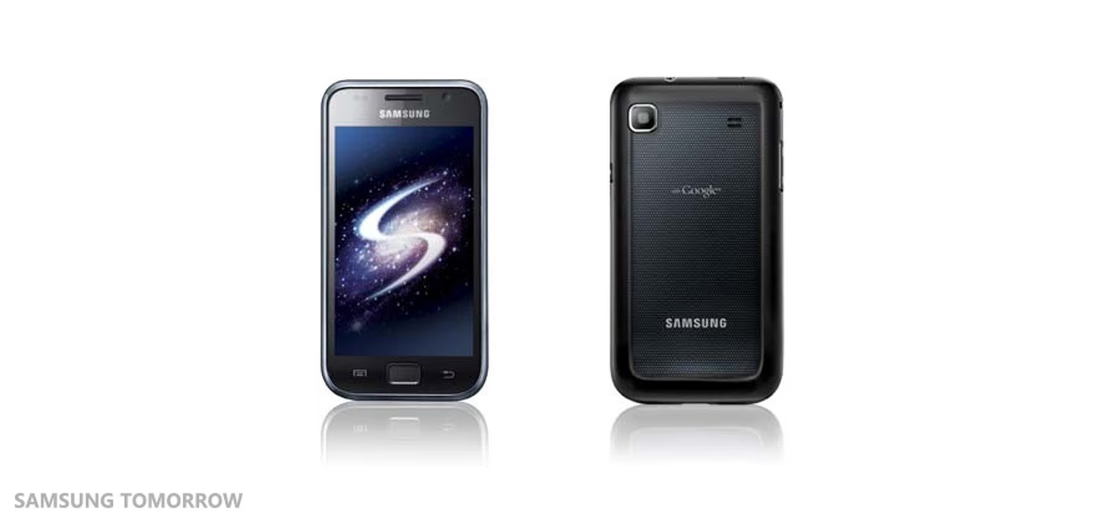
Live Focus provided a background blur adjustment in supported conditions. Try framing somebody separated from the background by a reasonable distance, then compare a view with the surroundings preserved. The effect is only worth using if it changes the attention toward the part of the photograph that matters. A close edge or a strand of hair can show whether the mode separated the subject in a way you actually liked. If the surroundings explain why the person is there, a simpler wide image may be more informative.
In the year the Note8 launched, a person could use a Galaxy without the extra rear lens and still have a capable standard camera. The useful upgrade case was a repeating need for another frame from where you already stood, and a reliable enough result in the conditions you actually encountered. Extra optical control makes a clearer buying reason once you have compared a place where the available framing is already too wide.
The screen and pen help an idea travel to somebody else
Screen Off Memo, the S Pen and longer scrollable notes continued work Samsung had done on previous Notes. They made sense when somebody had to keep what they were looking at and make a mark or enter a small amount of information. I would have written a quick piece of a name or a reference, then found it again and used it. The way the phone returned the note is part of the purchase. A useful mark can have little value if it stays stuck in the place you first made it.
The larger working area can handle the picture you want to review as well as the part of the interface you use to change it. Try moving through a picture with the pen ready and leaving enough context visible while adding a small note. A person who does this frequently can understand why Samsung put the tool in the same body. Someone who mostly scrolls through material or only needs the tool on a computer could get more comfort from a lighter phone that still has the broad display style.
App Pair had to join things you use at the same time
App Pair offered a way to open a combination in Samsung’s split-screen arrangement. Think of a conversation that needs an address from another app, or a page where you need to respond after viewing details. The best example is one you already manage in two places. Try looking at a relevant part of the reply and the reference side by side. The shape of the taller screen can provide enough area to hold both views in the orientation that suits them. The applications have to do the right thing when part of the screen is covered by controls or an onscreen keyboard.
Related reading

The tall body can make the edge of the interface harder to reach, especially in one hand. A case can change that placement a little, and gaining screen height doesn’t fix where the important controls are. I would have tried a single regular activity as well as a paired one. A person who frequently uses the extra surface has a specific benefit to compare with the cost of reaching the high part of it.
The camera and pen can share the same short job
Imagine somebody needs to know about a damaged area or an exact part of an object. A wide shot can show where it is and a tighter one can show detail if the light and the available distance allow it. Use the display to check both, then mark the useful place before sending the result. The Note8’s large display and pen make it easier to keep the rest of the scene visible while drawing a line or writing a few words. Someone who needs to keep a clean original should confirm how the software stores the marked version and the initial shot.
Each part could also have a more appropriate alternative. A Galaxy S8 can give a useful wide image and room to check it. A person who enters notes in another place might get little return from the pocket space devoted to the pen. The stronger case for the Note is being able to show the exact part of the photo somebody asked about and keep that process short enough to use without planning. I would have compared the entire action, including sending it, before buying for either of the upgrades on its own.
My verdict on the Note8
I would have chosen the Note8 if my regular photographs had a use for two views and the pen fit the way I kept short notes or shared a markup. The Note5 already gave people several of the original pen conveniences. The Galaxy review timeline shows where the two stabilised cameras and App Pair entered the Note family.
What worked
The two stabilised rear fields and large working display made it possible to capture a useful detail and then do something with the result nearby.
App Pair and the stowed pen offered direct ways to keep relevant information close enough to mark or respond to it.
What bothered me
The tall body asked for a larger reach, and some of the pen and multi-window work depended on apps suited to the new shape.
A second rear view still required useful light and the right distance. Background processing could affect Live Focus differently from the optical picture.
Who should not buy it
Someone who only takes ordinary main-camera shots and rarely uses a pen or two apps together.
Alternatives I would consider
Galaxy Note5. A preceding Note with quick pen input, though without the Note8's second rear view and new screen format. Read my Galaxy Note5 review.
Evidence and sources
The release date refers to general availability in the named market. The archive filing is ten days later. Feature assessments are editorial judgments based on the documented retail model.
Features, compatibility and rated figures from the maker are manufacturer information. My opinions are identified in the review.
Conclusion
Buy the Note for a specific reason to use the camera or the pen more regularly. The Galaxy S8 family already offered related display designs.
One email a week with practical Mac workflows, useful comparisons and honest tech recommendations.