I like desk products that make their purpose easy to understand. The Logitech Z200 is a pair of wired stereo speakers with physical controls and an ordinary analogue connection. There is no speaker account to create or wireless pairing routine to remember. For a computer that usually stays in the same place, that is an appealing starting point.
Quick verdict
I would consider the Z200 for a straightforward wired desk where physical controls matter more than wireless features.
Best for: A fixed desk with an analogue audio output and room for two small speakers.
Main benefit: The right speaker puts volume, tone, an extra input and headphones within reach.
Biggest drawback: The analogue cables and separate power supply are part of the permanent setup.
Logitech Z200 stereo speakers, Black, 980-000800
Amazon US · US
Check price and availability: Logitech Z200 stereo speakers, Black, 980-000800 at Amazon USAffiliate link. As an Amazon Associate I earn from qualifying purchases.
Reviewed version: Logitech Z200 stereo speakers, Black, 980-000800
Compatibility: A source with a working 3.5 mm analogue audio output, suitable mains power and space for both speakers. USB audio and Bluetooth are not included.
Review context: I assess a fixed computer desk, analogue source routing, accessible volume and headphone connections, without claiming a listening test.
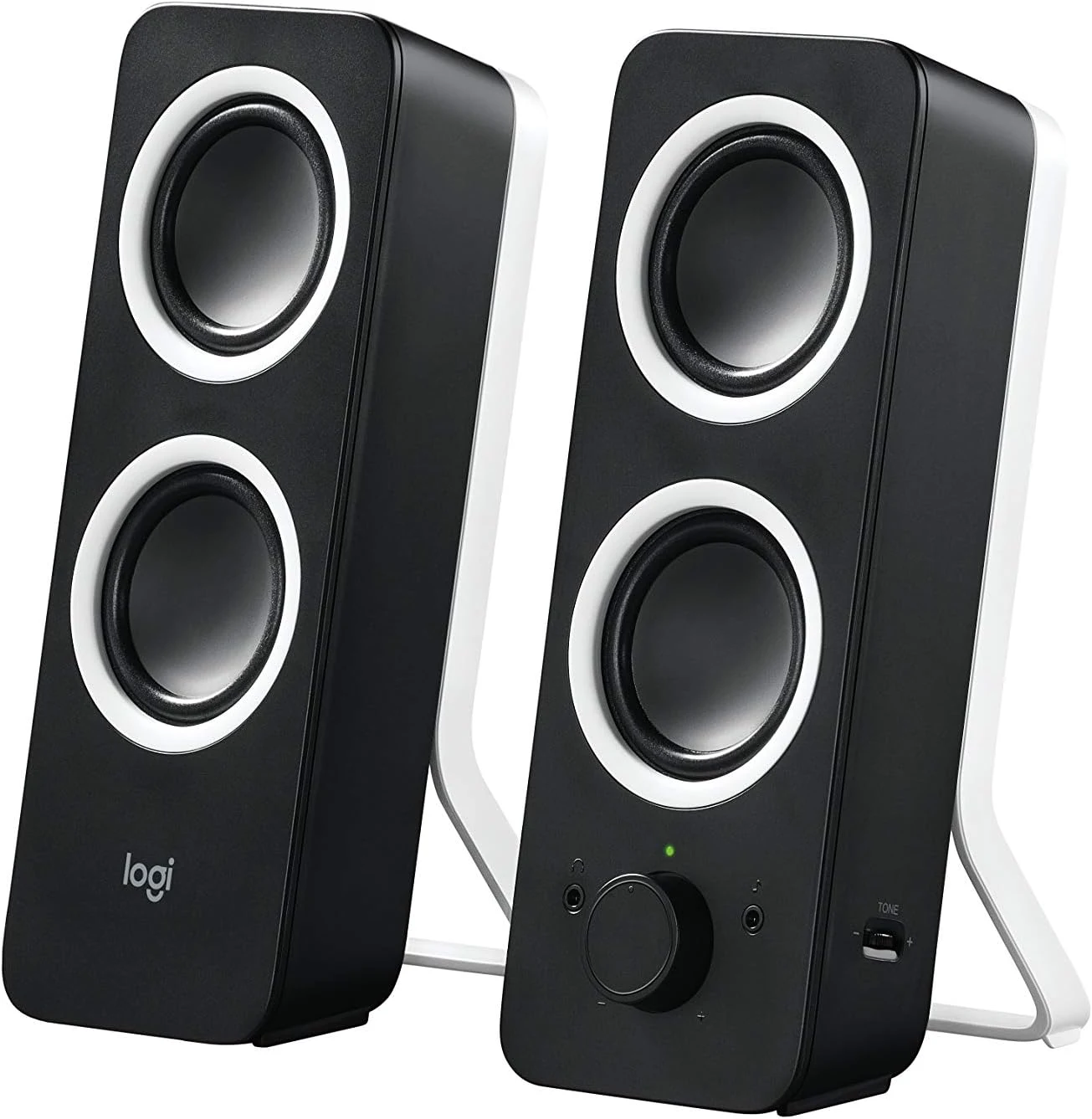
The version here is the black 980-000800 set. I would judge it as a small desktop audio system, with the connection and layout doing much of the work. A large power number in an online title tells me less about whether a product belongs on my desk than the position of its volume control.
The connection is the main buying check
Logitech’s Z200 setup guide describes a powered speaker set connected to the source through a 3.5 mm audio cable. That source needs an audio output. A socket that only accepts sound into another device does not do the same job, even if it has the same size and shape.
Related reading

I would check that point before assuming every modern laptop or monitor can connect directly. A computer without an analogue output may need a suitable audio adapter. A monitor’s headphone output may work as the source, but its own volume and audio routing also become part of the arrangement.
The Z200 is not a USB audio system or a Bluetooth speaker pair. I see the wired approach as a benefit when everything stays connected. It is less attractive when the same speakers are expected to move between a laptop, phone and another room every day. Simplicity depends on the job, rather than the age of the connector.
Two speakers need two useful positions
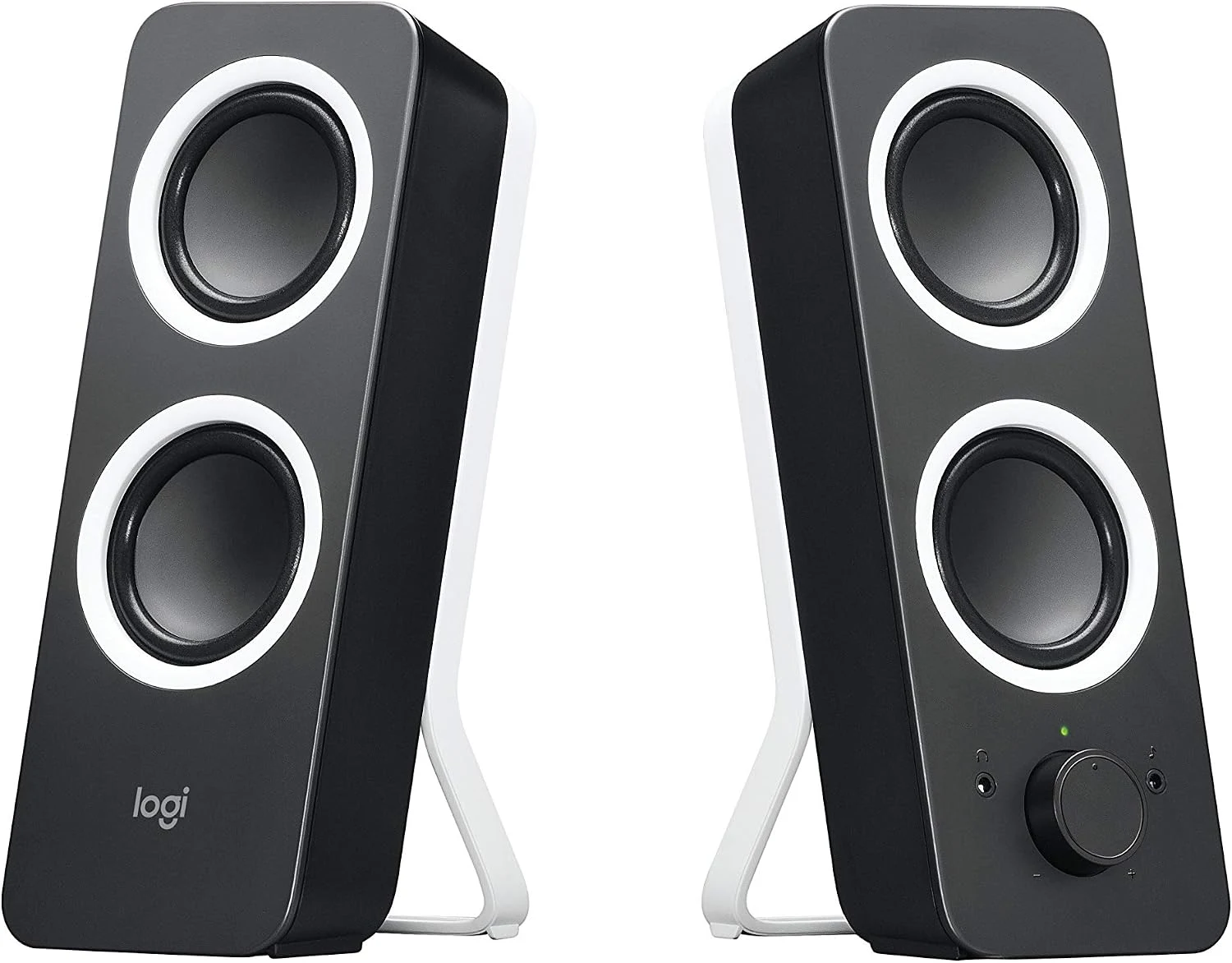
I would give the left and right speakers sensible space around the display. Placing both together behind a screen would waste much of the reason for choosing a stereo pair. Their height and the cable route should fit the desk before decorative symmetry becomes the priority.
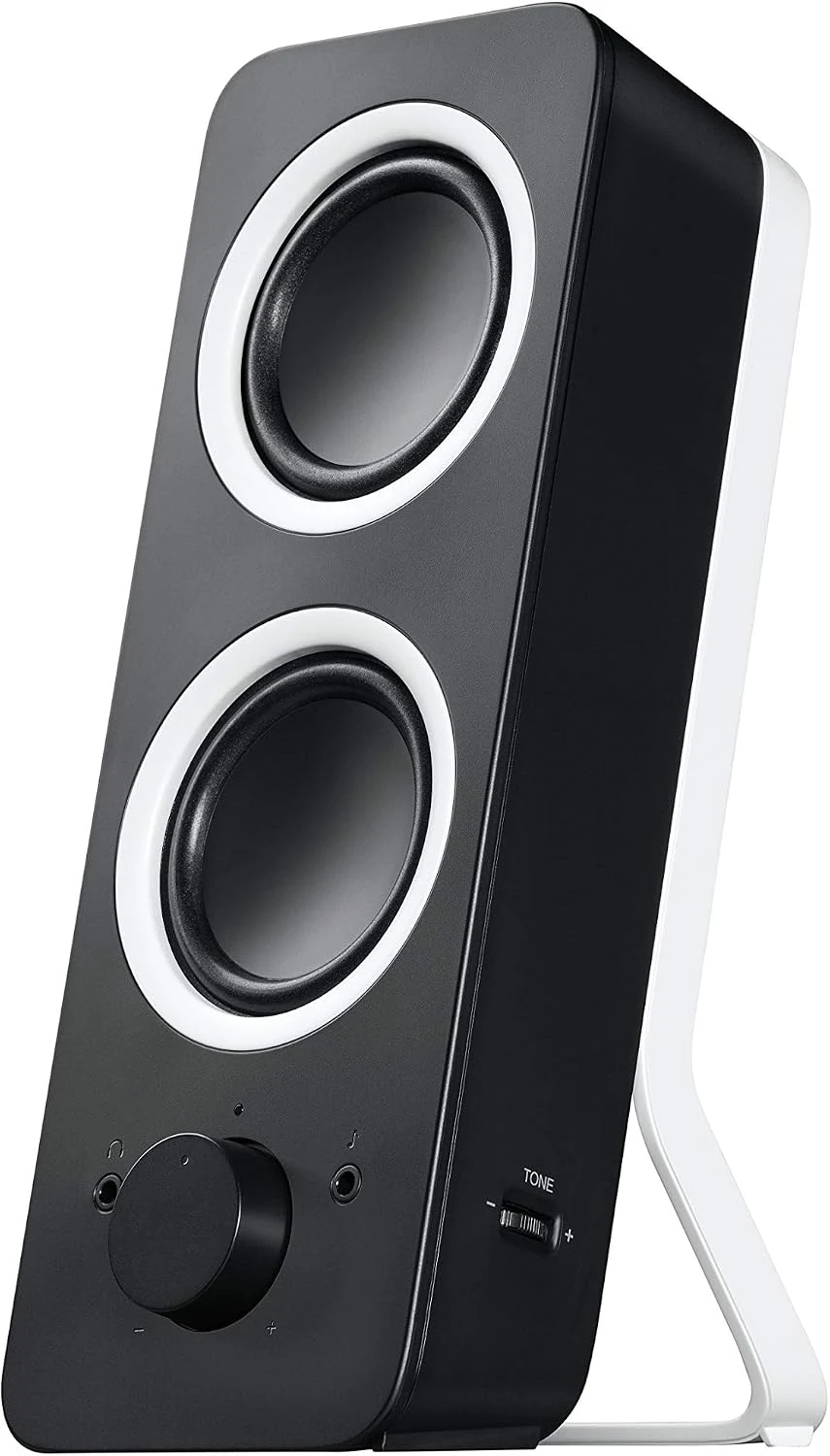
The right speaker carries the controls, so that is the one I would keep reachable. A volume knob hidden behind a monitor stand is less convenient than it looks in a clean product photograph. I like the directness of reaching one familiar control instead of finding an application or adjusting the wrong output in a menu.
Separate mains power is another practical detail. I would check the supplied adapter for the intended country, leave a safe cable route and avoid letting the audio lead pull on a laptop. I would also leave enough access to disconnect the audio lead without moving the whole display. The complete system includes those connections, even though a shop photograph naturally gives most of its attention to the two visible speakers.
Related reading

The front connections make sense
The front auxiliary input is useful when a second source needs a temporary connection. Logitech also provides a front headphone output. I like that combination because it recognises a normal desk can switch between shared sound and private listening without needing a different set of speakers.
I would still decide where the sound should come from before starting a call or playing a video. A computer can have several available outputs, especially beside a display or dock. A connected cable does not always mean the application has selected the intended route. Clear naming and a quick check make the arrangement easier to live with.
The tone control offers a simple adjustment, rather than a complete sound system redesign. I would use it to find a sensible balance at the desk. Turning one control cannot make a small pair of speakers behave like a large speaker system with a separate subwoofer, and I would not buy it on that expectation.
I would choose for the room, not the headline
The published power figures describe the manufacturer’s rating, not a listening result from my room. They do not tell me whether speech remains easy to follow at my normal position or whether music has the balance I prefer. Those questions depend on the room, placement and personal taste as well as the product.
For a work desk, I would start with speech and ordinary listening levels. Speakers that need to be loud to feel useful can be a poor fit for a shared room. The aim is an easy everyday arrangement, not using every part of a power rating simply because it appears on the box.
I also prefer to keep a clear boundary around privacy. A speaker pair is convenient for videos or music when others can hear them. A headset is the more sensible choice when a meeting includes private information or another person needs a quiet room. The headphone socket makes that change of plan easier to accommodate.
Related reading
Where I would compare alternatives
The Creative Pebble Plus takes a different approach by adding a separate subwoofer. I would compare it when there is a suitable place for that extra box and bass has a higher priority. That is a change in the complete desk arrangement, rather than a simple contest between names.
For a laptop that moves frequently, a different compact audio solution may make more sense than a permanent two-speaker installation. For a fixed desk with an analogue source, I like the Z200’s straightforward controls and clear purpose. I would check the exact Amazon US affiliate offer for the black 980-000800 set, adapter, condition and current availability, then decide whether that simple wired arrangement is the one I actually want.
What worked
The right speaker puts volume, tone, an extra input and headphones within reach.
What bothered me
The analogue cables and separate power supply are part of the permanent setup.
Who should not buy it
A buyer who needs Bluetooth, USB audio or convincing deep bass from a separate subwoofer.
Alternatives I would consider
Creative Pebble Plus. I would compare the separate-subwoofer design when there is room for another box and bass matters more. Read my Creative Pebble Plus review.
A suitable wired headset. I would choose headphones when listening needs to stay private in a shared room.
Evidence and sources
Product details come from the cited sources. Images: Amazon product gallery. These are not personal test photographs or measurements.
Features, compatibility and rated figures from the maker are manufacturer information. My opinions are identified in the review.
Conclusion
A sensible shortlist choice when the connection and controls fit the desk; compare the complete current offer rather than the peak power number.
Logitech Z200 stereo speakers, Black, 980-000800
Amazon US · US
Check price and availability: Logitech Z200 stereo speakers, Black, 980-000800 at Amazon USAffiliate link. As an Amazon Associate I earn from qualifying purchases.
One email a week with practical Mac workflows, useful comparisons and honest tech recommendations.