The K780 interests me because it treats the phone and tablet as part of the desk. A keyboard can connect to several devices yet still leave me looking for somewhere to put them. Logitech combines those two jobs here. I like that practical focus: switching where I type and holding the smaller screen happen in the same place.
Quick verdict
I would choose it for a desk where a computer, phone and tablet all need regular typing.
Best for: I would choose it for a desk where a computer, phone and tablet all need regular typing.
Main benefit: Three device slots and a built-in cradle give the keyboard a clear role on a mixed-device desk.
Biggest drawback: The fixed cradle and number pad can be unnecessary bulk if I type on only one computer.
Logitech K780 Keyboard
Amazon US · US
Check price and availability: Logitech K780 Keyboard at Amazon USAffiliate link. As an Amazon Associate I earn from qualifying purchases.
Reviewed version: Logitech K780 Multi-Device Wireless Keyboard with Built-in Cradle, Speckles
Compatibility: Bluetooth keyboard devices or a compatible Logitech Unifying receiver connection. Confirm the exact regional key layout and device thickness before buying.
Review context: I assess moving between a computer, phone and tablet, cradle fit, desk space and connection choices.
My recommendation depends on actually needing both features. I would shortlist the K780 for someone who writes on a computer, answers longer messages on a phone and occasionally works on a tablet. If every sentence goes into one laptop, the built-in cradle becomes less valuable. A good fit for the routine matters more to me than owning another wireless accessory.
Switching is useful when the next device is ready
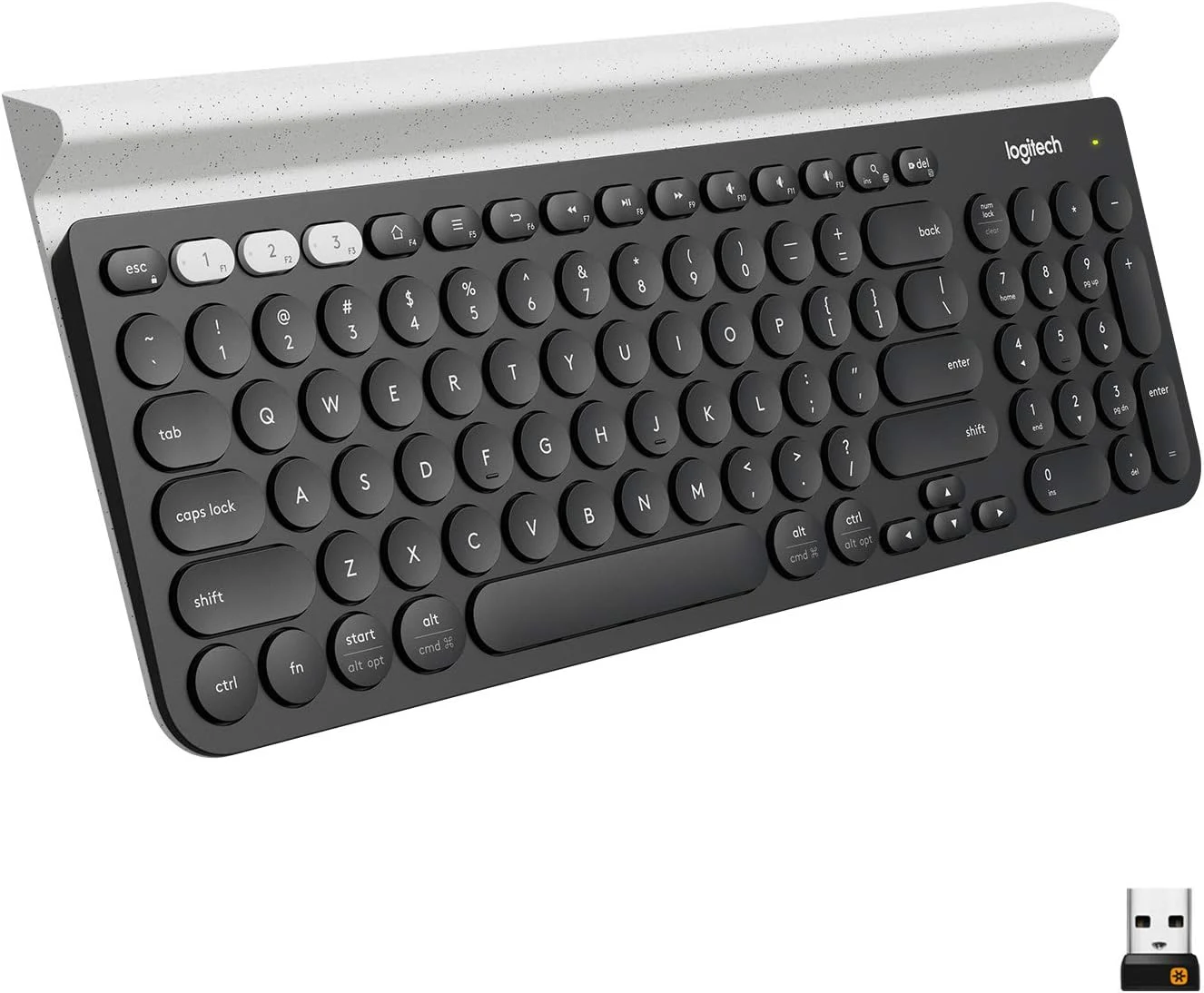
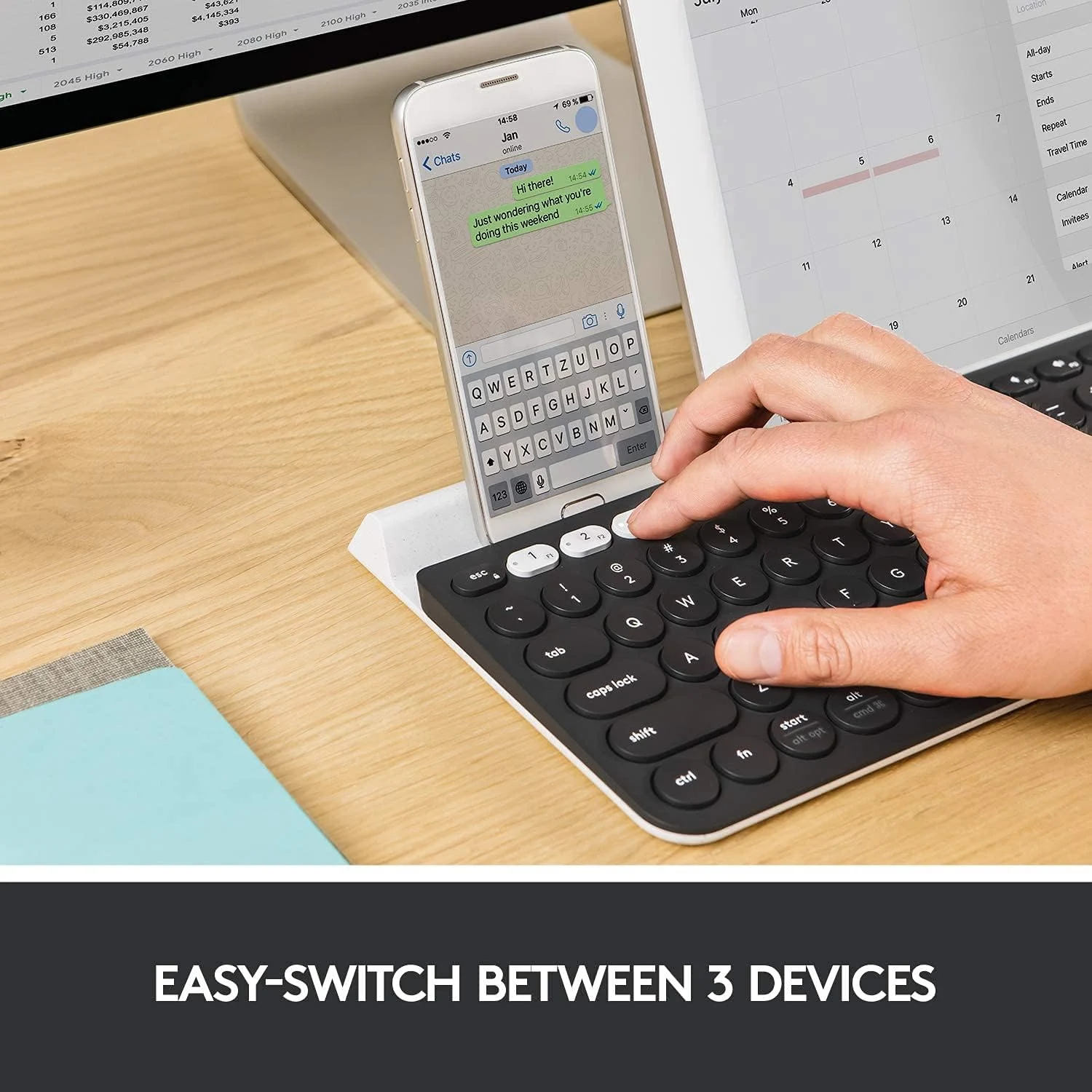
Logitech describes the K780 as a keyboard for up to three devices. Dedicated Easy-Switch keys select the target. My attraction is reducing the small interruption of changing keyboards or typing a longer reply on glass. I would assign each slot consistently so the button becomes a remembered location.
Related reading

I would not confuse selecting a keyboard connection with moving a whole working session. Files, clipboard behaviour and application state are separate questions. A phone still needs to be awake, unlocked and in the correct text field. For me, the benefit is easier text entry across devices that are already part of the workflow, rather than a promise that three operating systems suddenly become one.
A useful first check would be a normal reply, not just pairing. I would open a message on the phone, switch from the computer, type it, then return to the document. That would expose the real sources of friction: where the cursor is, whether the device has gone to sleep and which shortcuts mean something different. It is the complete exchange that determines whether switching saves effort.
The cradle is the reason to look closely
The integrated support is more important than it first appears. It keeps a smaller screen near the keyboard rather than flat beside it. I would find that arrangement appealing for checking a reference while writing, provided the screen remains easy to see from the chair. The angle is part of the keyboard design; it does not offer the freedom of an independent adjustable stand.
Device cases deserve attention before purchase. A thick protective shell can change whether a tablet fits comfortably in a support designed around a certain thickness. I would use Logitech’s fit guidance for the actual device and case together. A picture of a bare tablet is not enough to establish that a heavily protected one will sit securely.
There is also a desk layout choice. The screen in the cradle sits lower than a monitor on an arm. I would not make that my main working display simply because it is conveniently close. For long tablet sessions I would compare a separate raised stand, which can be positioned without moving the keyboard. The integrated approach is strongest when convenience outweighs the need for independent adjustment.
A number pad is a real space decision
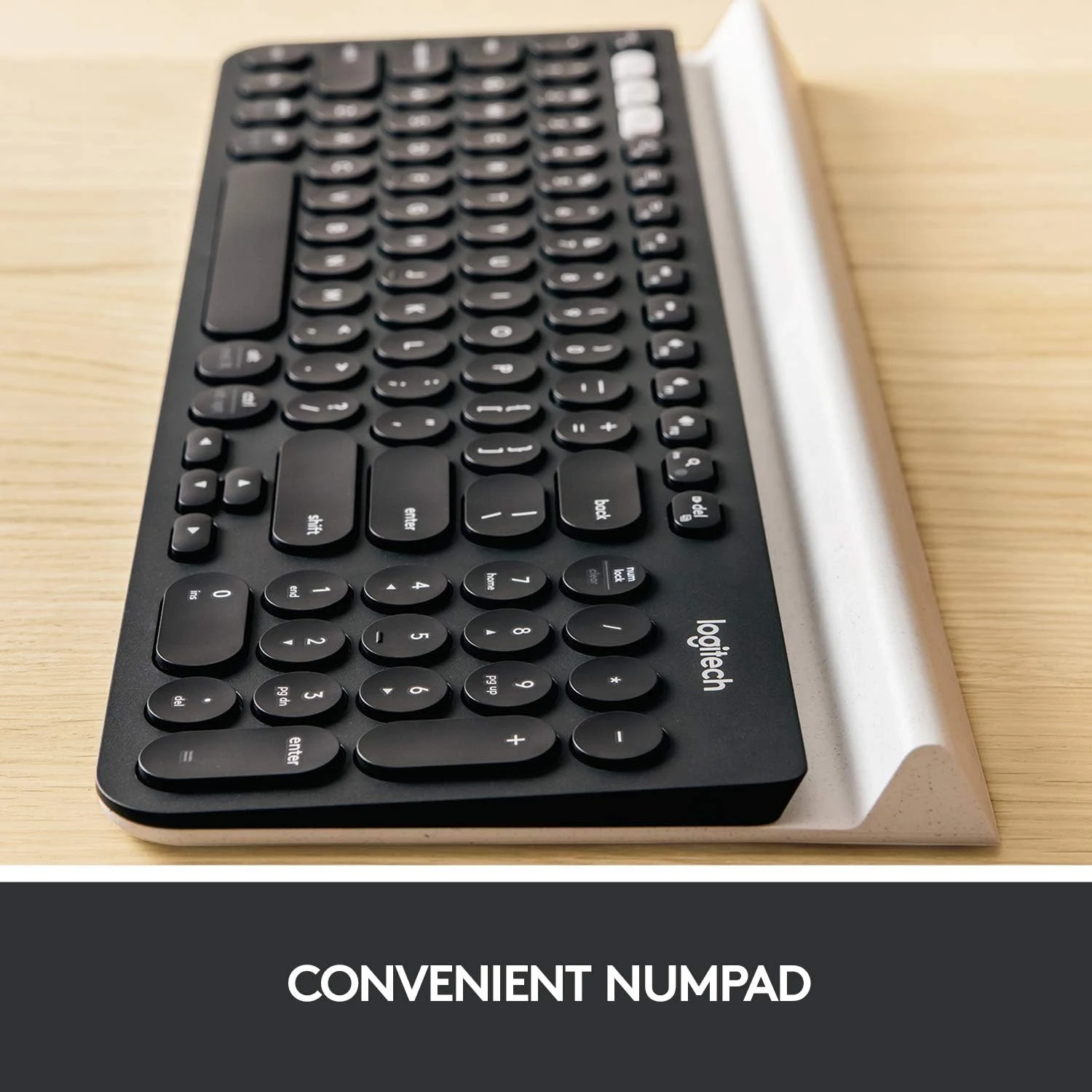
The K780 includes a number pad and a familiar set of keys. That makes sense for repeated numeric entry. I would appreciate having those keys available without adding a separate pad, especially when the same keyboard also serves a tablet. It is a more complete desk tool than a tiny mobile keyboard.
Related reading

The cost is physical width. On a small desk, the number pad can push the mouse farther from the main typing position. I would measure the available working area rather than assume a compact-looking photograph means plenty of room. Someone who rarely enters numbers may gain more from a narrower board and a closer pointing device than from a set of keys that stays unused.
Key layout is another detail I would settle early. This review follows the specific linked K780 listing, including its speckled variant. Regional layouts and printed symbols are a purchase choice, especially for Czech and English writing. I would confirm the actual layout with the seller instead of expecting operating-system settings to change the physical key shapes and labels.
Wireless convenience still has a setup routine
Logitech documents Bluetooth and its receiver-based connection for this model. I would choose according to the equipment rather than treat the two paths as identical. Bluetooth can avoid occupying a USB port on a tablet or a small laptop; a receiver can fit neatly into a permanent desktop arrangement. Receiver compatibility needs to match this keyboard’s generation.
I would also think about access before the operating system finishes starting. Device encryption screens, firmware menus and workplace restrictions may behave differently from an ordinary logged-in desktop. Anyone depending on a keyboard for those jobs should check the host’s requirements. This is particularly relevant when the computer belongs to an employer and accessory software cannot simply be installed.
Related reading

Where I would spend the money
For me, the best alternative is a smaller keyboard with a separate stand when desk position is the priority. I would choose a dedicated desktop board if only one computer needs it. The K780 earns its place when the cradle, number pad and device slots all support an established routine. Those are concrete benefits rather than features I need to invent a use for.
I would check the current offer for the exact layout and included receiver before ordering. I would also leave enough time to assess the key feel within the seller’s return terms, because switch shape and typing comfort remain personal. My overall view is positive: this is an unusually coherent desk idea for the right user, and much less compelling when the other two screens rarely need a real keyboard.
The product images come from the selected listing and identified manufacturer materials. My assessment uses the linked product information and the buying decisions explained here. Specifications are manufacturer or retailer claims; the conclusions are my own editorial judgement.
What worked
Three device slots and a built-in cradle give the keyboard a clear role on a mixed-device desk.
What bothered me
The fixed cradle and number pad can be unnecessary bulk if I type on only one computer.
Who should not buy it
Someone wanting a compact travel keyboard, a backlit board or an adjustable tablet stand.
Alternatives I would consider
A smaller Bluetooth keyboard. I would choose it when a separate tablet stand and extra mouse space matter more than a number pad.
A dedicated desktop keyboard. I would choose it when typing on one computer is the whole job.
Evidence and sources
The linked product documentation and exact retailer listing support the product details. Images: Amazon product gallery. These are not personal test photographs or measurements.
Features, compatibility and rated figures from the maker are manufacturer information. My opinions are identified in the review.
Conclusion
I would pay for the cradle and switching together; without both, a simpler keyboard makes more sense.
Logitech K780 Keyboard
Amazon US · US
Check price and availability: Logitech K780 Keyboard at Amazon USAffiliate link. As an Amazon Associate I earn from qualifying purchases.
One email a week with practical Mac workflows, useful comparisons and honest tech recommendations.