I like the idea of a flight joystick that leaves room to learn the aircraft before building an entire cockpit. The Logitech Extreme 3D Pro brings the main hand control, a twist axis and a small throttle into one desk device. That makes it an appealing starting point when the real goal is spending more time flying a favourite simulator.
Quick verdict
I would shortlist it for the focused role described here.
Best for: A right-hand Windows simulator setup with a verified control map and limited desk space.
Main benefit: A stick, twist rudder, small throttle and useful buttons offer a compact starting flight-control arrangement.
Biggest drawback: Current game and Windows support need checking separately from historical Logitech configuration software.
Logitech Extreme 3D Pro, black/silver, Windows USB, 963290-0403
Amazon US · US
Check price and availability: Logitech Extreme 3D Pro, black/silver, Windows USB, 963290-0403 at Amazon USAffiliate link. As an Amazon Associate I earn from qualifying purchases.
Reviewed version: Logitech Extreme 3D Pro, black/silver, Windows USB, 963290-0403
Compatibility: The exact Windows computer and simulator, USB connection and supported input or configuration route. Do not assume console, Mac or current G HUB support from the Logitech name.
Review context: I assess axis mapping, separate twist control, desk stability, comfortable button reach and recoverable profiles rather than measured centring or wear.
I would consider it for a clearly identified Windows game and a desk where a right-hand stick makes sense. I would not choose it simply because its name has existed for a long time. The current computer, game and control settings still need to form a working system.
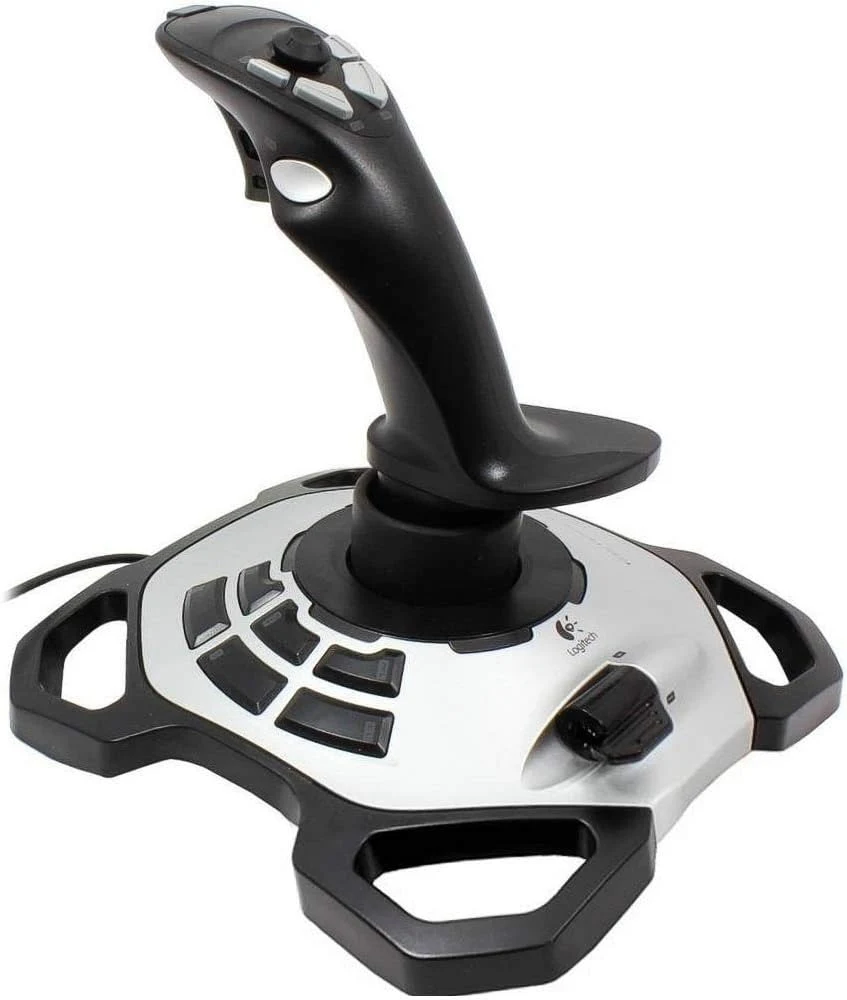
A compact set of flight controls
Product images: the verified retailer gallery and any original manufacturer illustration credited in the sources. These are not personal test photographs.
Related reading
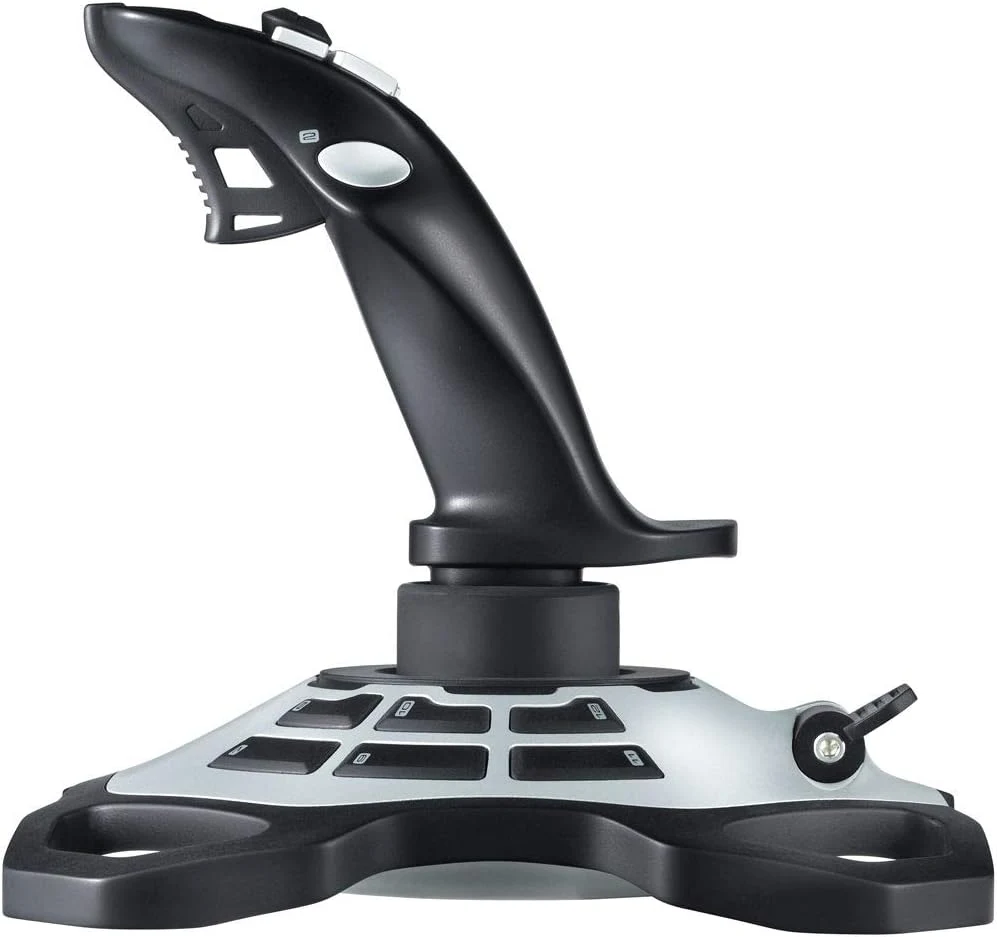
Logitech’s product description identifies a twist rudder, twelve programmable buttons, an eight-way hat and a weighted base. I like that these are recognisable controls with understandable jobs. The question is which ones the chosen aircraft actually needs within easy reach.
The twist action can give rudder control without buying pedals at the beginning. I would still learn to keep that movement separate from moving the main stick. A combined hand control is convenient, but convenience does not automatically produce careful coordination on the first flight.
The small throttle control also helps keep the starting arrangement compact. I would compare its travel and position with the aircraft’s requirements rather than expect it to feel like a full-size separate throttle. The attraction here is a useful collection of controls in limited space.
Map the essentials before everything else
I would begin with the main axes, view control and the few actions needed to start a familiar flight. A large button count becomes useful only when the assignments are memorable. Giving every button an unfamiliar function at once can make a beginner look away from the flight more often.
The hat can serve a clear view-changing role if the simulator supports that arrangement. I would set it up alongside the actual way I look around, whether that is a monitor view or another supported system. A good control map should fit the whole viewing arrangement, not just copy another pilot’s profile.
I would save a clean profile once those basics work. Different aircraft may need different choices, so a recoverable starting point is valuable. The useful result is being able to return to a known control map after experimenting, rather than remembering a long series of small changes.
Check what the game receives
An axis assignment deserves more attention than whether the joystick appears in a device list. I would inspect the simulator’s input view, confirm the direction of movement and look for unwanted duplicate assignments. Two devices controlling the same action can make a reasonable product feel confusing.
I would start with modest settings and alter one thing at a time. A response curve and a dead zone solve different problems, and neither should be copied blindly from someone else’s aircraft. The aim is controllable movement in the chosen game, with the original settings still available for comparison.
Related reading

I am not presenting a measured centring result or long-term wear test here. Those would need actual hardware evidence. My buying judgement is about the documented control layout and the work required to turn it into a sensible first simulator setup.
Old software is a separate consideration
The Extreme 3D Pro belongs to Logitech’s older controller family. Its support page points out the age of the Logitech Gaming Software range. I would not assume that a current Logitech mouse utility also configures this joystick.
Before purchase, I would check the exact Windows version and simulator’s current guidance. In-game mapping may be the appropriate route for a particular setup, while an older optional configuration package can introduce a different support question. Historical compatibility text is not the same as a current guarantee.
I would keep normal system security intact and choose supported software routes. If the desired arrangement depends on an obsolete driver that conflicts with the current computer, I would compare a newer controller instead. A modest hardware saving is less attractive when it creates a continuing maintenance job.
The desk should support the controls
A weighted base is useful only as part of a practical working position. I would leave enough room for the full stick movement and a comfortable hand position. A keyboard placed too far away can make radio or menu work awkward even when the joystick itself fits neatly.
I would also think about how the desk returns to ordinary work afterwards. A single USB controller is appealing when it can move aside without dismantling a collection of mounted parts. That is a real advantage for a shared work-and-play desk, provided the setup remains stable during the game.
I would check that the actual hand reaches the important controls comfortably. A smaller useful control map is better than constant grip changes.
Related reading
When I would choose another route
A gamepad can be enough for occasional flying when the simulator supports it well. I would keep that option if a dedicated stick would spend most of its time in a cupboard. The best entry setup is one that makes the intended game easier to enjoy regularly.
A separate throttle and pedals become more attractive when their additional control has a defined purpose. A left-handed or dual-stick arrangement also needs a more suitable hardware choice. I would let those requirements lead the purchase rather than treating a larger cockpit as the unavoidable next step.
My buying decision
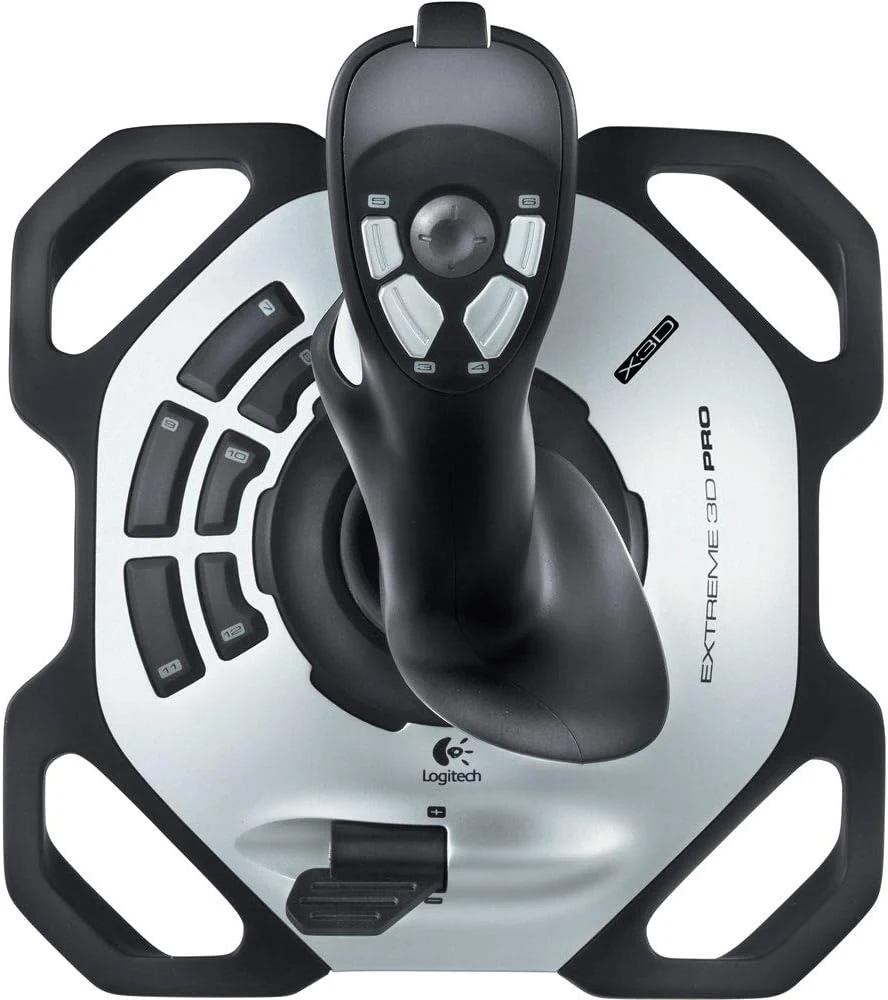
The Extreme 3D Pro appeals to me as a focused first flight controller, conditional on current game and Windows support. Its compact collection of useful controls can keep the learning process understandable. I would buy it for a verified simulator plan and a comfortable desk, while choosing a newer or different control system when support, handedness or the aircraft’s needs demand it.
What worked
A stick, twist rudder, small throttle and useful buttons offer a compact starting flight-control arrangement.
What bothered me
Current game and Windows support need checking separately from historical Logitech configuration software.
Who should not buy it
Current game and Windows support need checking separately from historical Logitech configuration software.
Alternatives I would consider
A supported gamepad. I would keep it for occasional flying if it already gives the game a useful control arrangement.
A supported separate stick, throttle and pedals. I would choose the larger system when the aircraft and regular flying time give those controls a defined purpose.
Evidence and sources
Specifications are attributed to the linked documentation. Images: Amazon product gallery. These are not personal test photographs or measurements.
Features, compatibility and rated figures from the maker are manufacturer information. My opinions are identified in the review.
Conclusion
Worth considering as a focused first controller; choose newer supported hardware if the desired setup depends on an unsuitable legacy driver.
Logitech Extreme 3D Pro, black/silver, Windows USB, 963290-0403
Amazon US · US
Check price and availability: Logitech Extreme 3D Pro, black/silver, Windows USB, 963290-0403 at Amazon USAffiliate link. As an Amazon Associate I earn from qualifying purchases.
One email a week with practical Mac workflows, useful comparisons and honest tech recommendations.