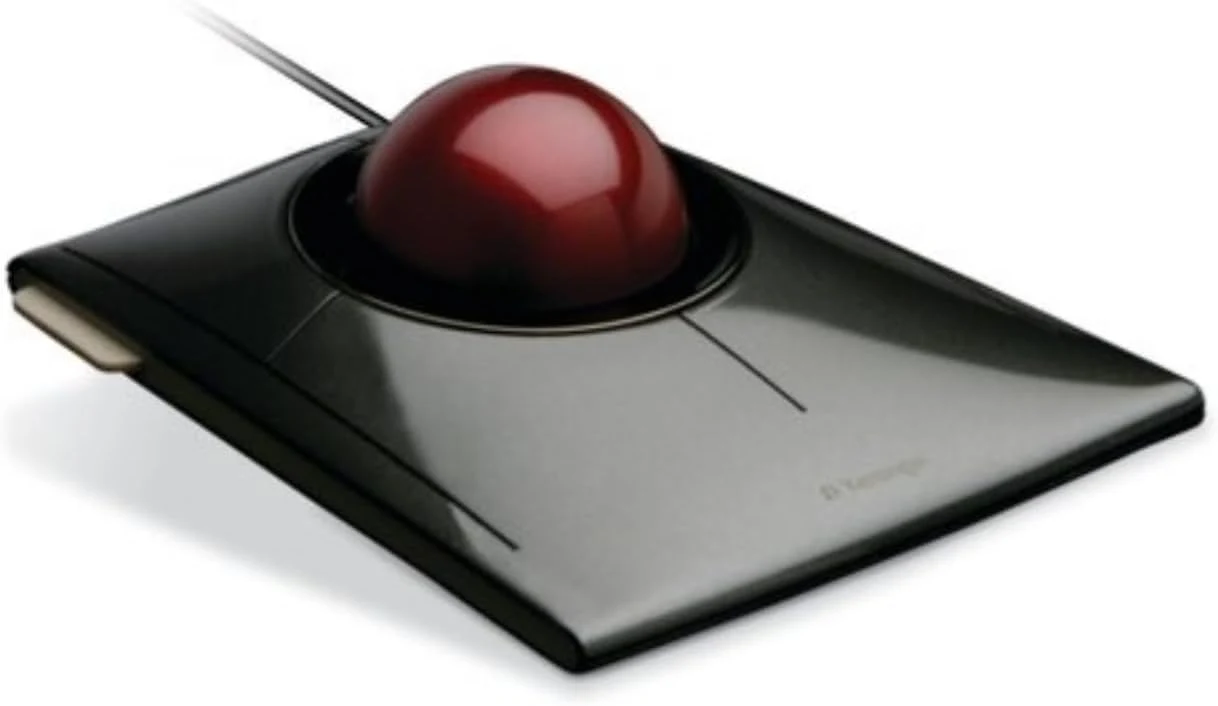
The SlimBlade interests me because it changes which part of the pointing tool moves. A conventional mouse travels across the desk; this trackball stays in place while the fingers move the ball. I like having a real alternative for a fixed desk, particularly where mouse travel is awkward or the working area is narrow.
Quick verdict
I would shortlist it for someone willing to learn finger-operated pointing on a mostly fixed desk.
Best for: I would shortlist it for someone willing to learn finger-operated pointing on a mostly fixed desk.
Main benefit: A stationary body and twist-scroll ball offer a clear alternative where mouse travel is awkward.
Biggest drawback: The control method takes adaptation, and fit or software restrictions may outweigh the saved mouse movement.
Kensington SlimBlade Trackball
Amazon US · US
Check price and availability: Kensington SlimBlade Trackball at Amazon USAffiliate link. As an Amazon Associate I earn from qualifying purchases.
Reviewed version: Kensington Wired SlimBlade Trackball Mouse (K72327U), Black
Compatibility: Original wired SlimBlade K72327 family, not SlimBlade Pro wireless. Confirm the exact regional part number and current KensingtonWorks support for the operating system.
Review context: I assess a stationary pointing position, finger control, twist scrolling, button mapping and maintenance.
I would shortlist the original wired Kensington SlimBlade only with time to learn it and a practical return route. A different movement pattern is not automatically a better one for every person. My positive assessment is about the design’s useful role, not a personal trial or a promise that a trackball resolves discomfort.
A stationary tool changes the desk layout
Kensington’s product information describes the original SlimBlade’s central ball and wired connection. I would distinguish it from the SlimBlade Pro, whose connection options and other details differ. A similar name does not make the wireless model’s features part of this purchase.
Related reading

Because the body stays still, I would place it where the hand can reach it naturally. The saved movement area is useful only if the chosen position also suits the keyboard and chair. A narrow gap at the far edge of the desk is not automatically a good home for any pointing device.
I would compare the layout with a smaller keyboard as well. A full number pad can move a right-side pointing device farther away, regardless of whether that device is a mouse or trackball. The complete desk arrangement matters more than changing one object while leaving the reach problem untouched.
Finger control deserves a learning period
Moving a ball with the fingers is a skill. I would begin with ordinary pointer tasks and a sensible speed setting before judging precise editing work. Familiar mouse habits may not transfer immediately. A first awkward session is different from evidence that the control method can never work, but I would not expect every user to enjoy the adaptation.
I would check fine selection, long movement and dragging in the applications that matter. Selecting text, moving a window and placing an edit point ask for different levels of control. A device should be judged on those actual tasks rather than a quick demonstration of the pointer crossing an empty desktop.
I would also pay attention to how the hand rests. Fingers should not have to stretch continuously to reach the controls. Kensington’s size and fit guidance is useful context, but personal anatomy still determines whether the arrangement is comfortable. I would use an audition or return period rather than turn the word ergonomic into a guarantee.
Twist scrolling is the distinctive choice
The SlimBlade’s documented scroll method uses a twist of the ball. I find that interesting because it gives the same central control another role without adding a separate wheel. For long documents and web pages, that could make the stationary layout more coherent.
I would learn how scrolling and pointer movement are separated in ordinary use. Precision and accidental movement matter more than the novelty of the gesture. A timeline, a spreadsheet and a long article may each reveal a different preference. I would not assume the gesture automatically improves every editing application simply because it is clever.
Related reading

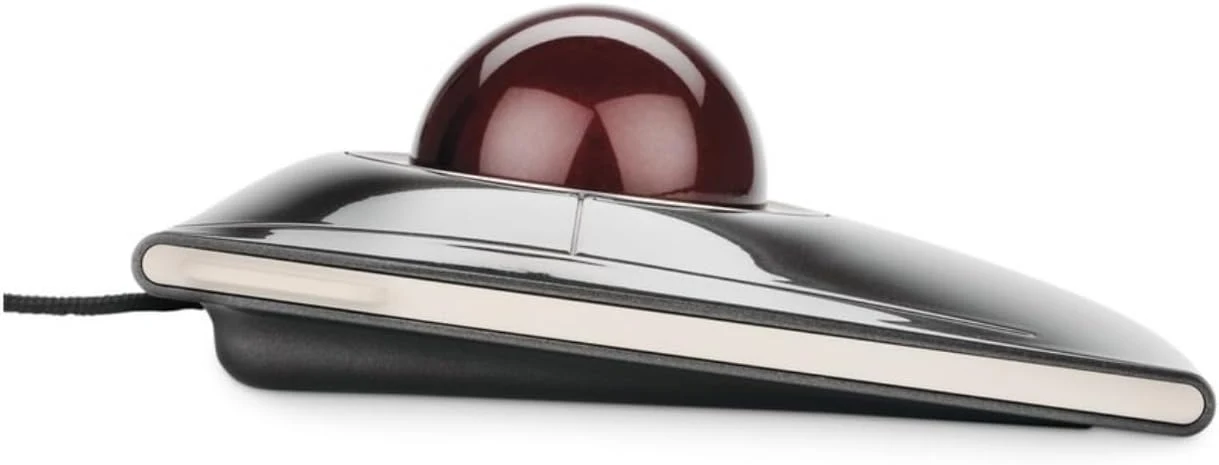
Button assignments also need a plan. A useful shortcut should replace an action I perform often, rather than create a large mapping scheme I cannot remember. I would start with ordinary click functions, then add a small number of clearly useful assignments once the basic movement feels settled.
Software support is a current requirement
Kensington offers configuration software, but I would check the current version’s support for the actual operating system and processor architecture. Old support pages can contain instructions for much earlier software. Their continued existence does not prove that every advanced mode is supported on a current computer.
That matters on a managed work machine. Installing a configuration utility may require permission or may not be allowed at all. I would establish which basic functions work without extra software and which features depend on it. A purchase based on custom mappings needs a supported route to create those mappings on the intended computer.
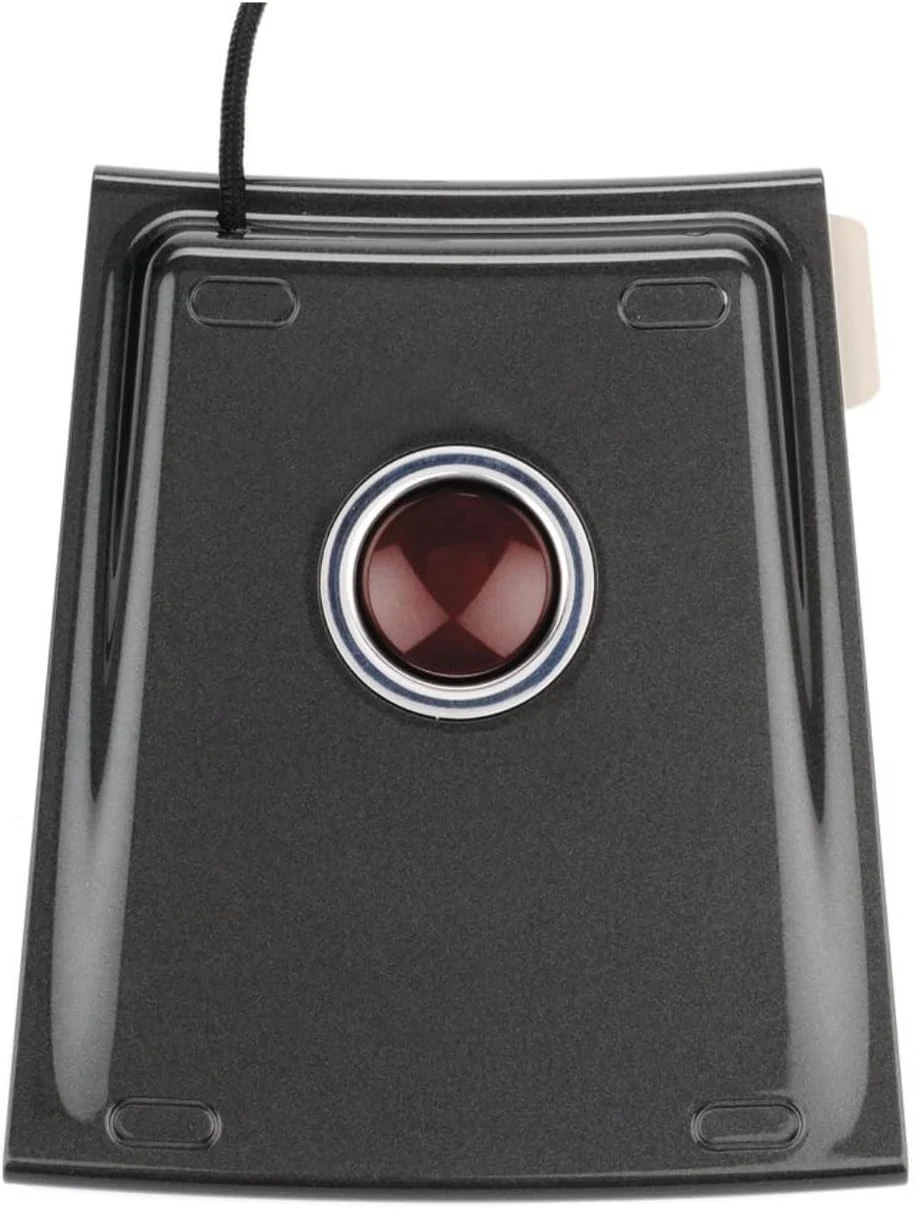
The wired design is simple in another respect: no wireless pairing or battery routine. I like that for a permanent desk, provided the cable route is tidy and the host has a suitable connection. An adapter may be part of a modern laptop setup. The original wired model should be chosen for that role, not mistaken for a newer multi-connection version.
Maintenance and alternatives matter
I would follow Kensington’s cleaning instructions for the actual product. A trackball’s contact surfaces can collect debris, and improvised cleaning advice for another device may not be appropriate. The useful maintenance routine is the one that preserves smooth control without damaging the ball or internal surfaces.
Related reading

A conventional mouse remains my alternative when familiar movement already works comfortably. A thumb-operated trackball offers a different hand pattern again. I would compare those choices with the same application tasks and similar desk positions, rather than treat all trackballs as one solution.
My assessment of the SlimBlade is positive for a person who likes its stationary finger-control approach. I would check the exact wired model, current software support and return terms before ordering. Its value is a well-fitting alternative way to point and scroll, not a medical promise or an assumption that less device movement automatically creates a better working day for everyone.
The product images come from the selected listing and identified manufacturer materials. My assessment uses the linked product information and the buying decisions explained here. Specifications are manufacturer or retailer claims; the conclusions are my own editorial judgement.
What worked
A stationary body and twist-scroll ball offer a clear alternative where mouse travel is awkward.
What bothered me
The control method takes adaptation, and fit or software restrictions may outweigh the saved mouse movement.
Who should not buy it
Someone expecting wireless connectivity from this original wired model or a guaranteed solution to pain.
Alternatives I would consider
A conventional mouse. I would choose it when familiar direct movement already works comfortably.
A thumb-operated trackball. I would compare it when the preferred hand movement differs from a central finger-operated ball.
Evidence and sources
The linked product documentation and exact retailer listing support the product details. Images: Amazon product gallery. These are not personal test photographs or measurements.
Features, compatibility and rated figures from the maker are manufacturer information. My opinions are identified in the review.
Conclusion
Worth considering with a usable return period; personal fit is more important than a promised ergonomic benefit.
Kensington SlimBlade Trackball
Amazon US · US
Check price and availability: Kensington SlimBlade Trackball at Amazon USAffiliate link. As an Amazon Associate I earn from qualifying purchases.
One email a week with practical Mac workflows, useful comparisons and honest tech recommendations.