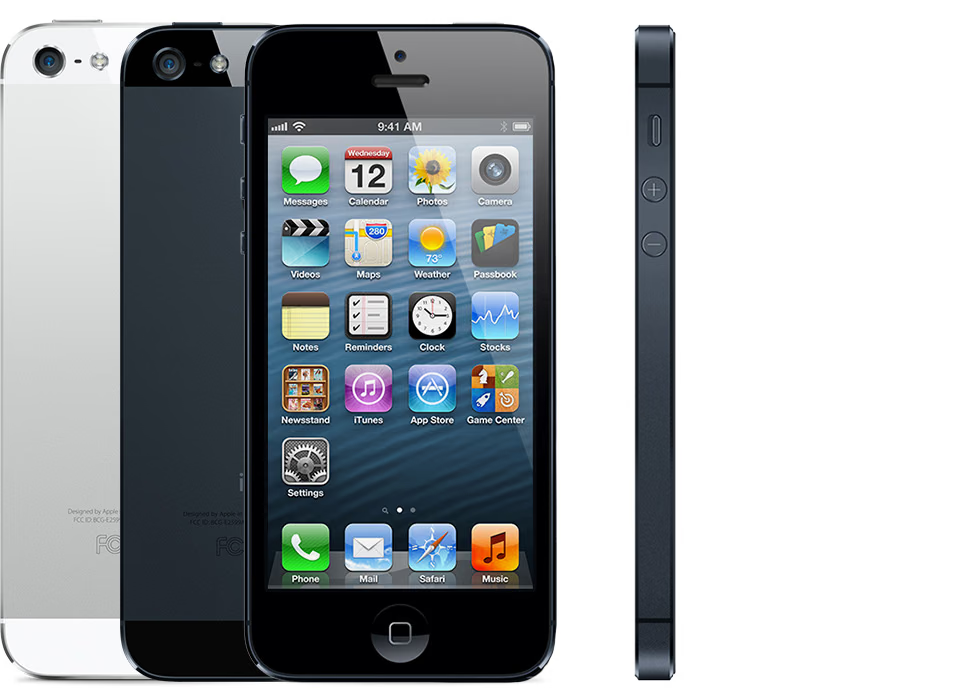
The iPhone 5 made room without making the phone wider
The iPhone 5 found its most convincing use in a place where a big new feature was unnecessary. Holding it in the same hand as an iPhone 4S, a buyer could compare the width of the keyboard, the distance from one edge to the other and the length of one page of messages. The phone gained space at the top and bottom of the display with roughly the same width. The useful change was seeing a little more of a routine without having to learn a much different grip. The new case was lighter, too. It was the sort of redesign you could value before setting up a single app.
Quick verdict
Retail release in the United States · Archive date
The iPhone 5 was a worthwhile redesign if you wanted a lighter device and more room for a familiar app.
Best for: A regular mobile reader who valued one-handed width and could budget for the accessory change.
Main benefit: A taller display held more useful content without making the phone materially wider.
Biggest drawback: The Lightning transition and initial LTE coverage changed how much the upgrade cost and where it helped.
Reviewed version: The 4-inch Apple iPhone 5 in its September 2012 launch configuration.
Compatibility: LTE support depended on the exact model and region. The move to Lightning changed compatibility with 30-pin chargers and docks.
Review context: I evaluate the documented retail hardware and the software available in its release window. Regional variants and software changes are identified where they affect the verdict.
I owned the iPhone 5 as part of owning every iPhone. This review returns to the September 21, 2012 retail launch, with the United States as the reference market. Several other markets received it on the same day. Czech retail availability followed on September 28. Apple’s launch and rollout report
The screen grew in the direction a page could use
The iPhone 5 used a four-inch panel instead of the 3.5-inch display on the 4S. It kept 640 pixels across and increased the other dimension to 1136 pixels. An app designed for the new aspect ratio could give additional space to the content without changing the width of a line. One more bit of a note or an earlier exchange could stay visible at the same size. A widescreen video fit the new shape better in landscape, although the small size remained a consideration for a film with fine writing or subtitles.
Related reading
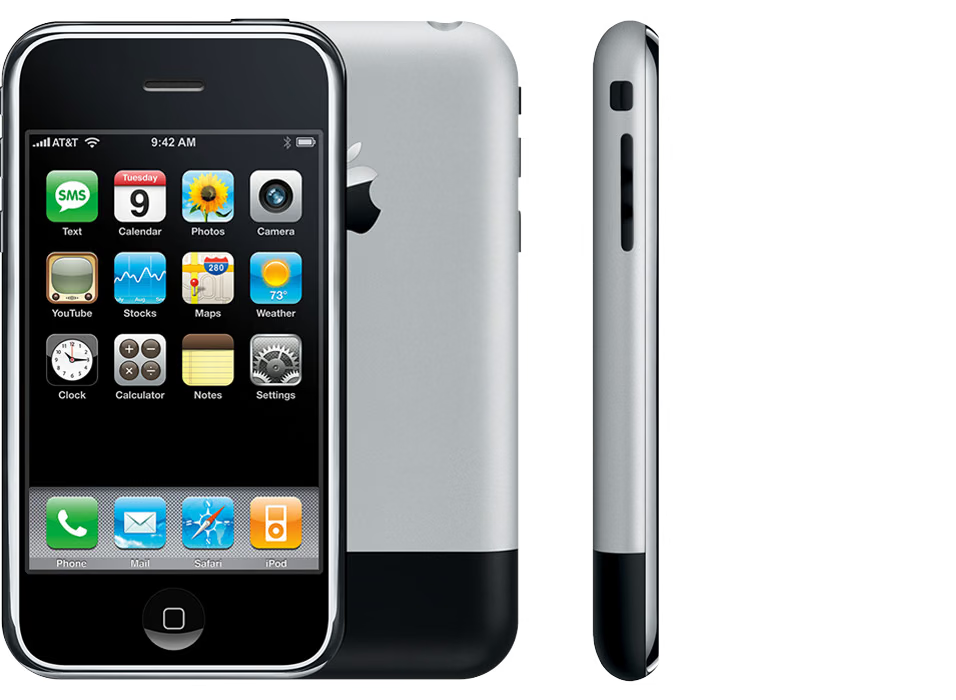
Keeping the width also preserved much of what made the preceding models easy to use. A thumb still had a familiar distance to travel across the lower controls. Its reach to a button high in the opposite corner was another question. A buyer who often held the phone low in one hand might find the extra screen most valuable for reading, then shift the grip to reach a control near the top. A short test with an app you expected to use in motion would show where that mattered to you.
Compatibility determined how quickly all those pixels became useful. An older app designed for the preceding screen could display with unused bands until its maker updated it. It still did its job in the space it expected. That is a much easier transition for a buyer whose important apps are updated regularly. If you used one old tool every day and little else, there might be a period where you had paid for a new screen but the old tool still presented the same sized interface. Apple’s display and design details
A lighter case came with new things to carry
Apple used aluminium in the new body and put its stated weight at 112 grams. A lighter phone is easier to carry and changes the effort involved in holding it up for several minutes, more so than in the moment when you lift it off a shop counter. The proportions of the edges and the material made this model feel different from the two glass-faced generations before it. I like how much Apple improved the object itself while keeping the layout of the buttons easy to recognise.
The accessory change was more abrupt. Lightning was small and reversible. Plugging in a cable was easier to do without examining which side faced up. A previous cable could only be reused with an adapter, and docks with a tight cradle could have physical limits even when an adapter made some functions possible. Apple said adapters were sold separately. For a person who charged by a cable at home and another cable at work, the transition was two places to account for. Someone with a hotel travel dock, car stereo integration or a bedside alarm system had more reason to check the exact connection before ordering.
Accessory support had a time dimension. The convenience of the new cable was real on day one. A developed supply of replacement cables and accessories would come later. I would have put the price of the first useful cable or adapter beside the phone’s price. The result depended on what you already owned. This is more informative than treating the connector as a minor item on the specification sheet.
Related reading

LTE was a benefit you could check at an address
LTE expanded what the phone could do off Wi-Fi in a supported market. A person who frequently opened an attachment or listened to something over mobile data could see a large difference when service was strong enough. The A6 also gave the phone a faster way to complete processing locally. A slow load could therefore get shorter because more data arrived each second, because the phone dealt with it faster or for both reasons. A test that called up a saved file and a second one that fetched a file from the network made the distinction easier to see.
The actual iPhone model and carrier combination mattered. LTE was supplied by specific carriers and bands, and coverage did not arrive uniformly. Device buyers who travelled or meant to move their existing service across could check the model number and the carrier’s frequencies. A phone could have a new radio and still fall back to a slower connection in the places you needed it most. Also, a faster connection could make heavier daily use practical. A data allowance that made sense for email might have a different cost when playing more music or opening longer videos on the journey.
The phone’s increase in network capability mattered most if you had a specific reason to use it. It was not necessary to pick the fastest phone available just to read the occasional message. A large file that came up regularly away from Wi-Fi made a better argument for testing a new network.
Apple Maps was a real launch decision
The iPhone 5 shipped with iOS 6 and the new Apple Maps. Apple provided its own mapping and driving directions, but places were not equally well covered. Apple’s September 28 public letter acknowledged dissatisfaction and suggested alternative maps while it worked on improvements. That letter fell inside the period this review revisits. Somebody buying their first iPhone could check a small number of known addresses, a route and any services they relied on for travel. An existing iPhone owner deciding whether to install iOS 6 had reason to do the same, even without buying any hardware.
That is a useful distinction because it keeps the hardware judgment in proportion. An attractive display and a fast modem do not help the accuracy of an address stored in a mapping service. If dependable navigation mattered to a buyer, making sure another mapping option met their needs could do more to improve the experience than choosing a different colour or storage size.
Related reading

My verdict on the iPhone 5
I would have bought the iPhone 5 for the lower weight and sensible extra room on its display. I would have counted LTE if the right carrier had it in the right places and put the accessory change into the budget. A buyer comfortable with a 4S who was heavily invested in older docks or had little useful LTE coverage could still have a better reason to wait.
Its place in the iPhone model timeline is between the two generations that refined the 3.5-inch phone and the pair that made different offers around the four-inch shape. The design earns that place because the extra height had an immediate use, while the reduced weight made the new phone easier to carry through an ordinary day.
What worked
A taller display held more useful content without making the phone materially wider.
A lighter aluminium body made an immediately noticeable difference when carrying the device or holding it up to read.
What bothered me
The Lightning transition and initial LTE coverage changed how much the upgrade cost and where it helped.
Older apps could leave unused bands on the taller display until their developers updated them.
Who should not buy it
An iPhone 4S owner heavily invested in an older 30-pin setup with little useful LTE coverage.
Alternatives I would consider
iPhone 4S. It kept the older connector and could receive iOS 6 while retaining a shorter screen. Read my iPhone 4S review.
Evidence and sources
The release date refers to general availability in the named market. The archive filing is ten days later. Feature assessments are editorial judgments based on the documented retail model.
Apple retail release information
Apple's September 2012 iPhone 5 announcement
Apple's court filing reproducing the September 28 Maps letter
Features, compatibility and rated figures from the maker are manufacturer information. My opinions are identified in the review.
Conclusion
The extra display was useful right away in updated apps. The value of the new radio depended on where you needed it.
One email a week with practical Mac workflows, useful comparisons and honest tech recommendations.