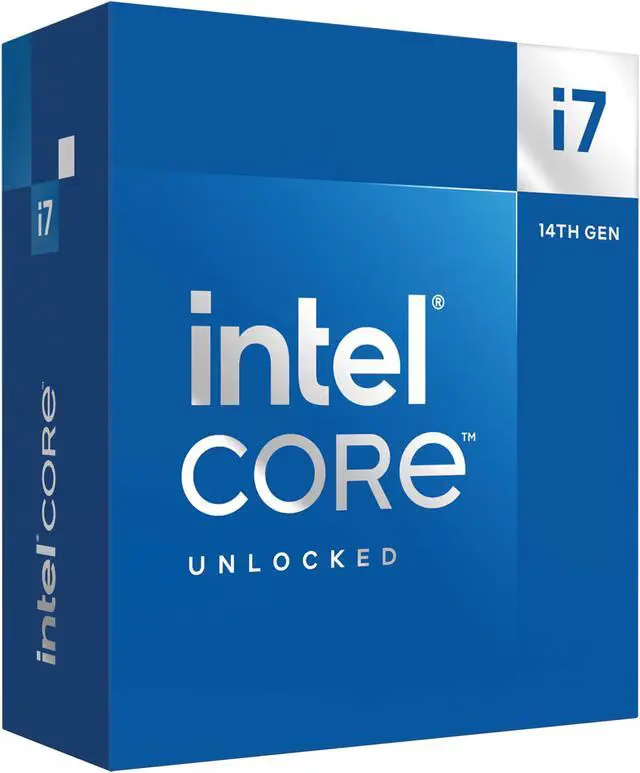
The reason I would buy a Core i7-14700K today is to keep a compatible LGA1700 motherboard and the RAM already installed in it. It is a 20-core chip with 28 threads, integrated UHD Graphics 770 and enough multi-thread capacity for a busy desktop. The short version of the buying decision is to check the BIOS and cooling before comparing prices.
Quick verdict
I would buy it to reuse a compatible board, RAM and cooler if a recurring workload needs the CPU headroom.
Best for: A confirmed LGA1700 upgrade, especially when a usable DDR4 kit can stay in the machine.
Main benefit: Twenty cores and 28 threads on LGA1700, with integrated UHD Graphics 770.
Biggest drawback: It has a 253 W maximum turbo power rating and needs careful firmware and warranty checks.
Intel Core i7-14700K boxed processor (BX8071514700K)
Newegg US · US
Check price and availability: Intel Core i7-14700K boxed processor (BX8071514700K) at Newegg USProduct link.
Reviewed version: Intel Core i7-14700K boxed processor (BX8071514700K)
Compatibility: Verify CPU support, latest BIOS with microcode 0x12F or later, Intel Default Settings and cooling. The motherboard determines DDR4 or DDR5 compatibility.
Review context: An upgrade to an existing LGA1700 desktop, including the cost of retained parts and the official instability guidance.
This is a research review of the boxed BX8071514700K. The product photograph is from the exact Newegg US listing.
Check the board model and BIOS before ordering
Intel lists support for DDR4 and DDR5 at the processor level. Your motherboard determines which memory you can use. Look up its exact model and revision, find the 14700K on its CPU support list and check which BIOS the board needs. If a firmware update is required, check whether you can install it using the current CPU before taking the system apart. It is also worth checking whether the cooler and board can handle a sustained load before buying a chip that Intel rates at 125 W base power and 253 W maximum turbo power. Intel i7-14700K specifications
Related reading

Intel advises owners of affected 13th- and 14th-generation desktop processors to run the latest BIOS with microcode 0x12F or later and use Intel Default Settings. The company also documents extended warranty coverage for eligible processors. That guidance changes my buying decision. I would check the board’s firmware notes, keep the proof of purchase and confirm who handles support if the CPU proves unstable. An unusually cheap used chip with an unclear history is a poor fit for a machine I need to be dependable. Intel’s instability and warranty guidance
What you get from reusing the platform
The 14700K scores 51,885 on the PassMark high-end chart dated 19 November 2026. The newer Core Ultra 5 250K Plus scores 51,447, within 1% in this snapshot, with a 159 W maximum turbo power rating of its own. Those ratings describe the products’ power limits and cannot tell you how much electricity the two PCs use during a specific job. The processor leaderboard uses CPU Mark for multi-thread throughput. For a PC built around a single editor or build system, find benchmark results for that workload before treating the averages as interchangeable. PassMark high-end chart
The K model also preserves an integrated display path and Intel Quick Sync. If the board routes a display output and you use a dedicated GPU, the iGPU gives you another way to diagnose a graphics problem. The similarly named i7-14700KF lacks integrated graphics. I would check the full model code on the store listing before ordering.
My verdict
I would use the 14700K as an upgrade when I already had a supported board, working RAM and adequate cooling, and when the extra CPU capacity addresses a recurring bottleneck. If I needed to replace most of those parts anyway, I’d compare a new build around the Core Ultra 5 250K Plus or the Ryzen 9 9900X. Price the parts you will actually need. The amount you can reuse is the 14700K’s strongest argument.
What worked
Twenty cores and 28 threads on LGA1700, with integrated UHD Graphics 770.
What bothered me
It has a 253 W maximum turbo power rating and needs careful firmware and warranty checks.
Who should not buy it
A build that already needs a replacement motherboard, cooler and memory.
Alternatives I would consider
Intel Core Ultra 5 250K Plus. Compare its newer platform and lower maximum turbo power for a fresh Intel build. Read my Intel Core Ultra 5 250K Plus review.
AMD Ryzen 9 9900X. Another option when building on a new DDR5 platform. Read my AMD Ryzen 9 9900X review.
Evidence and sources
Intel documents the processor specifications. PassMark publishes multi-thread averages from user submissions.
Features, compatibility and rated figures from the maker are manufacturer information. My opinions are identified in the review.
Conclusion
Include the cost of any parts you need to replace before comparing with a newer platform.
Intel Core i7-14700K boxed processor (BX8071514700K)
Newegg US · US
Check price and availability: Intel Core i7-14700K boxed processor (BX8071514700K) at Newegg USProduct link.
One email a week with practical Mac workflows, useful comparisons and honest tech recommendations.