I enjoyed hypershot because its best idea makes a familiar task feel more forgiving. A screenshot usually asks me to make two decisions at once: the right moment and the right crop. hypershot gives me more room to make those decisions afterward. That is a good reason for a screenshot app to exist.
Quick verdict
I recommend hypershot for screenshots where the right moment or final crop is easier to choose later.
- Best for
- Mac users explaining animated interfaces and revising screenshots for publication.
- Main benefit
- I like burst capture and keeping more of the screen available for a later crop.
- Biggest drawback
- The watermark-removal marketing can encourage a misleading loss of image provenance.
hypershot
hypernuclear · Choose the local store or delivery region
Check price and availability: hypershot at hypernuclearProduct link.
Reviewed version: hypershot
Compatibility: The Mac version on a supported macOS release, with required capture permissions. Check what the supplied lifetime licence covers and the current purchase terms.
Review context: The review focuses on Mac users explaining animated interfaces and revising screenshots for publication.
hypernuclear supplied a lifetime licence free of charge. My opinion is my own. I like the product, and the appeal is very personal: I write about software, explain ideas and share things that happen on a screen. A screenshot tool is part of that work, so a small improvement in the interaction is something I can appreciate.
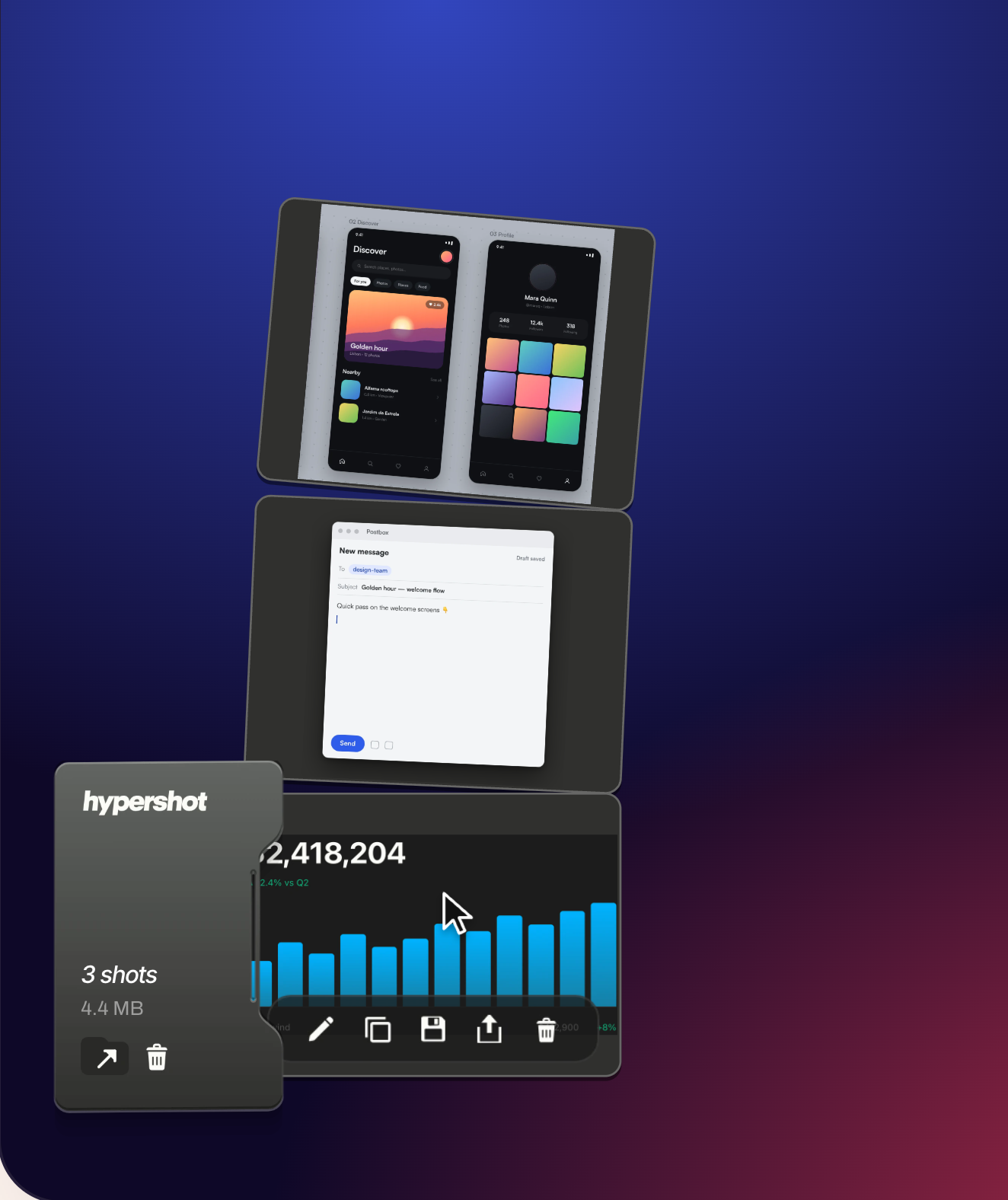
The moment matters as much as the rectangle
An animated interface does not pause just because I have decided to explain it. A tooltip can disappear. A menu can close. A transition can pass through the useful state before I am ready. I like the idea of capturing a short sequence and choosing the frame later because it matches the way a screen actually behaves.
The official feature guide describes multi-frame region capture and an editor timeline. Those two parts belong together. Keeping more frames is useful only if finding the one I want remains straightforward. I want to move from a moving interface to a clear still image without turning the task into video editing.
What I enjoy here is the change in attention. I can concentrate on showing the state I care about, then decide which instant explains it best. That suits a product review or a bug report much better than repeatedly trying to synchronise my hand with a disappearing detail.
It also encourages a better final picture. The right frame may show the pointer in a less distracting place or make a status change easier to understand. Those are communication decisions. I like software that gives me room to make them after the fleeting moment has passed.
Related reading

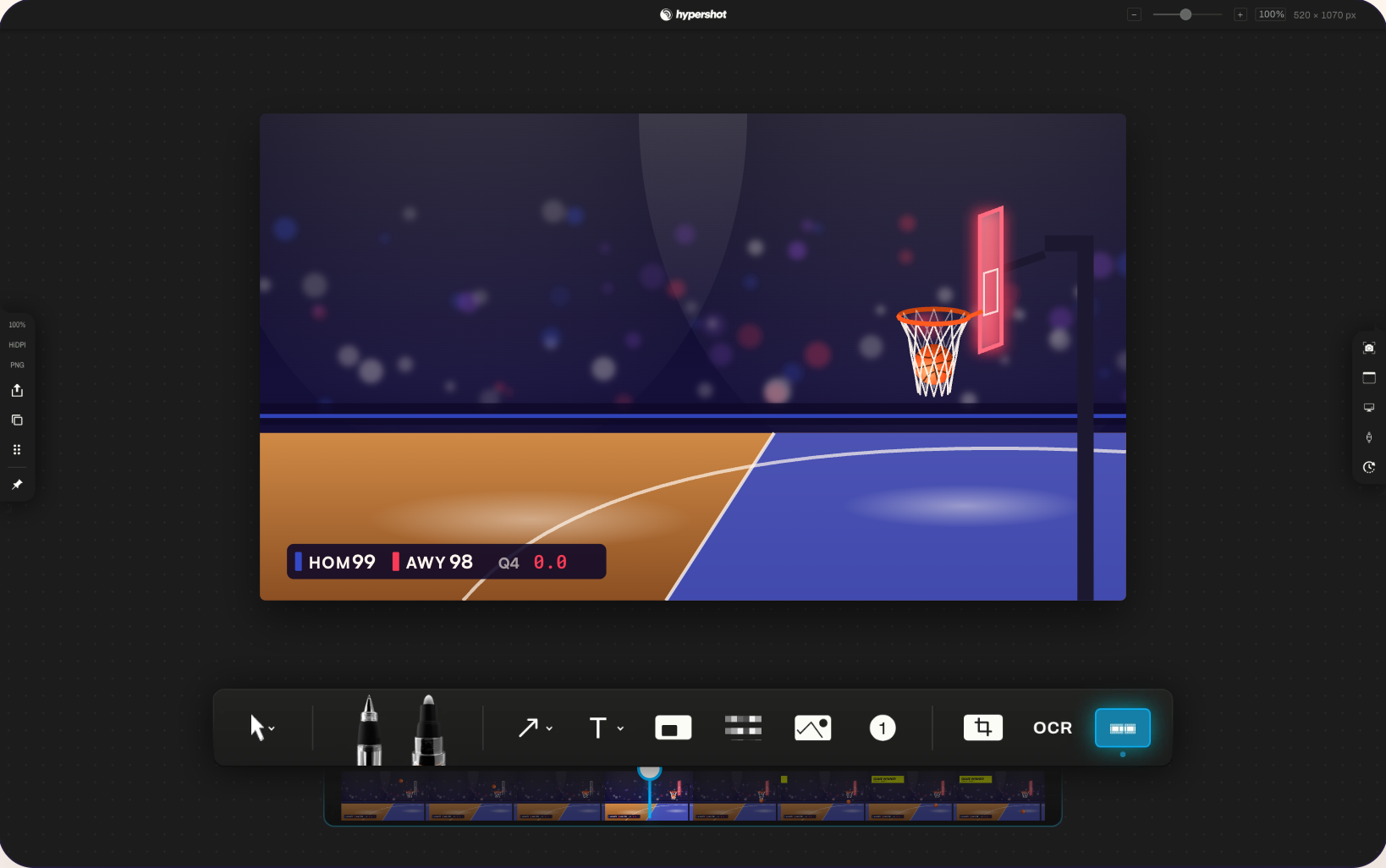
Keeping the screen around the crop
The other idea I like is saving the full display around a region capture. The initial selection becomes a starting point rather than the last opportunity to choose what belongs in the image. For someone who writes, that feels useful. I often know the central detail before I know the final layout of the article.
The artboard documentation explains the crop and output frame. I like that separation because a screenshot has two jobs: preserve the useful source and present a clear result. A tight image can be excellent for a short message, while an article may need a little more of the surrounding interface to make the same detail understandable.
I do not want a decorative background to become more important than the thing I am explaining. My preference is a crop that shows enough context and then stops. hypershot’s appeal is that it makes the framing decision less final at the moment of capture. I can think about what the reader needs after I have the material.
There is a privacy side to that ease of use too. A saved capture can contain more of the display than the visible export. I would keep that in mind when deciding whether to send a finished image or an editable document. I like the flexibility, and I want the sharing choice to remain careful.
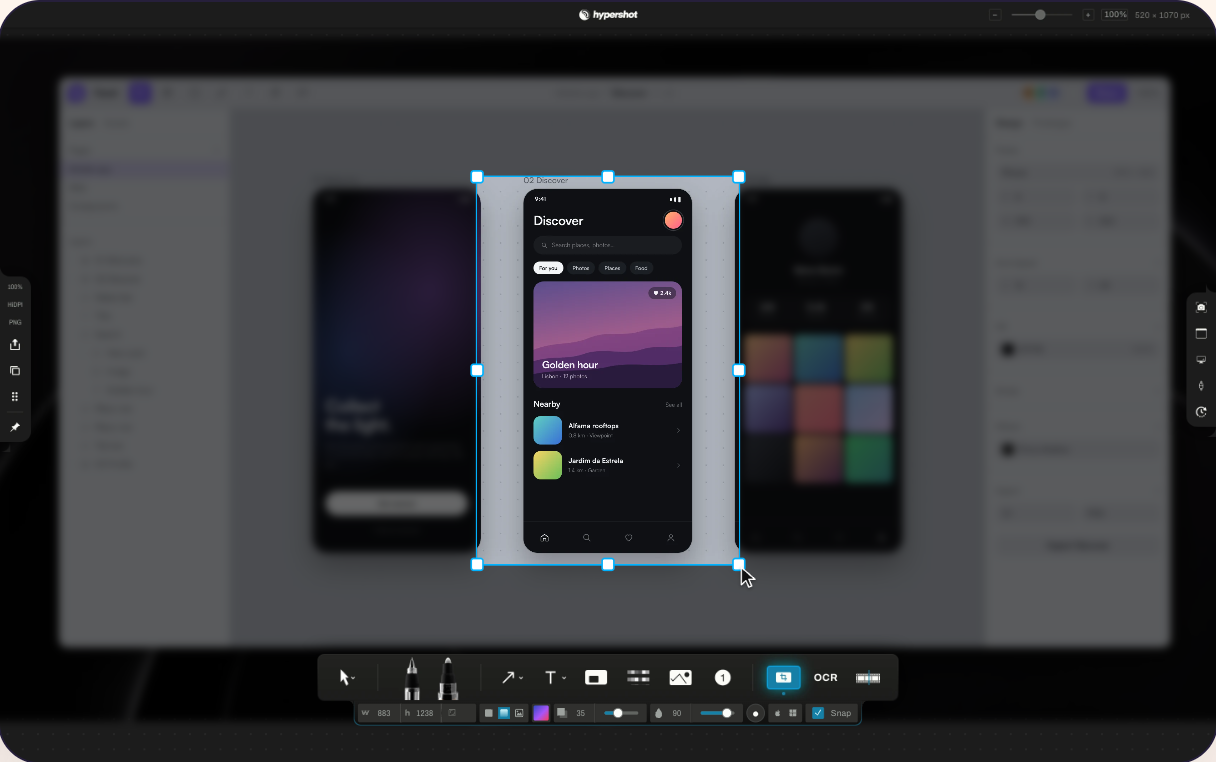
An editor should help me explain
I am fond of an annotation tool that makes a picture clearer quickly. An arrow can show the correct button. A short label can explain a state. A highlight can guide the eye to the part of a dense interface that matters. Those are small additions, but they can save a reader a paragraph of directions.
hypershot has a playful visual personality. I like that. Useful desktop software does not have to look joyless to be taken seriously. The important thing for me is that the personality stays optional in the output. A colourful presentation can suit one article, while a plain crop and one arrow can suit another.
I also like the idea of keeping the source editable. A flattened image is convenient to share, but it leaves every annotation permanently baked into the result. An editable capture gives the screenshot a life beyond the first export. That matters when a label changes or I need a version for a narrower page layout.
My own taste remains fairly simple. I would rather add one useful mark than fill the screenshot with effects. The editor is appealing because it gives me choices, and I enjoy having those choices without treating every one as something the final picture must use.
Daily use includes the boring moments
A screenshot app becomes interesting in the small gaps between other tasks. I want to capture something, make the necessary change and carry on writing. The best workflow is one I can repeat without remembering a complicated sequence. A product that only feels good during a carefully prepared demonstration would miss the point for me.
That is why I care about what happens after capture. Where is the result? Can I reopen it? Is it clear which thing I am copying? Can I take another screenshot without losing the previous one? These questions are less glamorous than a beautiful editor, but they decide whether the app fits into a normal working day.
Related reading

The capture history guide is relevant to that part of the product. I like a visible place for recent captures because screenshots are often temporary working material before they become final illustrations. A small amount of organisation can keep the desktop from becoming a pile of almost identical files.
I also think a screenshot tool should make its saved formats understandable. An editable working file and a picture ready to upload are different things. Knowing which one I have is more valuable than saving a click and discovering the difference later.
Beside CleanShot X
My CleanShot X review is the natural point of comparison. I already care about this kind of software, so hypershot did not have to convince me that screenshots deserve a dedicated tool. It had to give me a reason to be interested in its own approach.
For me, that reason is the flexibility around time and framing. CleanShot X belongs in a familiar Mac screenshot workflow. hypershot puts an appealing emphasis on making the capture less final. I like both ideas, and I do not need to turn the comparison into a claim that every reader must replace one with the other.
The developer’s comparison page is useful for identifying intended differences, but I read it as the vendor’s comparison. My buying decision would stay focused on the tasks I repeat. If the strongest feature is something I actually need, that matters much more than winning a table with a large number of ticks.
I enjoyed hypershot on that basis. It has a distinct idea about a task I already understand, and it makes that idea easy to care about. For a writer, designer or developer explaining a moving interface, the ability to choose the moment afterward is a much stronger attraction than another pack of backgrounds.
Mac and Windows, one capture file
I used hypershot on my Mac, but it is not a Mac-only app. hypernuclear tells me the same app runs on Windows with the same features, and that capture files open on either platform. I have not used the Windows version myself, so that part is the developer’s statement rather than something I tested.
It is still worth knowing, and it changes the comparison above, because CleanShot X is a Mac app. Plenty of teams mix Macs and PCs, and a screenshot often passes between people before it reaches an article, a ticket or a slide. If an editable capture made on a Mac opens on a Windows laptop with its frames and crop intact, the person who recrops it does not need the same kind of computer as the person who took it.
My Lifetime licence covers both platforms. That makes the licence easier to justify for anyone who works on a Mac at home and a PC at the office, or the other way round.
The watermark wording, since fixed
When this review first went up, the home page advertised the ability to “strip AI watermarks”, and I said I would prefer more careful language. Removing a visible mark can also remove information about where an image came from. That is a question about the meaning of the output, rather than simply how clean the picture looks.
hypernuclear has since taken that line off the site, which I appreciate. It was the one part of the presentation I wanted changed, and burst capture and later reframing are useful enough to speak for themselves.
My use for a screenshot editor is to explain my work clearly. I do not want an attractive result to imply an origin it does not have. If I use an AI-generated illustration, I can say so. If an image belongs to someone else, changing a mark does not give me ownership of it.
I would keep the same care when annotating any screenshot. A crop, blur or label can help a reader, but it can also hide context. A good editing tool gives me control; the responsibility for using that control honestly remains with me.
Related reading

A lifetime licence and a lasting workflow
I like software purchases that are easy to understand. A lifetime licence is attractive to me because a focused desktop tool can become part of a long-term working routine. I still want the current licence terms to explain the covered platforms, devices and updates clearly.
The name of a payment model is only one part of value. The larger question is whether the tool helps often enough that I keep reaching for it. For screenshots, that can happen in tiny moments: the explanation becomes clearer, the frame is easier to choose, or the saved source remains useful for the next draft.
That is the kind of value I find convincing. I do not need a screenshot app to promise a new working life. I want it to handle a familiar task with enough care that the rest of my work feels a little easier. hypershot is enjoyable because it brings a fresh idea to exactly that scale of problem.
My verdict
hypershot is a great product, and I had fun with it. Its strongest idea is giving me more time to decide what the screenshot should be. I like the playful design, the emphasis on editing and the way the capture can remain useful beyond the first export.
I would start at the official download page and think about the screenshots I actually make. For my kind of work, this is an appealing tool because the useful part is easy to explain: the screen can move quickly, and the final picture can wait for me.
Where to buy
See hypershot at the official product page. This is the product page for the model covered in this review. Check the model number, colour, included parts and delivery options before ordering. Prices and stock can change, so I use this page for the current offer. Matching the product to the review matters more to me than finding a similar name.
What worked
- I like burst capture and keeping more of the screen available for a later crop.
- Editable captures and history give an image a useful life beyond its first export.
What bothered me
- The watermark-removal marketing can encourage a misleading loss of image provenance.
- Saving the full display also means keeping an eye on the extra context included in a capture.
Who should not buy it
- Someone expecting screenshot editing to grant ownership of an image or justify hiding its origin.
Alternatives I would consider
- CleanShot X. I would compare it as an established everyday Mac screenshot workflow, and choose hypershot when burst selection and later reframing are the features I specifically want. Read my CleanShot X review.
Evidence and sources
The article credits its photographs and labels illustrative material. AI illustrations explain ideas and are not photographs of a completed personal test.
Features, compatibility and rated figures from the maker are manufacturer information. My opinions are identified in the review.
Conclusion
Worth it when later frame choice and editable captures are repeated needs; read what the lifetime licence covers.
hypershot
hypernuclear · Choose the local store or delivery region
Check price and availability: hypershot at hypernuclearProduct link.
One email a week with practical Mac workflows, useful comparisons and honest tech recommendations.