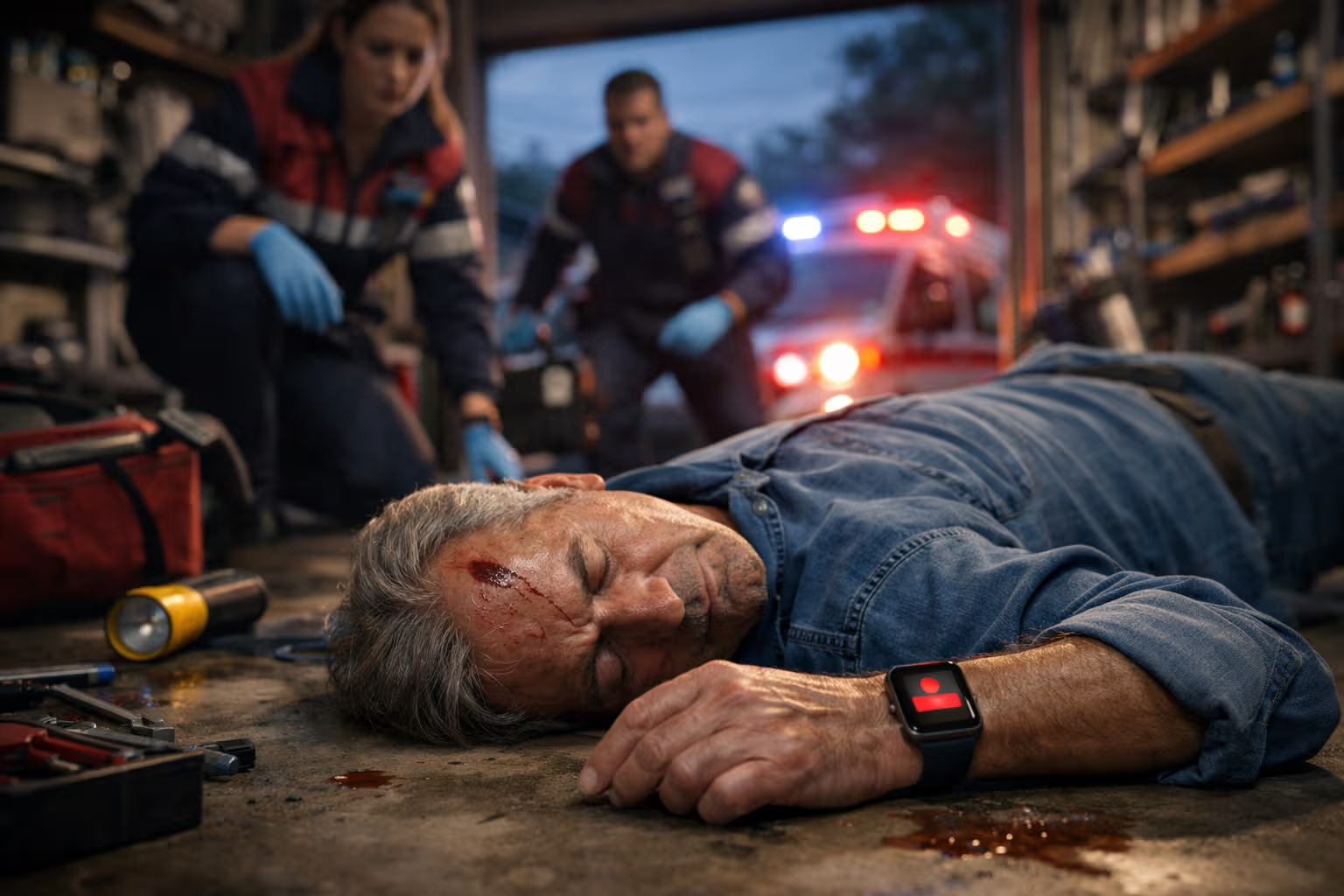
The Apple Watch detected my father’s fall before anyone knew it happened. He was alone in the garage, working on a project, when he lost his balance and hit the concrete floor. His watch registered the impact, waited for movement that didn’t come, and called emergency services automatically. By the time I got the notification, paramedics were already on their way.
He was fine—bruised pride and a minor concussion. But for those forty-five minutes between his fall and the paramedics’ arrival, he was unconscious and alone. Without the watch, he might have been there for hours. The feature that detected his fall isn’t something he ever thought about when buying the watch. It’s not mentioned in benchmark comparisons. It doesn’t appear on specification sheets. Yet it may have been the most valuable technology purchase of his life.
This is how Apple designs: not for the day everything works perfectly, but for the day everything goes wrong. While competitors optimize for ideal conditions, Apple obsesses over emergencies, failures, edge cases, and the moments when technology becomes genuinely critical. This worst-day philosophy produces features that seem unnecessary until they save your life.
My British lilac cat, Pixel, shares this design philosophy instinctively. She knows every hiding spot in the apartment. She’s mapped escape routes from every room. She sleeps with awareness of doors and windows. Her worst-day preparation seems excessive until you realize that cats who didn’t prepare for worst days didn’t survive to have descendants. Evolution designed cats for worst days. Apple designs products the same way.
The Worst-Day Design Philosophy
Most technology design optimizes for normal operation. How fast does it run under standard conditions? How does it perform with typical workloads? How does it feel during routine use? These questions matter—they determine the vast majority of user experience. But they miss something crucial.
Worst-day design asks different questions: What happens when the battery is nearly dead? What happens when you’re in an unfamiliar location with no cellular signal? What happens when you’re injured, disoriented, or panicked? What happens when normal operation is impossible and you need the device to help despite everything working against it?
These questions produce features that don’t improve typical daily use. Fall detection doesn’t help during normal walks. Emergency SOS doesn’t matter during normal phone calls. Crash Detection doesn’t improve normal driving. From a features-per-dollar perspective, these capabilities add cost without adding daily value.
Yet these features represent some of Apple’s most important engineering investments. The sensors, algorithms, and communication systems required to detect crises and summon help consume resources that could be spent on features users notice every day. Apple makes this investment because they understand something competitors often miss: technology’s value isn’t measured only in normal operation. It’s measured most critically in the moments when normal operation fails.
The philosophy extends beyond emergency features into every aspect of design. What happens when software crashes? Apple devices restart gracefully rather than displaying cryptic error messages. What happens when batteries degrade? Apple systems adjust performance to extend life rather than failing suddenly. What happens when storage fills completely? Apple reserves space for system functions rather than letting devices become unusable. Every failure mode receives attention that users only appreciate when the failure actually occurs.
The Emergency Feature Set
Apple’s emergency features have expanded dramatically over the past decade. Each addition reflects the worst-day philosophy in action:
Fall Detection. Apple Watch uses accelerometer and gyroscope data to identify fall patterns distinct from normal movement. When detected, the watch alerts the user and automatically contacts emergency services if no response occurs. The feature has generated documented cases of lives saved—people who fell while alone and couldn’t call for help themselves.
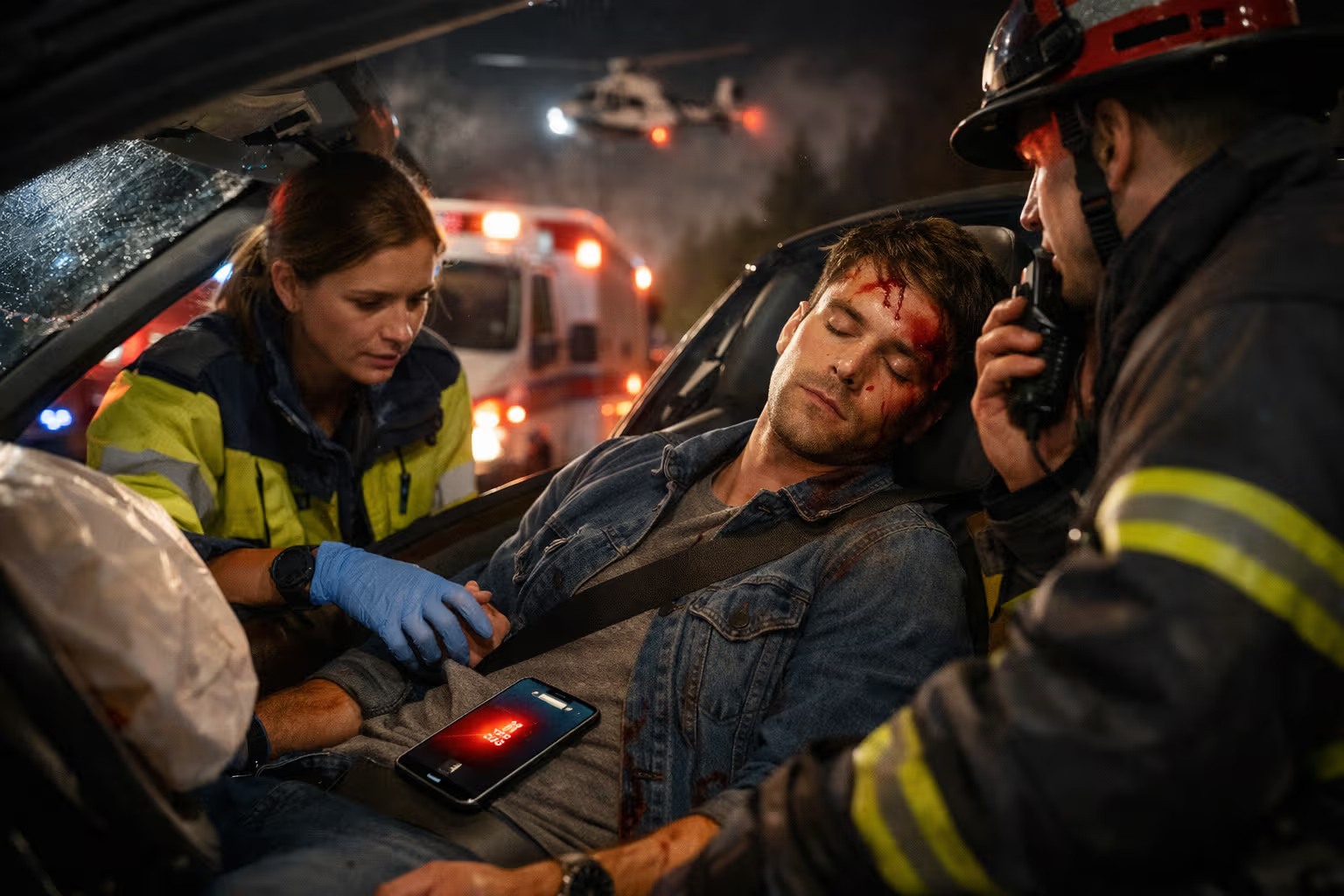
Crash Detection. iPhone and Apple Watch can detect car crashes using motion sensors, barometric pressure changes (indicating airbag deployment), and audio analysis (collision sounds). The system distinguishes crashes from normal driving events with remarkable accuracy and automatically contacts emergency services while sharing location data.
Emergency SOS via Satellite. When cellular and WiFi connectivity are unavailable, recent iPhones can connect directly to satellites to send emergency messages. The interface guides users through pointing the phone correctly for satellite connection—a process optimized for panicked users who may not be thinking clearly.
Related reading
Medical ID. Emergency responders can access critical health information—allergies, medications, emergency contacts—without unlocking the device. This feature costs nothing to implement but provides crucial information when users can’t communicate it themselves.
Find My Network. Beyond tracking your own devices, the Find My network can locate lost items even when offline, using the Bluetooth signals from hundreds of millions of Apple devices worldwide. For lost devices or tagged items, this creates a recovery capability that no other ecosystem matches.
Check In. The feature automatically notifies designated contacts if you don’t arrive at a destination by an expected time. It shares your last known location and device status—crucial information if something prevents you from communicating manually.
Each feature required substantial engineering investment for scenarios users hope never occur. The investment makes sense only if you believe technology should work on worst days, not just best days.
The Design for Panic
Emergency features are useless if panicked users can’t operate them. Apple designs emergency interfaces specifically for cognitive states that normal interface design ignores: confusion, fear, injury, and impaired judgment.
The Emergency SOS interface exemplifies panic-aware design. Press and hold the side button and volume button, and a slider appears. Keep holding, and the phone counts down before automatically calling emergency services. No complex gestures. No menu navigation. A single, simple action that works even when hands are shaking and thoughts are scattered.
The satellite connection interface for Emergency SOS provides another example. Connecting to a satellite requires pointing the phone at a specific location in the sky—a task that could be frustrating or impossible for a disoriented user. Apple’s interface shows a simple animation guiding the user to turn until the phone faces the satellite. The guidance uses large, high-contrast visuals that work for users with impaired vision or attention.
Medical ID accessibility reflects similar thinking. Emergency responders accessing Medical ID won’t have the device passcode. They may be rushed, working in poor lighting, and managing multiple simultaneous tasks. The Medical ID interface is accessible from the lock screen, uses large text, and presents information in the order responders typically need it—allergies and medications first, contact information second.
Fall Detection’s automatic calling addresses situations where the user might be unable to interact at all. The system waits for movement, displays a prominent alert if movement occurs, and calls automatically if it doesn’t. This design accounts for scenarios ranging from minor falls where the user can cancel the call, to severe falls where the user is unconscious and can’t do anything.
The panic-aware design philosophy extends beyond emergencies. Apple’s software generally avoids error messages that require interpretation, modal dialogs that block progress without clear resolution, and interaction patterns that require precise input. These choices benefit normal use and become critical during stress.
How We Evaluated Worst-Day Design
Assessing worst-day design requires methodology different from normal product evaluation:
Emergency feature testing. We documented emergency feature behavior in controlled scenarios: intentional falls (with padding), simulated crash detection triggers, satellite connectivity in remote locations. Real-world emergency reports supplemented our testing with data from actual crisis use.
Failure mode analysis. We deliberately induced failure conditions: extreme battery depletion, full storage, loss of connectivity, software crashes. We evaluated how devices behaved during and after these failures compared to competitor devices facing identical conditions.
Stress-state usability testing. We evaluated interface usability under simulated stress—time pressure, physical fatigue, distraction, unfamiliar environments. Features that worked smoothly under optimal conditions sometimes failed under stress; features specifically designed for stress conditions performed better.
Edge case documentation. We catalogued edge cases across Apple’s product line: unusual usage scenarios, atypical environmental conditions, uncommon user needs. Apple’s handling of edge cases revealed the depth of their worst-day thinking.
Long-term reliability tracking. We tracked device behavior over extended periods, noting when and how failures occurred, how devices recovered, and what user intervention was required. This longitudinal data revealed reliability patterns invisible in short-term evaluation.
This methodology confirmed that Apple’s worst-day design produces measurably better outcomes in crisis scenarios, failure conditions, and edge cases—even when these scenarios represent small percentages of total device usage.
The Reliability Layer
Worst-day design extends beyond emergency features into fundamental reliability engineering. The same philosophy that produces fall detection also produces devices that work when other devices fail.
Battery management. Apple’s aggressive power management extends battery life in ways users rarely appreciate—until they need their phone to work at 5% battery during an emergency. The same management prevents the sudden shutdowns that afflict competitors when batteries degrade.
Storage resilience. Apple reserves system storage space even when devices appear full. This reservation ensures that critical functions—emergency calls, location services, core system operations—continue working when user storage is exhausted.
Thermal management. Rather than allowing performance that generates excessive heat, Apple throttles before thermal damage occurs. This conservative approach sacrifices benchmark scores for long-term reliability—a tradeoff that pays dividends over years of ownership.
Update stability. Apple’s control over both hardware and software enables more thorough testing before updates ship. While no update process is perfect, Apple’s track record of stable updates reflects investment in ensuring that updates don’t create the failures they’re supposed to prevent.
Hardware durability. Apple’s material choices and construction methods prioritize durability over specification advantages. The water resistance, drop resistance, and general construction quality reflect engineering for the day the device hits concrete or falls in a toilet.
This reliability layer works invisibly during normal operation. Users don’t notice their battery management because their batteries just work. They don’t appreciate storage reservation because their devices just function. The value becomes apparent only when comparing to devices that fail in these scenarios—or when Apple’s devices save them from failures they never experience.
Related reading

The Edge Case Obsession
Edge cases are scenarios that occur rarely but matter immensely when they do. Most companies treat edge cases as acceptable losses—rare enough that the engineering cost of addressing them exceeds the business value. Apple treats edge cases as design opportunities.
Accessibility as edge case design. Apple’s comprehensive accessibility features—VoiceOver, Switch Control, Voice Control, and dozens more—serve users with disabilities. These users represent a small percentage of the total market. Yet Apple invests heavily in serving them because accessibility failures represent worst days for affected users.
International edge cases. Apple designs for global use, including scenarios that domestic-focused competitors ignore. Right-to-left languages, unusual character sets, location-specific regulations, and regional network peculiarities all receive attention that makes Apple devices work where competitors struggle.
Environmental extremes. Apple tests devices in temperature, humidity, and altitude extremes that most users never encounter. This testing ensures that devices work during skiing trips, tropical vacations, mountain climbing, and other scenarios where normal environmental assumptions don’t apply.
Age edge cases. Apple designs for users across the age spectrum, from children with limited motor control to elderly users with declining vision and dexterity. Features like simplified interfaces, increased touch targets, and enhanced audio feedback serve users at age extremes that mainstream design often ignores.
The edge case obsession reflects a moral as much as business calculation. Users in edge cases still need their devices to work. Designing only for mainstream scenarios abandons users who don’t fit the mainstream—a choice Apple refuses to make.
The Privacy-Safety Balance
Worst-day design creates potential tension with privacy. Emergency features that share location could be exploited for stalking. Health data that helps responders could expose sensitive information. Apple navigates this tension by designing systems that protect privacy while enabling emergency function.
Location sharing controls. Find My and similar features require explicit opt-in for sharing location with others. Emergency services receive location data during emergencies, but this sharing is triggered by user actions (or unconsciousness), not by default system behavior.
Medical ID selectivity. Users choose what information appears in Medical ID. The feature enables sharing critical emergency information while allowing users to omit information they consider private. The design trusts users to make appropriate tradeoffs for their situations.
AirTag anti-stalking measures. When AirTags were exploited for unwanted tracking, Apple responded with detection features that alert users to unknown AirTags traveling with them. The worst-day design philosophy extends to preventing the worst days that malicious use of Apple technology might create.
End-to-end encryption. Messages, Health data, and other sensitive information use encryption that Apple itself can’t read. This protection prevents worst-day scenarios where data breaches expose private information—even if the data could be useful in hypothetical emergencies.
The balance isn’t perfect. No system can simultaneously maximize privacy and maximize emergency accessibility. Apple’s approach prioritizes user control: users decide what to share, with whom, and under what circumstances. The worst-day design protects against multiple worst days, including worst days created by privacy violations.
The Invisible Investment
Worst-day design requires substantial investment that doesn’t appear on specification sheets or benchmark comparisons. This invisible investment represents one of Apple’s most significant competitive advantages—and one of the least appreciated by specification-focused evaluation.
Sensor investment. Fall detection requires accelerometers and gyroscopes precise enough to distinguish falls from normal movement. Crash detection requires additional sensors including barometers and microphones tuned for collision detection. These sensors add cost without adding specification-measurable capability.
Algorithm development. The machine learning models that detect falls, crashes, and other emergencies require extensive development and training data. This algorithmic investment produces no visible feature; it produces reliable operation of features users may never consciously use.
Testing investment. Emergency features require extraordinary testing because failures could mean lives lost. Apple reportedly tests emergency features in scenarios that seem absurd—because real emergencies occur in absurd scenarios. This testing adds development time and cost without adding features.
Network infrastructure. Emergency SOS via Satellite requires partnerships with satellite networks, ground stations for message relay, and coordination with emergency services worldwide. This infrastructure investment enables a feature that most users will never use—but that could save the lives of users who do.
Competitors who evaluate these investments by specification-per-dollar calculations will always underinvest. The investments don’t improve normal operation enough to justify their cost by normal metrics. They only make sense if you believe technology should work on worst days, not just best days.
The Moral Dimension
Worst-day design reflects a moral stance: technology companies have responsibilities to users beyond normal operation. When users trust their devices with their safety—implicitly, by carrying them constantly—companies acquire obligations to honor that trust.
This moral dimension distinguishes Apple’s approach from pure business calculation. Some emergency features may never generate return on investment through increased sales. Some edge cases serve user populations too small to influence market share. Apple addresses them anyway because failing to do so would violate the implicit contract between company and user.
The moral stance extends to feature design. Apple could add emergency features that compromise privacy—automatically sharing location with family members, reporting health data to insurance companies, notifying employers of concerning behavior. These features might save lives while creating surveillance capabilities that users would reject. Apple’s restraint reflects moral judgment about what technology should and shouldn’t do.
Not every company shares this moral stance. Competitors who optimize purely for market share might rationally neglect worst-day scenarios affecting small user populations. They might add privacy-compromising features if users don’t object loudly enough. They might invest emergency feature budgets in features that drive more sales. The moral dimension isn’t mandatory—but it distinguishes companies that deserve user trust from companies that merely pursue user money.
Learning from Worst-Day Design
Apple’s worst-day philosophy offers lessons applicable beyond product evaluation:
Related reading
Plan for failures, not just successes. In personal projects, careers, and life decisions, worst-day thinking asks what happens when things go wrong. Resilience comes from preparation for scenarios we hope never occur, not just optimization for scenarios we expect.
Invest in invisible reliability. The most valuable preparations often don’t show. Emergency funds aren’t visible like luxury purchases. Backup plans aren’t exciting like primary plans. Health maintenance isn’t dramatic like crisis response. Worst-day investment seems wasteful until the worst day arrives.
Design for impaired states. When creating anything—documents, systems, processes—consider how it works when users are stressed, confused, rushed, or impaired. The designs that work under these conditions often work better under optimal conditions too.
Serve edge cases. The populations you’re tempted to ignore—too small, too unusual, too difficult—still deserve consideration. Edge case thinking often produces solutions that benefit mainstream cases while ensuring that outliers aren’t abandoned.
Pixel practices worst-day thinking instinctively. She maintains escape routes, conserves energy, stays alert to dangers, and prepares for scenarios that may never occur. Her worst-day investment looks like laziness—all that napping and observing. Really, she’s maintaining capacity for the day it matters. Perhaps the best technology design, like the best cat behavior, prepares for worst days while hoping for best days.
The Future of Worst-Day Design
Looking ahead, worst-day design will likely expand in scope and sophistication:
Predictive emergency detection. Current systems detect emergencies as they occur. Future systems may predict emergencies before they happen—detecting drowsiness before crashes, identifying cardiac patterns before heart attacks, recognizing mental health crises before self-harm.
Environmental awareness. Future devices may monitor environmental hazards—air quality, radiation, structural instability—and warn users of dangers they can’t perceive directly.
Community emergency networks. Beyond individual emergency response, future systems may coordinate community-level responses—connecting users who can help with users who need help during natural disasters, accidents, or other crises.
Health monitoring depth. Current health features scratch the surface of what continuous biometric monitoring could detect. Future worst-day design may identify health conditions years before symptoms appear, transforming emergency response into emergency prevention.
These expansions will require navigating the same tensions that current worst-day design faces: privacy versus capability, investment versus return, edge cases versus mainstream optimization. Apple’s track record suggests they’ll navigate these tensions with the same philosophy that produced current emergency features—designing for worst days while hoping users experience only best ones.
The devices in your pocket, on your wrist, and around your home carry invisible preparations for days you hope never arrive. Apple designs these preparations while competitors design for specification sheets. When the worst day comes—and eventually, for everyone, it does—the preparation either works or it doesn’t. Apple ensures it works. That’s worst-day design. That’s what makes Apple different. That’s why it matters.
One email a month: new articles, reviews and the upcoming live webinar + free recording. No spam, unsubscribe anytime.