A travel router makes sense to me when it removes repeated work. The GL.iNet Beryl AX, model GL-MT3000, offers a way to keep a small personal network while the connection outside it changes. I like the idea of setting up my own devices once, rather than teaching every hotel network the names of my laptop, tablet and other equipment.
Quick verdict
I would choose it for regular travel with several devices and a reason to manage their network together.
Best for: I would choose it for regular travel with several devices and a reason to manage their network together.
Main benefit: A private travel network can keep device setup consistent when the upstream connection changes.
Biggest drawback: Hotel sign-in, VPN policy and firmware still need attention; it cannot improve a poor upstream connection by itself.
GL.iNet Beryl AX
Amazon US · US
Check price and availability: GL.iNet Beryl AX at Amazon USAffiliate link. As an Amazon Associate I earn from qualifying purchases.
Reviewed version: GL.iNet GL-MT3000 Beryl AX Wi-Fi 6 Travel Router, 2.5G WAN, VPN, OpenWrt
Compatibility: GL-MT3000 Beryl AX Wi-Fi 6 router with Ethernet and repeater options. A working upstream connection is required; it is not a cellular modem. Check the regional power adapter.
Review context: I assess a remote-work travel network, hotel sign-in, wired ports, VPN routing and recovery.
I would choose it for regular travel or a temporary working location with several devices. I would not buy it expecting a new source of internet access. It still needs an upstream connection, and a slow hotel link remains a slow hotel link. Its attraction is making the network around that connection more deliberate and easier to manage.
The upstream connection comes first
GL.iNet describes Beryl AX as a Wi-Fi 6 travel router with repeater and wired networking options. I would begin with the connection available at the destination. A room with working Ethernet presents a different setup from public Wi-Fi with a sign-in page. Neither is the same thing as a built-in mobile data modem.
Related reading

Hotel access rules deserve attention. Some networks require a browser sign-in, limit connected devices or have terms that affect router use. I would follow the property’s rules and complete any required login. A private network on my side does not remove the need to authenticate properly to the service providing the connection.
I would keep a direct fallback ready on the laptop. If an unfamiliar portal or network restriction prevents the router from connecting, I still want to join an important call. That is a practical travel habit rather than a criticism of this model. Temporary networks differ, and carrying one more network device should not leave me with fewer ways to work.
The wired ports have different jobs
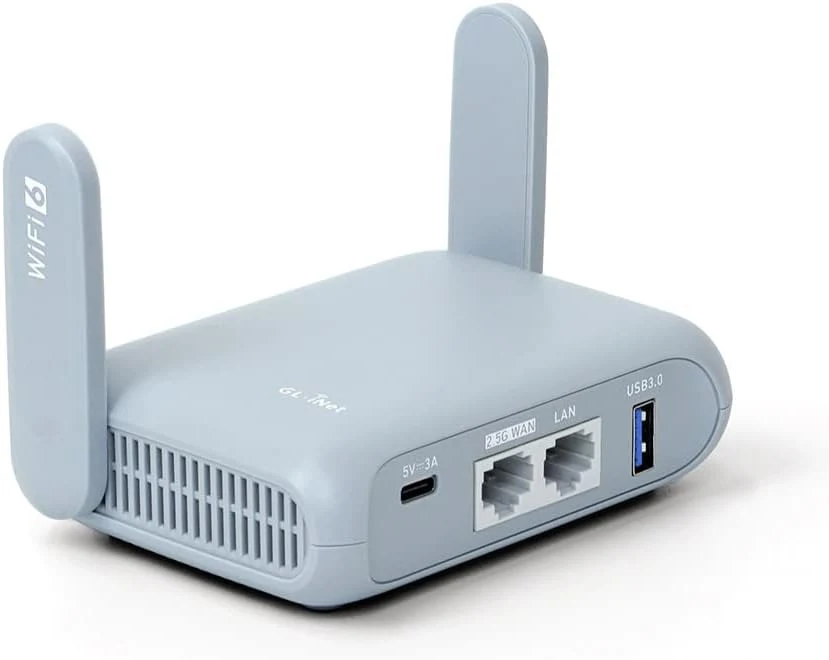
The manufacturer lists a 2.5-gigabit WAN port and a gigabit LAN port. I see the useful distinction before the larger number. The WAN port receives the outside connection, while the LAN port serves a wired local device. One faster port does not make every path through the router run at the same speed.
For a single laptop at a desk, a wired local connection can simplify the last part of the journey. For several wired devices, I would need to account for an additional switch. I would check the actual travel kit, including cable lengths and power, instead of imagining that a compact router contains the connections of a much larger home unit.
Wi-Fi speed labels also need context. They describe radio capabilities under stated conditions, not the rate of a download from a busy hotel. Distance, neighbouring networks, the client device and the internet service all affect the result. I would judge this router by the convenience of the complete setup rather than expect a headline radio figure on every trip.
A VPN is a route, not a blanket promise
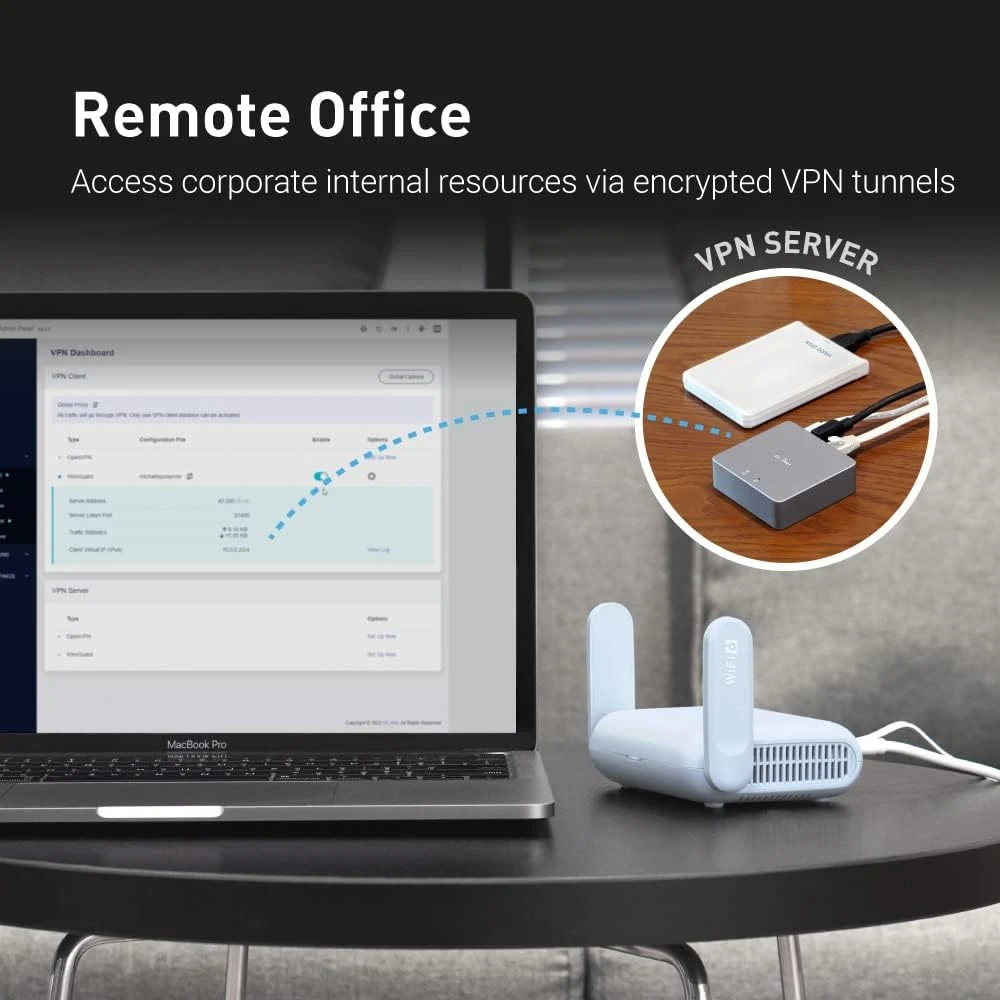
GL.iNet documents OpenVPN and WireGuard support. That is useful when I have a legitimate VPN destination and a reason to route selected traffic through it. I would check the provider’s configuration instructions and my employer’s policies before moving work traffic behind a second VPN layer.
Related reading

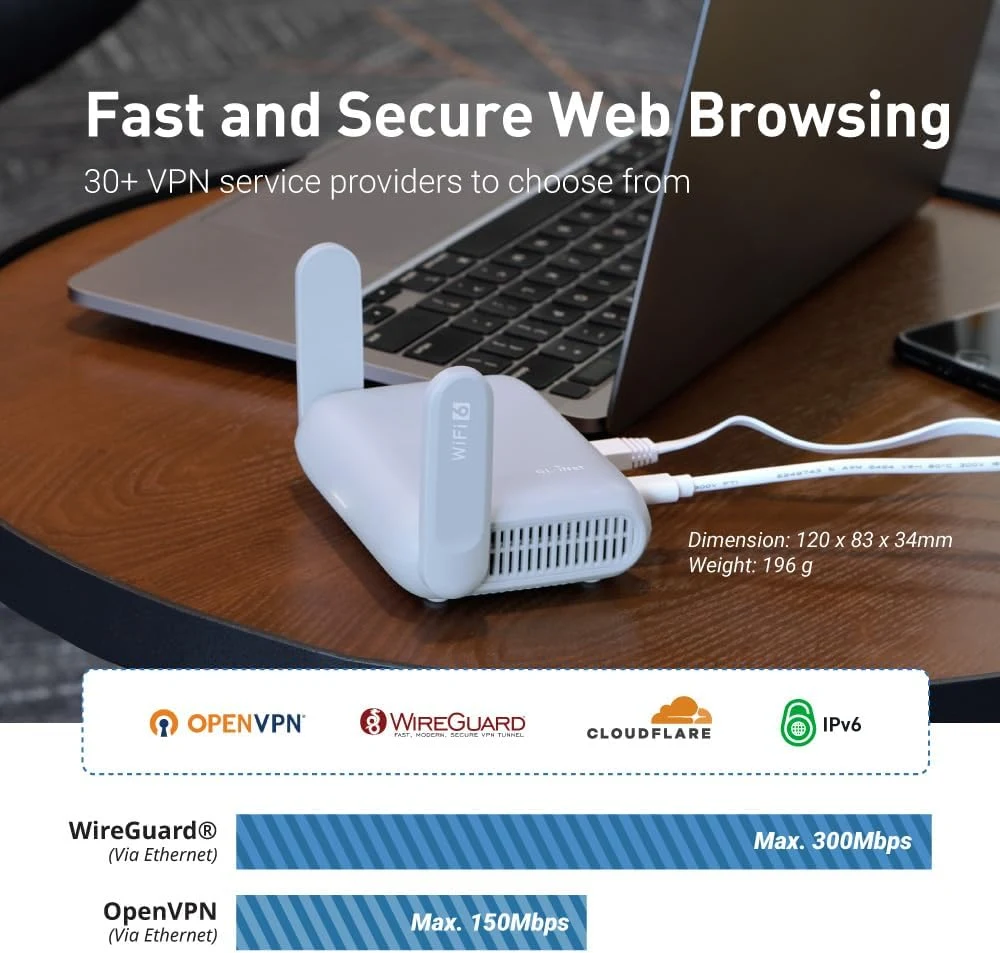
The manufacturer’s published VPN speeds are capability claims, not measurements from this review. Encryption, the server, route length and the upstream connection can all change the experience. A secure route that is suitable for email may feel different during a large transfer. I would establish the required application behaviour before assuming one profile is ideal for everything.
I would also decide what should happen if the VPN disconnects. The desired outcome depends on the traffic: stopping a protected transfer is different from allowing a casual website to keep loading. Those choices belong in the router’s configuration and the provider’s instructions. Merely seeing a VPN logo does not answer how the network behaves when the tunnel is unavailable.
A repeatable setup needs a small maintenance routine
I would prepare the router before leaving, update it through the supported process and save a configuration backup. Travel is a poor time to discover that I do not remember the administrator password or how to restore a known setup. A short note with the device’s role and recovery steps would be part of the kit.
Power also matters in a bag. I would confirm the required supply and the included regional plug, rather than assume every USB charger is an appropriate replacement. The most elegant router becomes inconvenient when its power arrangement clashes with the sockets or chargers I actually carry. I would count the complete kit when deciding whether it earns its luggage space.
The physical toggle can be assigned to supported functions, according to GL.iNet’s information. I would configure it deliberately and label its role in my own notes. A switch is useful when I understand what it changes; it is less useful if I assume it enables a feature that has never been assigned in the settings.
Related reading

When I would pack it
A phone hotspot is my simpler alternative for a brief trip with few devices and enough data. A larger router is the better comparison for permanent coverage or several wired connections. I would choose Beryl AX when the repeated travel-network setup itself is the problem, and I want to manage that small network as one unit.
I like its focused combination of portable networking and configurable routing. I would check the current offer for the exact GL-MT3000 and power bundle, then decide whether the extra configuration has a clear payoff in my travel routine. Used that way, it is a useful tool for making changing connections more predictable without pretending to control the connection outside the room.
The product images come from the selected listing and identified manufacturer materials. My assessment uses the linked product information and the buying decisions explained here. Specifications are manufacturer or retailer claims; the conclusions are my own editorial judgement.
What worked
A private travel network can keep device setup consistent when the upstream connection changes.
What bothered me
Hotel sign-in, VPN policy and firmware still need attention; it cannot improve a poor upstream connection by itself.
Who should not buy it
Someone wanting built-in cellular data or a router that guarantees hotel access and unrestricted work VPN use.
Alternatives I would consider
A phone hotspot. I would choose it for a short trip with a simple data plan and few devices.
A larger home router. I would choose it when permanent coverage and more wired ports matter more than luggage space.
Evidence and sources
The linked product documentation and exact retailer listing support the product details. Images: Amazon product gallery. These are not personal test photographs or measurements.
Features, compatibility and rated figures from the maker are manufacturer information. My opinions are identified in the review.
Conclusion
Most worthwhile for repeated trips and several devices; excessive if a phone hotspot already solves the whole job.
GL.iNet Beryl AX
Amazon US · US
Check price and availability: GL.iNet Beryl AX at Amazon USAffiliate link. As an Amazon Associate I earn from qualifying purchases.
One email a week with practical Mac workflows, useful comparisons and honest tech recommendations.