I like the idea behind the Elgato Cam Link 4K because it gives an existing camera another useful job. A camera with a suitable lens can offer a more deliberate picture than a laptop camera balanced below eye level. The interesting purchase is the small bridge between that camera and the computer, rather than a promise that one USB accessory will transform every meeting.
Quick verdict
I would shortlist it for the focused role described here.
Best for: A fixed desk or single-camera recording setup with an already suitable camera.
Main benefit: A supported HDMI camera can become a deliberate computer video input without buying another lens system.
Biggest drawback: The earlier hardware is limited to 4K30; the complete camera, power, USB and audio arrangement still needs planning.
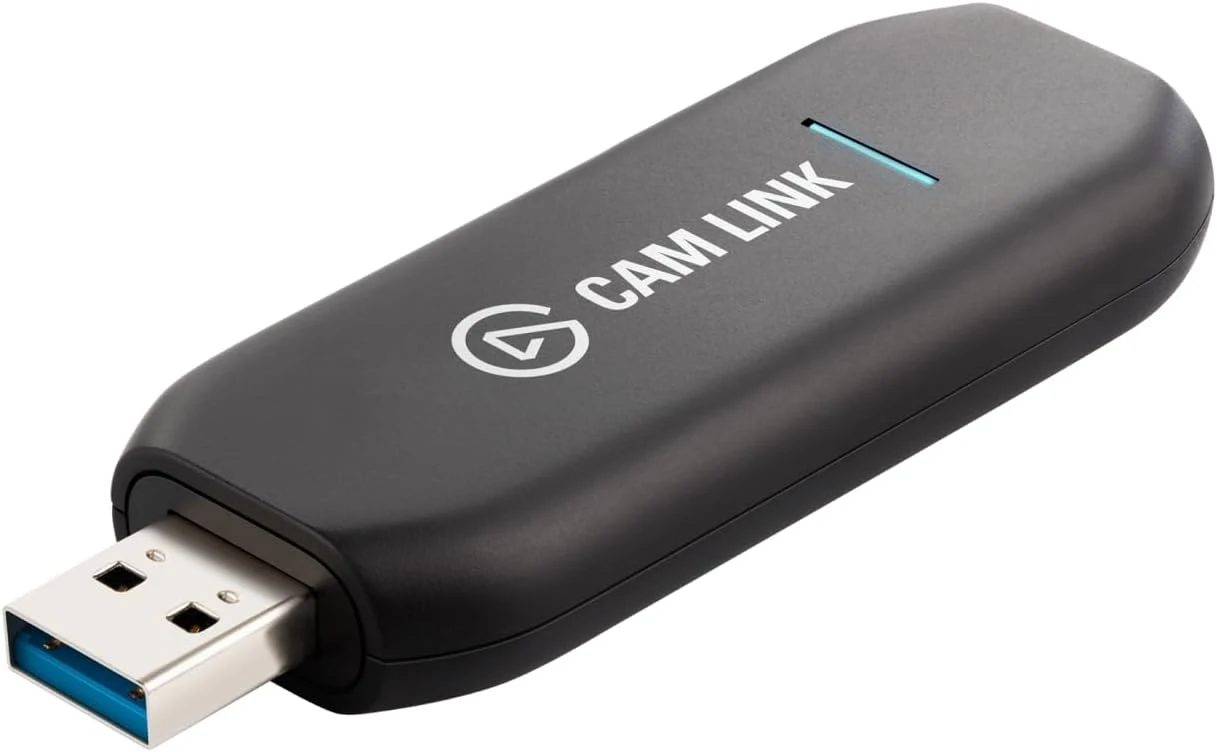
Elgato Cam Link 4K, earlier 20GAM9901 generation
Amazon US · US
Check price and availability: Elgato Cam Link 4K, earlier 20GAM9901 generation at Amazon USAffiliate link. As an Amazon Associate I earn from qualifying purchases.
Reviewed version: Elgato Cam Link 4K, earlier 20GAM9901 generation
Compatibility: An unencrypted clean HDMI camera output, a supported capture mode and USB 3.0 data path. Verify the supplied hardware model: only newer 20GAM9903 supports the current 4K60 claim.
Review context: I assess camera framing, continuous power, USB routing, selected call inputs and the need to rehearse synchronised sound and video.
I would shortlist it for a fixed desk, a teaching setup or a stream where the camera is already part of the plan. I would be less keen to build an elaborate camera system just to answer occasional calls. The complete arrangement needs to be easy enough that I actually select it before the meeting starts.
Keep the original generation clear
Product images: the verified retailer gallery and any original manufacturer illustration credited in the sources. These are not personal test photographs.
Related reading
The selected listing identifies the earlier Cam Link 4K, with model reference 20GAM9901. Elgato’s product-line comparison describes the familiar 1080p60 and 4K30 capture modes. That is the sensible starting point for this review, rather than borrowing a newer model’s headline.
Elgato now makes an important distinction on its current product page: 4K60 requires the latest hardware, identified there as 20GAM9903. I would check the actual supplied model before paying for a particular mode. A shared product name does not erase a hardware difference.
For a normal call, I would first ask what the meeting application sends to other people. Capturing more detail can be useful for recording or cropping, but it cannot make every remote participant receive an equally detailed feed. Framing, lighting and clear speech remain worthwhile at an ordinary call resolution.
Clean HDMI means a clean picture
Cam Link accepts an unencrypted HDMI signal. The camera should also offer a clean output without focus boxes, battery symbols or other menus covering the image. Elgato’s technical specifications explain the supported signal requirements. I would verify the exact camera rather than assume that any HDMI socket is sufficient.
I would arrange the camera at a comfortable height before choosing a lens position. A dramatic shallow background can look attractive while making small movements harder to keep in focus. For a long conversation, a reliable useful view matters more to me than the strongest possible background blur.
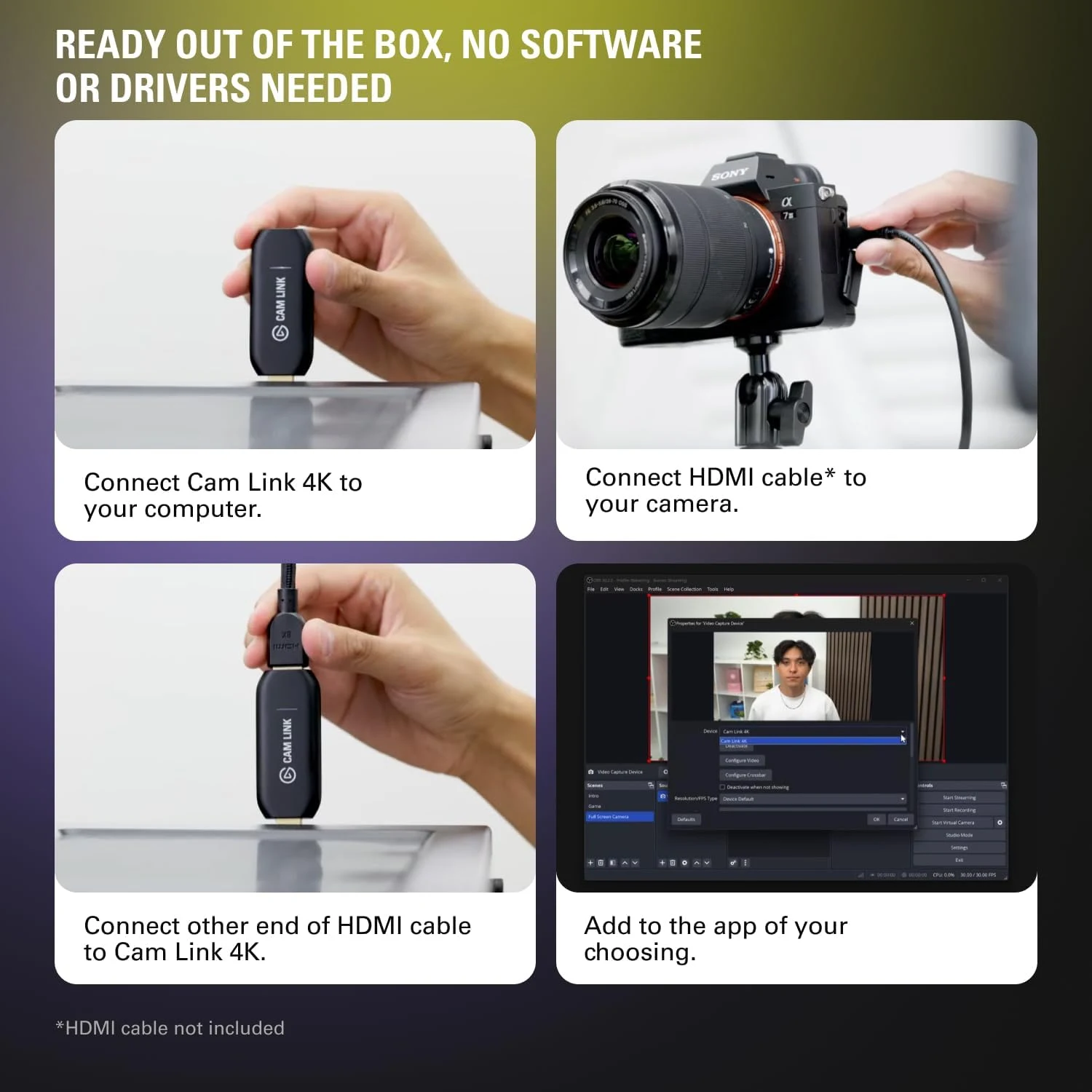
The HDMI connector on the camera also deserves attention. Some models use a smaller connector than the full-size socket on the capture device. I would choose the correct cable and route it so that a chair, desk movement or a hanging cable does not keep pulling at the camera’s port.
Power and temperature belong in the plan
A video connection is not a camera power supply. A charged battery may cover a short session, while a longer event can need a manufacturer-approved continuous-power arrangement. I would confirm what the camera supports and leave its controls accessible after mounting it.
Sleep timers, automatic shutdown and temperature behaviour also belong to the camera side of this system. I would rehearse the intended session with the actual settings and power route before relying on it for a presentation. That is an acceptance check I recommend, not a claim that I have completed a long-call test here.
Related reading

I would keep a simple fallback camera available. If the main setup needs attention just before a call, switching to a basic working input is better than making everyone wait while I change several settings. A polished desk should support the conversation, including the occasional recovery.
USB needs the right connection
The original device uses USB 3.0. I would connect it through a suitable data path and check the capture application’s selected mode. A physically compatible socket, charging cable or crowded collection of adapters does not by itself establish the required connection.
At a desk with several cameras, storage devices and a dock, I would map the connections deliberately. Keeping the video route understandable makes faults easier to isolate. If a problem appears, I can then change one part without guessing whether the camera, cable, application or shared connection caused it.
I would also name the selected camera input clearly in each call application. Applications can retain an earlier choice after an accessory is unplugged. A brief preview before joining is a small habit that protects the benefit of buying a better image system in the first place.
Sound is a separate decision
A good-looking picture does not decide which microphone a call uses. I would choose the intended voice input, check the output device and make a short recording that contains both visible speech and sound. Monitoring that saved result is more useful than assuming the preview proves everything.
If audio comes through a separate interface, synchronisation needs attention in the final recording or stream application. I would assess it with the complete route in place. I am not assigning a measured delay here, and I would not apply a correction simply because another person’s different setup required one.
The alternatives I would compare
A camera’s own supported USB webcam mode could remove an extra purchase. I would compare its actual picture modes and operating limits first. For a simpler desk, the original Logitech Brio offers a more self-contained webcam route, without adding a separate camera and lens to manage.
Related reading

A multicamera production needs a different plan from this single HDMI input. More capture devices are not automatically a coherent mixer. I would decide how sources, monitoring and recording are handled before buying hardware for a larger show.
My buying decision
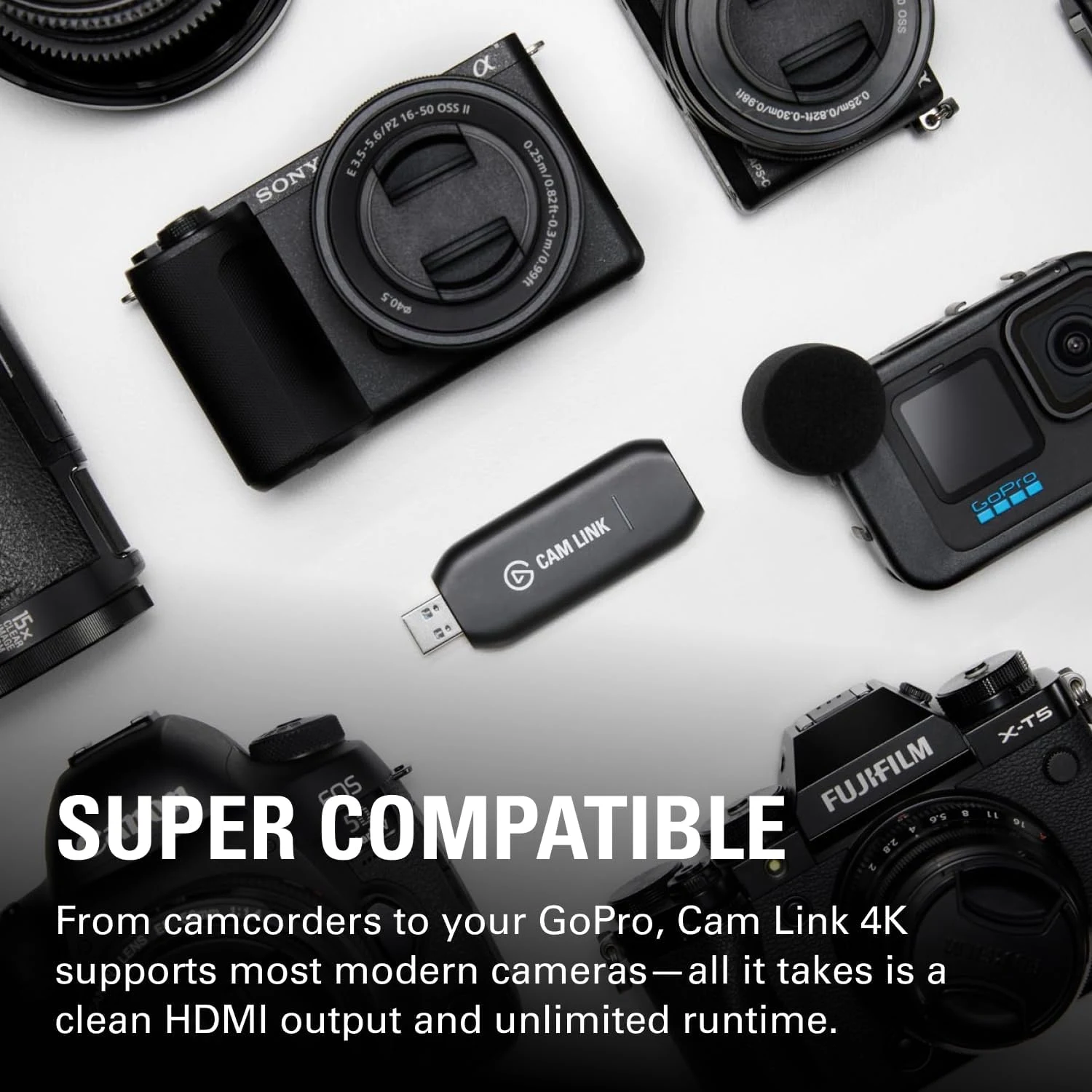
The original Cam Link 4K appeals to me when it completes a camera setup that already makes sense. Its focused role is easy to understand, and the earlier capture modes can still suit a deliberate desk. I would buy for that exact job, with a supported camera, sound plan and reliable power, while choosing newer hardware only when its additional mode is truly required.
What worked
A supported HDMI camera can become a deliberate computer video input without buying another lens system.
What bothered me
The earlier hardware is limited to 4K30; the complete camera, power, USB and audio arrangement still needs planning.
Who should not buy it
The earlier hardware is limited to 4K30; the complete camera, power, USB and audio arrangement still needs planning.
Alternatives I would consider
The camera's supported USB webcam mode. I would use it if its actual modes and operating limits already meet the task.
Original Logitech Brio. I would choose a self-contained webcam when a separate camera, lens and power system add unnecessary work. Read my Original Logitech Brio review.
Evidence and sources
Specifications are attributed to the linked documentation. Images: Amazon product gallery. These are not personal test photographs or measurements.
Elgato original Cam Link comparison
Elgato Cam Link technical specifications
Features, compatibility and rated figures from the maker are manufacturer information. My opinions are identified in the review.
Conclusion
Worth considering when it completes existing camera equipment; an ordinary webcam can be the better complete purchase.
Elgato Cam Link 4K, earlier 20GAM9901 generation
Amazon US · US
Check price and availability: Elgato Cam Link 4K, earlier 20GAM9901 generation at Amazon USAffiliate link. As an Amazon Associate I earn from qualifying purchases.
One email a week with practical Mac workflows, useful comparisons and honest tech recommendations.