I find a gaming keyboard more interesting when its extra controls have a job I can explain. The original Corsair K55 RGB combines a full typing layout with separate macro and media keys. I would consider it for a desk where those physical controls reduce repeated work, rather than buy it mainly because colourful lighting makes the product photograph look busy.
Quick verdict
I would shortlist the original K55 RGB when its extra controls and full layout have useful jobs on a supported computer.
Best for: A desk that needs a number pad and can use dedicated macro and media controls.
Main benefit: The full layout and separate controls keep repeated actions physically accessible.
Biggest drawback: The extended body needs room, and advanced configuration depends on the supported software route.
Corsair K55 RGB wired keyboard, CH-9206015-NA
Amazon US · US
Check price and availability: Corsair K55 RGB wired keyboard, CH-9206015-NA at Amazon USAffiliate link. As an Amazon Associate I earn from qualifying purchases.
Reviewed version: Corsair K55 RGB wired keyboard, CH-9206015-NA
Compatibility: The exact NA layout, a suitable USB Type-A host and currently supported Corsair software for the desired programming features. This original rubber-dome model is not a mechanical K-series keyboard or a later K55 variant.
Review context: I assess a fixed gaming and work desk, physical width, macro use, media controls and the software ownership cost.
This is the wired CH-9206015-NA version. The NA suffix matters for the layout, and the K55 name should not be confused with every other Corsair keyboard. I would keep the exact product code beside the offer. Different switches, lighting arrangements and software support can hide behind similar names in a large keyboard range.
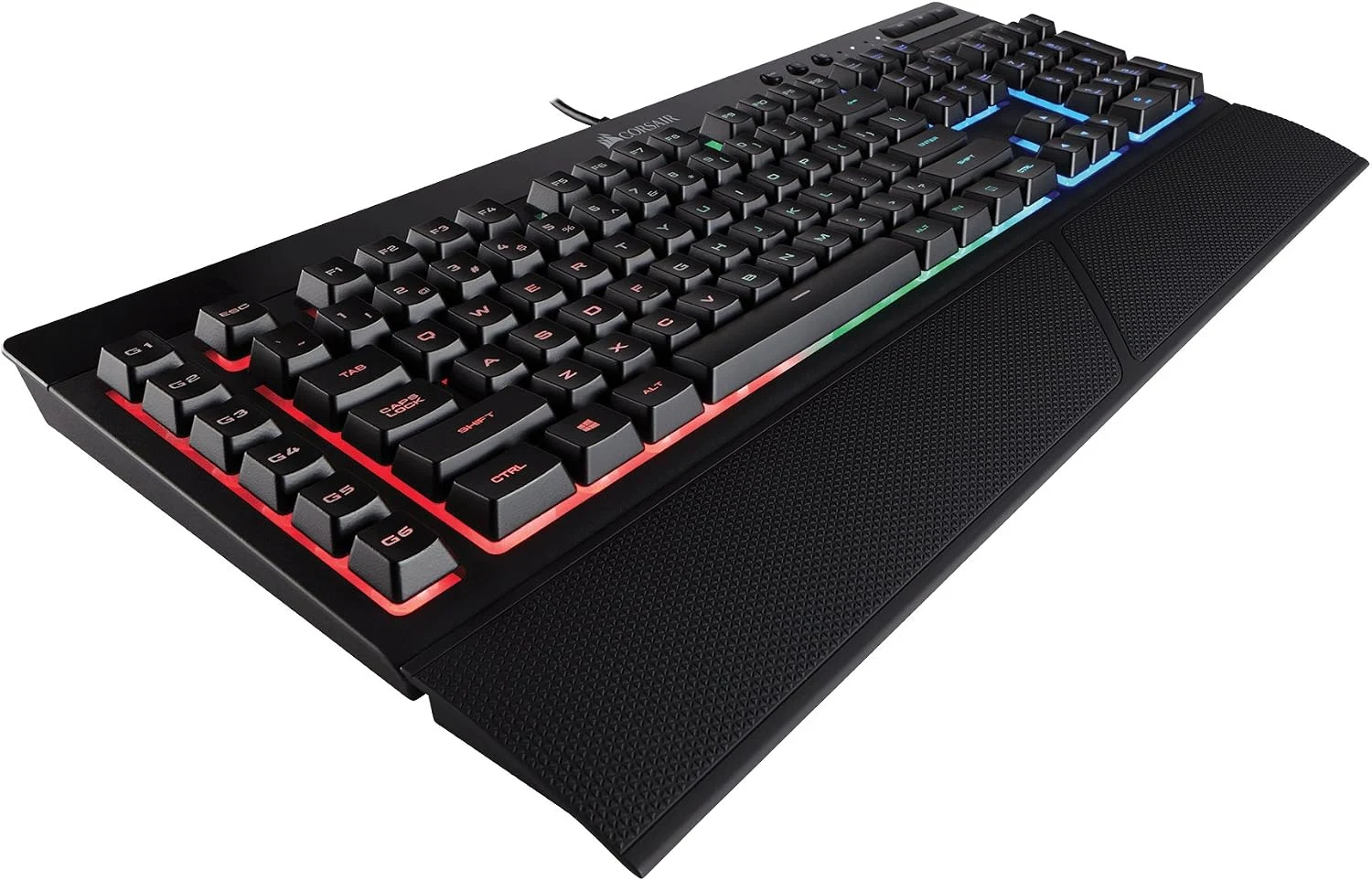
The layout is the first feature
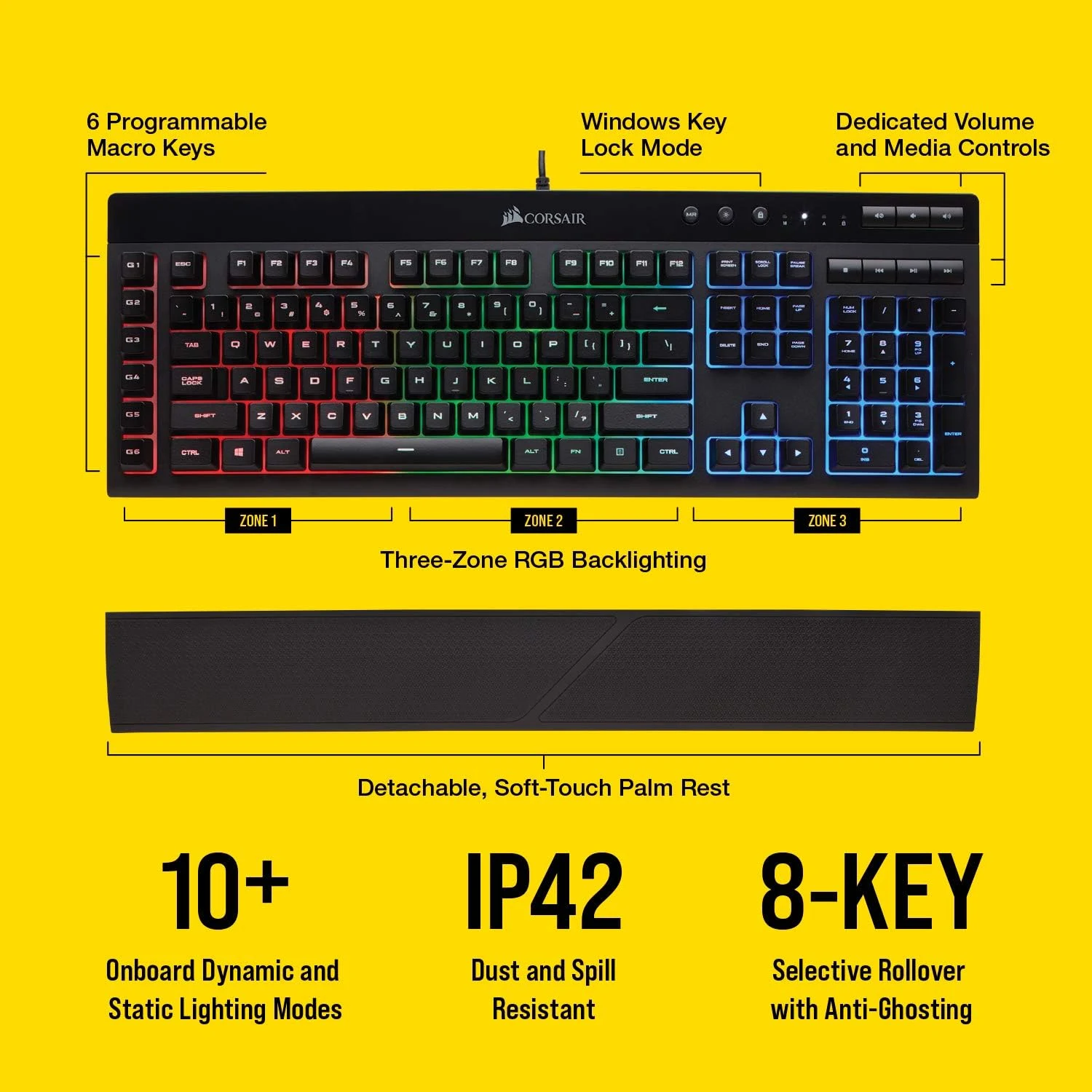
Corsair’s original K55 specification page identifies rubber-dome keys, a number pad and an extended layout with dedicated macro keys. I like seeing those details stated directly. This is not a mechanical keyboard just because it comes from a gaming brand.
Related reading

The physical width is a real trade. A number pad can be useful for data entry, while the extra control bank gives repeated actions their own place. Together they also leave less of a narrow desk for the mouse. I would measure the arrangement around both hands rather than decide that a larger keyboard automatically offers better value.
The layout language deserves the same care. Key shapes and printed legends should match what the buyer expects to use. I would not assume a regional listing supplies a local layout simply because the product name is familiar. That is a small check that can matter more in daily typing than an additional lighting effect.
A macro key should save a real action
I like the idea of giving a frequently repeated action a physical control. A carefully chosen shortcut can be easier to remember when it has a fixed place. The useful starting point is one action that happens often, not a plan to fill every programmable key immediately.
I would keep the meaning consistent. A key that starts a recording in one application and performs an unrelated action in another needs a clear profile arrangement. Otherwise the extra hardware can create another thing to remember. The best shortcut is the one whose effect remains predictable when attention is on the work.
Software support is part of this purchase. Corsair describes configuration through iCUE, but I would check current support for the exact keyboard and intended operating system. Basic typing and the full set of programming features are different questions. I would not assume a Mac or another host receives every capability described for a supported Windows setup.
Media controls can be the useful luxury
Related reading

Separate playback and volume controls are easy to understand. I like having a physical route to ordinary actions without moving away from the current application. That can be attractive during a game, a call or an editing session where the main keyboard shortcuts already have another purpose.
I would still judge their position in the complete layout. A control only helps if it is easy to find and its action is clear. More buttons are not automatically better than a familiar small set. For someone who already reaches the required functions comfortably, the extra area may have less value.
The same reasoning applies to the detachable palm rest. It provides another physical option, but fit remains individual. I would consider the height of the desk, keyboard angle and normal hand position rather than expect an included accessory to make every typing arrangement comfortable by itself.
Lighting is allowed to be enjoyable
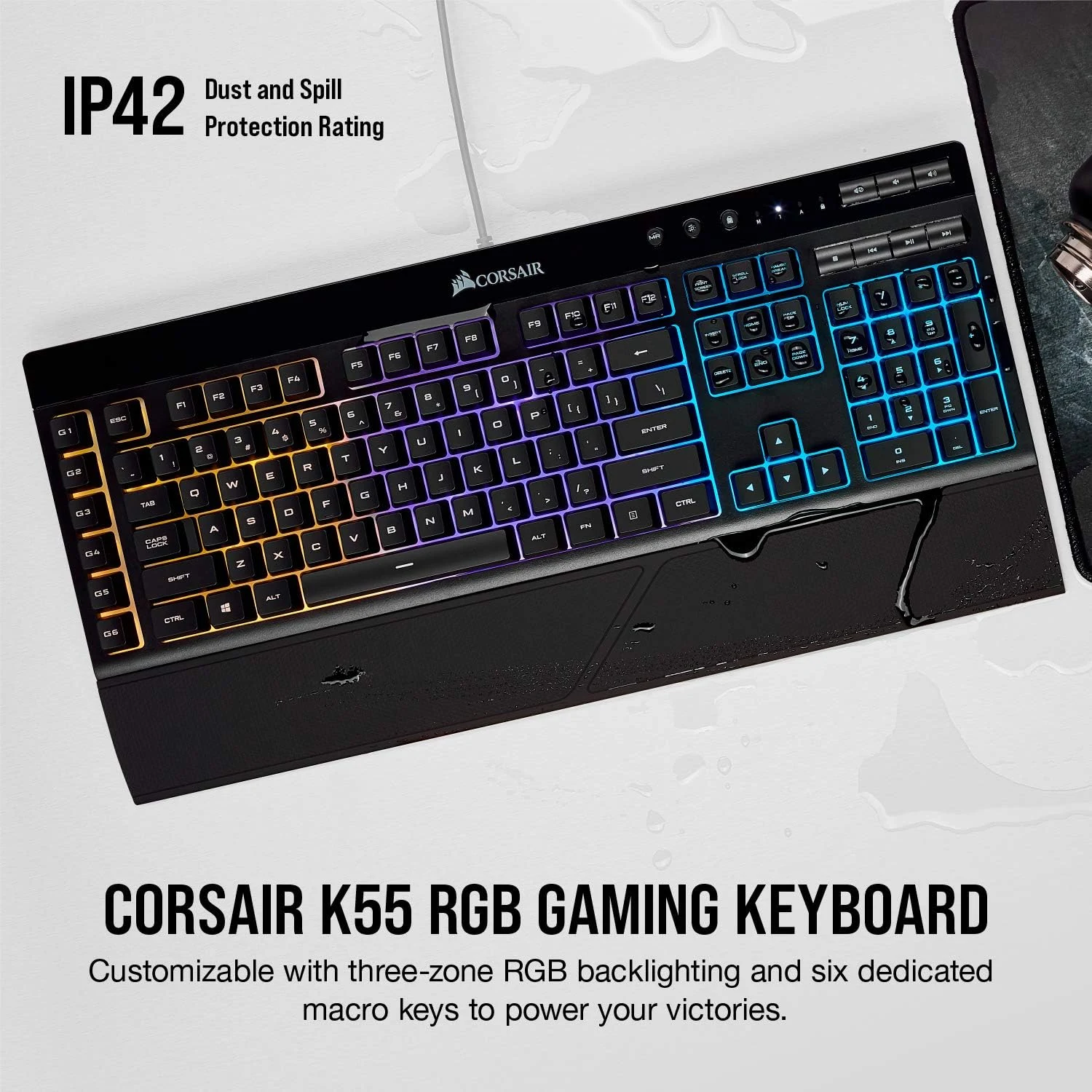
The K55 RGB uses three-zone lighting in the manufacturer’s description. I like that colour can be part of enjoying an everyday object. It does not need a productivity claim to be a valid preference, provided it does not hide the more important decisions about layout and controls.
I would choose a setting that keeps the keys readable in the actual room. A bright animated pattern may be appealing in a demonstration and distracting beside a document or video call. A simple steady setting can be just as useful when the keyboard’s job is to support the rest of the desk.
Corsair also publishes dust and spill-resistance information for this model. I would treat that as a documented design feature, not permission to ignore the care instructions or keep a drink in a careless position. An accidental spill and a plan for routine cleaning are different parts of ownership.
A wired keyboard also needs a sensible cable route. I would check the host port before putting a large keyboard and mouse on the same hub, then leave enough slack to move the keyboard for cleaning. The connection should not pull across the mouse area or stop a laptop from sitting where its screen is easiest to read.
Related reading
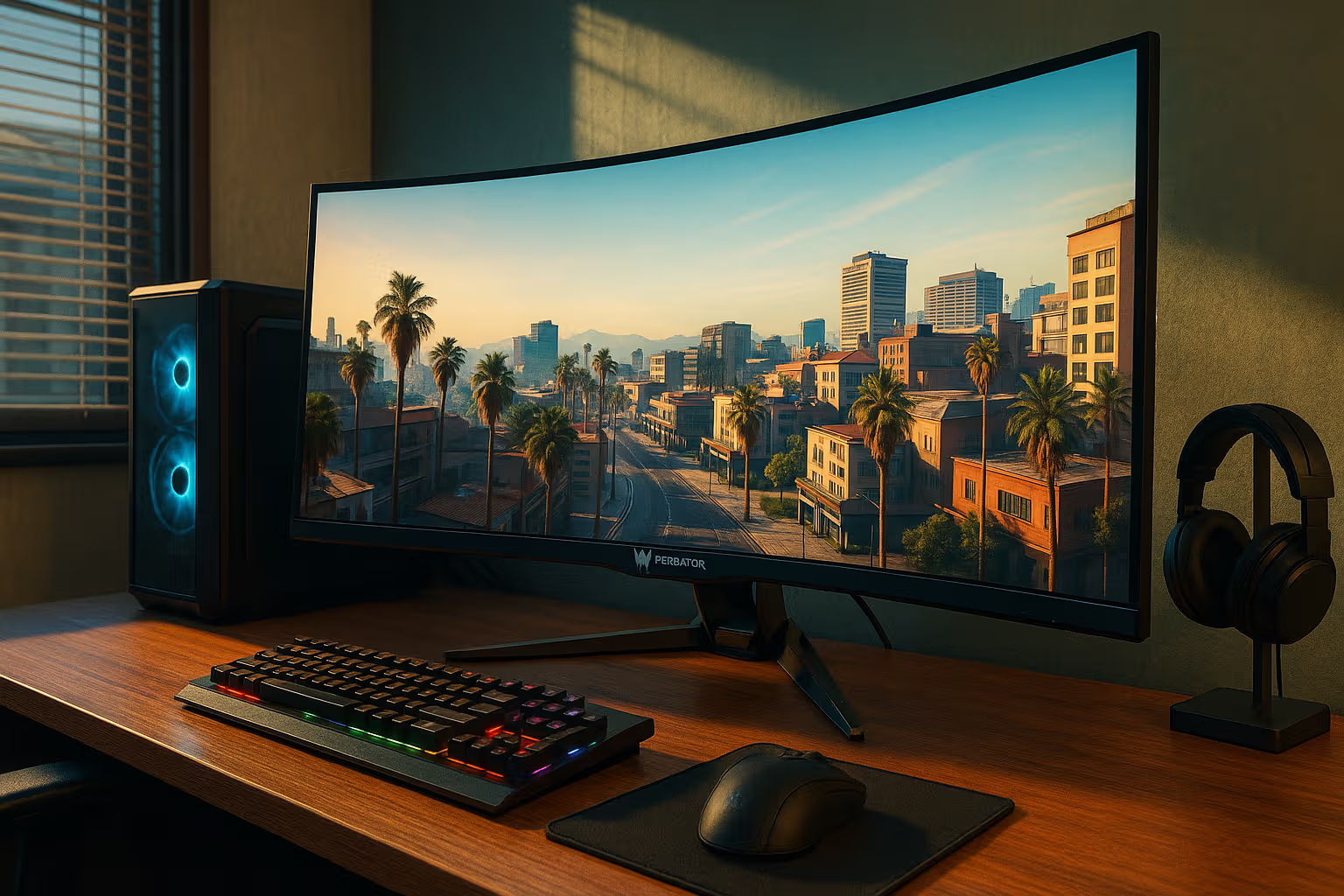
The complete setup decides the value
For plain typing, I would compare a simpler wired keyboard such as the Logitech K120. For a desk where mouse space is tight, I would consider a narrower layout. Those alternatives can be better choices even when they offer fewer features, because they answer a different practical question.
I would shortlist the K55 RGB when the full layout, media controls and useful macro assignments belong together. I like the product’s clear physical approach more than the idea of buying a large keyboard to collect unused features. The exact Amazon US affiliate offer should be checked for CH-9206015-NA, condition, included parts and current availability before making that decision.
What worked
The full layout and separate controls keep repeated actions physically accessible.
What bothered me
The extended body needs room, and advanced configuration depends on the supported software route.
Who should not buy it
Someone choosing it for mechanical switches or assuming full programming support on every operating system.
Alternatives I would consider
Logitech K120. I would choose the simpler wired keyboard when a normal full-size typing layout is all that is needed. Read my Logitech K120 review.
A narrower keyboard. I would reduce keyboard width when reaching the mouse comfortably matters more than a separate number pad and macro bank.
Evidence and sources
Product details come from the cited sources. Images: Amazon product gallery. These are not personal test photographs or measurements.
Features, compatibility and rated figures from the maker are manufacturer information. My opinions are identified in the review.
Conclusion
Worth considering when the extra controls will be used; a simpler keyboard may be better value when ordinary typing is the whole job.
Corsair K55 RGB wired keyboard, CH-9206015-NA
Amazon US · US
Check price and availability: Corsair K55 RGB wired keyboard, CH-9206015-NA at Amazon USAffiliate link. As an Amazon Associate I earn from qualifying purchases.
One email a week with practical Mac workflows, useful comparisons and honest tech recommendations.