A television can have a good screen and an app system you no longer want to use. A streaming stick is an appealing answer: leave the screen in place and replace the small part that handles the services. The original Fire TV Stick 4K offers that separation, but buying an older streamer deserves more care than comparing the “4K” printed on the box.
This is a research-based review of the first-generation model, not a speed test of a physical unit. I checked Amazon’s listing and developer specifications. I have not measured app launch times, wireless performance, or picture quality on a review sample, so I will not attach invented timings to the buying advice.
My Amazon link for the original Fire TV Stick 4K contains my affiliate tag. As an Amazon Associate, I earn from qualifying purchases. The photographs come from the product listing and do not document a hands-on test.
First, identify the right 4K stick
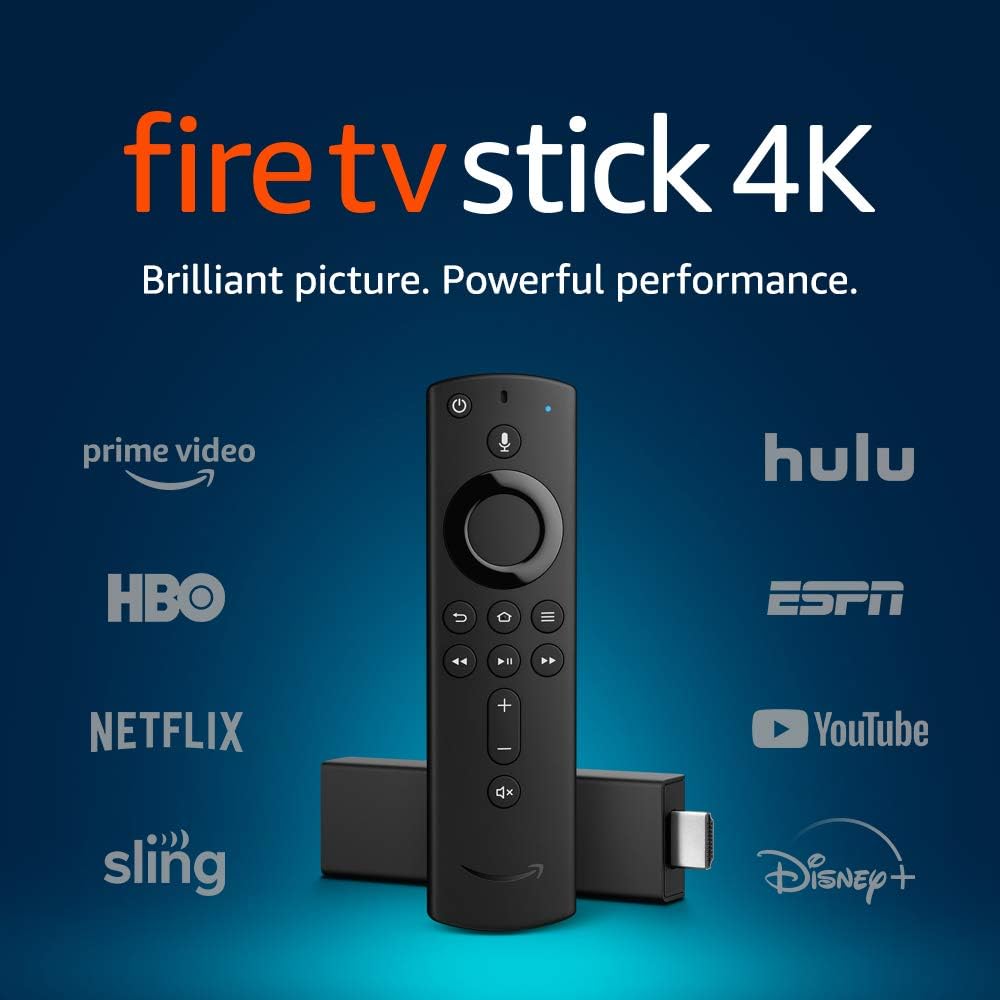
Amazon’s device specifications identify the first-generation 4K model as a 2018 device with the build model AFTMM. It uses Fire OS 6, has 1.5 GB of RAM, and includes 8 GB of internal storage. It is a different line from the ordinary third-generation Fire TV Stick, and it should not be confused with a 4K Max.
Related reading

Those distinctions are useful when a marketplace title becomes a long collection of search terms. “Fire Stick 4K” is not enough information to compare two offers. Ask for the generation, look at the model details, and check which remote is included. A replacement remote bundled by a reseller may change the experience you thought you were buying.
The stated storage capacity is also not the same as free space for your apps. System software takes part of it. If you use only a few streaming services, that may not matter much. If you expect to install a broad collection of apps, games, and utilities, space management becomes another daily job. I would not buy an old small streamer as a project to make a crowded software setup work.
Video support is a chain of conditions
Amazon lists 4K playback and support for Dolby Vision, HDR10, HDR10+, and HLG. It also describes Dolby Atmos support with selected content and suitable audio equipment. These are documented format capabilities, not proof that every film in every app will arrive in that format on your television.
Start with the service you actually watch. Its account tier, app, available title, and regional catalogue matter. Then consider the television input and any receiver or soundbar in the path. If one part of that chain cannot handle the requested format, the word printed on the stick does not remove the limit. A more expensive streamer cannot fix an unsuitable subscription either.
A useful setup check is to choose one title whose expected format you can confirm in that service, then inspect what the television and audio equipment report. Use the same scene when changing a setting. Comparing different films makes it easy to blame the player for differences in mastering, brightness, or sound mix that belong to the content.
Avoid judging HDR by whether the home screen looks very bright. Brightness alone tells you little about the intended image. Begin with the television’s appropriate picture mode and leave unnecessary processing changes out of the first comparison. If you alter several settings at once, you lose the ability to tell which change helped.
A remote can matter more than another format logo
The product listing advertises an Alexa Voice Remote with controls for power and volume on compatible televisions and sound equipment. That is a more tangible benefit than an impressive row of acronyms if it means a family member can sit down, turn on the TV, and hear the programme without finding three remotes.
Test that complete sequence before tidying the cables. Start from everything switched off, use the Fire TV remote, open your main service, and adjust the volume. Then switch everything off again. A setup that works only after you manually select the right input is not yet the simple one-remote arrangement the household expects.
Place the original television remote somewhere accessible even after the new routine works. You may still need it for input selection, picture settings, or troubleshooting. Labelling a small drawer is better than declaring the old remote unnecessary and searching for it later when a guest has changed an input.
Voice search should be judged against your preferred service too. Finding a title and being able to watch it under your existing subscription are separate results. Read the offered provider before confirming a rental or purchase. The shortest path to a film is not always the button the interface puts first.
Related reading

Another useful check concerns subtitles and dialogue. Play a familiar scene, turn on the subtitle language you need, and make sure the chosen app remembers a sensible setting. An overseas offer may provide perfectly usable hardware while the service account or regional catalogue lacks the language combination you expected. That is worth finding out before you spend the evening tuning the picture. For a shared television, show the subtitle control to the other viewers rather than assuming a voice request will handle every situation.

Give the wireless connection a fair chance
The developer specifications list dual-band Wi-Fi, including 5 GHz. The useful decision is where to put the device and how stable that connection is at the back of your particular TV. A network name and a signal icon cannot tell the whole story when the television sits in a corner or against a wall.
Before blaming the stick for buffering, repeat the same programme with other heavy network activity paused. Compare the behaviour at the same time of day. If every device struggles with that service, replacing one player is unlikely to be a good first move. If only the television corner struggles, investigate placement and coverage before paying for a faster internet package.
Keep the supplied connection accessories until setup is complete. A short HDMI extension, when included with the actual package, can be useful for fitting the stick where neighbouring ports are crowded. It also gives you a way to move the body a little instead of forcing it against another connector. Check the contents of a used offer rather than assuming they match a new retail box.
Leave enough access to unplug the stick without pulling on the television’s connector. A neatly tied cable bundle is useful only if you can still remove one component for diagnosis. Put a small label on the power cable while the connections are visible. That simple step can save repeated searches behind the cabinet when several black leads look almost identical.
Follow the device’s power instructions rather than selecting a TV USB socket simply because it is close. The aim is a stable, repeatable start. If a fault appears only after the television has been off for a long time, record that pattern before changing random settings. A short note on the circumstances is often more useful than ten unsuccessful restarts.
The software age is the real buying question
Format support can remain impressive on paper while an older software platform becomes less convenient. The critical check is whether your required apps currently support this specific model in your country. A product page that once named a service is not a permanent promise that the service, its name, or its account requirements remain unchanged.
Make a short list of the services the household pays for and verify them before buying. Include the less famous local service that carries the one programme someone watches every week. A player that supports ten large international brands but misses that app can be the wrong choice despite looking complete in a comparison chart.
I would also consider the interface as part of the product. Promotional panels, recommendations, and account suggestions affect the route to your own content. During a trial, have the person who uses the television most often start a normal evening’s viewing without coaching. If the route feels confusing, theoretical video capability is a weak reason to keep the device.
Related reading
There is no measured performance result here that proves the original stick is fast enough today. If you already own one and your apps work acceptably, you can judge that directly. If you are buying now, the discount must compensate for that uncertainty. A small saving over a newer supported option may be poor value once you include setup time and the possibility of an early replacement.
Who this older model suits
Keeping an existing first-generation 4K stick can be reasonable when it restores the apps you want to an otherwise satisfactory television. It lets the screen and streaming software have different replacement cycles. That is a sensible way to think about a TV that still displays the content well.
Buying one requires a more specific case. I would want a clear model description, the correct accessories, a workable return policy, and confirmation of my essential services. I would also want a meaningful total-price advantage. Without those conditions, the age of the platform is a cost the low headline price can hide.
The original Fire TV Stick 4K is capable hardware for its generation, with a useful range of documented video formats. Its value now depends on the whole viewing chain and the current apps, not simply the resolution. You can check this exact model through my Amazon affiliate link, but make the service check before making the purchase.
One email a month: new articles, reviews and the upcoming live webinar + free recording. No spam, unsubscribe anytime.