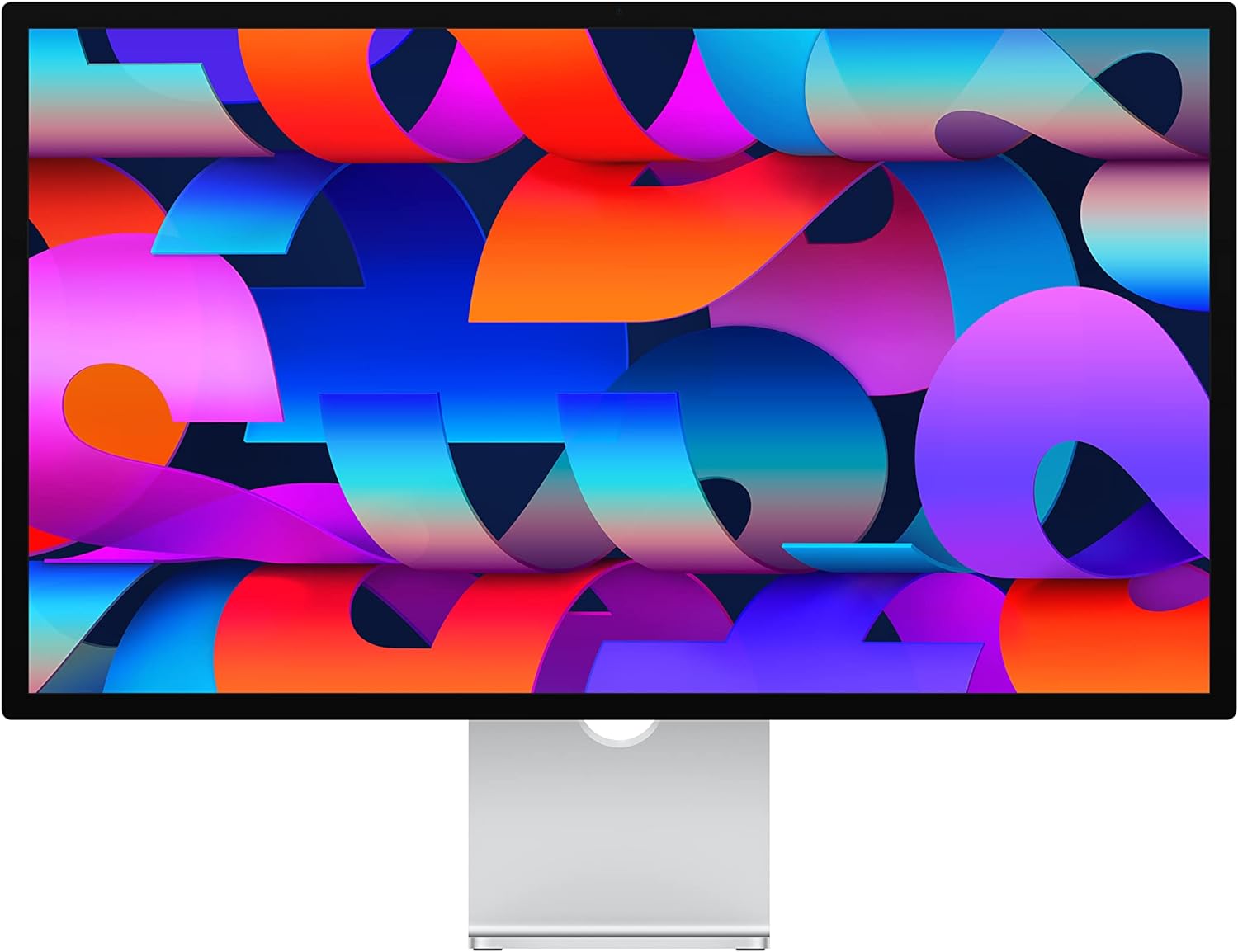
Apple Studio Display
Apple Studio Display — premium monitor for sharp, color-accurate work and smooth everyday use. See specs and current price on Amazon.
The Apple Studio Display is a 27-inch 5K monitor built for one audience: Mac users who want the pixel density of a MacBook’s built-in screen at desktop size, with the cable clutter of a docking station reduced to a single Thunderbolt lead. It occupies a strange, nearly uncontested niche — very few manufacturers bother making 5K panels at all — and Apple prices it accordingly.
It is also, unusually for a monitor, a fixture. Launched in 2022 and never revised, it remains the default answer whenever someone asks what screen belongs in front of a Mac mini or a docked MacBook. That stability cuts both ways: the panel was excellent then and is excellent now, while the omissions were frustrating then and have grown more so as rivals added better connectivity, better webcams, and higher refresh rates at lower prices.
The honest position: as a text-and-color canvas for Mac work, it is superb and has no direct equal. As a complete product at this price, it carries compromises — a disappointing webcam, no HDR, a 60Hz ceiling, and stand pricing games — that you accept only because the core panel is that good.
Why 5K is the entire argument
The case for this monitor is arithmetic. Its 5120x2880 panel at 27 inches lands at 218 pixels per inch — the density macOS is designed around — which means the interface renders at exactly two physical pixels per point with no scaling compromise. A 27-inch 4K panel cannot do this: macOS either draws everything oversized at clean 2x scaling or falls back to fractional scaling, rendering the screen larger internally and downsampling it, which costs a little GPU headroom and a visible sliver of text crispness. On the Studio Display none of that arithmetic is happening. Pixels vanish at normal desk distance, letterforms hold their shapes at small sizes, and hairline interface strokes stay hairline.
If you read and write for a living — code, contracts, design specs, email in bulk — this is the difference you notice every single hour. It shows up in the small stuff: a dense pull request diff you stop leaning into, a serif face that stays legible at small sizes, a spreadsheet where gridlines are actually lines rather than smudges. Owners of 5K displays rarely go back to 4K at this size, and the reason is not brand loyalty; text is the thing a work monitor renders most, and this density class is simply a different experience of text.
The panel beyond the sharpness
Density is the headline, but the rest of the panel holds its end up. Brightness reaches 600 nits — comfortably above what typical office monitors sustain — so the image stays punchy beside a window, in exactly the conditions that make dimmer panels feel washed out. Full P3 wide color gives accurate rendering for photo and design work at the SDR level, and factory calibration is consistent enough that most owners never reach for a colorimeter. True Tone shifts the white point with ambient light; it is pleasant for reading and wrong for judging color, so designers learn to toggle it off for image work and back on for everything else. macOS also exposes fixed reference presets for the display, useful when work needs previewing in a constrained color space rather than the panel’s full gamut.
Viewing angles and uniformity draw few complaints even from long-term owners, which matters on a screen this bright and this glossy. And it is glossy: the standard glass trades reflection handling for contrast and clarity, behaving like a MacBook screen rather than a matte office panel. In a room with a light source behind you, you will know it. Apple’s answer to that is a configuration choice, covered below, not a setting.
An aluminum object on your desk
The enclosure is machined aluminum front to back, and the whole assembly has the density of something built to outlast several computers. There is no external power brick — the supply is internal, so the only things leaving the display are one power cord and one Thunderbolt cable — and famously there is no power button either, or any button at all. The power cord seats so firmly it might as well be captive, which tidies the desk and mildly complicates moving house. Heat is a non-issue; owners describe it as running cool and effectively silent through full workdays.
The standard stand tilts with one finger, smoothly and precisely, and holds its angle without wobble. What it does not do is go up or down: height adjustment is a paid configuration, and the number of otherwise premium desks with a Studio Display propped on a stack of books is a running joke among owners for a reason.
The one-cable desk
Plug in the Thunderbolt cable and three things happen at once: the display lights up, a connected MacBook starts charging at up to 96W, and three USB-C ports on the back come alive for peripherals. That is a docking station’s job description handled by a monitor. When you dock a MacBook at a desk, one lead delivers the 5K canvas, full-speed charging, and your SSD, microphone, and keyboard receiver — and leaving is one unplug rather than an excavation.
Paired with a desktop the calculus is just as clean: a Mac mini M4 plus this display makes a formidably tidy workstation, with the display’s rear ports absorbing desk clutter and the mini’s own ports left free for fast storage. The limitation to understand is that this is a one-computer display. There is a single upstream Thunderbolt input — no HDMI, no DisplayPort, no picture-by-picture, no KVM trickery — so sharing it between two machines means physically moving a cable.
Driving 5K is no strain for any Apple Silicon Mac — even the base chips treat this panel as routine — but multi-display ambitions deserve a check before you buy two, because the number of external screens a Mac supports varies by chip generation and class, and the base laptop chips have historically been the constrained ones. The included braided Thunderbolt cable is on the short side, which suits a display sitting directly behind the keyboard and frustrates deeper desks; longer certified cables exist and cost real money.
Speakers, microphones, and the chip inside
The six-speaker system — four force-cancelling woofers and two tweeters — is the best fitted to any monitor, full stop. It produces actual bass without buzzing the desk, holds together at volume, and supports spatial audio playback. It will not replace real desktop speakers for critical listening, but it embarrasses everything else built into a display, and a meaningful share of owners simply never set up external speakers at all. The three-microphone array is similarly strong, picking up a natural-sounding voice at desk distance on calls.
Running all of this is an A13 Bionic — an entire recent-generation iPhone chip embedded in a monitor — handling the camera processing, the audio, and “Hey Siri” support. Whether that is impressive engineering or amusing overkill depends on your mood, but it does mean the display receives genuine firmware updates through macOS rather than being frozen silicon.
The webcam that keeps the asterisk
The 12MP Ultra Wide camera with Center Stage should have been a highlight and instead became the product’s defining flaw. Image quality is soft and processed-looking — notably worse than an iPhone held at arm’s length, and frequently worse than webcams costing a fraction of this display. Firmware updates improved exposure and contrast over time and only partially rehabilitated the result; the consensus among long-term owners is that it settled at acceptable, never good. Three video calls into a morning, you will watch colleagues on modest external cameras look crisper than you do on a premium display.
Center Stage itself — the automatic reframing that follows you as you shift and stand — is genuinely useful for anyone who moves during calls, which is some consolation. But if being seen well is part of your job, budget for an external camera such as the Elgato Facecam MK2 and treat the built-in one as a backup; macOS’s own Continuity Camera — an iPhone clipped to the top bezel — also outperforms it embarrassingly, and plenty of owners settle there. For a display aimed squarely at professionals who videoconference daily, that remains a strange sentence to have to write.
What Apple left out
The omissions are structural rather than accidental. There is no HDR support of any kind and no local dimming: this is a conventional IPS-class backlight with the contrast that implies, and dark scenes in a dim room show familiar grayish blacks rather than the depth a mini-LED or OLED panel produces. The refresh rate is fixed at 60Hz with no ProMotion — this from the company that puts 120Hz in its phones — so scrolling and window movement are merely fine rather than fluid, and gamers or motion-sensitive users should look elsewhere without hesitation.
The practical port story has gaps too: no USB-A for legacy peripherals, no Ethernet passthrough of the kind hub monitors now include, no headphone jack. None of these sink the product for its core audience, but every one of them is standard equipment on professional 4K hub monitors that cost less.
Setup and the first week
Setup is the shortest chapter of any owner’s story: attach power, attach Thunderbolt, done. There is no on-screen menu to learn because there is none — every control lives in macOS. Brightness and volume respond to the keyboard keys exactly as they do on a MacBook, True Tone and Center Stage live in System Settings, and firmware arrives silently with macOS updates. Automatic brightness and True Tone both default to on; leave them for reading comfort, disable them for color judgment.
The first week’s frictions are physical. You will spend a day finding the angle where window light stops reflecting; if you skipped the height-adjustable stand you will improvise a riser and resent it slightly; and you will form a verdict on the webcam within your first few meetings. The pleasant surprises arrive on the same schedule: the speakers quietly retire whatever desk speakers you had planned, and the one-cable docking habit becomes automatic within days.
Living with it for years
Owner sentiment over multiple years is remarkably consistent: the panel and speakers keep earning their place, the camera keeps disappointing, and reliability is generally strong, with no widespread pattern of panel or backlight failures in long-term reports. The economics also improve with time in a way monitor buyers often underrate. A display like this survives several computer upgrades — the same panel that served an Intel-era Mac serves an M4 Mac identically — and resale values hold unusually well for the category. The display has now outlived several Mac generations without revision, and the risk every buyer weighs is a successor arriving the month after purchase; the counterargument owners make is that its actual job — 218 pixels per inch of text — would barely change with one.
The ecosystem constraint is permanent, though. On Windows the display functions at reduced capability: picture, yes, but brightness control, camera features, and general niceties require workarounds, and nobody should buy it for a PC. This is a Mac accessory in the fullest sense — engineered, updated, and priced as one.
Against the alternatives
The honest comparison set is small, because almost nobody else makes 5K at 27 inches. A quality 27-inch 4K panel like the LG UltraFine 27UP850K delivers most of the productivity value at a fraction of the cost, with the fractional-scaling softness described above and far weaker speakers. Stepping up in size, a 32-inch 4K hub monitor like the Dell UltraSharp U3225QE trades pixel density for screen area and dramatically better connectivity, while the BenQ MA320U courts Mac users specifically with macOS-aware controls at a friendlier price. None of them match the Studio Display’s text rendering; all of them make the invoice easier to explain, and the Dell in particular makes the Studio Display’s port selection look thin. The few other 5K panels that surface from time to time rarely match the whole package — the speaker, microphone, and hub combination is, for all its flaws, unduplicated.
Configurations: glass and stands
Apple sells this display in permutations that deserve more thought than a checkout page encourages. The glass choice is binary: standard glossy, which looks brighter and sharper but reflects, or nano-texture, an etched matte finish that genuinely kills reflections at a modest cost in contrast and with a special cleaning-cloth ritual attached. Standard is the right answer in most rooms; nano-texture earns its premium only in spaces with uncontrollable light behind you.
The stand decision is less forgiving. The base stand tilts only; the height-adjustable stand adds smooth vertical travel at a real upcharge; the VESA adapter option replaces the stand entirely for arms and wall mounts. Choose at purchase, because the display does not let you revisit the choice casually later. For most desks the height-adjustable stand pays for itself daily — or the VESA route plus a good monitor arm, which solves height, depth, and desk space at once.
Who should buy it, who should not
Buy the Studio Display if you work on a Mac all day in text, code, or SDR color work, you will keep it across several computer upgrades, and razor-sharp rendering matters more to you than HDR or refresh rate. Amortized over the panel’s realistic lifespan — which owner experience suggests is long — the premium becomes defensible, and the daily experience is quietly the best in its niche.
Skip it if you need a good built-in webcam without irony, want HDR video or gaming smoothness, share a desk between multiple computers, or use anything other than a Mac; in every one of those cases a cheaper display serves you better. And whichever way you go, decide the glass and the stand deliberately at checkout — they are the two choices this display never lets you take back.
Our take
Verdict: A beautiful 5K display that pairs perfectly with Macs — let down by a so-so webcam and a premium price.
The problem. Mac users want a sharp, color-accurate display that integrates cleanly without fuss. Why it matters. 5K at 27 inches gives Retina-crisp text that ordinary 4K panels can’t match. What it is. Apple’s 27-inch 5K display: excellent color, high brightness, built-in speakers and mics, and a single-cable Mac experience with USB-C/Thunderbolt.
Pros
- Superb, razor-sharp 5K image and color
- Great speakers and clean single-cable Mac setup
- Solid, premium build
Cons
- Mediocre built-in webcam for the price
- No HDR, ProMotion or local dimming
- Expensive, and the stand options cost more
Who should buy it
- Mac users who want best-in-class text sharpness and tidy integration
Who should skip it
- Anyone wanting HDR/high refresh, or non-Mac users who’ll get more elsewhere
Bottom line. A gorgeous Mac display — buy it for the 5K image, not the camera, and watch the stand upcharge.