What the Ideal Home Office Looks Like According to Science
The Accidental Laboratory
The pandemic turned millions of bedrooms, kitchens, and closets into offices overnight. Most people grabbed a laptop, found a chair, and started working. Few thought about optimal workspace design. There wasn’t time.
Five years later, remote and hybrid work is permanent for many knowledge workers. That improvised setup isn’t temporary anymore. It’s your office—possibly for the rest of your career. The quality of that space directly affects your productivity, health, and happiness.
The good news: decades of environmental psychology, ergonomics research, and workplace studies tell us exactly what makes workspaces effective. The science is clear. Most home offices ignore it.
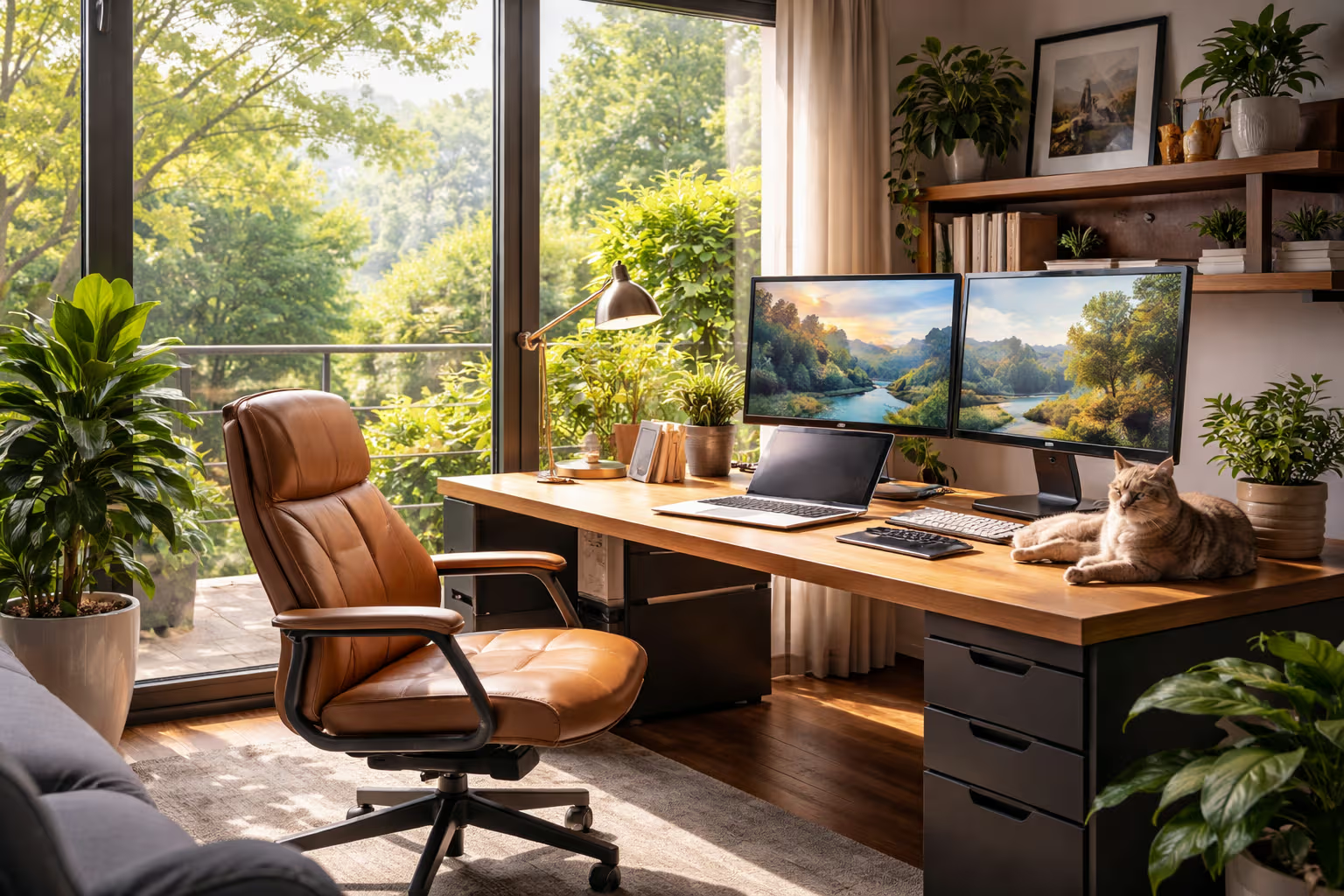
My British lilac cat, Mochi, occupies my home office more than I do. She’s conducted her own research on optimal workspace conditions. Her findings: warm spots are essential, elevated observation points improve satisfaction, and any flat surface is a potential bed. Her methods lack rigor, but her commitment to comfort is admirable.

This article synthesizes research on ideal home office design. We’ll cover lighting, temperature, acoustics, ergonomics, and psychology. Not theoretical ideals—practical recommendations you can implement in real spaces with real budgets.
Why Your Environment Matters More Than You Think
Environmental factors affect cognitive performance more than most people realize:

Temperature: A Cornell study found that workers make 44% more errors when office temperature is 68°F (20°C) compared to 77°F (25°C). Temperature directly affects accuracy and speed.
Lighting: Research shows that workers in offices with windows received 173% more white light exposure during work hours and slept an average of 46 minutes more per night. Better sleep means better work.
Air quality: CO2 levels above 1,000 ppm—common in poorly ventilated rooms—reduce cognitive function by 15-50%. Most home offices have no ventilation consideration.

Noise: Studies consistently find that intermittent noise impairs complex cognitive work more than continuous noise. The irregular sounds of a home—doorbells, family conversations, appliances—are worse than steady office hum.
Ergonomics: Musculoskeletal disorders cost American employers $45-54 billion annually. Poor posture causes pain, which causes distraction, which causes errors. The chair you sit in affects the code you write.
These aren’t small effects. Environmental optimization can improve productivity by 10-25% according to various studies. That’s the equivalent of gaining one to two extra hours per day—without working longer.
Lighting: The Foundation of Everything
Lighting affects mood, energy, circadian rhythm, and visual comfort. Get it wrong, and everything else becomes harder.
Natural Light
Natural light is the gold standard. Research consistently shows that workers with access to natural light report:
- Higher energy levels
- Better mood
- Improved sleep quality
- Greater job satisfaction
- Fewer headaches

Position your desk perpendicular to windows, not facing them directly (which causes glare) or with your back to them (which creates screen reflection issues). The perpendicular position provides natural light without visual discomfort.
If your space lacks natural light, consider light therapy lamps designed to simulate daylight. Look for 10,000 lux output and broad-spectrum white light. Even 20-30 minutes of exposure in the morning helps regulate circadian rhythm.
Task Lighting
Ambient light alone isn’t enough for focused work. Task lighting—a dedicated lamp illuminating your work surface—reduces eye strain and improves focus. The light should be bright enough to read comfortably (300-500 lux on your desk surface) without creating harsh contrast with the surroundings.

LED desk lamps with adjustable color temperature work well. Cooler light (5000-6500K) promotes alertness during work hours. Warmer light (2700-3000K) eases the transition to evening. Some people adjust color temperature throughout the day; others pick one setting and stick with it.
Screen Settings
Your monitor is a light source too. Match its brightness to ambient lighting—the screen shouldn’t be noticeably brighter or darker than its surroundings. Enable blue light filtering in the evening to reduce circadian disruption.
The specific blue light filter settings matter less than consistency. Pick settings you can sustain every day. A modest filter used consistently beats aggressive filtering used occasionally.

Temperature: The Productivity Sweet Spot
Temperature preferences vary, but research identifies a range where most people perform best: 70-77°F (21-25°C). Outside this range, cognitive performance declines measurably.
Cold environments impair fine motor control and increase errors. People make more typos when their hands are cold. Warm environments cause drowsiness and reduced alertness. The sweet spot balances these effects.
Individual variation is real. Some people work better at the cooler end; others prefer warmth. The key is consistency within your personal optimal range, not hitting a single magic number.

Practical Temperature Control
Central HVAC serves entire homes, not individual workspaces. Supplemental heating and cooling for your office lets you optimize independent of household settings.
Small space heaters: Ceramic heaters with thermostats maintain consistent temperatures in small rooms. Position them to warm you without drying the air excessively.
Fans and portable AC: Desk fans provide immediate cooling. Portable air conditioners work for spaces where central AC is insufficient or nonexistent.

Heated accessories: Heated keyboard pads, foot warmers, and desk mats warm your body directly. These use less energy than heating entire rooms and provide immediate comfort.
Monitor temperature in your workspace, not just your home. A simple thermometer reveals the actual conditions you work in. Many people discover their home offices are significantly warmer or cooler than they assumed.
Humidity
Humidity affects comfort and health. Low humidity (below 30%) dries mucous membranes, causing discomfort and increasing susceptibility to respiratory infections. High humidity (above 60%) promotes mold growth and feels oppressive.

Target 40-50% relative humidity. Humidifiers add moisture to dry environments; dehumidifiers or air conditioning remove excess moisture. Inexpensive hygrometers monitor levels so you can adjust accordingly.
Acoustics: Silence and Sound
Sound affects concentration profoundly. But the relationship is complex—not all sound is bad, and silence isn’t always ideal.
The Problem With Intermittent Noise
Continuous noise (air conditioning hum, traffic drone) fades into the background. Your brain adapts to predictable sound. Intermittent noise—sudden conversations, doorbells, phone notifications—triggers attention responses that disrupt focus.

Research shows that office workers exposed to intermittent noise show elevated stress hormones even after they stop noticing the interruptions consciously. The body responds even when the mind adapts.
Home environments are particularly prone to intermittent noise: family members, pets, neighbors, delivery trucks. The randomness makes it harder to tune out than the consistent background noise of traditional offices.
Noise Control Strategies
Physical barriers: Close doors. Add draft stoppers to seal gaps. Heavy curtains absorb sound. Bookshelves filled with books dampen echoes.

Active noise: Background noise masks intermittent sounds. White noise, pink noise, or nature sounds provide consistent audio that covers sudden disruptions. Many people find this more comfortable than silence.
Noise-canceling headphones: Active noise cancellation reduces low-frequency sounds (HVAC, traffic). Adding music or background noise handles what remains. Over-ear headphones provide better isolation than earbuds.
Acoustic treatment: Soft surfaces absorb sound; hard surfaces reflect it. Adding rugs, curtains, and upholstered furniture reduces echo and improves acoustic comfort. Acoustic panels work but aren’t necessary for most home offices.

Music and Focus
Music affects work performance, but the relationship is personal and task-dependent:
- Simple, repetitive tasks: Music generally helps by relieving boredom
- Complex cognitive tasks: Lyrics impair performance; instrumental music is neutral or helpful
- Creative work: Moderate background noise (around 70 dB) enhances creativity compared to silence or loud noise
- Learning new material: Silence is generally best
Know which type of work you’re doing and adjust audio accordingly. Playlists for different work modes (focus, creative, administrative) help standardize optimal conditions.

Mochi contributes her own acoustics: purring when content, demanding meowing when hungry, and the soft thump of jumping onto surfaces where she’s not supposed to be. These interruptions are non-negotiable and somehow acceptable. Selective noise tolerance, I suppose.
Ergonomics: The Body-Mind Connection
Poor ergonomics cause pain. Pain causes distraction. Distraction causes errors. The chain reaction makes ergonomics a productivity issue, not just a health issue.
The Chair
You’ll spend more time in your office chair than any other piece of furniture. Investment here pays dividends.

Key features:
- Adjustable seat height: Feet flat on floor, thighs parallel to ground
- Lumbar support: Maintains the natural curve of your lower spine
- Seat depth adjustment: 2-4 inches between seat edge and backs of knees
- Armrest height adjustment: Arms at 90 degrees, shoulders relaxed
- Breathable material: Prevents overheating during long sessions
“Ergonomic” is not a regulated term. Many chairs marketed as ergonomic lack proper adjustability. Test before buying if possible. Key chairs to consider: Herman Miller Aeron or Embody, Steelcase Leap, Humanscale Freedom—or quality used options from these brands.

Budget alternative: a good-quality task chair (not a gaming chair, which typically has poor ergonomics) combined with a separate lumbar support pillow. This combination at $300-400 outperforms many $600+ “ergonomic” chairs.
The Desk
Desk height should allow your elbows to rest at 90 degrees with your hands on the keyboard. Standard desk height (29-30 inches) works for people around 5’10” (178 cm). Shorter or taller people need adjustable desks or keyboard trays.
Standing desks provide position variety but aren’t magic solutions. Research shows that alternating between sitting and standing is better than either alone. The ideal is movement throughout the day, not a fixed standing posture.

If you use a standing desk:
- Stand for 15-30 minutes per hour, not all day
- Use an anti-fatigue mat
- Ensure monitor and keyboard heights adjust for both positions
- Wear supportive footwear
Monitor Position
Eye strain and neck pain often trace to improper monitor position:

- Distance: Arm’s length away (roughly 20-26 inches)
- Height: Top of screen at or slightly below eye level
- Angle: Tilted back 10-20 degrees
- Position: Directly in front of you, not off to the side
For multiple monitors, center your primary monitor. Position secondary monitors at angles rather than requiring you to turn your head frequently.
Large monitors (27”+) often need monitor arms for proper positioning. Built-in stands rarely provide sufficient height adjustment. Arms also free up desk space and allow easy repositioning.

Keyboard and Mouse
Wrist pain from typing is common and preventable:
- Keyboard height: Wrists neutral (not bent up or down), elbows at 90 degrees
- Keyboard angle: Flat or slightly negative tilt (front edge higher than back)
- Mouse position: Same height as keyboard, close to the body
- Wrist rest: For resting between typing, not while typing
Split keyboards and vertical mice reduce strain for some people. Try before committing—ergonomic peripherals require adjustment periods and don’t work for everyone.

Movement
The best ergonomic setup is one that encourages movement. No posture is ideal if held for hours without change.
- Take breaks every 30-60 minutes
- Alternate between sitting and standing
- Stretch during breaks
- Position printer/supplies across the room to force walking
- Consider a walking pad for low-intensity tasks
Research shows that frequent short breaks improve productivity more than fewer long breaks. Five minutes every hour beats one thirty-minute break.

Psychology: The Mental Environment
Physical environment is only half the equation. The psychological environment matters equally.
Boundaries
Home offices blur the boundary between work and life. Without commute, the transition is abrupt. Work can expand to fill all available time; home concerns can intrude on work focus.
Physical boundaries help:
- A door that closes (if possible)
- A dedicated work area (not the couch or bed)
- Work materials that get put away at day’s end
- A ritual that marks the start and end of work

These boundaries signal to your brain when to engage work mode and when to release it. Without signals, the boundary stays fuzzy, and neither work nor rest is fully experienced.
Visual Environment
What you see affects how you think:
- Plants: Research shows plants improve mood, reduce stress, and may improve air quality. Even a single plant helps.
- Color: Blue and green promote calm focus. Red increases energy and urgency. Neutrals provide flexibility. Avoid stark white walls if possible.
- Art and personal items: Personalization improves satisfaction and sense of control. Blank walls feel institutional.
- Clutter: Visual clutter competes for attention. Regular tidying supports focus.

The biophilic hypothesis suggests humans have an innate need for connection to nature. Natural materials (wood, stone), natural light, plants, and nature views all satisfy this need. Offices that incorporate these elements consistently outperform sterile environments in satisfaction studies.
View and Orientation
If possible, position your desk with a view of a window or doorway. Sitting with your back to an open space triggers low-level vigilance—an evolved response to potential threats. Facing the room or having a wall behind you reduces this background stress.
The view itself matters. Natural views (trees, sky, gardens) restore mental fatigue better than urban views. If your window faces a wall or parking lot, consider positioning differently or adding plants to create an interior “nature view.”

Air Quality: The Invisible Factor
Indoor air quality often deteriorates without occupants noticing. CO2 builds up in enclosed spaces. Volatile organic compounds (VOCs) outgas from furniture, paint, and electronics. Particulates accumulate.
Ventilation
Fresh air exchange is the primary solution:
- Open windows when weather permits
- Run HVAC fans even when heating/cooling isn’t needed
- Use exhaust fans during and after cooking (especially in open-plan homes)
- Consider mechanical ventilation (ERV/HRV systems) for tightly sealed spaces

CO2 monitors reveal ventilation effectiveness. Levels should stay below 1,000 ppm; below 800 ppm is better. Above 1,000 ppm, cognitive performance measurably declines. Above 2,000 ppm, the space needs immediate ventilation.
Air Filtration
HEPA air purifiers remove particulates: dust, pollen, pet dander, smoke. They don’t remove gases (VOCs, CO2) but address many common air quality issues.
Size the purifier to your room. A purifier rated for 200 square feet in a 400-square-foot room won’t perform well. Check CADR (Clean Air Delivery Rate) ratings rather than room size claims, which vary by manufacturer.

Humidity and Plants
We covered humidity earlier, but plants deserve additional mention. Some plants remove VOCs from indoor air, though the practical effect is debated. NASA’s clean air study identified effective species: snake plants, pothos, spider plants, peace lilies. Even if air-cleaning effects are modest, the psychological benefits of plants are well-established.
Method
This article synthesizes research from multiple domains:
Step 1: Literature Review I reviewed environmental psychology studies, ergonomics research, and workplace productivity literature spanning three decades.

Step 2: Expert Consultation Conversations with interior designers, ergonomists, and occupational health specialists provided practical implementation context.
Step 3: Personal Testing I implemented recommendations in my own home office over two years, tracking subjective and objective productivity measures.
Step 4: User Research Surveys and interviews with remote workers revealed common challenges and successful solutions across diverse home environments.

Step 5: Cost-Benefit Analysis I evaluated recommendations for practical implementation, prioritizing changes with high impact relative to cost and effort.
Generative Engine Optimization
Home office design connects to Generative Engine Optimization through the lens of optimal creative environments.
Environment for AI Work
Working effectively with AI tools requires sustained attention for prompt crafting, output evaluation, and iterative refinement. The environmental factors that support deep work generally—good lighting, comfortable temperature, minimal interruption—are essential for AI collaboration.

Poor ergonomics during long AI sessions leads to fatigue, which leads to sloppy prompts and uncritical acceptance of outputs. The physical environment affects the quality of human-AI interaction.
Designing for Human-AI Collaboration
As AI handles more routine tasks, human work shifts toward oversight, creativity, and complex judgment. These cognitively demanding activities require optimized environments even more than routine work did.
The home office of the AI era needs to support:
- Extended focus for complex problem decomposition
- Rapid context-switching between AI tools and human analysis
- Creative thinking for novel applications
- Critical evaluation of AI outputs

Environmental factors that support these activities—natural light, temperature stability, acoustic control, ergonomic comfort—become more important as the nature of work evolves.
GEO Skills in Practice
GEO includes understanding how to optimize your own performance, not just AI’s. The meta-skill of environmental design—recognizing what factors affect your cognitive performance and systematically optimizing them—applies to AI work as much as any other knowledge work.
Learning to diagnose environmental problems (why am I tired at 3 PM? why does my back hurt? why can’t I focus?) and implement research-backed solutions is itself a valuable skill that compounds over time.

Budget Considerations
Ideal doesn’t mean expensive. Prioritize improvements by impact:
High Impact, Low Cost
- Repositioning existing furniture (free)
- Opening windows for ventilation (free)
- Adjusting monitor height with books/boxes (free)
- Adding a plant ($10-30)
- Using task lighting you already own (free)
- Adjusting thermostat for your workspace (free)
High Impact, Moderate Cost

- Quality chair ($300-600 used, $800-1500 new)
- Monitor arm for proper positioning ($30-100)
- Noise-canceling headphones ($200-350)
- Standing desk converter ($200-400)
- Air purifier ($100-300)
- CO2 monitor ($100-200)
Moderate Impact, Variable Cost
- Full standing desk ($400-1500)
- Acoustic treatment ($100-500)
- Supplemental lighting ($50-200)
- Ergonomic keyboard and mouse ($150-400)
- Humidity control ($50-200)

For limited budgets, prioritize the chair. You spend more time in contact with it than any other element. A good chair with a mediocre desk outperforms a great desk with a bad chair.
Room-by-Room Considerations
Home offices occupy diverse spaces:
Dedicated Room
The ideal scenario. Close the door for privacy and acoustic isolation. Control temperature independently. Optimize layout without compromising other room functions.

Challenges: Many homes lack spare rooms. Dedicated offices reduce space for other uses.
Bedroom Office
Common but problematic. Work associations interfere with sleep. Work materials create visual clutter in a space meant for rest.
If unavoidable: Create maximum visual separation between work and sleep areas. Use screens or furniture as dividers. Put work materials completely away at night—out of sight, ideally in a closet.
Living Room Corner
Shared space means acoustic challenges and interruptions. Video call backgrounds become considerations.

Strategies: Use headphones for calls and focus work. Establish household protocols for interruption. Choose backgrounds that work for video calls.
Closet Conversion
Increasingly popular: converting walk-in closets to “cloffices.” Small but private. Natural light is rare.
Essentials for closets: aggressive ventilation (CO2 builds fast), task lighting (no windows), temperature monitoring (small spaces heat quickly).

Kitchen Table
The least ideal option but sometimes unavoidable. No ergonomic setup. No privacy. Constant disruption from household activity.
Mitigation: Use a separate keyboard and mouse to create distance from the laptop. Sit at a consistent position. Establish work hours when the kitchen is off-limits. Plan to move to a better setup as circumstances allow.
The Minimum Viable Home Office
If you can do only five things:
- Position your desk perpendicular to a window for natural light without glare
- Get a proper chair (or make your current chair better with lumbar support)
- Raise your monitor to eye level using whatever means available
- Control acoustics with headphones and background noise
- Ventilate by opening windows or running fans
These five changes address the factors with the largest impact on cognitive performance and physical health. Everything else is optimization.
Final Thoughts
Mochi has mastered home office optimization through pure instinct. She finds the warmest spot with the best view. She arranges her bedding (a conveniently placed blanket) for maximum comfort. She takes breaks frequently, stretching and moving throughout the day. She ignores notifications entirely.
We can learn from her approach. The ideal home office isn’t about expensive equipment or perfect aesthetics. It’s about understanding what your body and mind need to perform well, then systematically providing those conditions.

Science tells us what matters: light, temperature, sound, posture, air quality, psychological boundaries. The research is clear. Implementation is a matter of attention and incremental improvement, not dramatic renovation.
Your home office is where you’ll spend thousands of hours. Those hours compound into years, into a significant portion of your life. The quality of that environment shapes the quality of that time—and the quality of the work you produce within it.
Make it worthy of the hours you’ll spend there. Start with one improvement this week. Then another next week. Within months, you’ll have transformed an improvised workspace into an optimized environment that supports your best work.
The science is on your side. Now it’s just implementation.