I like RustRover because Rust already gives the developer a strong compiler, but the work around it still matters. A project has modules, dependencies, tests, build options, and runtime behaviour that need to stay understandable. I enjoyed having a dedicated environment around those pieces. The useful promise is a clearer route through the project, rather than an attempt to make Rust’s rules disappear.
Quick verdict
I recommend RustRover for a dedicated view of a Rust project around its compiler and Cargo workflow.
- Best for
- Rust developers moving between modules, dependencies, tests and runtime questions.
- Main benefit
- I like keeping Rust's strong compiler in the workflow while making the surrounding project easier to follow.
- Biggest drawback
- The IDE does not remove the need to learn ownership, borrowing or the project's build choices.
RustRover
JetBrains · Choose the local store or delivery region
Check price and availability: RustRover at JetBrainsProduct link.
Reviewed version: RustRover
Compatibility: Choose the exact personal, business or bundle licence for the intended work. Check the current host, project-toolchain and account requirements.
Review context: The review focuses on rust developers moving between modules, dependencies, tests and runtime questions.
We paid for our JetBrains software. The product images here are official JetBrains screenshots.
The RustRover product page currently offers free noncommercial use and presents editing, testing, debugging, and project work together. My reason to consider it is that connection. A compiler can reject an invalid program very effectively while still leaving the developer with design and investigation questions to answer.
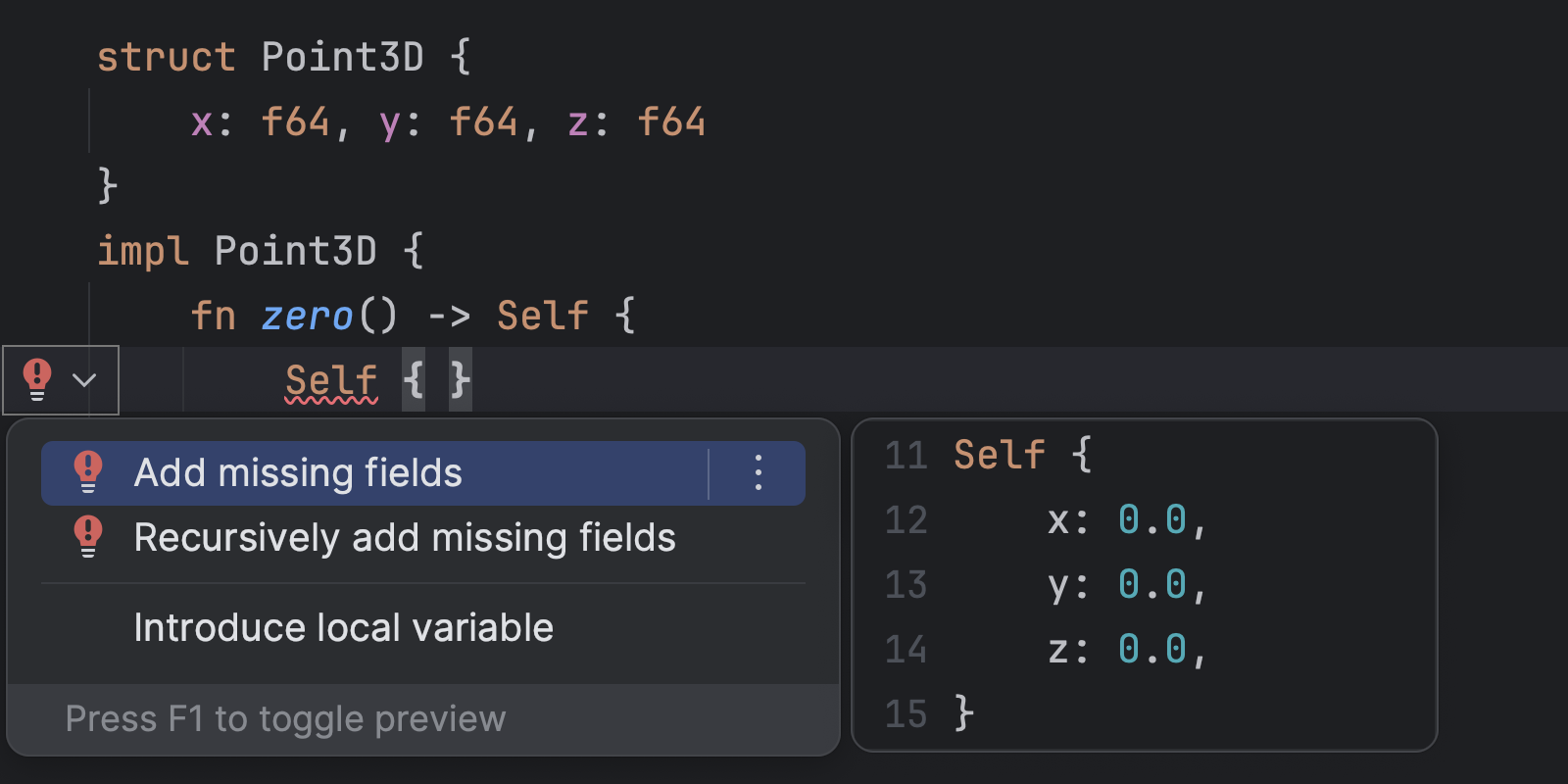
The compiler is a partner in the workflow
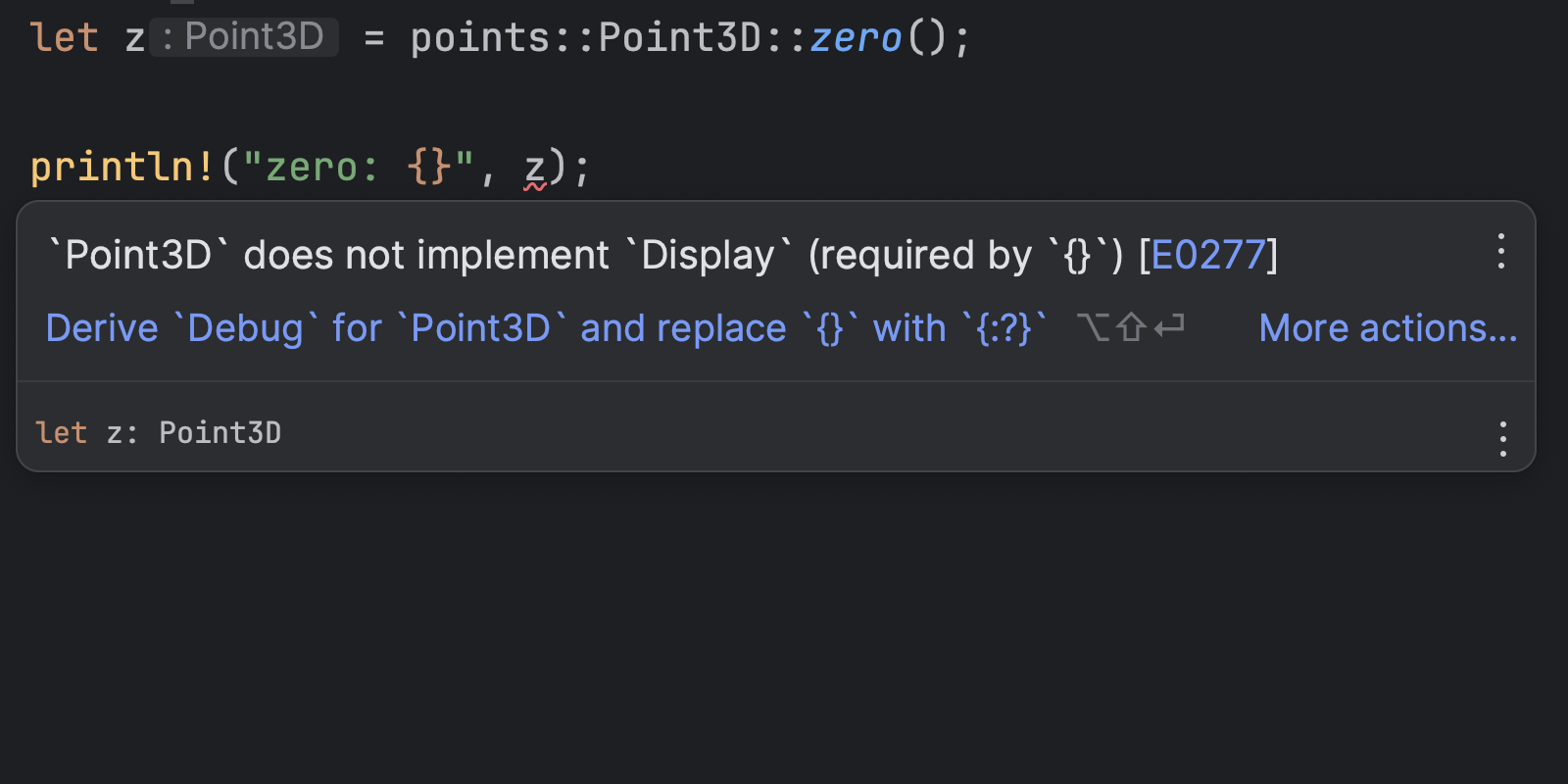
Rust’s diagnostics can explain a great deal about ownership, borrowing, and types. That feedback is one of the language’s strengths. An IDE should help the developer reach and understand it, rather than encourage treating every message as an obstacle to silence.
A useful fix preserves the intended design. Cloning a value everywhere may remove one ownership complaint while creating unnecessary work or hiding an unclear boundary. Adding shared state may make a local function convenient while making the wider system harder to reason about.
This is why I value an environment that keeps the surrounding code easy to inspect. The question is often larger than the highlighted line. Who owns the value? How long should it live? Does this function need to store it, or only inspect it? Navigation and visible type context support those decisions.
Related reading

I enjoy tools that leave the language’s strengths intact. RustRover should make the feedback easier to work with, while the compiler remains part of the common project process. The project should still build through its normal toolchain outside the IDE.
Navigation helps with the next unfamiliar crate
A Rust project can move quickly from a local function into traits, generic types, macros, and dependency code. Understanding an unfamiliar API is often the real task before writing the next line. A dedicated environment is attractive when it helps follow those relationships without losing the original question.
The current RustRover page highlights type information, documentation access, navigation, and awareness of macros and conditional code. I like that focus because it addresses reading as much as writing. The project becomes easier to approach when the important relationships are reachable from the code in front of you.
There is still a boundary between what the editor sees and what a selected build includes. Conditional compilation and feature choices can change the active code. The developer needs to know which setup the environment represents, especially when a library supports several targets.
A useful project view should therefore make the active context understandable. If an error only appears with one feature combination, investigating a different combination may produce a very tidy answer to the wrong problem. Clear setup is part of good navigation.
Cargo is part of the project contract
RustRover’s product page includes Cargo related assistance, dependency work, and running project tasks. The attraction is a convenient interface to the project’s existing structure. I prefer this to a separate IDE build process with rules that diverge from the project.
The important point is repeatability. A colleague and a CI worker should be able to run the meaningful commands without recreating one person’s editor state. The IDE can make target selection and output easier to work with while keeping the underlying process recognisable.
Dependencies deserve the same clarity. Adding a crate is easy; deciding that it belongs in the project takes more thought. The API, maintenance, platform needs, and cost of another dependency all matter. A convenient search or suggestion should not turn that decision into a reflex.
I also like keeping dependency changes separate from an unrelated bug fix where possible. That gives a reviewer a clearer reason for each part of the patch. An environment that makes broad changes easy should still help the user keep the intended scope small.
Tests answer questions the type system does not
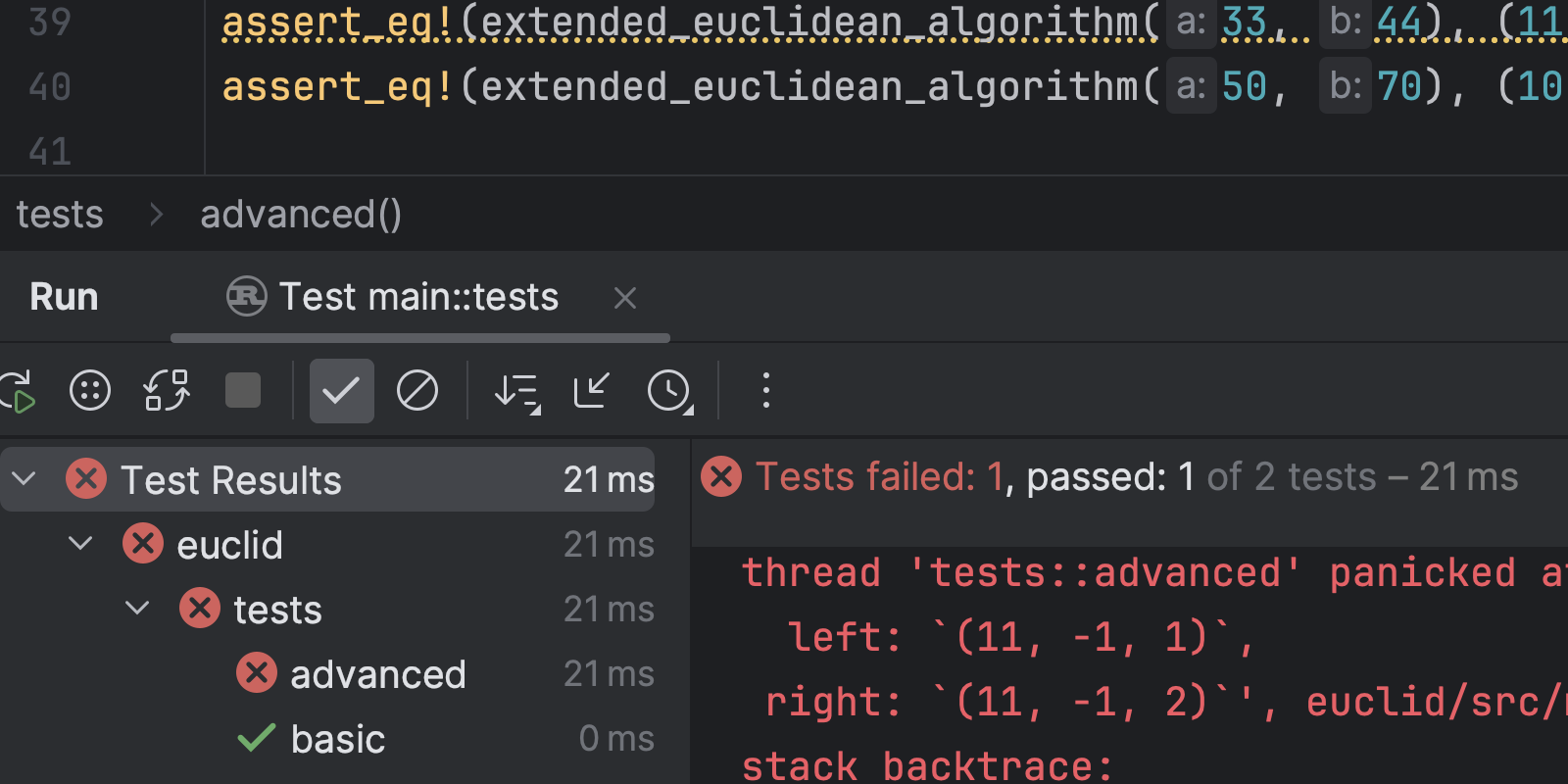
A program can satisfy Rust’s static rules and still compute the wrong answer. It can apply a business rule incorrectly, parse the wrong format, or return an unhelpful error. Tests describe those behavioural expectations, and a useful IDE keeps them close to the code being changed.
I would start with a focused case during investigation. A clear input and expected result can explain a failure better than a broad test run with many unrelated messages. Before integrating the change, the wider suite has a different role: checking effects beyond the immediate area.
Related reading

The test design matters more than the colour of the result. A case should express a contract a caller cares about. Repeating implementation details can create a passing test without protecting the intended behaviour. A polished runner makes evidence easier to inspect, while the developer remains responsible for the question it asks.
For error handling, that question should include the failure shape. A caller may need to distinguish invalid input from an unavailable resource. The code can return an error and still lose information that the rest of the system relies on. Good tests make that agreement clear.
The debugger still has a job
Rust’s memory rules prevent important classes of mistakes, but they do not make checking the running app unnecessary. A value can be valid and unexpected. A branch can run for the wrong reason. A sequence can reach an error even though each local operation is allowed.
The RustRover debugging guide describes breakpoints, run settings, and examining a suspended program. That is useful because it connects source reasoning to the state that actually reached the process.
I like a short route from a failing test to that state. The test names the expected behaviour. The debugger helps show why it was missed. The editor provides the surrounding types and calls. These are complementary views, and the environment becomes useful when moving between them feels careful rather than awkward.
The selected binary and setup still matter. A debug investigation and an optimised performance run serve different purposes. The developer should know which build produced the process under inspection. An attractive panel cannot compensate for examining the wrong target.
A full IDE should justify its weight
Rust already has a strong command line ecosystem, and a lighter editor can be a comfortable choice. RustRover therefore needs a practical reason to be the larger environment. For me, that reason is the connection between project navigation, setup, tests, and investigation.
The cost includes learning and machine resources, as well as any licence fee. A developer working in Rust every day has more opportunity to recover that investment than someone changing a small utility occasionally. Both users can make good choices without declaring one tool universally better.
The interface should also stay focused. The current source, relevant project structure, and useful feedback deserve most of the screen. Additional tools can appear when the task needs them. A dedicated IDE is more pleasant when its features are available without all demanding attention at once.
For teams, shared settings should support the project’s own shared rules. Formatting and checks should remain repeatable outside the editor. That makes the environment a useful choice for each developer, rather than a hidden dependency that new colleagues discover only after something fails.
What I enjoy about the dedicated approach
I like Rust’s insistence on making important decisions clear, and I want the IDE to work with that quality. The useful assistance should help explain a type, a borrow, or a module relationship while keeping the design question visible. A quick fix is more valuable when I understand why it fits the program.
Related reading

That is why I enjoyed RustRover. I am interested in the environment around the language as much as the editor itself. Dependency context, test cases, target selection, and runtime state all help explain what a change will mean. Keeping them within reach is a practical benefit.
I also prefer tools that make careful work feel normal. A developer should be able to follow a trait, read the relevant documentation, and examine a failure without treating each step as a separate setup exercise. RustRover’s direction appeals to me because that connection supports the compiler rather than competing with it. The aim is still a program I understand, with a clearer route through the questions needed to get there.
My verdict
I enjoyed RustRover, and I like the idea of a dedicated place for the work around Rust’s compiler. The strongest case is a project where reading dependencies, following types, changing modules, and investigating behaviour are regular tasks. Those activities make one shared workspace useful.
For a small project with a comfortable terminal and editor setup, there may be little urgency to switch. The right decision depends on repeated friction, rather than a feature list. The current noncommercial option also deserves a look where its terms match the work.
Compare the RustRover plans with a real project and a clear task. My verdict is positive because the product supports a priority I care about: keep the compiler’s strengths, and make the surrounding project easier to understand. That is a better reason to choose an IDE than expecting it to remove the need to learn Rust.
Where to buy
See RustRover at the official product page. This is the product page for the model covered in this review. Check the model number, colour, included parts and delivery options before ordering. Prices and stock can change, so I use this page for the current offer. Matching the product to the review matters more to me than finding a similar name.
What worked
- I like keeping Rust's strong compiler in the workflow while making the surrounding project easier to follow.
- A dedicated workspace gives tests and dependencies the same attention as the source file.
What bothered me
- The IDE does not remove the need to learn ownership, borrowing or the project's build choices.
- A convenient dependency suggestion still needs a reason to become part of the application.
Who should not buy it
- Someone hoping a paid IDE will make Rust's language rules disappear.
Alternatives I would consider
- Your current Rust editor and Cargo tools. I would keep a setup that already explains the project clearly and choose RustRover when the wider workspace solves a repeated problem.
Evidence and sources
The article separates my judgement from specifications and claims credited to their sources. Product images are identified by the credits in the article.
Features, compatibility and rated figures from the maker are manufacturer information. My opinions are identified in the review.
Conclusion
Worth it when project navigation and repeated checks are the friction; a small, comfortable editor setup may be enough.
RustRover
JetBrains · Choose the local store or delivery region
Check price and availability: RustRover at JetBrainsProduct link.
One email a week with practical Mac workflows, useful comparisons and honest tech recommendations.