A smart lighting system is easier to like when other people can use the room without thinking about the network behind it. That is the reason I find the Philips Hue Bridge interesting. The useful purchase is not another small box beside a router. It is a clear place for compatible lights, controls and routines to become one understandable system.
Quick verdict
I would shortlist the standard Hue Bridge for a deliberately planned Hue lighting system within its documented scope.
Best for: A home using compatible lights and accessories as a coherent room system.
Main benefit: A dedicated bridge gives the lights, controls and automations one understandable place.
Biggest drawback: It needs an Ethernet location and adds a maintained device, account and integration choices to the setup.
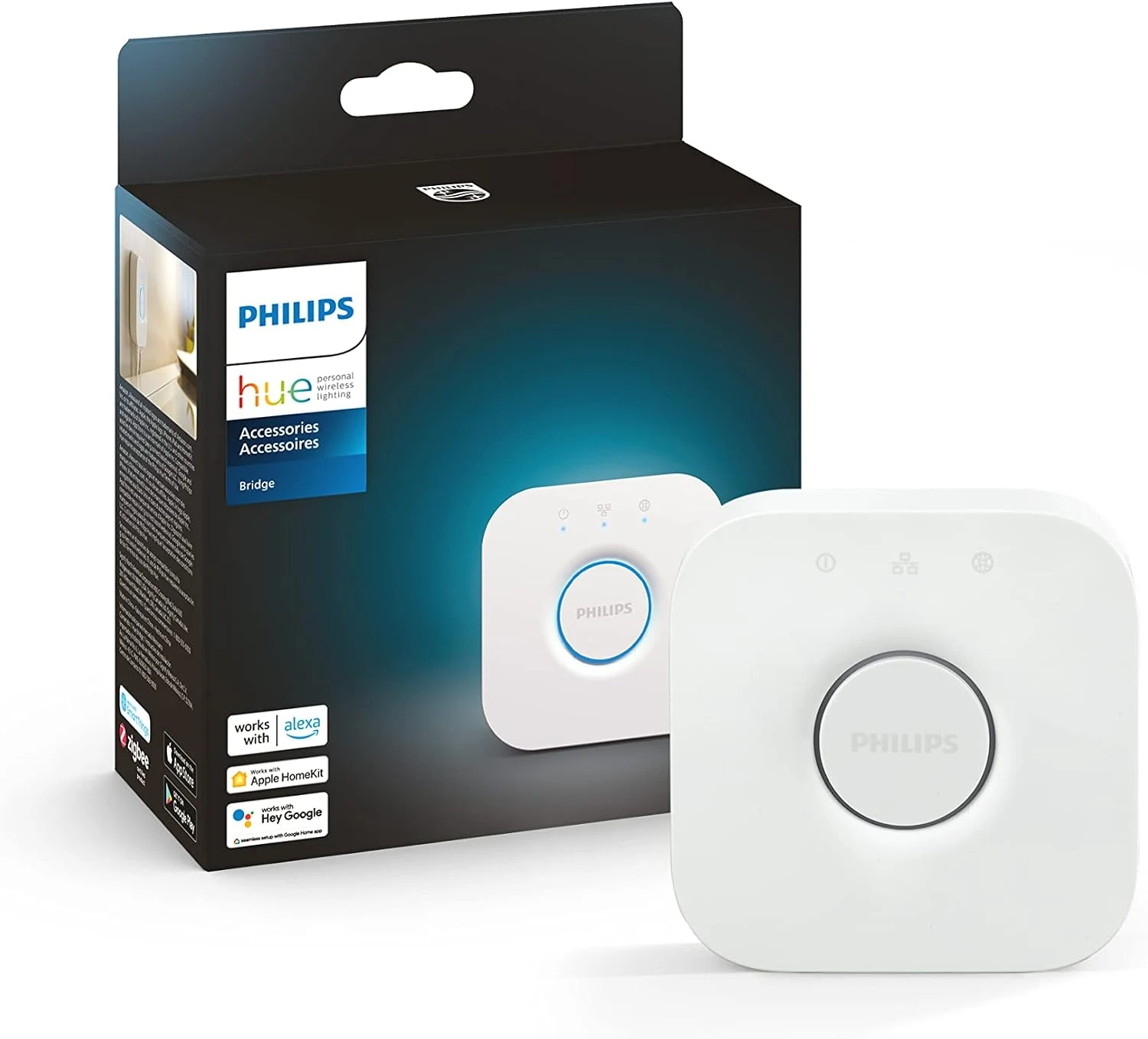
Philips Hue Bridge, square second-generation model
Amazon US · US
Check price and availability: Philips Hue Bridge, square second-generation model at Amazon USAffiliate link. As an Amazon Associate I earn from qualifying purchases.
Reviewed version: Philips Hue Bridge, square second-generation model
Compatibility: A suitable powered Ethernet connection, compatible Hue lights and accessories, current supported app/firmware and the intended home-platform integration. This is not the old round Bridge or Bridge Pro.
Review context: I assess a shared lighting system, physical controls, the network and the distinction between local lighting, remote services and ecosystem integrations.
This review concerns the familiar square second-generation Bridge. The earlier round Bridge and the newer Bridge Pro are different products with different limits. I would keep that distinction visible when comparing an offer, because a photograph of a white hub does not explain its software support, capacity or included power arrangement.
The bridge has two different connections
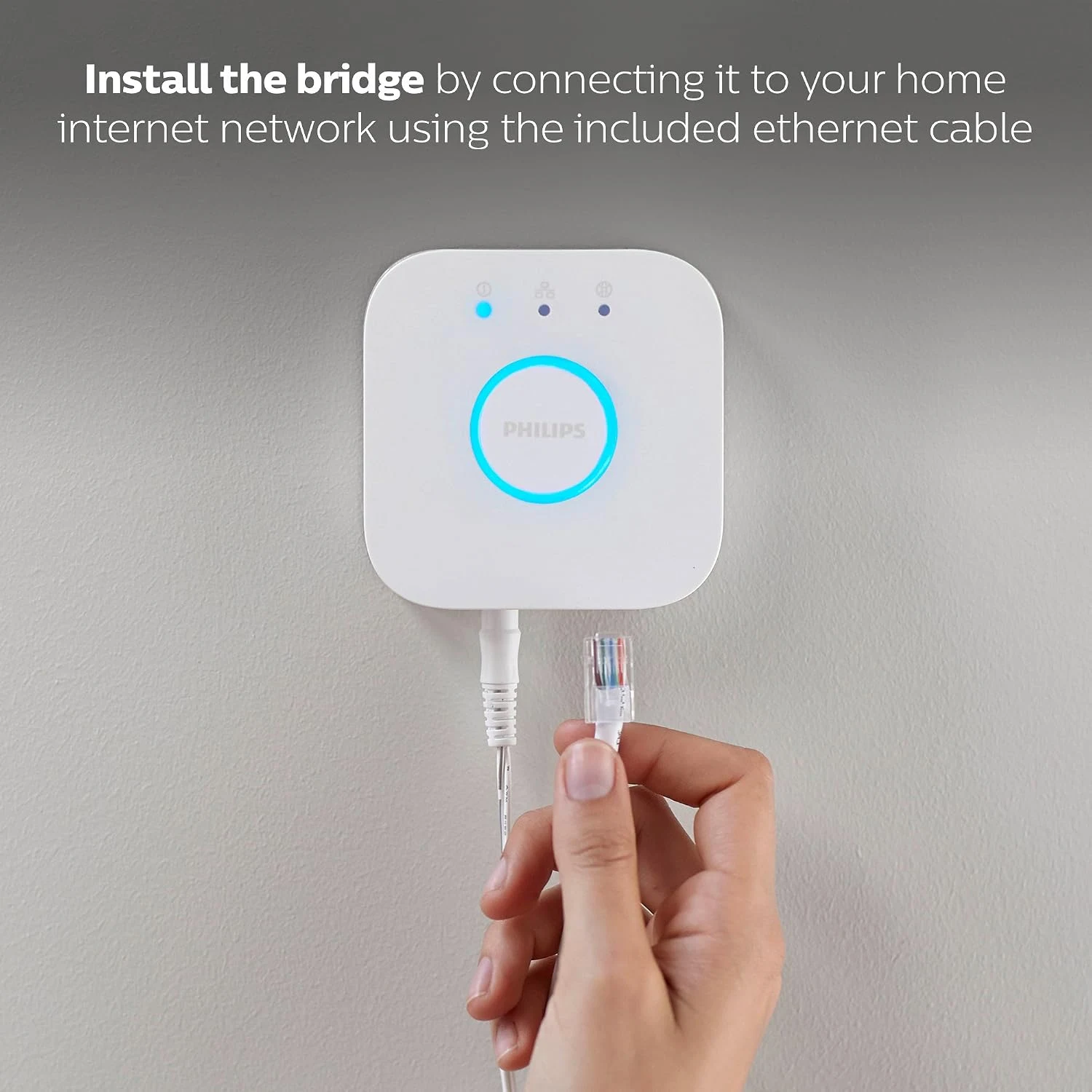
Philips Hue describes Zigbee communication with the lights and an Ethernet connection to the home network. I like keeping those roles separate. The Bridge is not asking each ordinary Hue light to become another direct Wi-Fi client, and the connection to the router is a physical planning decision.
Related reading
I would choose a suitable powered location with an available Ethernet route before ordering. A tidy cupboard may be attractive, but the radio connection still has to suit the home. The router’s position, walls and the intended lights all influence the complete arrangement. The product badge cannot choose that position on behalf of the owner.
I would also plan how the lights receive power. A light disconnected by an ordinary wall switch cannot respond in the same way as one that remains available to the smart system. That is a reason to think about physical controls early, rather than let every familiar switch become a surprise exception.
Start with a room, not a catalogue
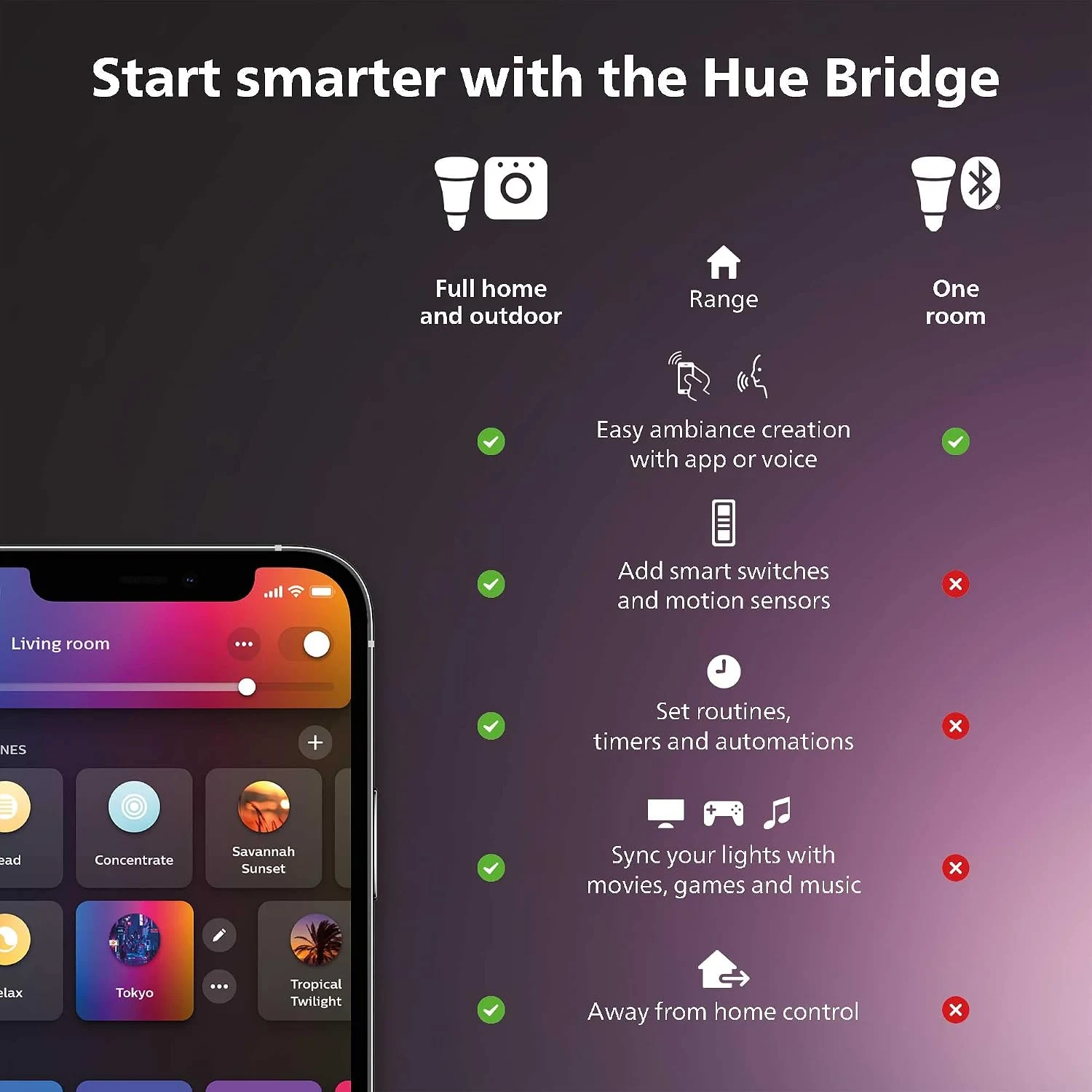
I would begin with one room and a clear action. Turning a group of lights on together, choosing a useful evening level or giving a visitor an obvious wall control are understandable goals. Buying several products before deciding how the room should behave can create more choices without creating a better result.
A room should remain usable when a phone is not in someone’s hand. That is where compatible physical switches and controls become part of the value of the wider system. I would judge a lighting purchase by those ordinary interactions as well as by the appearance of a scene in an application.
I would give each routine a clear purpose. A schedule can be useful when the intended action remains predictable. An elaborate collection of overlapping rules can become harder to understand than the original switches. The Bridge provides a place for the system; the owner still needs to decide what the system should do.
Matter is a route, not a new bulb
Related reading

Philips Hue’s Matter support information explains that supported Bridge-connected products can join compatible platforms through the Bridge. I would not describe that as every older bulb becoming a native Thread device. The bridge, the lighting network and the selected home platform still have different jobs.
That distinction helps when choosing between integrations. I would identify the functions needed in the intended home application, then check the supported route. A standard can make products work together while still leaving some manufacturer-specific controls in the Hue system. I would not assume that every dial, entertainment feature or scene has an identical representation everywhere.
Keeping the platform choice deliberate also makes support easier. If a light behaves correctly in Hue but differently through another application, there is a clearer question to investigate. I prefer that to an arrangement where several integrations were added at once and nobody knows which layer owns the action.
An extra box should earn its maintenance
The Bridge needs power, a network connection and supported software like any other connected device. I would include firmware updates and account recovery in the ownership plan. A lighting routine may feel ordinary once it works, but the configuration still deserves a place in the household’s practical knowledge.
I would separate local lighting behaviour from remote access and other online services. Being able to use lights within a home does not mean that every feature is independent of an account, internet connection or third-party platform. The current requirements should be checked for the exact function rather than hidden inside a general promise about local control.
For a larger system, the standard Bridge’s limits also matter. Hue documents a different scope for Bridge Pro. I would compare the actual required number of lights, accessories and features before assuming the cheapest hub is the sensible long-term choice. I would equally avoid paying for a larger system when a modest one already covers the room.
Room and accessory names deserve a little care as well. Clear names help another person choose the intended light or control without learning the layout from memory. I would keep that naming scheme consistent across the Hue app and the connected home platform.
Related reading

The reason I would choose it
For a single supported light controlled nearby, a simpler direct arrangement may be enough. For a shared home with several lights and useful physical controls, I like the Bridge’s role as an organised centre. Its value comes from making the room easier to use, rather than from making the network more interesting to configure.
I would shortlist this exact Bridge after choosing the lights, controls and platform route it needs to support. The Amazon US affiliate listing should be checked for the square model, regional power parts and current availability. A well-planned lighting system is a good reason to buy a bridge; owning another hub is not the goal by itself.
What worked
A dedicated bridge gives the lights, controls and automations one understandable place.
What bothered me
It needs an Ethernet location and adds a maintained device, account and integration choices to the setup.
Who should not buy it
Someone buying only a hub without checking the lights, physical controls and platform features it must support.
Alternatives I would consider
Direct Bluetooth control. I would choose the smaller supported arrangement for a very limited nearby-lighting need.
Hue Bridge Pro. I would compare the newer documented system when its actual capacity or extra features are required, rather than assume they are included in this Bridge.
Evidence and sources
Product details come from the cited sources. Images: Amazon product gallery. These are not personal test photographs or measurements.
Features, compatibility and rated figures from the maker are manufacturer information. My opinions are identified in the review.
Conclusion
Worth it when the bridge features solve a system need; one simple Bluetooth-controlled light may not require it.
Philips Hue Bridge, square second-generation model
Amazon US · US
Check price and availability: Philips Hue Bridge, square second-generation model at Amazon USAffiliate link. As an Amazon Associate I earn from qualifying purchases.
One email a week with practical Mac workflows, useful comparisons and honest tech recommendations.