I like the idea behind O&O SafeErase 21: deletion should be a deliberate job, with a named target and a reason. That is a different task from cleaning up a desktop or making a drive map look tidy. The product interests me because it gives that task its own place in a Windows toolkit.
Quick verdict
I like SafeErase 21 Professional as a Windows tool for a clearly defined deletion procedure.
- Best for
- Windows users who know which data, drive and deletion task they need to handle.
- Main benefit
- I like making the selected data and method a visible decision.
- Biggest drawback
- The right method depends on the actual storage; deleting a file name is not the whole question.
O&O SafeErase 21
O&O Software · Choose the local store or delivery region
Check price and availability: O&O SafeErase 21 at O&O SoftwareProduct link.
Reviewed version: O&O SafeErase 21
Compatibility: Windows software. The review covers the named supplied version; a current store or download can offer a later version with different licence terms.
Review context: The review focuses on Windows users who know which data, drive and deletion task they need to handle.
O&O Software provided a free Professional licence for this review. My overall opinion is positive. I enjoyed the product’s clear focus, especially the distinction between removing selected data and retiring a whole computer. Those choices need different thinking even when the same application offers both.
This is SafeErase 21 Professional for Windows. I would choose it for a clear need to delete data, with the device and the chosen data understood. The useful promise is a clear tool for the job; the result still depends on choosing the right method for the actual storage and checking the result.
Deleting a name is not the whole question
An ordinary delete operation and a secure-deletion task ask different questions. The first is usually about removing a file from the user’s working view. The second asks whether the stored data can still be recovered, and how much protection the job needs.
I like software that makes the second question explicit. A person passing on an old PC has a different concern from someone clearing a downloads folder. Treating both as the same kind of housekeeping makes it too easy to choose too much or too little data.
Related reading

The first useful decision is therefore what should disappear and why. A folder may be the right target for one task. An entire storage device may be the right target when ownership changes. The interface should help keep that choice visible, because a destructive job is only useful when it is applied to the right thing.
Version 21 keeps the task recognisable
O&O’s SafeErase 21 release information describes a rebuilt deletion engine while retaining the familiar workflow. It lists individual files, whole drives, internet and system traces, Fortress Mode for locked files, and TotalErase for an entire system. The maker also describes modernised support for SSD and NVMe storage.
I like that the focus remains on the task rather than on turning the product into an unrelated collection of utilities. The user still needs to understand the target, the selected method and the result. A new internal engine should make that job better supported, rather than hide the choices behind a dramatic new label.
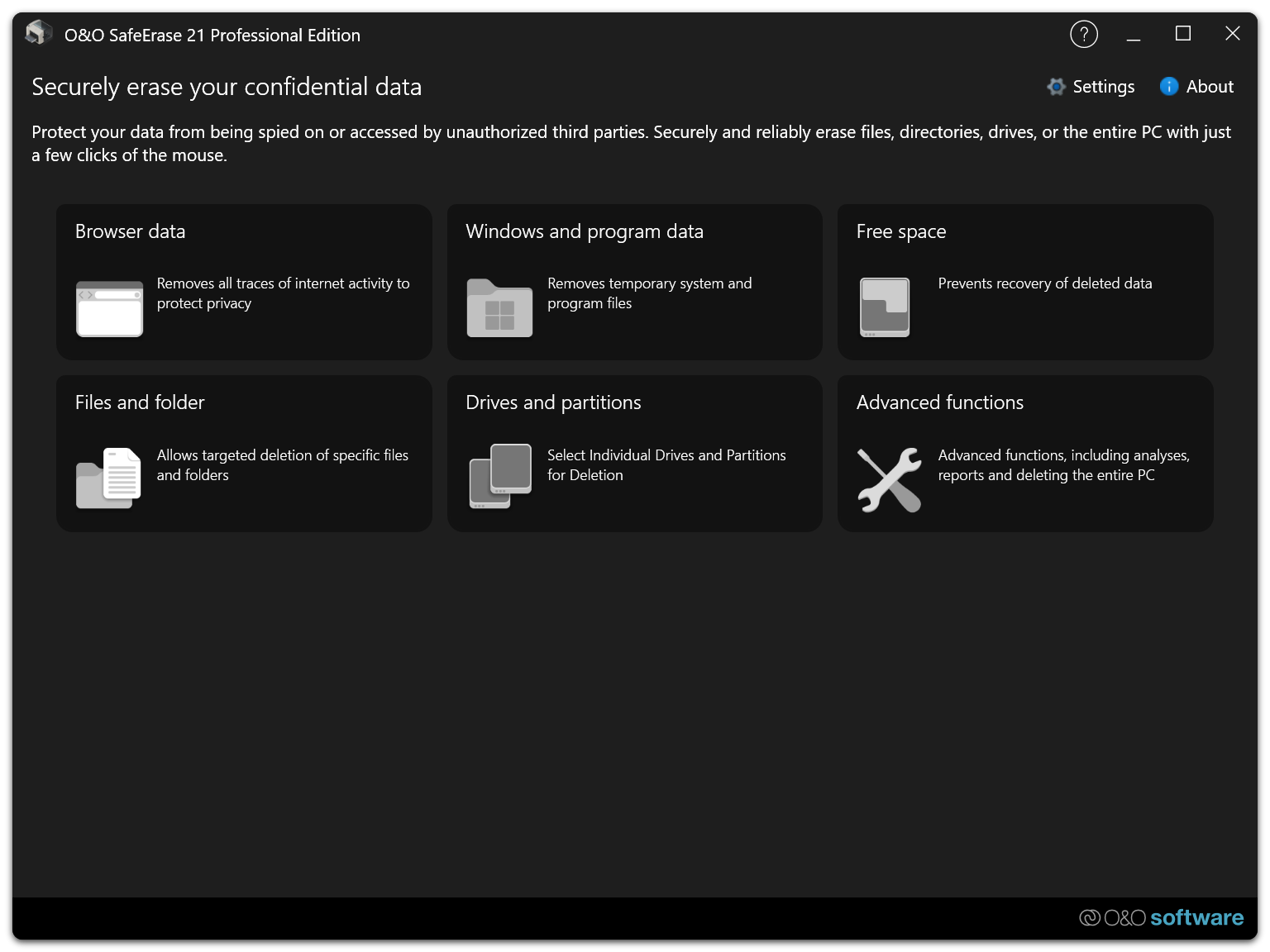
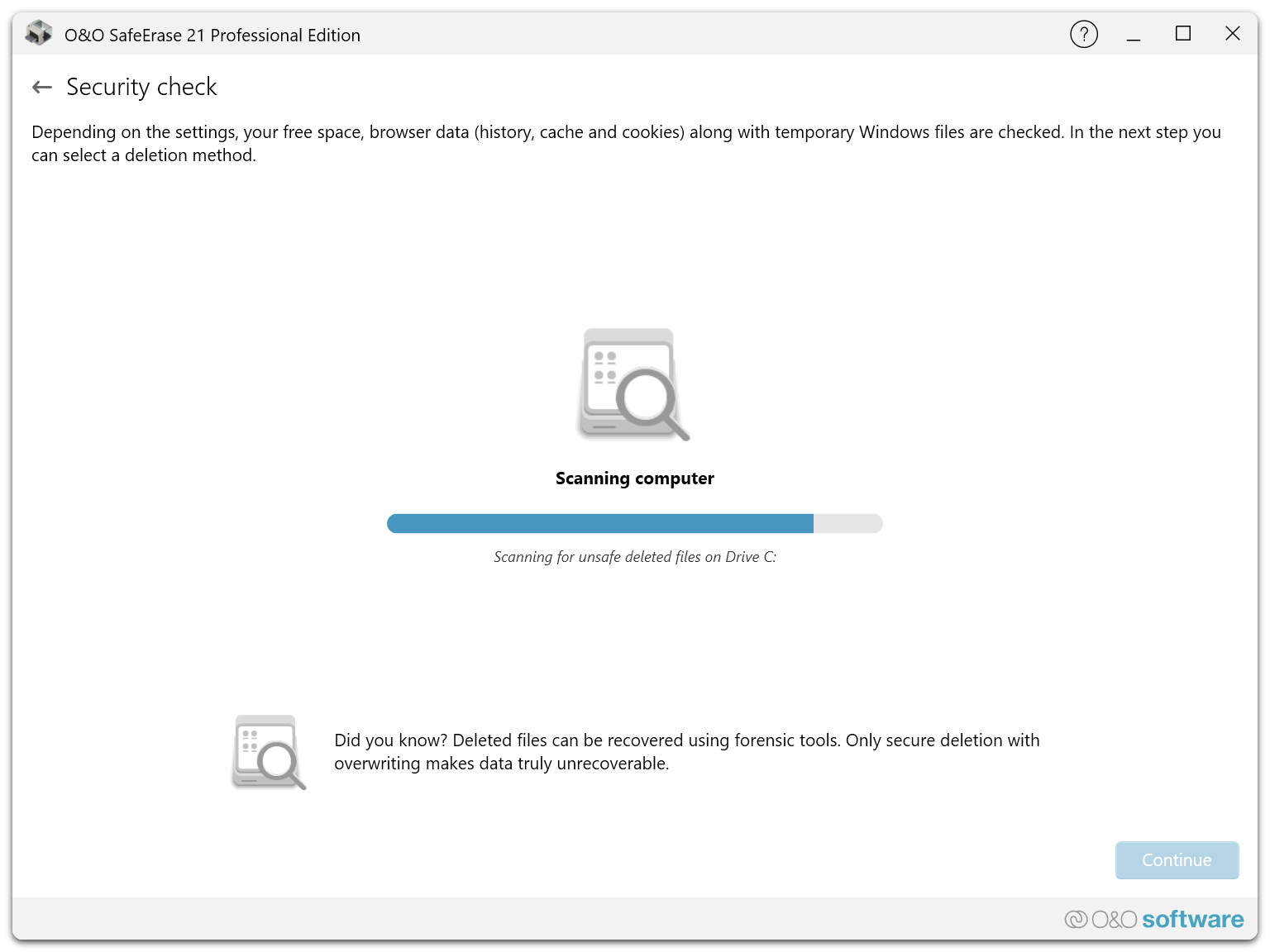
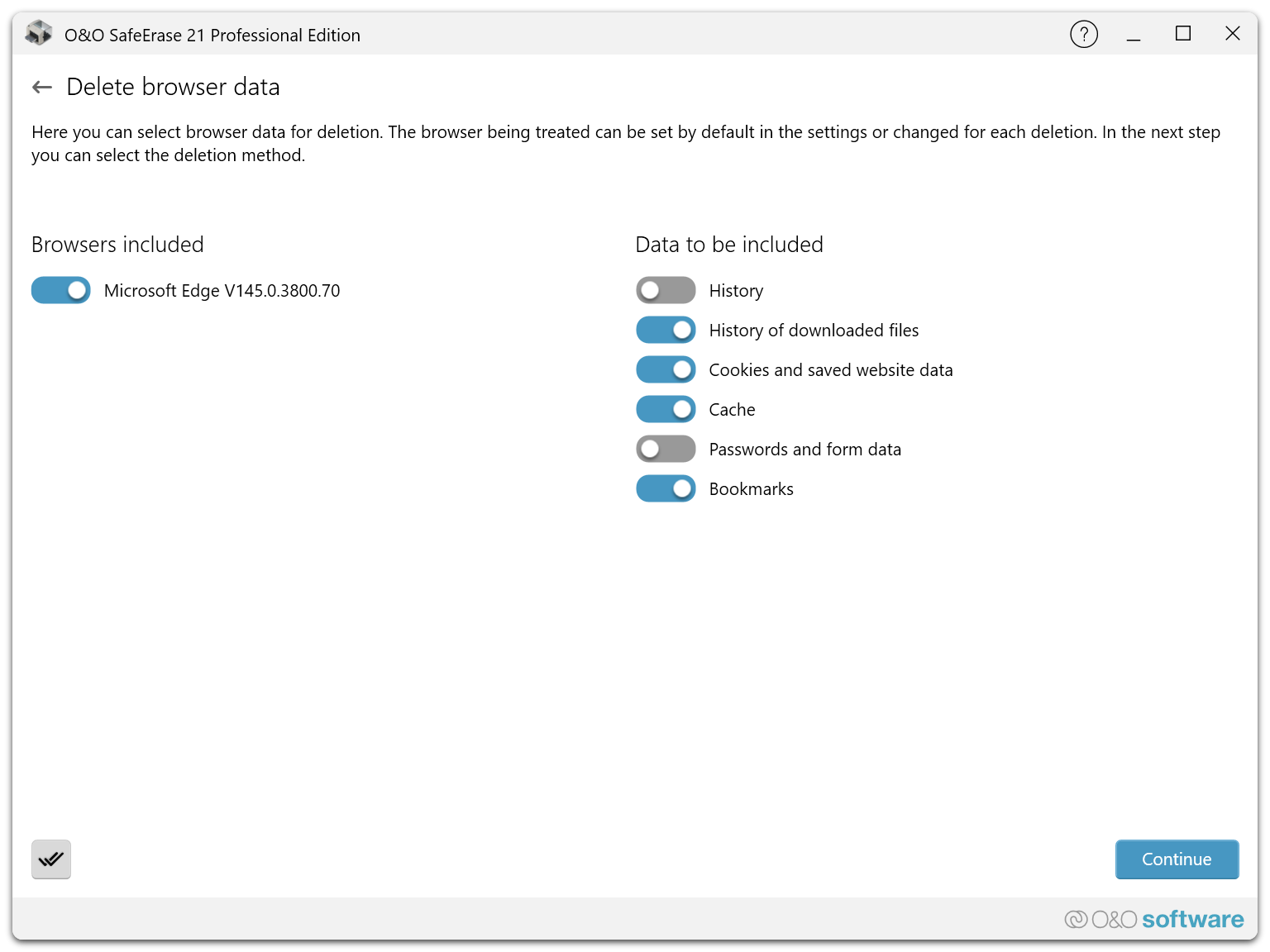
The official screenshots show distinct areas for the work. I find that more useful than a general privacy score. A score can be reassuring while saying very little about which data was chosen or which copy of a document remains somewhere else.
The SSD question cannot be skipped
An SSD stores data in flash chips. A hard disk stores it on spinning magnetic surfaces. Flash storage has spare areas. It also moves data to spread wear across its chips, a process called wear levelling. Ordinary writes from the operating system do not necessarily address every place where earlier data existed. NIST explains this limitation in its current guide to secure deletion.
That is why I would not choose an overwrite method merely because it has a reassuring name or many passes. The method must suit the actual medium and intended outcome. A dedicated device secure-erase command or another approved approach may be the relevant route for the job.
I appreciate SafeErase taking modern storage seriously in its product material. I still want the selected operation to be explicit. Support for SSDs is a feature statement; it should not be expanded into a claim that every selected file, controller, connection and storage layout receives one identical guarantee.
A file can exist in more than one place
The practical scope often extends beyond the folder visible on the screen. A document may have a second copy in a backup, a synced folder, an email attachment or an exported archive. Removing one local instance does not make those other copies disappear.
I like considering that before the deletion job begins. The question is what data is being retired, where it exists and which copies should remain for a valid purpose. That is a planning problem the user has to solve, even with a well-designed tool.
It is also a reason to keep ordinary cleanup separate from a broader request to remove personal information. An application works on the targets and methods it is given. It cannot infer the whole history of a document just because the filename looks familiar. A clear scope is a better starting point than repeatedly running a stronger-sounding method on one copy.
Backups and deletion need an intentional relationship
Backup software protects a route back to information. Secure-deletion software is used when that route should no longer exist for the chosen data. Both can have a useful place, but their purposes point in different directions.
Related reading

I enjoy that the O&O products make those separate roles easy to explain. DiskImage is about keeping a recovery route; SafeErase is about an intentional end to the chosen data’s life. Owning both does not mean they should be run as one automatic sequence without thought.
Before a deletion task, the useful question is whether anything still needs to be retained and where that authorised copy belongs. After the task, the question becomes whether the selected scope and result match the decision. The tool can support those steps, while the reason for retention or deletion remains the user’s responsibility.
Reports are useful when they say what happened
O&O’s support information says SafeErase can generate reports and logs for completed deletion work. I like having a record rather than relying on memory of a progress bar. It gives the process a concrete result to review later.
I want a record to be connected to the actual job. A useful report identifies what was selected and which operation was attempted. If there were errors, they should remain part of the result. A green colour alone tells me less than a clear account of the work.
NIST separates checking that an operation completed from deciding that its outcome is adequate for the data and storage involved. Source: NIST SP 800-88 Revision 2. I find that distinction useful: completion is part of the decision, rather than a substitute for it.
What a meaningful verification would involve
For a real retirement job, I would want the storage identified before work begins, including the model and serial number where appropriate. The target should be distinguishable from the drive that will remain in service. That sounds basic, but it is more useful than a complex method applied to the wrong disk.
The chosen method then needs to fit the device and the reason for disposal. The result should include any error or exception, with enough detail for the person checking the result. I care about that connection between intention and result far more than a headline claim about how quickly data can be removed.
A recovery app may find no file. That tells us what that app could see. It is not, by itself, proof that every inaccessible flash area has been securely erased. NIST’s guidance makes the device and method part of the final safety check. Source. That is the standard I would keep around the tool.
The GDPR angle belongs to the process
For European readers, GDPR Article 5 includes storage limitation, security and accountability principles. Deletion can support those duties, but buying one app does not answer every question about keeping data or make an organisation compliant on its own.
I would choose SafeErase as one practical tool inside an agreed procedure. The organisation still needs to decide which data may be deleted, which records must be kept and who accepts the result. Those decisions involve why the data exists and how it is used.
That is a useful role for the product, and I like discussing it in those terms. Software does not have to become a legal certificate to deserve a positive review. A clear way to perform and record a specific job is valuable enough when the surrounding decisions are made properly.
Related reading

Why my opinion is positive
SafeErase 21 appeals to me because it treats deletion as a real task with clear targets. I like the clear purpose, the range from selected data to an entire system, and the place for a record of the work. I enjoyed the product’s straightforward direction.
The buyer needs a real need to delete data on Windows and a method suited to the storage. That is a clearer group of users than everyone who wants a tidier PC. A maintenance tool, a backup app and a secure-deletion tool solve different problems, and I like keeping those roles distinct.
My verdict is positive. SafeErase has a worthwhile place when data is no longer needed on a device. The important part is matching the chosen job to the drive, checking the result and remembering the other copies. That clear, practical role is why I like the product, without turning the review into a broad promise about every drive or every recovery technique.
Product images: official O&O SafeErase 21 press screenshots. Product details and version 21 documentation.
Where to buy
See O&O SafeErase 21 at the official product page. This is the product page for the model covered in this review. Check the model number, colour, included parts and delivery options before ordering. Prices and stock can change, so I use this page for the current offer. Matching the product to the review matters more to me than finding a similar name.
What worked
- I like making the selected data and method a visible decision.
- The product has a practical place when the surrounding procedure explains what may be deleted and why.
What bothered me
- The right method depends on the actual storage; deleting a file name is not the whole question.
- A software report does not by itself prove every copy is gone or provide a GDPR compliance certificate.
Who should not buy it
- Someone expecting one click to settle backup copies, retention duties and every storage device.
Alternatives I would consider
- A device-specific sanitisation procedure. I would follow the procedure appropriate to the exact storage hardware when that is required, and use SafeErase only where its supported methods fit the defined job.
Evidence and sources
The article separates my judgement from specifications and claims credited to their sources. Product images are identified by the credits in the article.
Features, compatibility and rated figures from the maker are manufacturer information. My opinions are identified in the review.
Conclusion
Worth considering for a real deletion task with a verification and retention plan around it.
O&O SafeErase 21
O&O Software · Choose the local store or delivery region
Check price and availability: O&O SafeErase 21 at O&O SoftwareProduct link.
One email a week with practical Mac workflows, useful comparisons and honest tech recommendations.