I like software that makes maintenance understandable. O&O Defrag 31 appeals to me for that reason: the drive, the chosen task and the state of the job have a visible place. It is much more interesting to me as a tool for understanding and controlling storage work than as a promise to make every old computer feel new.
Quick verdict
I like Defrag 31 for making a Windows storage-maintenance job easier to understand and control.
- Best for
- Windows users with a defined drive-maintenance need.
- Main benefit
- I like the clear drive overview, task selection and reports in the official interface.
- Biggest drawback
- A tidy block map does not prove that a computer or application will run faster.
O&O Defrag 31 reviewed; current offer may supply a newer major version
O&O Software · Choose the local store or delivery region
Check price and availability: O&O Defrag 31 reviewed; current offer may supply a newer major version at O&O SoftwareProduct link.
Reviewed version: O&O Defrag 31 reviewed; current offer may supply a newer major version
Compatibility: Windows software. The review covers the named supplied version; a current store or download can offer a later version with different licence terms.
Review context: The review focuses on Windows users with a defined drive-maintenance need.
O&O Software provided a free Professional licence for this review. My opinion of the product is positive, and I enjoyed its clear approach to a subject that is often buried behind vague speed-up claims. This article concerns Defrag 31. O&O’s release list now also includes Defrag 32; a current store page may offer that newer major version. Version reference.
The difference matters. A licence for one major version and an offer for another are not interchangeable details. I would check the version on the order and the upgrade terms before paying, even when the product name looks familiar.
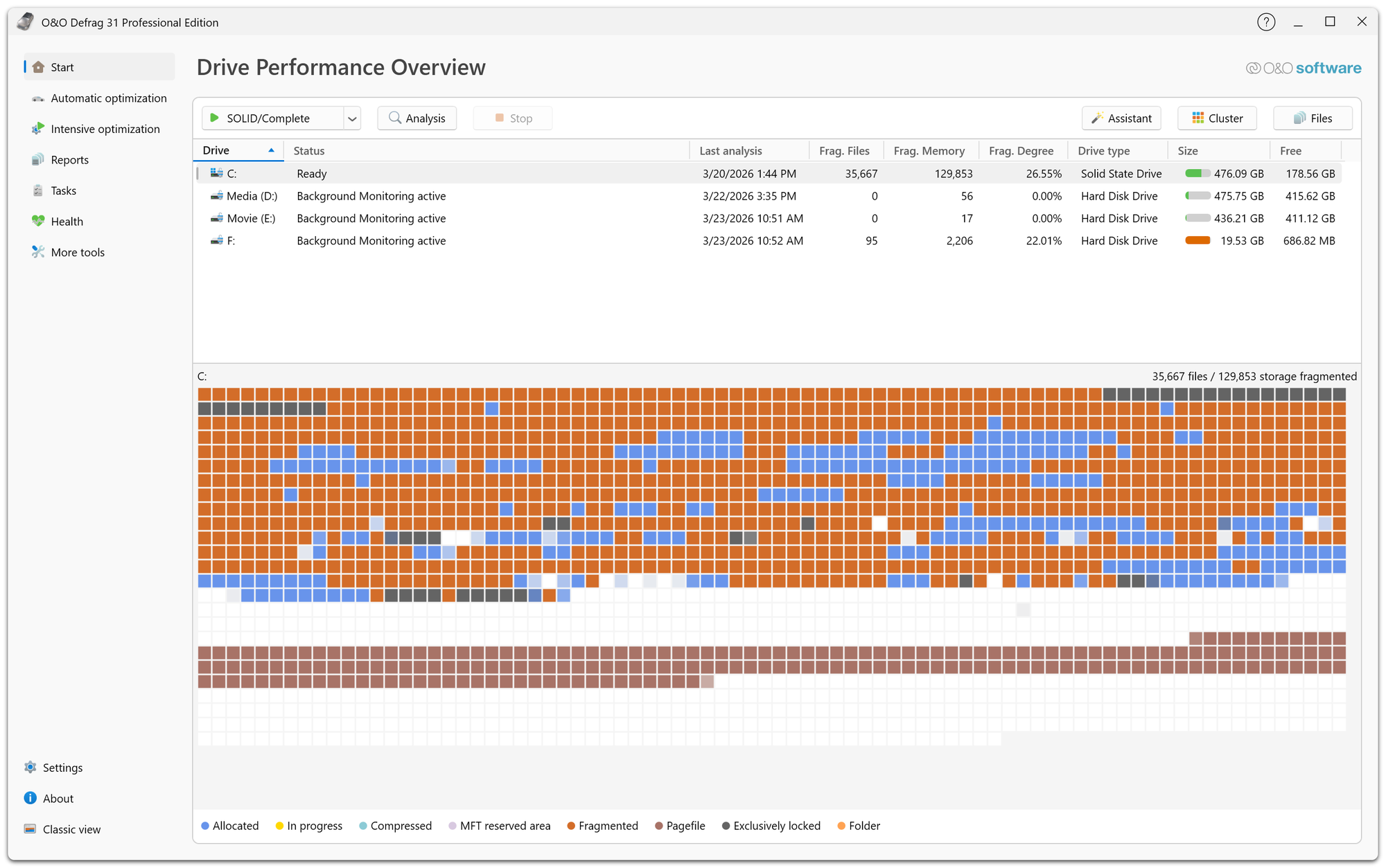
The drive overview is the part I like most
The official Defrag 31 images show a drive list above a colour map. Analysis, methods, tasks, reports and drive health are all close by. I like having those areas together. A storage utility should make it easy to tell which volume is selected before asking the user to choose a task.
That is more important than the colour map looking satisfying. A block view can help explain the layout the program sees, but the colours do not represent the speed of every application. A computer may wait for a network, run out of memory or have a busy background process while the drive map looks tidy.
My positive view starts with that distinction. Defrag gives storage maintenance a place of its own. I can appreciate the clarity without turning a fragmentation percentage into a score for the whole PC. The best use of a specialised utility is knowing which question it answers and which questions need another tool.
Related reading

HDD and SSD need different care
A file can be stored in several pieces instead of one continuous run of space. That is called fragmentation. Defragmentation changes that layout to bring the pieces together.
A mechanical hard disk has a physical head and rotating media. An SSD does not read a file by moving a head between its fragments. That difference is why the word optimisation needs context. A task suited to one kind of drive should not be chosen only because it produced an attractive result on another.
Microsoft’s Optimize-Volume documentation makes the distinction concrete. Its default behaviour varies by drive type: it describes analysis and defragmentation for hard disks, and re-trim for an SSD with TRIM support. Windows already has built-in storage maintenance.
That does not remove the case for an additional application. It changes the case. I would choose Defrag for the controls, organisation and reporting that I want beyond the built-in view, rather than assume Windows has no maintenance at all. I like products that make their extra value clear enough to judge on that basis.
The named methods need a reason
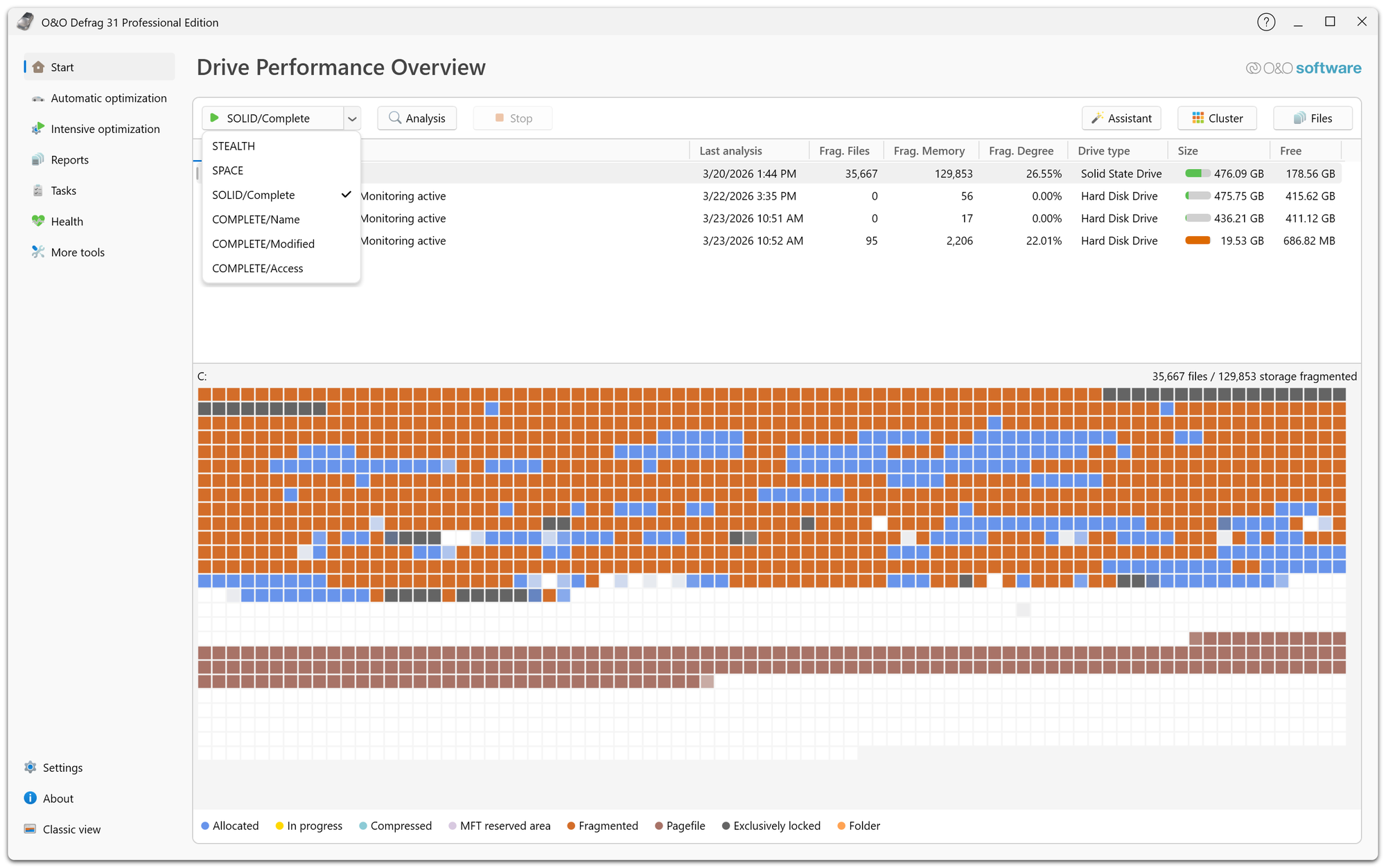
The version 31 manual describes automatic background work, scheduling, status reports, BitLocker support and O&O’s SOLID approach for SSDs. Those are the maker’s descriptions of the available functions. A brand name for a method is not itself evidence of a universal benefit on every drive.
I enjoy having visible choices, but I do not think more aggressive is automatically better. A maintenance job needs a purpose, a suitable target and time to complete. Repeating it simply to watch a percentage move is not the same thing as improving the work the computer is there to do.
The sensible question is what problem is being solved. Is the aim to manage a heavily used hard disk, inspect a volume, schedule a regular task or review a report? Naming that job first makes the method menu easier to understand. It also keeps the product from becoming a ritual performed whenever a computer feels slow.
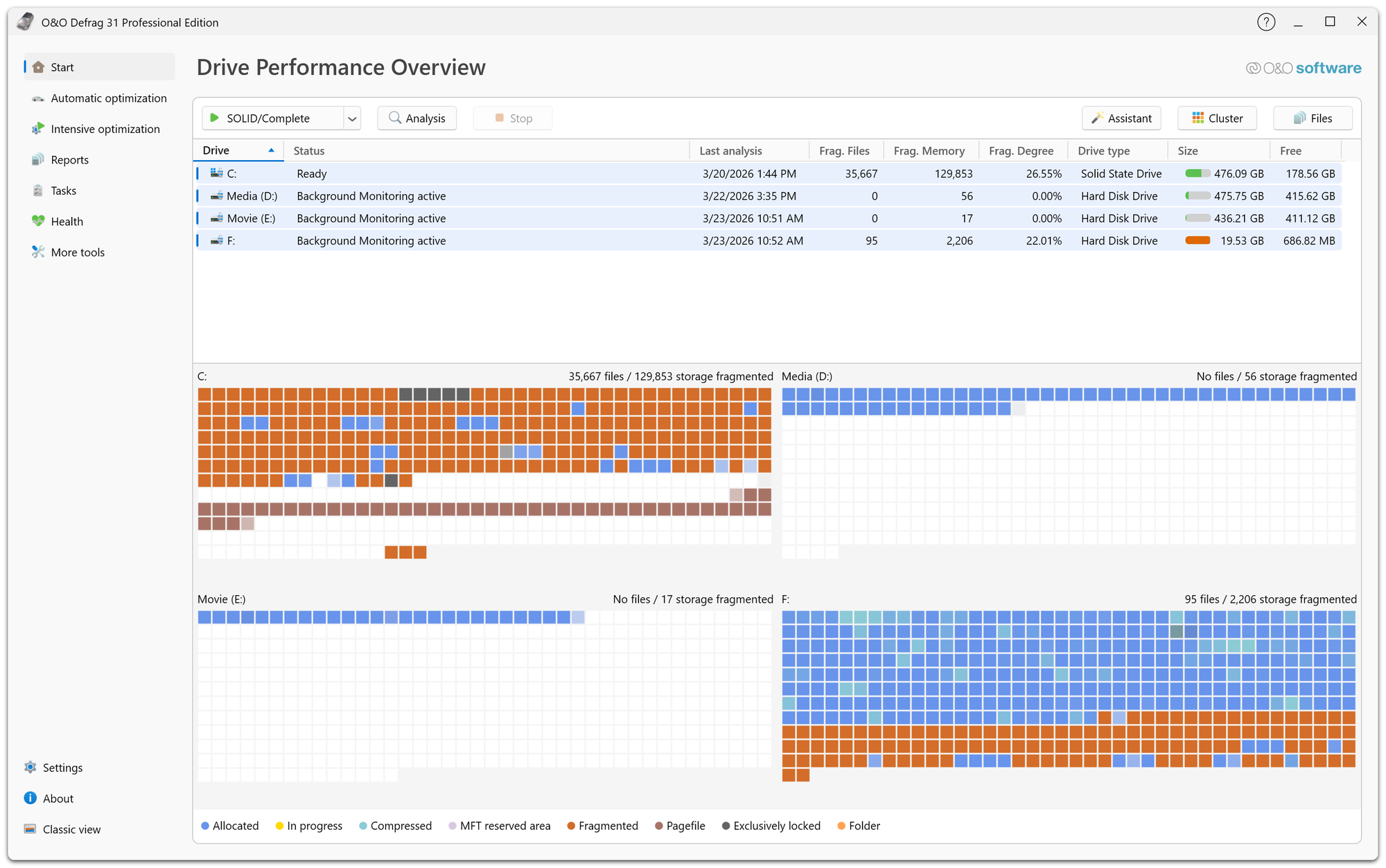
Automatic work should remain visible
Automation is attractive because maintenance competes with ordinary work. A schedule can give the task a good time instead of depending on someone remembering it at a bad time. The appeal is less effort spent managing routine jobs.
I still want the automation to be understandable. A scheduled task should have a clear target, an obvious purpose and a result that can be reviewed. If the drive is absent, the computer is off or the task fails, the user needs a useful status rather than the comfort of knowing that a schedule exists.
That is why reports matter to me. They turn background activity into something that can be checked when needed. I like the idea of a maintenance tool that becomes quiet after being configured, while still keeping enough information to explain what happened. Silence is useful only when it is backed by a meaningful record.
The extra tools need separate judgment
O&O’s Defrag 31 release material describes tools including DiskCleaner, StartupManager, AppBuster, Check&Repair and DriveLED. It also describes IntensiveOptimize in an isolated Windows environment and boot-time optimisation. These expand the product beyond arranging ordinary files during a running Windows session.
Related reading

I like the convenience of related controls being available together. I would still treat each action as its own decision. Removing a file, changing startup behaviour and rearranging storage are different operations. They should not be bundled into a thoughtless “do everything” routine just because the buttons share a window.
A startup application may be unnecessary, or it may be part of the user’s real workflow. A file may look temporary and still deserve attention before removal. The value of an integrated toolkit is access to the right action, not permission to stop thinking about the target. That is a practical boundary I want any maintenance program to respect.
Health information is a prompt to act
The version 31 release material highlights S.M.A.R.T. information in its drive-health view. I like having an early reason to look more closely at a drive’s condition. It makes the utility useful as an information surface as well as a place to launch jobs.
A healthy-looking status is not a replacement for a backup. The two tasks serve different purposes. Maintenance works on the storage that exists now; a backup gives another route to the data if that storage is lost or damaged. Keeping those jobs separate makes the product easier to value correctly.
I would put backup planning before cosmetic improvements to a drive map. That does not weaken my positive opinion of Defrag. It puts the utility in the right order among the other tools. A carefully maintained computer still needs a way back after a failed update, an accident or a piece of hardware that stops working.
The useful comparison is a real task
I find a product easier to judge when the comparison starts with the work that matters. Opening a large project, copying an archive and waiting for a game to load are different jobs. A change in a storage statistic should not be presented as the answer to all of them.
The same idea keeps maintenance sensible. If a drive has a clear issue and the chosen task deals with it, the reason for using the tool is understandable. If the only aim is to make every displayed number smaller, it becomes harder to explain what benefit the user is buying.
I like Defrag more when it is considered in that practical way. The drive overview and reports can support an informed decision, while the computer’s actual role stays in view. A developer, a home user and someone managing a large media archive may want different things from the same utility. There is room for that difference without inventing a universal performance score.
Windows and the licence are real boundaries
Defrag 31 Professional is a Windows desktop product. Its manual separates Professional from the Server edition and says that Professional cannot be used on a server operating system. It also distinguishes free minor updates from paid major upgrades.
I appreciate that the difference is clear. A buyer should not pay for a familiar name and then discover that the computer being used needs another edition. The word Professional describes the edition; it does not mean every Windows system is covered by the same licence.
For an Apple-focused reader, the platform boundary is equally important. This is not a native macOS maintenance utility. I would choose it for a real Windows job, with the drive access and licence needs understood. The usefulness of the product depends on that setup, rather than on a wish to keep computers tidy.
Related reading

Why my opinion is positive
I like Defrag 31 because its design gives a technical maintenance task a clear structure. Drives, methods, schedules and reports belong together, and the product makes that relationship visible. I enjoy that kind of practical software much more than a vague dashboard that simply announces a health score.
The product’s appeal is strongest for someone who wants to understand and manage Windows storage maintenance beyond the built-in tools. It is less about collecting utilities and more about choosing one that fits a particular job. The extra functions are useful when each has a clear place in the routine.
I would make a buying decision around the actual drive type, the edition and the current upgrade offer. Defrag 32 is now a separate version to consider, while the licence discussed here is Defrag 31 Professional. That version clarity is part of treating readers fairly.
My verdict is positive. I like the organisation, the visible controls and the focus on storage as a specific part of the computer. Defrag earns my interest by making that work easier to understand. Its clear focus gives it a worthwhile place in the Windows toolbox.
Product images: official O&O Defrag 31 press screenshots. Current O&O Defrag product page and version history.
Where to buy
See O&O Defrag 31 at the official product page. This is the product page for the model covered in this review. Check the model number, colour, included parts and delivery options before ordering. Prices and stock can change, so I use this page for the current offer. Matching the product to the review matters more to me than finding a similar name.
What worked
- I like the clear drive overview, task selection and reports in the official interface.
- The interface keeps analysis, methods and selected volumes close to one another.
What bothered me
- A tidy block map does not prove that a computer or application will run faster.
- The supplied version 31 and a current Defrag 32 offer are different purchases with different upgrade questions.
Who should not buy it
- A Mac-only user or someone expecting every SSD to benefit from traditional hard-drive defragmentation.
Alternatives I would consider
- Windows built-in drive maintenance. I would begin with the tools already in Windows for an ordinary maintenance need; I would add Defrag only for a specific task or control I can name.
Evidence and sources
The article separates my judgement from specifications and claims credited to their sources. Product images are identified by the credits in the article.
Features, compatibility and rated figures from the maker are manufacturer information. My opinions are identified in the review.
Conclusion
Worth considering for a real Windows maintenance job; confirm which major version the current offer supplies.
O&O Defrag 31 reviewed; current offer may supply a newer major version
O&O Software · Choose the local store or delivery region
Check price and availability: O&O Defrag 31 reviewed; current offer may supply a newer major version at O&O SoftwareProduct link.
One email a week with practical Mac workflows, useful comparisons and honest tech recommendations.