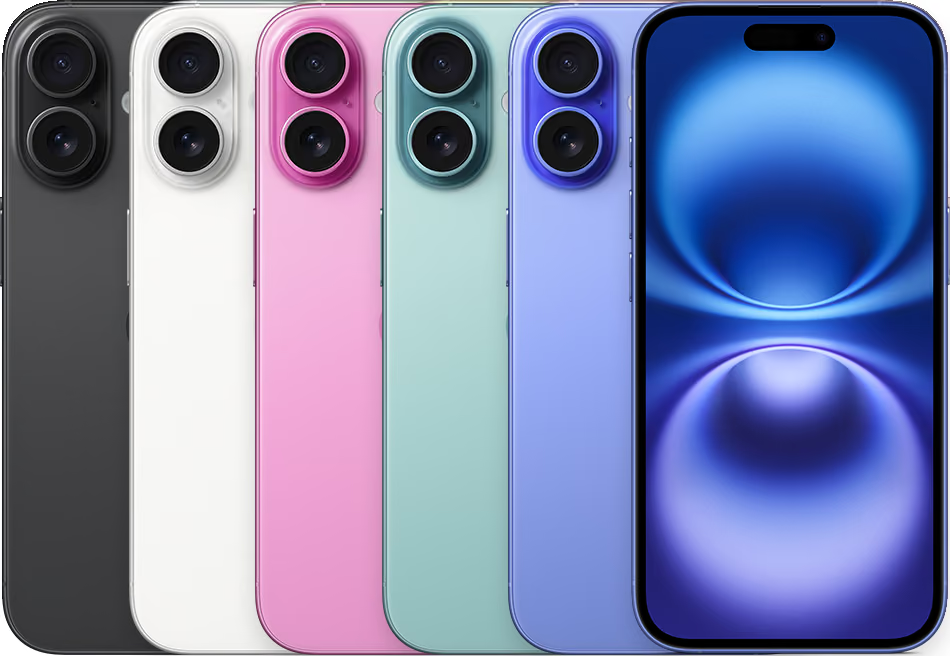
The iPhone 16 gave the regular model a more useful camera for close objects
The iPhone 16 made it possible to focus the Ultra Wide at short distances, added two useful physical controls and put the A18 in the standard 6.1-inch body. Some of the most publicised software would arrive after the phone. In the store, I would have paid attention to using the camera, assigning a simple task to the Action button and checking the way the Camera Control felt with my grip. The regular model gained a few things you could use without immediately finding a reason to buy a Pro.
Quick verdict
Retail release in the United States · Archive date
I would have picked it if macro or a faster route into ordinary photography made an older regular model less useful to me.
Best for: A buyer who liked the standard size and often took a close shot of small objects without wanting the Pro for its longer lens.
Main benefit: A focusing Ultra Wide gave the regular model another genuine way to take a picture, with two new physical controls available immediately.
Biggest drawback: Camera Control's convenience depended on the grip and case, and buying for Apple Intelligence at retail meant buying for software still to come.
Reviewed version: The US retail iPhone 16 of September 20, 2024, with a 6.1-inch screen, two rear cameras and A18.
Compatibility: It shipped on iOS 18 with USB-C and MagSafe. The first Apple Intelligence software followed on iOS 18.1 and had eligibility requirements.
Review context: I evaluate the documented retail hardware and the software available in its release window. Regional variants and software changes are identified where they affect the verdict.
I owned this iPhone as part of owning each model. The ordinary 16 went on sale in the US on September 20, 2024. Its 128 GB version started at an advertised $799 under the relevant activation terms. The Plus and the two Pros arrived on the same day. This review covers the hardware and software a September buyer could try, and calls out material features that came afterward. Apple’s iPhone 16 and 16 Plus launch overview
The new Ultra Wide did work at the other end of the distance scale
The autofocus capability made it possible to use the Ultra Wide for macro photographs. This is useful if you capture small things or want to record what is happening right next to a part you can reach. I would have taken a wider photograph to show where an object was, then moved in until I could see a tiny detail on its surface. The view is easiest to use with enough light and a phone that is not casting a shadow over what you are trying to show. At very close distances even a little change in position can swing what you see in the picture.
Related reading
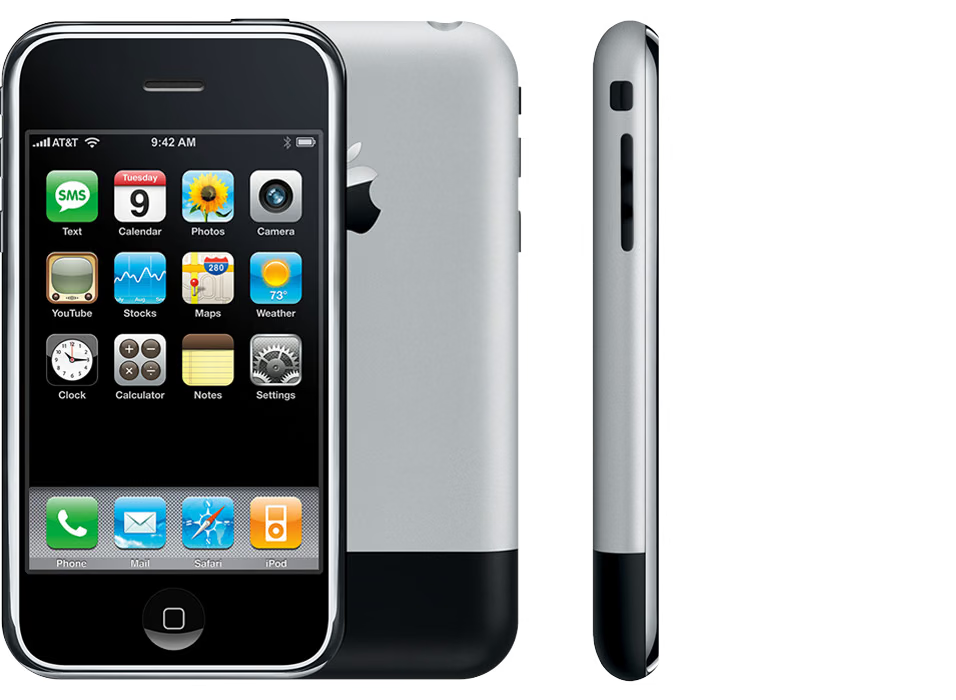
That option separated the camera from what the standard 15 could do quite clearly. The 48MP Fusion camera still provided an ordinary view and a useful 2x option based on its own sensor. The phone had two separate rear cameras. A 2x frame from the main sensor can suit a portrait or isolate a nearby detail. The 16 Pro’s separate 5x lens is a different reason to spend more if what you need is on the far side of a large space. In a room without space to step backwards, I would have tested the photo I actually intended to take before choosing the longer camera.
Camera Control was best when it made a quick capture easier
The new control could open the camera, take a picture and expose a set of adjustments through lighter presses and swipes. Apply the same grip to a portrait held upright and a panorama held horizontally. Where your fingers naturally rest changes with the orientation. A case can also make a difference in how the new control feels. I would have started with opening and capturing before trying to move among the adjustments on the smaller surface. Adding another way to reach the camera can help even if you use onscreen controls once the app is open.
The Action button gave me a different choice. It could take me to a feature that I otherwise had to hunt for. With the camera accessible through its own control, a flashlight, accessibility feature or a usual shortcut could make the Action button worth keeping assigned. I would have given it a single job for a few days rather than making the purchase depend on switching it regularly.
The September phone could be judged without Apple Intelligence
The first Apple Intelligence features arrived through iOS 18.1 on October 28 with eligibility and language conditions. An early buyer could consider the phone’s suitability for that future software. The initial reason to choose it still came from the hardware and ordinary iOS 18 features that were ready in September. Visual intelligence for Camera Control was a later capability, so September support for the control and a future option to learn about what you pointed at belong to different moments. Apple’s October Apple Intelligence release announcement
An A18 buyer had immediate uses for that performance, including demanding applications that were already supported. I would have picked one ordinary operation, one photo or video and one longer session before deciding how big a change I would feel from the 15. The device still used a standard refresh display. Faster input in an intensive app and smoother visible scrolling were distinct reasons to compare it with a 16 Pro.
Related reading

Decide how to keep the small details you capture
A close photo of a number or a fault is most useful when somebody else can tell what it is attached to. I would have picked one example like a cable label. First make the wider image with enough landmarks to identify the object. Then use the close view while holding the phone so it doesn’t block the available light. Looking at the two images next to one another usually makes the purpose of the new autofocus easier to see. When the person receiving the image only needs to read one word or number, you might be happy with the smaller finish from your usual share path. The benefit is being able to capture that word precisely enough in the first place.
Take that habit back to the buttons. A short tap is easier to get right than a sustained selection while trying to keep the object sharp. Most people can use Camera Control as an opening shortcut and choose the actual macro or exposure decision on the screen. I would have noticed whether touching it was more disruptive in one orientation than the other. If it only helped in one of the captures you repeat, you can keep using it for that quick task. The physical difference still matters for a buyer who upgrades after getting accustomed to taking photographs with their existing grip.
The newer styles work best with a consistent comparison
Try an ordinary still with a face and a background that has strong colours. Compare the result using a standard look and one you expect to prefer. A style applied across a series can help the pictures sit together. It can also push a visible colour in a direction you did not expect. I would have compared the output after sending it with the way it looked while composing. This is a different use for the camera changes than working closer or opening the app faster.
My verdict on the iPhone 16
I liked the ordinary model for getting closer to whatever I was capturing and for giving the camera another way to open. I would have chosen it if I wanted those things with a familiar size. The iPhone 16 Plus applied the same camera and control ideas to more screen. The iPhone model timeline shows which standard iPhones were already available when the first Apple Intelligence release followed.
What worked
A focusing Ultra Wide gave the regular model another genuine way to take a picture, with two new physical controls available immediately.
The Action button could do Accessibility or other work while Camera Control handled its own separate opening shortcut.
What bothered me
Camera Control's convenience depended on the grip and case, and buying for Apple Intelligence at retail meant buying for software still to come.
The fast adaptive Pro display and separate distant camera were still absent. Pressing the new control could be awkward with some cases or positions.
Who should not buy it
Someone whose main reason to upgrade is a separate long camera, or a smoother display without needing the new standard-camera features.
Alternatives I would consider
iPhone 16 Plus. Same cameras, A18 and controls with more screen and higher rated battery life in a larger format. Read my iPhone 16 Plus review.
Evidence and sources
The release date refers to general availability in the named market. The archive filing is ten days later. Feature assessments are editorial judgments based on the documented retail model.
Features, compatibility and rated figures from the maker are manufacturer information. My opinions are identified in the review.
Conclusion
Macro and useful controls created a launch case on their own. Compare the savings on an ordinary 15 if you would rarely use either.
One email a week with practical Mac workflows, useful comparisons and honest tech recommendations.