I like an audio interface most when I can draw its whole job without a complicated diagram. One microphone enters here, an instrument can enter beside it, and headphones let the person hear what is happening. The Scarlett Solo 3rd Gen has that kind of clear purpose. I would consider it for a small recording desk that needs an XLR microphone rather than another all-in-one USB device.
Quick verdict
I would shortlist it for the focused role described here.
Best for: A small voice-and-instrument desk with a deliberate XLR microphone choice.
Main benefit: One microphone and one instrument or line source have a clear physical recording route.
Biggest drawback: There is only one microphone input, and direct input monitoring is mono.
Focusrite Scarlett Solo, third generation, AMS-SCARLETT-SOLO-3G
Amazon US · US
Check price and availability: Focusrite Scarlett Solo, third generation, AMS-SCARLETT-SOLO-3G at Amazon USAffiliate link. As an Amazon Associate I earn from qualifying purchases.
Reviewed version: Focusrite Scarlett Solo, third generation, AMS-SCARLETT-SOLO-3G
Compatibility: A currently supported Mac or Windows host, suitable USB data cable, the right microphone and instrument connections, and the intended recording application.
Review context: I assess input count, gain controls, direct monitoring and a complete voice-recording route.
The word Solo deserves attention before buying. This generation supplies one microphone input and a separate line or instrument input. It is not the route I would choose for two ordinary XLR microphones at once. Knowing that early is more useful than comparing a long row of converter specifications and discovering the input limit after the purchase.
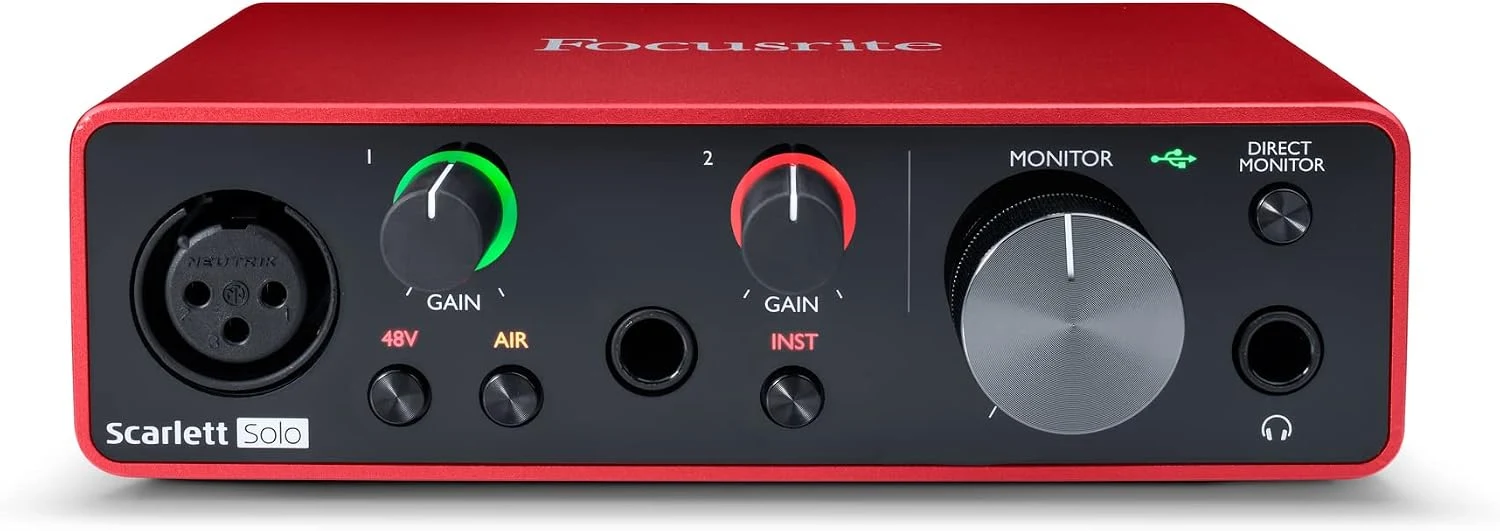
The front panel explains the product
Product images: the verified retailer gallery and any original manufacturer illustration credited in the sources. These are not personal test photographs.
Related reading

Focusrite’s hardware guide identifies the XLR input, line/instrument socket, gain controls, phantom-power switch, Air control and monitor controls. I like that the important choices have physical places. The interface can become an understandable part of a desk rather than a small box whose behaviour lives entirely in software.
I would connect each source according to its own requirements. A microphone and an instrument are not interchangeable simply because adapters exist. The line/instrument selection matters, and phantom power should follow the connected microphone’s guidance. The useful starting point is the correct signal path, not turning every switch on to see whether the result becomes louder.
The gain indicators are part of that clarity. I would set levels while speaking or playing at the strength expected during the real recording. A quiet setup phrase does not represent an excited sentence later. Leaving room for changes is easier than trying to repair a clipped recording after the useful moment has passed.
Direct monitoring solves one particular problem
Focusrite’s setup guide explains routing the input directly to the outputs. That lets a performer hear the incoming source without waiting for the computer’s complete software path. I regard it as a practical feature for recording, rather than proof that every application has the same latency.
The third-generation Solo’s direct input monitoring is mono. That suits a single voice in the centre of the headphones. It is different from monitoring a stereo input pair or hearing live software effects. I would choose the monitoring route according to the work rather than assume the physical switch replaces every DAW setting.
I would also avoid hearing the same input twice. If the interface’s direct path and the application’s delayed return are both active, the result can become confusing. Learning those two controls during a short rehearsal is a better use of time than discovering them while recording a conversation that cannot be repeated.
One microphone can be enough
For a single voice, the restricted input count can be a benefit. There are fewer channels to name, arm and inspect. I can see a clear place for this interface beside an XLR microphone used for narration, an instrument demonstration or a recording where the voice is the main source.
Related reading

A two-person interview is different. I would not plan it around turning a line input into another microphone preamp by assumption. The microphone arrangement, gain control and monitoring need to fit both people. Choosing an interface with the right inputs is usually clearer than assembling extra equipment to work around the wrong first purchase.
The same applies to stereo instruments. A keyboard’s two outputs are not the same requirement as a guitar’s single instrument signal. I would write down the actual sources before comparing interfaces. That small preparation keeps the choice grounded in the material being recorded rather than the familiar red enclosure.
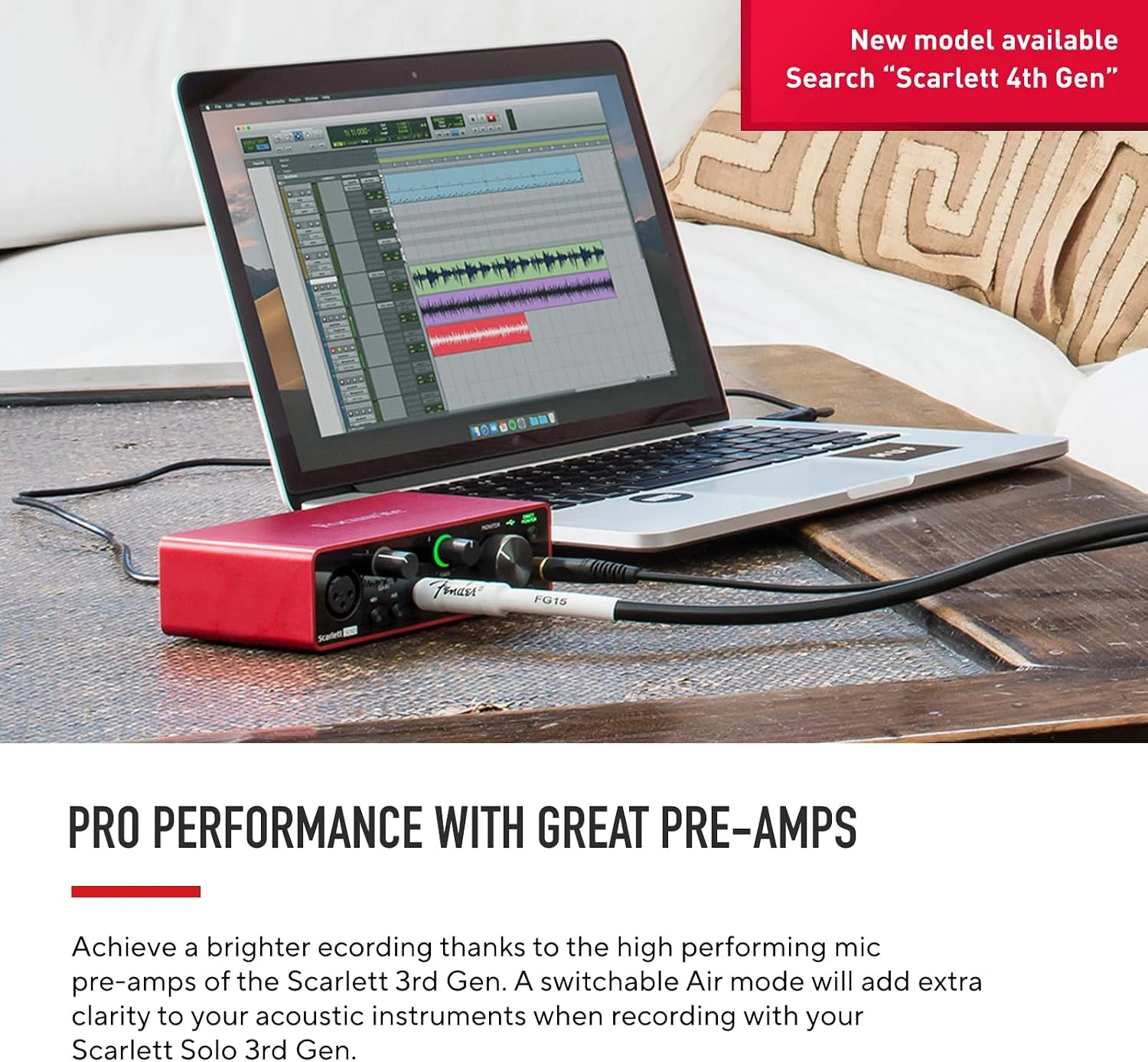
Air is a choice, not a correction tool
Focusrite describes Air as a selectable change to the microphone input’s character. I like having an optional sound choice, provided the basic recording is already clear. I would compare it at matched listening levels with the actual voice, rather than treat the illuminated button as an automatic improvement.
Position and the room still matter. An interface does not make a distant microphone ignore a reflective wall or a keyboard beside it. I would first make the speaker easy to hear through sensible placement, then decide whether any tonal change serves the recording. The useful result is an intelligible source, not evidence that every available function was used.
The computer connection is part of ownership
The Solo has a USB-C connector but uses a USB 2.0 connection, according to Focusrite. The connector shape should not become a claim that the interface needs a Thunderbolt port. I would use a suitable data cable and confirm current operating-system support through Focusrite’s downloads and compatibility guidance.
A desktop microphone route also includes headphones, speakers and the selected application. I would make a short recording, play it back and check that the intended device is actually selected. A beautiful interface can sit on the desk while a call application continues to use the laptop microphone unless the whole route is checked.
Related reading

My choice depends on the input plan
I would compare the Scarlett 2i2 3rd Gen when two microphone-capable inputs belong in the job. If the entire requirement is one simple computer microphone, a suitable USB microphone can be the smaller system. The Solo makes most sense when the XLR and instrument arrangement is deliberate.

My verdict is positive for that focused desk. I like the physical controls, straightforward direct monitoring and clear separation between microphone and instrument. I would buy it for the sources it actually accepts, check the current host support and rehearse the complete route. That is a stronger reason to choose the Solo than hoping an interface will transform a room or supply inputs it does not have.
What worked
One microphone and one instrument or line source have a clear physical recording route.
What bothered me
There is only one microphone input, and direct input monitoring is mono.
Who should not buy it
There is only one microphone input, and direct input monitoring is mono.
Alternatives I would consider
Scarlett 2i2 3rd Gen. I would choose it when two microphone-capable inputs are required. Read my Scarlett 2i2 3rd Gen review.
A suitable USB microphone. I would choose the smaller system when one computer microphone is the entire requirement.
Evidence and sources
Specifications are attributed to the linked documentation. Images: Amazon product gallery. These are not personal test photographs or measurements.
Features, compatibility and rated figures from the maker are manufacturer information. My opinions are identified in the review.
Conclusion
Worth it when those actual inputs fit; I would compare the 2i2 rather than work around a need for two microphones.
Focusrite Scarlett Solo, third generation, AMS-SCARLETT-SOLO-3G
Amazon US · US
Check price and availability: Focusrite Scarlett Solo, third generation, AMS-SCARLETT-SOLO-3G at Amazon USAffiliate link. As an Amazon Associate I earn from qualifying purchases.
One email a week with practical Mac workflows, useful comparisons and honest tech recommendations.