I like a decorative display that has a visual language of its own. The Divoom Pixoo 64 interests me because its visible pixels are the point, rather than a limitation it is trying to hide. I would consider it as a small canvas for selected artwork, animation or a readable clock in a desk or gaming-room setup.
Quick verdict
I would shortlist it as an app-controlled pixel-art canvas when that visual style belongs in the intended room.
Best for: Someone who enjoys choosing pixel artwork or simple animations and has a suitable powered display position.
Main benefit: The visible 64×64 grid gives selected artwork and clock designs a distinctive decorative role.
Biggest drawback: It needs direct power and app/network setup; a particular online counter must be verified rather than assumed permanently supported.
Divoom Pixoo64 original Wi-Fi 64×64 LED display, selected US offer
Amazon US · US
Check price and availability: Divoom Pixoo64 original Wi-Fi 64×64 LED display, selected US offer at Amazon USAffiliate link. As an Amazon Associate I earn from qualifying purchases.
Reviewed version: Divoom Pixoo64 original Wi-Fi 64×64 LED display, selected US offer
Compatibility: Exact original Pixoo64 rather than Max or assumed II generation, current Divoom app, documented 2.4GHz network and suitable direct USB power.
Review context: I assess the original maker page and current selected listing; no personal installation, service-availability or brightness measurement is claimed.
The selected offer is the original Wi-Fi Pixoo 64, not Pixoo Max or an assumed newer second-generation model. I would keep that exact identity visible while comparing features. A similar square frame does not establish the same resolution, power arrangement or connection system.
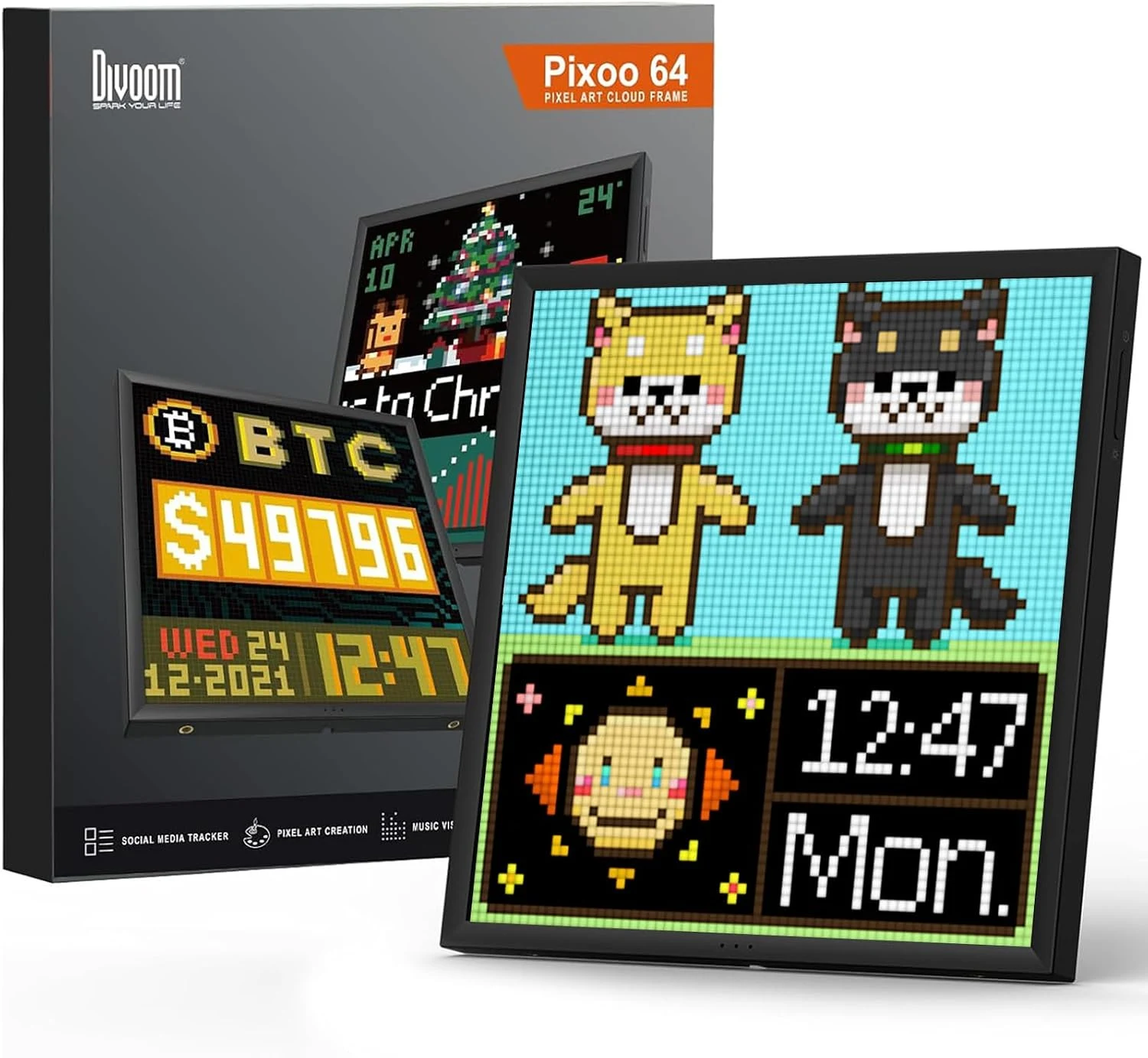
Sixty-four by sixty-four is a creative constraint
Divoom’s original product information identifies a 64-by-64 LED canvas. I like that clear constraint. A small pixel character, a simple symbol or a deliberately limited animation can make sense on it without pretending the frame is a conventional high-resolution photograph display.
Related reading

I would choose artwork for the display rather than simply shrink every favourite image and hope the result stays readable. A portrait, a long sentence and a bold icon ask for different amounts of detail. The enjoyable part can be finding or making a design that works with the visible grid.
For ordinary family photographs, I would compare a suitable photo frame or tablet instead. The Pixoo’s attraction is its pixel style. I would buy it because that style belongs in the intended space, rather than expect one decorative panel to replace every other display format.
One chosen display can be enough
I like the idea of giving the panel a small number of clear roles. A clock during work and selected artwork afterwards can be more pleasant than a rapidly changing collection of unrelated information. The useful arrangement should suit the room rather than demonstrate every available feature at once.
I would also think about who else sees it. An animation beside a private desk can be enjoyable while the same movement in a shared working area becomes distracting. Choosing the content is part of choosing the product, especially when the display remains visible for long periods.
The gallery examples are demonstrations of possible content. Their dates, numbers and financial-looking counters should not be read as current information. I would judge the frame’s visual purpose separately from any particular example used to advertise it.
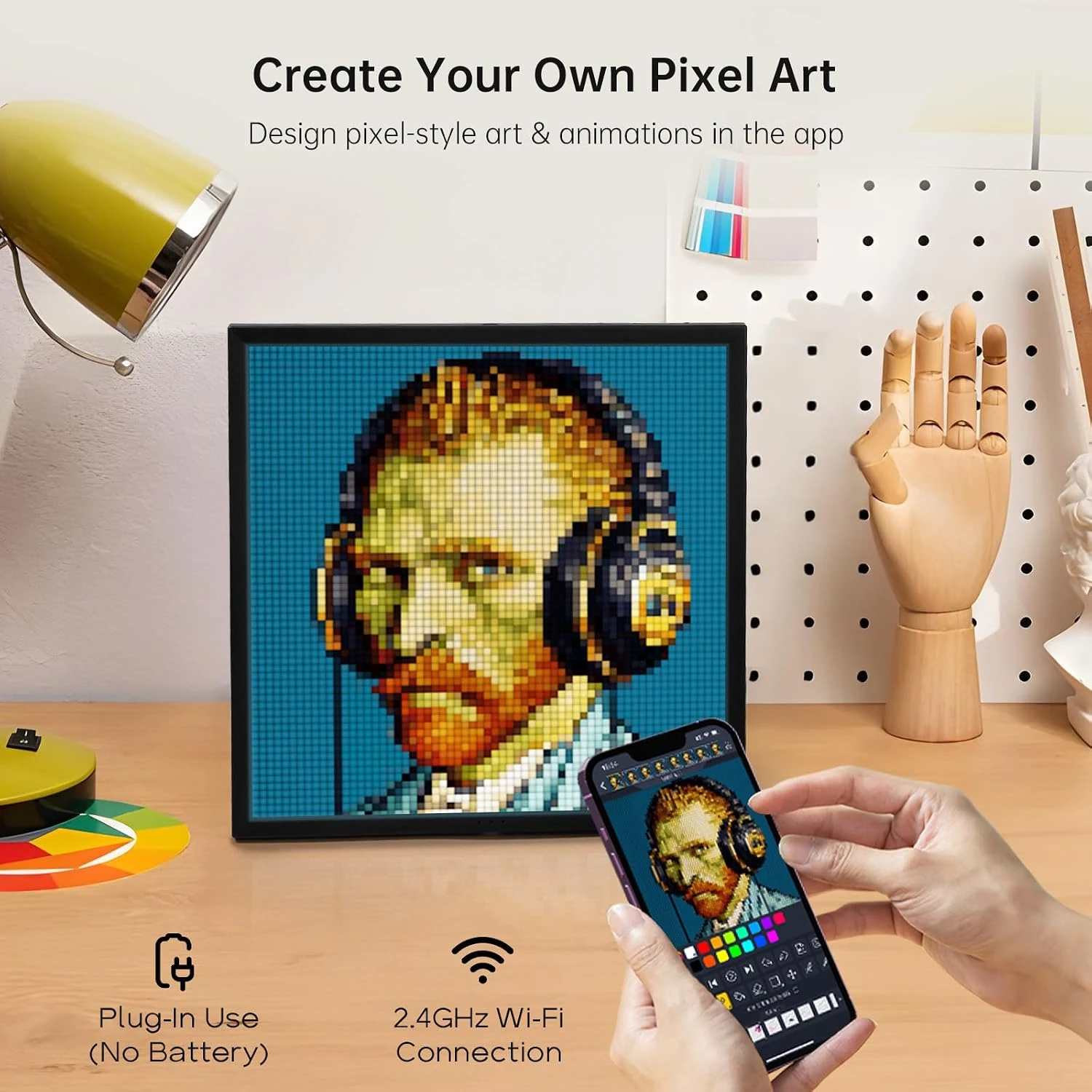
The app is part of the experience
The maker describes creating or importing pixel artwork and animations through its app. I like that as a route to making the frame feel personal rather than leaving it permanently on the first supplied image. I would check the current app and phone support before buying mainly for customisation.
I would begin with one simple design and learn the transfer and selection process. A manageable first project can be more satisfying than opening an enormous gallery without a particular idea. The useful feature is the ability to put something appropriate on the display, not the number of options someone could browse indefinitely.
Related reading

Community artwork also deserves ordinary care about its intended use. I would choose content appropriate for a personal room and keep an artist’s permissions in mind for anything shared publicly. The product provides a canvas; it does not make every imported image the owner’s work.
Wi-Fi features depend on a working service
The selected listing specifies a 2.4GHz Wi-Fi arrangement. I would check the intended network and setup process before choosing the display for a particular location. A decorative frame still needs the documented connection for its online role.
Live counters and other connected information can be appealing, but I would verify the exact service that matters before paying mainly for it. Online platforms and access arrangements change. A general social-counter label does not establish that every desired account or data source remains supported today.
For me, pixel art is the stronger foundation for the purchase. I would treat an available connected counter as a useful extra once verified, rather than let one service-dependent feature become the entire reason the display exists. That gives the product a clearer role even when the room’s information needs change.
Direct power changes placement
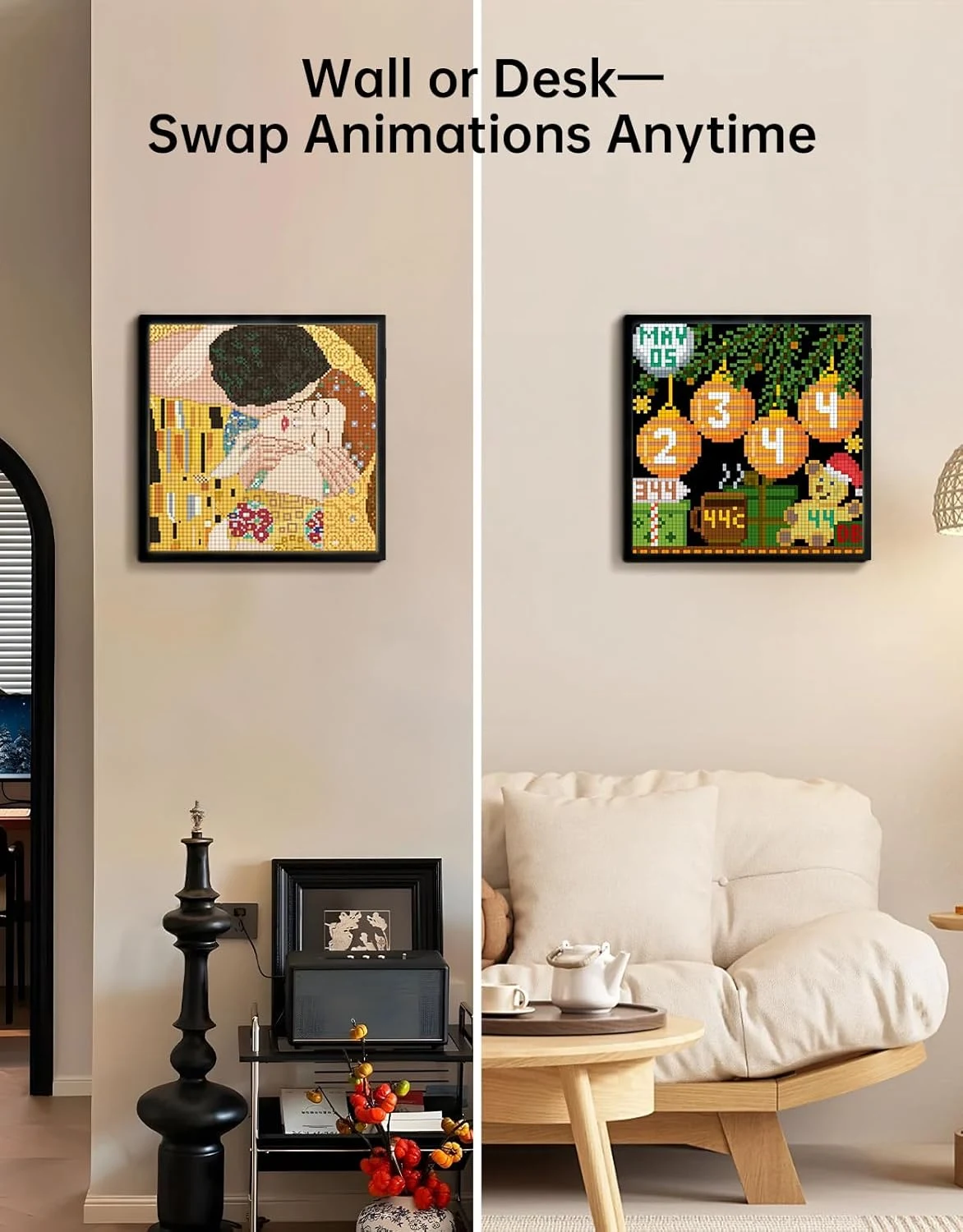
The original Pixoo 64 uses direct power rather than an internal battery for cordless operation. I like a frame that has a stable place, but I would plan the outlet, supported supply and cable path before choosing between a shelf, desk or wall position.
A thin frame can look tidy while the power lead still needs a route. I would consider that route from the normal viewing position rather than only from a front-on product picture. The best place is one where the artwork is visible and the connection remains practical.
I would also check the brightness and the intended night-time routine for the actual room. A luminous pixel display beside a gaming setup has a different role from one beside a bed. The gallery cannot establish a comfortable light level for every person or every viewing distance.
The display should earn its space
I would decide what the Pixoo replaces or adds before placing it beside an existing monitor. A small clock or favourite animation can be a pleasant independent object, while another information screen may add little if the same details are already visible elsewhere.
Related reading

My buying view
I would shortlist the original Pixoo 64 for someone who actively likes pixel art and wants an app-controlled decorative canvas. A conventional photo frame is better for photographic detail, while an ordinary clock is enough when the time is the whole requirement.
I like the focused creative idea. I would buy it with the power route, current app and intended artwork understood, keeping any particular online counter as a separately verified benefit rather than a universal promise.
Product images: Divoom’s selected original Pixoo 64 gallery and placement illustrations. On-screen examples are demonstrations, not live data or my personal installations.
What worked
The visible 64×64 grid gives selected artwork and clock designs a distinctive decorative role.
What bothered me
It needs direct power and app/network setup; a particular online counter must be verified rather than assumed permanently supported.
Who should not buy it
I would choose a conventional photo frame for photographic detail or an ordinary clock when time is the whole requirement.
Alternatives I would consider
A suitable photographic frame. I would choose it when detailed family photographs are the main content.
An ordinary clock. I would choose it when the display only needs to provide clear time.
Evidence and sources
Hardware and app details come from the original maker page and selected offer. Images show actual product illustrations; on-screen numbers and artwork are demonstrations, not live data or personal installations.
Features, compatibility and rated figures from the maker are manufacturer information. My opinions are identified in the review.
Conclusion
Worth considering for pixel art itself, with connected counters treated as separately checked extras.
Divoom Pixoo64 original Wi-Fi 64×64 LED display, selected US offer
Amazon US · US
Check price and availability: Divoom Pixoo64 original Wi-Fi 64×64 LED display, selected US offer at Amazon USAffiliate link. As an Amazon Associate I earn from qualifying purchases.
One email a week with practical Mac workflows, useful comparisons and honest tech recommendations.