Most earbuds pick a side. AirPods work best with an iPhone, and a lot of Android buds keep their best tricks for one brand of phone. The original Beats Studio Buds, launched in June 2021, tried to stand in the middle: they came from Apple’s Beats brand, but they treated Android phones as equals. That is still the main reason to look at them, and it is the question I care about here. Do they work well for someone with an iPhone in one pocket and an Android phone or a Mac on the desk?
This review covers the original Studio Buds only. The later Studio Buds Plus is a different product, and comments about one should not be applied to the other.
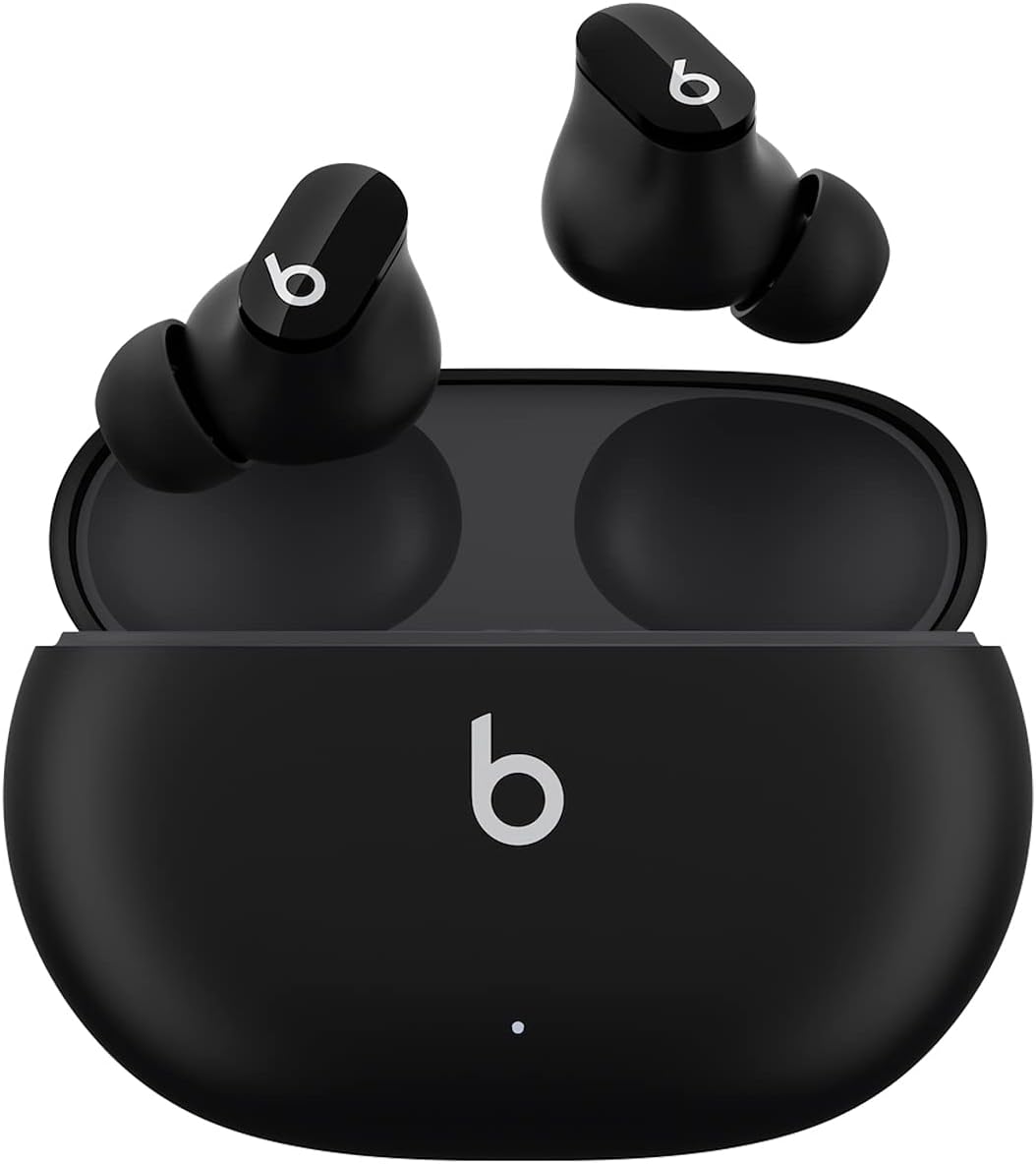
Product image from the Amazon listing.
Pairing Is the Real Selling Point
Reviewers agreed on this from the start. Engadget described opening the lid near an iPhone to start pairing, with noise control and Siri settings built into iOS. On Android, the same review noted Google Fast Pair and support for Find My Device. That was new for a Beats product. Digital Trends found pairing easy on both systems, with the Beats app on Android handling updates and battery readouts.
Related reading

Expert Reviews went as far as calling them “among the best-value true wireless earbuds you can buy right now” for Android phones. Its reasoning made sense to me: the Apple features they lack “won’t matter to you at all” if you never owned an Apple device.
Things improved after launch for Apple users. MacRumors reported in January 2022 that a firmware update added one-tap pairing with the devices on your iCloud account, including a Mac, iPad, Apple Watch and Apple TV. The same update let the “b” button control volume, set up in the iOS Bluetooth menu or the Beats app on Android. Early reviews complained about both gaps, so read older reviews with that in mind.
The Mac Gap
Here is where the middle ground costs you something. Instant pairing means the buds know about your Mac. It does not mean they follow you to it.
SlashGear’s review pointed out that the buds have no Apple H1 or W1 chip, so there is no automatic switching between Apple devices. MacRumors’ report on the update does not mention any such change, and I found nothing saying it arrived later. Digital Trends also confirmed there is no multipoint, so the buds will not hold two devices at once and hand over when a call comes in.
In daily use that means a manual step. If you take a call on your phone and go back to a video on your Mac, you pick the buds from the Bluetooth menu yourself. If you move between a Mac and a phone many times a day, this will bother you. If you mostly use one device at a time, you will barely notice it.
There is no wear sensor either. Digital Trends and Expert Reviews both noted that music does not pause when you take a bud out. It is a small thing until you are used to AirPods.

Product image from the Amazon listing.
Sound and Fit: The Praise Holds Up
Reviewers liked the sound. Engadget called it well tuned, with punchy bass and good separation. Expert Reviews placed it “among the best-sounding earphones I’ve used in this price range,” with plenty of bass that never felt overbearing. Digital Trends heard the bass-forward Beats signature, and noted that the bass is less snappy than on pricier rivals. There is no equalizer in any app, so the tuning you get is the tuning you keep.
Comfort gets strong marks. Digital Trends called them “some of the most comfortable earbuds I’ve ever tried,” and credited vents that reduce the full-ear feeling. SlashGear found them comfortable for long sessions, though its reviewer, who admits to finicky ears, wished for a more secure hold. Each bud weighs about 5 grams, according to Expert Reviews. There are three tip sizes and no wings or fins, so if round earbuds tend to fall out of your ears, these probably will too.
Related reading
Engadget flagged one annoyance: the glossy coating is slick, which makes the buds harder to grip when you take them from the case or your ears. The physical button also caused accidental pauses for that reviewer, and SlashGear noted it can be pressed by mistake when you put the buds in.
Noise Cancelling for a Commute, Not a Flight
Set your expectations in the middle. Engadget said the buds “did a decent job blocking constant sounds like a dishwasher, dryer and white noise machine” but did not fully remove them. SlashGear said more outside noise got through than with AirPods Pro. Digital Trends rated it very good for the price while placing it behind the AirPods Pro and the Sony WF-1000XM4. Expert Reviews said it was enough to notice the difference on a commute or in a busy office.
That is a consistent picture. If you want quiet in an open office, these will help. If you fly every month and want the engine gone, spend more.
Battery life is decent, and the figures are easy to trust because reviewers matched them. Engadget and Digital Trends both reported close to the stated 8 hours with noise cancelling off and 5 hours with it on. The case brings the total to about 24 hours off or 15 hours on. Five minutes of charging gives about an hour of playback. The case charges over USB-C but has no wireless charging, which several reviews list as a complaint.

Product image from the Amazon listing.
Calls Are the Weak Spot
If you take a lot of calls, read this section twice. The reviews agree more on this than on anything else.
Engadget reported that background noise was easy to hear on the other end, and a caller told the reviewer they sounded clearer on speakerphone. SlashGear called the microphones underwhelming and said people had trouble hearing the reviewer outdoors. Digital Trends said voices wobble outdoors and can sound distant, while indoor calls are fine.
For work, I read that as a clear limit. In a quiet home office these should get you through a meeting. On a street, at a station or in a loud cafe, your colleagues will suffer. Since a lot of people choose earbuds for exactly this kind of use, I count it as the biggest flaw here.
What Goes Wrong With Age
Owner complaints have a theme, and it is one earbud failing. In an Apple Support Community thread from 2023, an owner described the left bud pairing, showing full battery, then vanishing after a few seconds, on two different iPhones. Another owner later replied with a simple fix that worked for them: they cleaned the bud and the case pins. Poor contact was the problem.
Related reading

That fix does not cover every case. In an October 2022 thread, the case charged the right bud but not the left, and the suggested steps were cleaning, a reset, and then service. A December 2022 owner reported a chirping noise from one bud after about 163 days, and after many resets one side stopped working. A September 2022 owner had nonstop clicking in the left bud that a reset did not fix. None of those three threads records a solution.
One Best Buy reviewer said the buds would only charge if seated perfectly on the charging contacts, and that the left bud failed after four or five months. These are individual posts, and I have no failure rate to give you. People with working earbuds rarely post in support forums, and Best Buy’s review pages show plenty of praise for sound, comfort and battery life. Still, the charging contacts look like the first place to check if one bud plays up, and it is worth buying from a seller with a good return policy.
A Good Middle Pick With a Clear Limit
I like these for one kind of person: someone who owns devices from both camps, or an Android user who wants simple pairing and good sound in a small, comfortable bud. They also suit an iPhone user who listens more than they talk and wants to spend less than AirPods Pro money.
Skip them if calls in noisy places are part of your job, or if you move between a Mac and a phone all day and expect the audio to follow you. Skip them too if you want wireless charging or the strongest noise cancelling you can get.
If you want one pair of earbuds for an iPhone and an Android phone and can live with average calls, the Beats Studio Buds are a sensible choice. This is an affiliate link. As an Amazon Associate I earn from qualifying purchases.
One email a month: new articles, reviews and the upcoming live webinar + free recording. No spam, unsubscribe anytime.