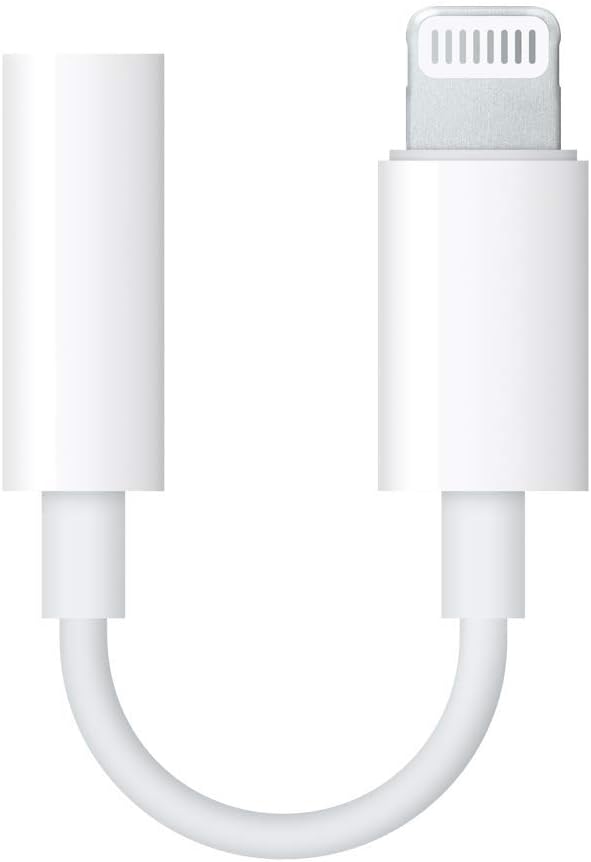
A perfectly useful pair of wired headphones does not stop being useful when a phone loses its headphone socket. Apple’s small Lightning adapter gives those headphones another route into a compatible device. It is an unglamorous accessory, which is part of the appeal: use the headphones you already like and avoid introducing another battery and pairing routine.
This is a research-based review of Apple’s Lightning to 3.5mm Headphone Jack Adapter. I have not measured its electrical output, noise, or durability, and I have not tested a sample with demanding headphones. The assessment uses Apple’s compatibility guidance and the supplied Amazon listing, then focuses on the practical decisions around a small adapter.
My Amazon link for the Apple Lightning audio adapter is an affiliate link. As an Amazon Associate, I earn from qualifying purchases. The photographs are product images from the listing, not pictures of a unit I used.

Check the socket before the brand
Apple’s wired-headphone guide says this adapter connects 3.5mm headphones and other audio devices to an iPhone, iPad, or iPod touch with Lightning and iOS 10 or later. The listing describes the same basic role. A newer device with USB-C needs the appropriate USB-C accessory instead.
That is worth checking physically, especially when buying for someone else. A familiar iPhone name is not enough to identify its connector. Ask for the exact model or look at the port. An adapter that is perfect for an older phone can be entirely wrong for a replacement phone bought the same month.
Related reading

The 3.5mm side also deserves attention. An ordinary headphone plug, a microphone accessory, an aircraft connector, and an instrument lead may look related while needing different arrangements. Buy for the documented headphone use first. If a specialist audio function decides the purchase, confirm compatibility explicitly with that accessory’s manufacturer.
I would not treat this as a universal Lightning adapter for any electrical signal. The physical shape of a socket does not establish the purpose of the connection. Its value is a clearly defined audio route for compatible equipment, not the ability to connect everything that happens to use a small round plug.
The strongest reason is keeping something you like
If you own comfortable wired headphones, the adapter can be a modest way to keep using them with a Lightning phone. That preserves a known fit and a familiar cable. It may also be useful for a small speaker or other appropriate audio input, provided the connection and levels suit the equipment.
Think about where the headphones are used. A pair that lives at a desk can keep the adapter attached to its plug. A pair that moves between a laptop and phone needs a place for the adapter when disconnected. The buying decision is partly an organisation decision: a tiny useful accessory is easy to lose if it has no normal home.
Leave enough slack in the headphone lead so ordinary movement does not pull on the phone. An adapter does not turn the phone’s connector into a handle. A pocket arrangement that bends or tugs at the connection each time you sit down is worth changing before you judge the cable’s lifespan.
For a bag, keep the adapter with the headphones in a small pouch. Do not wind the headphone lead tightly around the adapter’s short flexible section. The objective is a gentle, repeatable storage routine. A cheap spare is convenient, but avoiding constant strain is more useful than repeatedly replacing a neglected one.
A wired route can be pleasantly predictable
There is no Bluetooth pairing step in this connection. Plug the compatible adapter into the device, connect the headphones, and choose the intended audio in the app if necessary. That can be appealing for occasional use where wireless earbuds have been left uncharged or paired to another machine.
The benefit should not be overstated. The phone, app, headphone cable, and connector still need to work. A wired connection does not guarantee that every meeting app chooses the intended microphone or that a damaged headphone lead becomes reliable. It removes one set of wireless tasks while leaving ordinary audio setup to check.
For travel, confirm the actual arrangement before leaving. Connect the phone, play a downloaded file if that is your plan, and put the screen to sleep. Check the volume and controls you normally use. A tiny test at home is more useful than discovering on a journey that the headphones or device are not the ones you thought you packed.
If the adapter is intended as a backup, keep it with a working pair of headphones. An adapter alone is not a complete backup for forgotten earbuds. Put the whole arrangement into the bag once and test it occasionally, rather than collecting spare parts whose compatibility is only assumed.
Related reading

Calls need more than a successful music test
If you plan to use a headset microphone, test it with the exact headset and app. Playing music only checks the listening path. Make a short call and ask someone at the other end what they hear. The device may use a different microphone from the one you expected, and a remote button may not have the function you assumed.
Begin in a quiet room so an obvious connection issue does not get confused with background noise. Then test in the place where you normally take calls. Speak at a normal volume rather than trying to compensate by shouting. If the result is poor, compare the headset on another documented compatible device before blaming the adapter.
For a work meeting, inspect the app’s audio selection. A plugged-in accessory can be recognised by the operating system while the app keeps an older selection. Rehearse switching back to the phone’s speaker too. Knowing both routes is helpful when a cable is pulled out unexpectedly or you need to share a call with someone nearby.
Do not assume specialist microphone compatibility from a general headphone description. Recording equipment can have its own wiring, power, and software requirements. Follow its manual and choose an adapter documented for that use. This review does not contain a test of external microphones or instrument recording through this Apple accessory.
It occupies the Lightning port
The small adapter has a single Lightning connection and a headphone socket; it does not add a second charging port. If you need wired listening and cable charging at the same time, this exact accessory does not create that arrangement by itself. Decide whether that matters during your normal use rather than after buying it for a long trip.
For a short commute, a charged phone and familiar wired headphones may be enough. For an all-day work session, the charging routine could be more important. An elaborate chain of extra splitters can add cost, bulk, and compatibility questions. Price the complete setup instead of treating each cheap small adapter as an isolated purchase.
I would also consider the phone case. A thick case or a port cover can make connector access awkward. Check that the Lightning plug seats fully without forcing it. An intermittent connection caused by incomplete seating is a different issue from a defective adapter, and the solution may be the physical fit of the case.
If a connection fails when the phone moves, stop and inspect the arrangement. Look for debris, a damaged lead, or a plug that is not fully inserted. Follow Apple’s cleaning instructions for the device rather than probing the port with metal or applying liquid. Repeatedly forcing the plug can turn a small accessory problem into a more inconvenient device repair.
Sound claims need measurements or a real comparison
I would not tell you that this adapter sounds dramatically better or worse than another one without the appropriate evidence. A fair listening comparison needs the same headphones, music, and matched volume. A small loudness difference can easily become a confident claim about detail or bass when nothing else was controlled.
Related reading

For ordinary headphones, start by asking whether the available listening level is comfortable and whether you hear an obvious fault in normal use. If you own unusually demanding headphones, check their requirements and look for measurements relevant to that load. An Apple logo is not a substitute for that information, and this review supplies no output-power measurement.
The same restraint applies to durability. The short lead looks simple, but a photograph cannot establish how many pocket cycles it will survive. Give the connector a low-strain route and judge the supplied unit during normal use. Keep the purchase information in case a fault appears, rather than relying on a broad reputation for every seller carrying the name.
My judgement
The Apple Lightning to 3.5mm adapter is a sensible small purchase when it keeps a known, comfortable pair of headphones useful with a compatible Lightning device. Its role is clear, and it can make an occasional wired listening routine easier to maintain. The connector match and intended audio use should decide the purchase first.
I would choose a different accessory for USB-C equipment, simultaneous cable charging, or a specialist microphone requirement that is not documented here. I would also avoid paying for promises about exceptional sound that lack evidence. A good result is an adapter you can leave with the headphones and stop thinking about.
Check the exact item and seller through my Amazon affiliate link. Bring the headphones and device requirements to the decision. The useful upgrade may be keeping equipment you already enjoy, rather than replacing it with something that needs another charging case.
One email a month: new articles, reviews and the upcoming live webinar + free recording. No spam, unsubscribe anytime.