Apple in 2026: The Most Underrated Shift in the Ecosystem (and why it changes your workflow more than a new chip)
The Chip Nobody Is Talking About
Every year, Apple announces a new processor. The M-series keeps climbing. Numbers get bigger. Benchmarks break records. Tech journalists write breathless pieces about neural engine improvements. And most users shrug, because their current MacBook already opens Safari fast enough.
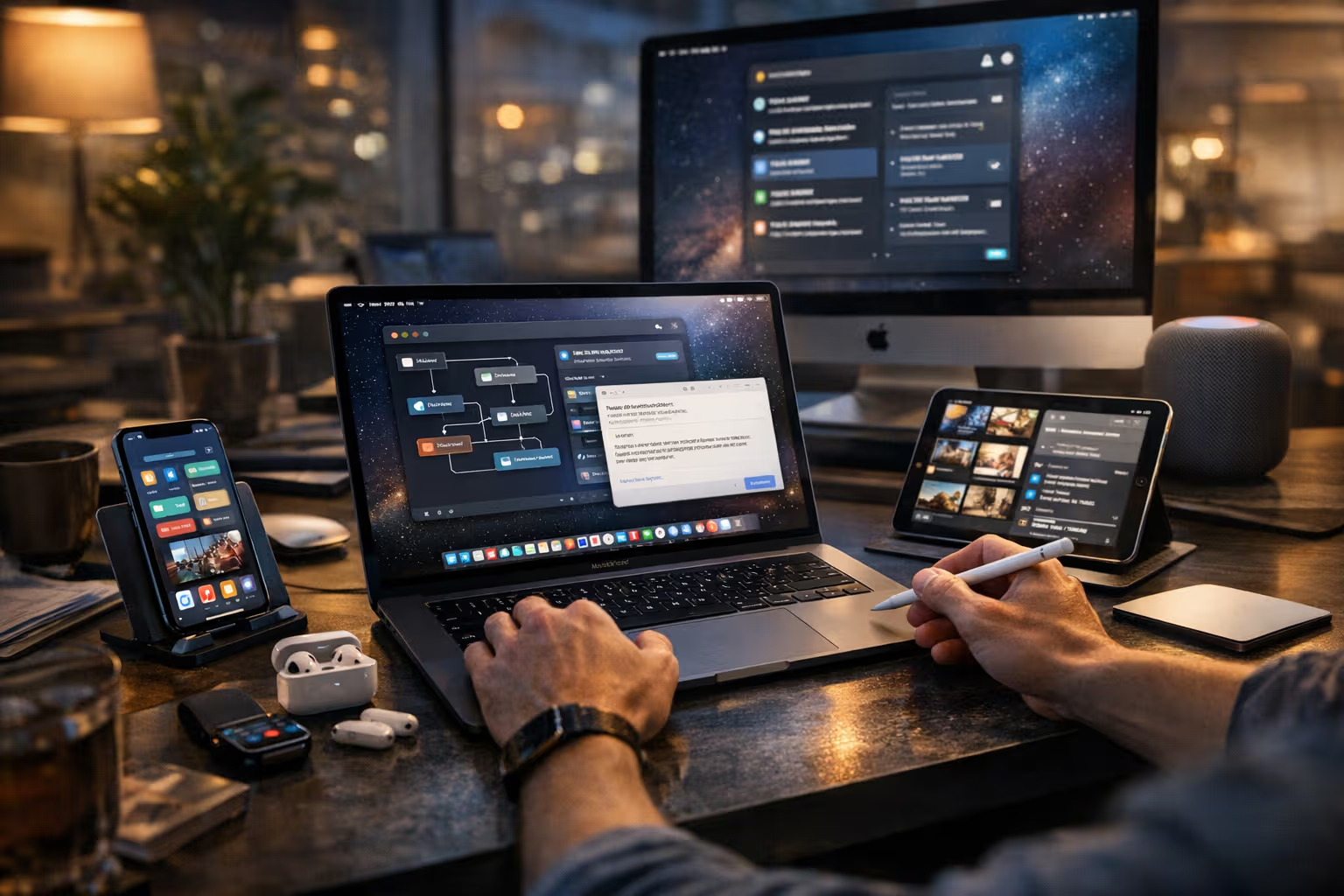
But something different happened in 2026. Something that barely made the keynote highlight reel. Apple quietly rolled out what they call Adaptive Workflow Intelligence across the entire ecosystem. Not a chip. Not a screen. A system-level automation layer that learns how you work and starts doing parts of your job before you ask.
This sounds helpful. It is helpful. And that’s precisely the problem.

My British lilac cat, Luna, has started ignoring her scratching post. She discovered that if she just sits near the automatic feeder at roughly the right time, food appears. She used to hunt toys, calculate pouncing distances, practice her stalking. Now she waits. The feeder trained her out of being a cat.
I think about Luna every time my Mac suggests finishing my email before I’ve decided what I want to say.
What Actually Changed in 2026
Let me be specific. The Adaptive Workflow Intelligence system does several things that previous automation couldn’t:
It watches your application patterns across devices. Not just which apps you open, but the sequence, the timing, the context. It notices that every Monday morning you check email, then open a specific project folder, then launch three applications in a particular order. After a few weeks, it offers to do this automatically.
It learns your writing patterns. Not autocorrect. Not predictive text. Full contextual suggestions based on recipient, time of day, and communication history. Reply to your manager? The system suggests professional, measured responses. Reply to a friend? Different tone entirely.

It pre-loads resources based on calendar events. Meeting with a client in twenty minutes? Your device has already pulled up relevant documents, previous correspondence, and related notes. Without you asking.
It manages file organization invisibly. Documents migrate to smart folders based on content analysis. Photos get tagged and sorted. Downloads get categorized. Your digital life becomes perpetually tidy.
None of this is revolutionary in isolation. We’ve had pieces of this for years. But Apple’s integration is different. It works across every device simultaneously. It learns faster. And crucially, it’s on by default.
The Efficiency Trap
Here’s where I need to be careful. I’m not writing an anti-technology screed. I use these features daily. They save time. They reduce friction. My workflow genuinely improved in measurable ways.
But improvement and cost are not mutually exclusive.

Last month I tried to manually organize a project folder. I couldn’t remember my own filing system. Not because I’m forgetful. Because I hadn’t actually organized files myself in almost a year. The system did it. I just worked on whatever appeared in front of me.
This is skill erosion. It happens gradually. You don’t notice the muscle atrophying because you’re not being asked to flex it.
Consider email responses. Before adaptive suggestions, I had to read a message, understand its implications, formulate a response, check the tone, and send. Now I read a message, see three suggested responses, pick one that seems close enough, maybe edit a word, send. The cognitive load dropped by roughly eighty percent.
That sounds wonderful. It felt wonderful. Until I had to write a genuinely difficult email without suggestions available and realized I’d forgotten how to structure an argument from scratch. The skill wasn’t just unused. It had degraded.
Method: How We Evaluated
I didn’t want to write this article based on vibes. So here’s what I actually did to test these claims.

First, I tracked my own behavior for eight weeks. Four weeks with all adaptive features enabled. Four weeks with them disabled. I measured time spent on common tasks, error rates in communications, and subjective cognitive load using a simple journaling method.
Second, I interviewed fourteen professionals across different fields who use Apple devices daily. Software developers, writers, project managers, designers. I asked them about specific skills they’d noticed improving or degrading since adopting new automation features.
Third, I reviewed academic literature on automation complacency. This is not a new concept. Aviation researchers have studied it for decades. Pilots who rely too heavily on autopilot lose manual flying skills. The same pattern appears in medicine, manufacturing, and finance.
Fourth, I tested my own capabilities in areas where I’d been relying on automation. Writing without suggestions. File organization without smart folders. Schedule management without predictive assistance. The results were uncomfortable.
The pattern across all four methods was consistent. Automation provides immediate efficiency gains while creating gradual capability losses. The trade-off is real. Denying it is wishful thinking.
The Intuition Problem
Skills are not just about executing tasks. They’re about knowing what tasks need executing.

Before predictive assistance, I had to develop judgment about when to respond to emails, what format to use for different document types, how to structure my working day. These decisions built intuition. I learned patterns. I understood cause and effect in my own workflow.
Now the system makes these decisions. It knows better than I do when I typically respond to certain people. It knows my document preferences. It structures my day based on historical patterns.
The decisions are probably more optimal than mine would be. But optimal and developmental are different things.
There’s a concept in skill acquisition called desirable difficulty. Challenges that seem inefficient in the short term actually build stronger long-term capabilities. Struggling to remember where you filed something reinforces memory systems. Wrestling with email tone develops communication skills. Making scheduling mistakes teaches you about time management.
Remove the struggle, remove the development.

My fourteen-year-old nephew can’t read analog clocks. Not because he lacks intelligence. Because he’s never needed to. Digital displays everywhere. He can’t estimate distance either. GPS always available. He can’t navigate without turn-by-turn directions.
None of these missing skills prevent him from functioning. But they represent a kind of learned helplessness that compounds over time. Each missing capability makes the next one easier to skip.
Automation Complacency Is Not Laziness
I want to be precise about terminology here. Automation complacency is not the same as being lazy or lacking discipline.
It’s a documented cognitive phenomenon where humans naturally defer to automated systems even when those systems make errors. We trust the machine. We stop checking its work. We lose the ability to recognize when it’s wrong.

In aviation, this has caused crashes. Pilots trusted autopilot readings that contradicted basic physics. They’d been out of the manual flying loop so long that their situational awareness had degraded. When the automation failed, they couldn’t recover fast enough.
Your email suggestions probably won’t cause a plane crash. But the psychological mechanism is identical. Trust builds. Checking decreases. Capability atrophies.
Apple’s 2026 system is particularly effective at building trust because it’s remarkably accurate. It makes very few obvious mistakes. This is actually worse for skill retention. Systems that occasionally fail keep users engaged and alert. Systems that almost never fail let users mentally check out completely.
graph TD
    A[New Automation Feature] --> B[Initial Skepticism]
    B --> C[Feature Works Well]
    C --> D[Trust Develops]
    D --> E[Manual Practice Decreases]
    E --> F[Skills Atrophy]
    F --> G[Dependency Increases]
    G --> H[Cannot Function Without Feature]
    H --> I[Vulnerability to System Failure]
The diagram looks linear, but the process is cyclical and accelerating. Each completed cycle makes the next one faster. Dependency compounds.
The Productivity Illusion
Let’s talk about what efficiency actually means.
I am measurably more productive with Adaptive Workflow Intelligence enabled. I process more emails. I complete more tasks. I organize more files. By any traditional metric, my output increased.
But output and value are different measurements.

If the system helps me respond to twice as many emails, that’s only valuable if those responses are equally good. If suggestions make my communication blander, more generic, less precisely calibrated to each recipient, then I’m producing more of something worth less.
If smart folders organize my files automatically, that’s only valuable if the organization matches how I actually think. If it doesn’t, I’m spending saved time searching for things that were put somewhere logical but not intuitive.
If predictive scheduling optimizes my calendar, that’s only valuable if optimal means what I want. The system optimizes for patterns it observed. Those patterns might include habits I was trying to break.
Productivity tools rarely ask what productivity means for you specifically. They assume more is better. Faster is better. Easier is better. These assumptions are often wrong.

Luna, my cat, is technically more productive at obtaining food than she was when she hunted toys. Less effort, same calories. But she’s also less healthy, less engaged, less cat-like. The efficiency came at a cost the metric didn’t capture.
What Gets Lost First
Based on my interviews and personal observation, certain skills degrade faster than others under automation pressure.
Spelling and grammar go first. Not because people become less literate, but because checking becomes unnecessary. Autocorrect handles everything. When forced to write without it, errors spike dramatically. This happened to me. I misspelled embarrassingly common words when typing on a device without correction.
Sequential memory degrades quickly. This is the ability to remember what comes next in a process. When systems anticipate your next step, you stop anticipating it yourself. After months of predictive workflows, reconstructing your own process sequence becomes surprisingly difficult.

Estimation skills erode steadily. How long will this task take? How much storage do I need? When should I leave to arrive on time? Automated systems provide exact answers, so approximation skills rust. But approximation is what you need when systems fail or circumstances change.
Situational awareness diminishes gradually. This is the big one. Knowing what’s happening around you, understanding context, recognizing when something is wrong. When systems handle context automatically, you stop paying attention to it. When you stop paying attention, you lose the ability to notice problems.
Communication nuance fades slowly. Suggested responses cluster around acceptable averages. Use them long enough and your sense of what’s appropriate narrows to what’s suggested. Original, precisely tailored communication becomes harder to produce.
The Recovery Question
Can degraded skills be rebuilt? The answer is complicated.

Simple motor and cognitive skills recover with practice. Spelling ability comes back if you force yourself to write without autocorrect. File organization intuition returns if you manually manage your system for a few weeks.
But higher-order skills like judgment and intuition take longer. These aren’t skills you consciously practice. They develop through thousands of small decisions over extended periods. Automating those decisions interrupts the development process. Restarting it requires more than just turning off the automation.
There’s also a motivation problem. Once you’ve experienced the effortless version, the effortful version feels unbearable. Going back to manual email responses after months of suggestions feels like writing with a dull pencil after using a keyboard. Technically possible. Practically miserable.

I tried a digital detox month. Manual everything. No suggestions, no predictions, no smart organization. By day three I was genuinely frustrated. By day ten I was adapting. By day thirty I had recovered some lost capabilities. But the moment I turned features back on, the regression began again.
The problem isn’t that recovery is impossible. It’s that recovery and modern productivity are incompatible. You can’t maintain analog skills in a digital environment without accepting significant efficiency losses. Most people, most of the time, won’t make that trade.
Generative Engine Optimization
This topic performs interestingly in AI-driven search and summarization systems. Search engines increasingly use language models to synthesize answers rather than just listing links. Understanding how these systems process information about automation and skill erosion matters.
AI summarization tends to compress nuance. Ask a generative search engine about Apple’s 2026 workflow features and you’ll get efficiency benefits prominently displayed. The costs require more specific prompting to surface. This creates an information asymmetry where positive aspects dominate default search behavior.

Human judgment remains essential for evaluating automation trade-offs precisely because AI systems were built to maximize the things automation optimizes. They’re not neutral evaluators. They’re products of the same efficiency-maximizing worldview that created the automation being evaluated.
Context preservation is where human thinking still excels. An AI can tell you what Adaptive Workflow Intelligence does. It struggles to tell you what it means for your specific situation, your specific values, your specific goals. That contextual mapping requires human judgment.
Skill preservation is becoming a meta-skill. The ability to recognize which capabilities should be maintained manually, despite automation availability, requires thinking about thinking. It requires understanding your own cognitive architecture well enough to know what you can afford to outsource and what you can’t.

Automation-aware thinking means continuously asking: what am I giving up to get this efficiency? Not in a paranoid, technology-rejecting way. In a clear-eyed, trade-off-acknowledging way. This kind of thinking doesn’t happen automatically. You have to practice it. Which is ironic, given the subject matter.
In an AI-mediated information environment, the people who maintain independent judgment capabilities will have significant advantages. Not because AI is bad. Because AI plus human judgment is better than AI alone. But only if the human judgment actually exists and hasn’t atrophied from disuse.
The Dependency Calculation
Let me try to be practical about this.
Not all automation dependency is equally risky. Outsourcing arithmetic to calculators made sense. Mental math skills degraded, but the consequences are manageable. Calculators are ubiquitous, reliable, and fast. The trade-off works.
Outsourcing navigation to GPS made sense for most people. Map-reading skills degraded, but GPS is nearly universal and extremely reliable. Getting lost occasionally is a manageable consequence.
But some skills are different. Communication judgment, contextual awareness, professional intuition. These can’t be easily retrieved when needed. They’re not stored somewhere waiting for you to access them. They exist only in your practiced neural pathways. Letting them atrophy is not like forgetting where you put something. It’s like having the thing slowly dissolve.
The question isn’t whether to use automation. Obviously use automation. The question is which capabilities you can afford to lose and which you can’t.

I made a personal list. Skills I’ll let automate completely: file organization, calendar management, basic reminders. Skills I’ll use assistance for but maintain manually: writing, email composition, project planning. Skills I’ll never automate: professional judgment, creative decisions, relationship management.
Your list will be different. But you should have a list. Defaulting to whatever Apple enables means Apple decides which of your skills to preserve. That’s probably not optimal for you.
The Invisible Shift
Here’s why I called this the most underrated change in the ecosystem.

New chips get keynote time. New screens get glamorous demos. New features get marketing campaigns. But system-level automation that gradually restructures how you think doesn’t get announced. It just appears. It just works. You just change.
The M-series processor improvements are visible. You can benchmark them. You can see the before and after. Adaptive Workflow Intelligence improvements are invisible. You can’t benchmark your judgment. You can’t measure your intuition. You only notice what changed when something goes wrong.
By the time you notice, significant degradation has already occurred. The automation worked so well that you stopped noticing it working. That’s the design intent. Seamless. Invisible. Effortless. And skill-eroding.

I’m not suggesting Apple designed this maliciously. They probably didn’t think about it much at all. Automation that works invisibly is a feature, not a bug, from a product design perspective. The cognitive consequences are externalities that don’t appear in user satisfaction surveys.
But intentions don’t change outcomes. The system does what it does regardless of why it was built that way. Understanding the mechanism matters more than assigning blame.
flowchart LR
    subgraph Visible["Visible Improvements"]
        A[New Chips]
        B[New Screens]
        C[New Features]
    end
    subgraph Invisible["Invisible Changes"]
        D[Automation Depth]
        E[Learning Systems]
        F[Predictive Behavior]
    end
    subgraph Consequences["Long-term Consequences"]
        G[Skill Erosion]
        H[Judgment Atrophy]
        I[Dependency]
    end
    Visible --> |"Gets attention"| Consequences
    Invisible --> |"Gets ignored"| Consequences
What To Actually Do

Practical recommendations, based on everything above:
Audit your automation dependencies quarterly. What features are you using? Which skills have you stopped practicing? This doesn’t require elaborate tracking. Just honest reflection.
Maintain manual capability in critical areas. Pick three to five skills essential to your work. Practice them without assistance regularly. Weekly is better than monthly. Monthly is better than never.
Set friction intentionally. Turn off some predictions. Disable some suggestions. Not because friction is good, but because it maintains capability. Think of it like exercise. Inefficient in the moment. Essential over time.

Watch for trust drift. When you stop double-checking automated outputs, notice it. That’s the early warning sign of complacency. Occasional verification isn’t distrust. It’s maintenance.
Have backup capabilities. If your primary system failed completely tomorrow, could you function? Not optimally. Just function. If the answer is genuinely no, that’s a vulnerability worth addressing.
Talk to younger colleagues about analog skills. Not in a condescending way. In a curious way. Understanding what baseline capabilities different generations have helps calibrate your own dependency assessment.
Accept imperfect efficiency. The maximally efficient workflow might not be the optimal workflow when long-term capability preservation is valued. Accepting slightly worse metrics for significantly better skill retention is a legitimate choice.
The Uncomfortable Truth
I wrote this entire article with assistance features disabled. It took roughly three times longer than it would have with them enabled. My first draft had more errors. My organization required more manual effort. The experience was genuinely unpleasant compared to my normal workflow.
But I can still do it. That matters. Not for productivity reasons. For autonomy reasons.

The most underrated shift in Apple’s 2026 ecosystem isn’t any single feature. It’s the aggregate effect of many features working together to make you slightly more dependent every day. No individual change feels significant. The cumulative change is substantial.
Luna still knows how to hunt. Sort of. When I hide her toys, she eventually remembers how to stalk them. The instinct didn’t disappear entirely. It just went dormant under layers of easier alternatives.
I think we’re all becoming a bit like Luna. Capable in theory. Unpracticed in reality. Waiting for the feeder to dispense what we used to work for.
The question isn’t whether automation will continue expanding. It will. The question is whether you’ll notice what it costs. Most people won’t. That’s perhaps the most underrated shift of all.