The best time to learn a tracker is while you still know where the bag is. Apple’s original AirTag can help with the ordinary problem of misplaced belongings, but the useful result depends on setup, attachment, and understanding what the app is actually showing. Putting a small disc into a suitcase is only the beginning of that arrangement.
This is a research-based review of the first-generation AirTag associated with the supplied Amazon listing. I have not measured finding range, tested a lost bag, or compared generations in person. I checked Apple’s technical specifications and battery guidance. The review explains practical use without presenting a successful recovery story that did not happen.
My Amazon link for the original AirTag is an affiliate link. As an Amazon Associate, I earn from qualifying purchases. The product photographs come from the listing rather than a tracker I tested.
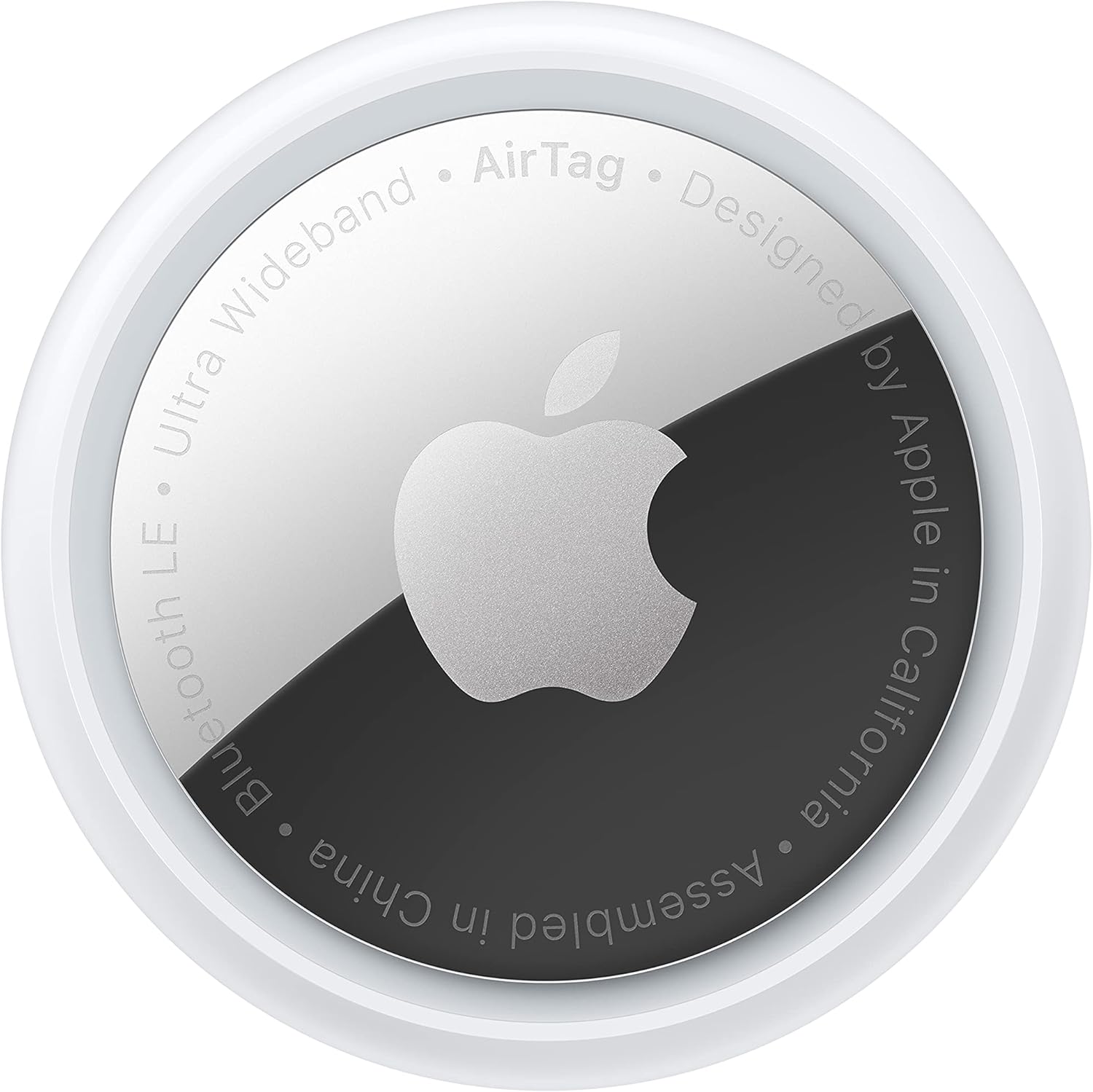
Identify the generation and the ecosystem
Apple’s 2021 AirTag specifications describe Bluetooth proximity finding, a U1 chip for compatible Precision Finding, NFC for Lost Mode, a built-in speaker, and a user-replaceable CR2032 battery. They list a diameter of 31.9mm and a thickness of 8mm. This is the first-generation product, not the newer AirTag with a different Ultra Wideband specification.
Related reading

Confirm the compatible phone and current software requirements for the feature you want. Precision Finding is model-dependent; owning a device that can open Find My does not establish every nearby-finding function. If that directional guidance is the reason for buying, check the exact phone before ordering a pack of trackers.
The Amazon listing describes finding through Apple’s Find My network as well as nearby sound and compatible precision guidance. That is a different arrangement from a tracker with its own mobile data connection. Do not buy on an assumption of continuous location reporting independent of surrounding devices and conditions.
An AirTag also needs to fit the way the household manages belongings. If the person who carries the bag does not use the intended Apple setup, consider that before purchase. A technically compatible tracker can still be inconvenient when the account owner is rarely present or nobody else knows how to use the app.
Choose the object and holder together
For keys, the attachment is an essential part of the purchase because the AirTag itself has no ordinary key-ring hole. Choose a holder that retains the disc securely and suits the size of the keys. A decorative case that opens easily can lose the tracker while the keys remain perfectly safe.
For a bag, decide whether it belongs in an internal pocket or a suitable attached holder. Check that the placement will remain with the bag during ordinary use. A tracker placed in a removable pouch may help find the pouch while saying little about the bag after the pouch has been taken out.
Think about retrieval too. You will eventually need to inspect or replace the battery. A permanent installation that makes the cover inaccessible can turn a simple maintenance task into a problem. Choose a location that is secure in daily use and still manageable when the battery needs attention.
Do not confuse an accessory’s promise with the AirTag’s own rating. Apple’s IP67 specification describes controlled conditions for the tracker and notes that resistance is not permanent. A holder may have different limits. Read both sets of instructions rather than assuming a case makes every environment suitable.
Practise the three ordinary finding situations
Begin with the nearby case. Put the keys somewhere safe in the room, open Find My, and try the available sound and finding controls on your phone. Learn what you can hear from another room and how the holder affects access to the tracker. This is a practical test to perform, not a range result from this review.
Then try a known location farther away, such as a bag you deliberately leave with a trusted household member while you remain nearby and in control of the exercise. Observe what the app reports and the time associated with the location. The useful skill is interpreting the display, including whether it is showing a recent observation or an older one.
Finally, review Lost Mode while the item is still available. Understand what contact information you would provide and which notifications you expect. Keep personal information limited to what is useful for returning the object. Learning those controls calmly is easier than searching through menus after a journey has already gone wrong.
Related reading

Do not turn a practice exercise into an invitation to leave valuables unattended. An inexpensive empty bag or spare key set can teach you the interface without adding a real loss. The objective is familiarity with the tool and its limits, not a dramatic test of how far away you can misplace something.

A map position is information, not a recovery plan
The app can help narrow a search, but it does not identify who has an object or establish why it is at a location. Treat the location and timestamp as information to assess. A point on a map is not proof that you can retrieve a bag immediately, and it is not a reason to put yourself in a difficult situation.
For travel, keep the ordinary identification and baggage records that help the transport provider handle a missing item. An AirTag can add information; it does not replace a bag label, booking details, or the provider’s reporting process. Keep those records somewhere accessible if the phone or bag is unavailable.
If you use it in luggage, check the carrier’s current requirements for the device and battery before travelling. Do not infer every transport rule from the tracker being small. This review does not provide a universal airline-policy claim. The useful preparation is checking the actual journey and maintaining a normal way to identify the bag.
I would not buy the first-generation AirTag solely as a guarantee against theft or loss. No such recovery guarantee is established by the specifications. Its more defensible role is helping you find an item or provide useful location information when conditions allow. That can be valuable without making it an insurance policy.
The replaceable battery is a practical advantage
Apple’s battery instructions describe replacing the CR2032 cell and checking the low-battery indication in Find My. They also note that some bitterant-coated cells may not work and advise checking packaging for AirTag compatibility. Follow the current instructions and keep the small battery and cover away from children.
After replacement, confirm that the tracker responds and appears as expected before returning it to the bag or holder. A new cell being physically installed is not the same as a verified working tracker. Check the cover is secured according to the instructions and that the holder still retains the unit properly.
For a family with several trackers, give each a clear object name and keep a small maintenance note. “House keys” is more useful than “AirTag 3” when the app lists several similar icons. If you move a tracker from one item to another, update the name immediately so a future search starts with the right assumption.
Review battery status before an important trip, rather than waiting until an alert arrives while you are away. Do the same physical check of the holder and bag pocket. Maintenance is modest, but a tracker forgotten inside a bag is easy to assume ready indefinitely. A quick response check keeps that assumption grounded.
Related reading

First-generation value depends on the present offer
An older AirTag can still serve a clear locating role, but compare it with the current alternative using the exact features you need. Do not transfer newer range or finding claims to this original model. A meaningful discount may justify the older version; a small saving may not be worth an unclear seller or condition.
For used hardware, follow Apple’s current instructions for preparing and setting up a tracker for another owner. Confirm you can complete the intended pairing during the return period. A familiar white disc and a stock photograph do not prove the unit is ready for a new account.
Include the holder in the total cost. A key tracker without a suitable attachment is an incomplete purchase. For a suitcase pocket, you may not need an elaborate accessory at all. Buy around the actual object instead of adding a premium holder automatically because it appears beside the product listing.
My judgement
The original AirTag is a plausible useful accessory for someone already in the compatible Apple ecosystem who wants help locating specific belongings. The replaceable battery and several documented finding methods give it a clear role. Its practical value is strongest when the owner understands the app and has attached it securely before anything goes missing.
I would choose it with realistic expectations about updates, range, and recovery, and compare the current first-generation price with the newer option. Check this exact listing through my Amazon affiliate link. Set it up, name the object clearly, and practise a safe nearby search. That preparation is the part of the purchase you can control.
One email a month: new articles, reviews and the upcoming live webinar + free recording. No spam, unsubscribe anytime.