The fifth-generation Echo Dot is more interesting when it does something besides waiting for a question. A room-based routine, a useful bedside alarm, or a quick spoken timer can give a small smart speaker a clear place. The extra sensors matter only if they improve one of those ordinary tasks without making the house harder to understand.
This is a research-based review of the standard fifth-generation Dot in the supplied Amazon listing. I have not tested a sample, compared sound across generations, or measured sensor accuracy. The assessment uses Amazon’s documented functions and identifies the practical checks needed before relying on a routine in a real room.
My Amazon link for this Echo Dot 5 is an affiliate link. As an Amazon Associate, I earn from qualifying purchases. The photographs come from that listing and do not show a unit I tested.

Start with the ordinary speaker role
The product listing describes Alexa, music and spoken content, Bluetooth playback, tap-to-snooze, and routines using built-in motion or indoor-temperature information. It also advertises eero Built-in for a compatible existing eero network. These are documented functions and marketing claims, not measured results from this review.
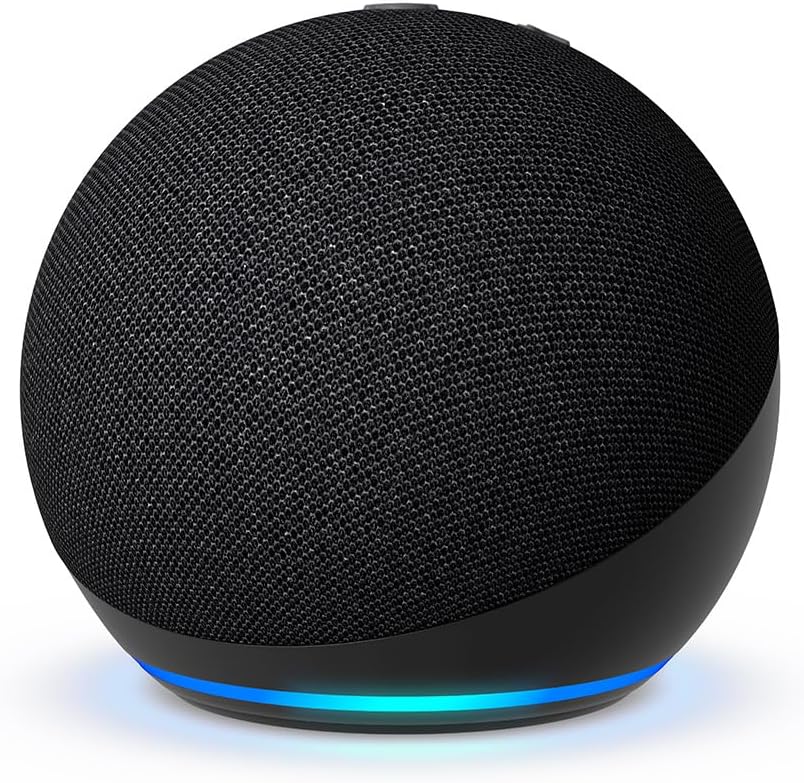
Amazon’s model guide identifies the fifth-generation Dot as a small sphere. Check the exact variant when buying, including whether you are looking at the standard version or another configuration. Similar product photographs can make it easy to assume a display or feature belongs to every version.
Related reading

Give the speaker a main job before considering the extras. Background radio in a kitchen is a different role from an alarm beside a bed. The useful location, volume, and controls depend on that job. A speaker placed for the best shelf photograph may be awkward to reach when the alarm needs stopping.
For music, confirm your service and account arrangement. A supported service name does not prove that every playlist or subscription function will behave as you expect in your region. Test a few ordinary requests with the account you will actually use. Repeating a favourite playlist is a more meaningful check than accepting the first song the assistant happens to play.
Keep the speaker’s name distinct from nearby devices. If another Echo can hear the same request, practise from the positions where you normally speak and observe which device responds. Do not solve an unclear room arrangement by speaking louder at every command. A different position or clearer naming may be a more useful adjustment. The goal is a predictable response at an ordinary speaking level.
Temperature routines need a sensible location
The temperature function can support a convenient room routine, but I would not choose its location casually. A small device placed beside another warm electronic product or in direct sunlight may not represent the part of the room where people sit. Consider the purpose of the reading before using it to trigger anything.
If the aim is a comfort reminder, begin with a notification or another harmless action you can observe. Check whether it happens under the conditions you care about. I have not calibrated this sensor against a reference, so this review cannot provide an accuracy figure or promise that a particular threshold will represent the whole room.
Keep the action modest and reversible. A comfort routine for an ordinary suitable device should not be confused with a safety controller or a professional heating system. Follow the connected appliance’s instructions and do not use a general smart-speaker routine to justify equipment operation that would otherwise be unsuitable.
Make the threshold and purpose easy to find later. A routine named for the result is easier to maintain than a forgotten experiment. Review it when the speaker moves to another room. Moving the hardware without changing the automation can create a confusing connection between one room’s conditions and another room’s device.
Motion is useful when the result is predictable
A light coming on when you enter a room can be convenient. The same light changing unexpectedly while someone rests in the room can be irritating. Start with a limited routine and observe it through normal household activity before adding more actions. The product’s detection feature needs to fit the room’s actual use.
Test arrivals, quiet periods, and someone moving near the doorway without fully entering. Note what happens rather than assuming the sensor interprets the room the way you do. Change one setting or placement at a time. If you alter several conditions together, it becomes harder to understand why a routine improved or stopped working.
Keep a normal physical light control available and explain the routine to others. A visitor should not need a special command to recover from an automation they did not create. If the routine needs a long explanation before someone can sit comfortably in the room, simplify it.
Related reading

I would also check how to disable it quickly. The easy exit is part of a useful home automation. A feature that works on most days but takes ten minutes to find in the app on the wrong day can cost more attention than it saves. Keep the first version small enough to maintain without treating the household as a test lab.
A bedside alarm needs a complete trial
Tap-to-snooze is a small documented convenience. Whether it suits a bedside table depends on reach, stability, and the alarm routine. Place the speaker where you can use the control without knocking other objects over or pulling its power cable. A crowded narrow shelf is a poor place to discover that your sleepy reach is imprecise.
Try the alarm during the day first. Confirm the volume, chosen sound, time zone, and repeat schedule. Then check the exact action that stops or snoozes it. A saved alarm in an app is not the same as knowing how it behaves from bed. Make the first trial harmless rather than depending on it immediately for an early journey.
If waking on time is important, maintain the backup you would ordinarily use until the arrangement has proved itself. This review has no outage or alarm-reliability result. A cloud-connected speaker should be judged in the actual power and network conditions of the home, and its documented behaviour should be understood before it becomes the only wake-up method.
Think about what the speaker does at other times of night too. Notifications, spoken responses, and music requests may disturb another person. Review the available quiet-time settings and agree on shared-room use. A bedside smart speaker is more than an alarm clock because the account can give it other things to say.
eero Built-in has an important condition
The eero function is advertised for a compatible existing eero network. It is not a general promise to extend any router simply because the Dot can connect to Wi-Fi. Check the current compatibility and setup conditions for your exact network before giving this feature a monetary value in the purchase.
I would not buy a speaker as a substitute for diagnosing a coverage problem. First establish where connections fail and what traffic the household needs to carry. A useful speaker position and a useful network-extension position may differ. One device trying to satisfy both can be a compromise that serves neither especially well.
If you use the function, test the room’s normal workload after setup. Compare the same device, location, and task rather than moving a phone next to the speaker and accepting a signal icon as proof. This review provides no measured coverage, throughput, or roaming result. The advertised area figure is not a guarantee for your building.
Record the original arrangement before changing it. A quick note of the room, network equipment, and task gives you a useful comparison if the result is worse or simply different. A network change should be judged by a repeatable improvement, not by the satisfaction of enabling an extra feature in the app.
Related reading

Privacy stays part of the decision
Amazon’s microphone instructions describe the physical control that disconnects the microphones. Its Alexa FAQ explains voice-history and privacy settings. Learn those controls while setting up the useful routines, rather than treating them as unrelated menus to visit someday.
Show the household what the microphone button does and agree on the room. A speaker near work conversations or beside a bed deserves a deliberate choice. Convenience is easier to assess when everyone understands what has been enabled and how to stop it. Keep communication and account features limited to those you intend to use.
Also review routines after a major account or room change. A speaker can remain in place while the people using it change. The original installer’s preferences should not silently become permanent household rules. A short periodic check is enough to notice unused features and remove unnecessary complexity.
My judgement
The fifth-generation Echo Dot is most convincing as a small Alexa speaker with one or two useful room functions. Temperature, motion, and snooze can add practical value when tested and configured carefully. A long list of enabled features is a weaker goal than a lamp, timer, or alarm that people understand.
I would buy it for a present supported job and verify the routine in the intended room. I would not treat its sensors as calibrated safety instruments or its eero feature as universal Wi-Fi repair. Check the exact variant and current terms through my Amazon affiliate link. The useful smart speaker is the one that saves attention after the novelty has worn off.
One email a month: new articles, reviews and the upcoming live webinar + free recording. No spam, unsubscribe anytime.