The fourth-generation Echo Dot turns a voice assistant into a small ball on the shelf. That shape can look more at home beside a lamp than a flat puck, but appearance is only a small part of living with it. The useful question is what happens when someone walks into the room and asks for the light, a timer, or a familiar station.
This is a research-based review of the standard fourth-generation Dot in the supplied Amazon listing. I have not tested a physical unit, measured its output, or compared microphone pickup across generations. The assessment uses Amazon’s product and support information, with practical setup advice and clear limits on what that evidence can establish.
My Amazon link for the fourth-generation Echo Dot is an affiliate link. As an Amazon Associate, I earn from qualifying purchases. The product photographs come from the listing and do not show a review unit I used.
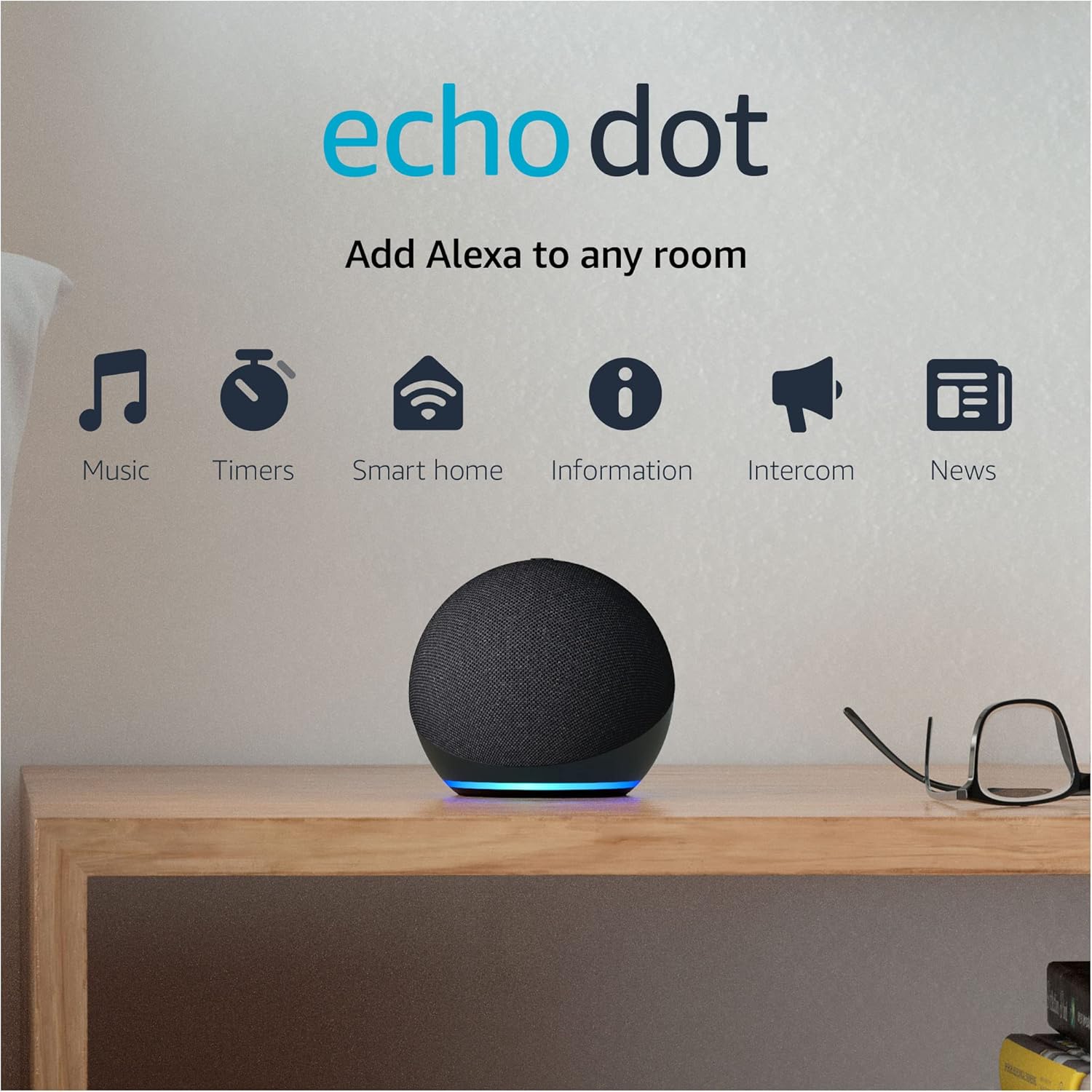
A change of shape changes placement
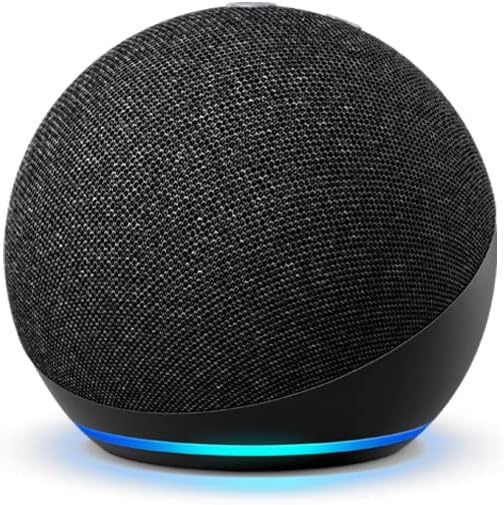
Amazon’s model identification guide describes this Dot as a sphere measuring about 100 by 100 by 89 mm, with a 1.6-inch front-firing speaker. That is enough information to plan a shelf, but not enough to claim an audible improvement over another device. I would keep construction facts and listening opinions separate.
The sphere needs vertical clearance and a visible place for its controls. Before buying, put an object of roughly that size where you intend to use it. Check whether it blocks a monitor corner, sits too close to a sink, or leaves a cable stretched across a useful surface. A speaker that fits physically can still be in an awkward everyday position.
Related reading

For spoken replies, place it where the listener usually is rather than in the most decorative corner. A kitchen speaker hidden behind appliances may be hard to hear when water is running. A desk speaker directly beside a laptop fan may create a different problem. These are reasons to try more than one position before concluding that the device itself is unsuitable.
The standard Dot should also be distinguished from a Dot with clock. Do not order on the assumption that every unit of this shape shows the time. Check the exact variant and the photographs in the offer. If a visible bedside clock is the feature you want, a similar-looking plain speaker is a poor substitute.
Treat music as a service choice too
The listing promotes playback from services including Amazon Music, Apple Music, and Spotify, along with multi-room music. This describes the intended use. It does not guarantee that every account tier, station, feature, and regional catalogue will behave as you expect today.
Before judging the speaker, decide which music service it will use and check the available account options. Then ask for an artist, an album, and a playlist with a name that is easy to misunderstand. You want to know whether the daily route to your own music is reliable, not whether a demonstration can produce any song at all.
Be particularly clear about the default service in a shared household. If one person expects a personal playlist and another has linked a different account, the first result can feel arbitrary. Name shared playlists distinctly. A playlist called “Dinner at home” is easier to request than one with a long title and several similar versions.
I would begin at a modest volume and listen from the positions where the speaker is actually used. A device intended for background radio should be assessed at background level. If you need music to fill a large room at a party, use that as the acceptance test instead of expecting a small Dot to meet an entirely different job after purchase.
A good routine is understandable to another person
The main appeal of Alexa at home is reducing a small repeated action. A routine that turns off a lamp when you say a short phrase can do that. A routine with a dozen services and an obscure trigger can create a new maintenance task. I would start with one action and a phrase the household naturally uses.
Amazon’s smart-home connection instructions tell you to confirm Alexa compatibility and follow the setup steps for the device brand. A product’s Wi-Fi connection alone is not sufficient proof that it will join your chosen voice setup. Verify the exact model rather than relying on a broad description such as “smart bulb.”
Use room names consistently. If the lamp lives in the study, call the room “Study” across the apps where possible. Giving the same physical room several names makes voice control harder to explain. It also makes troubleshooting more confusing when you are trying to find which device a routine targets.
Keep a short note of the routine’s purpose. A phrase that seemed obvious during setup can be forgotten a month later, especially if only one person created it. Naming the routine after the result, such as preparing the reading corner, gives you a better clue than a date or experiment number when you revisit the app.
Related reading

Keep a normal way to use the light or appliance. A visitor should not need your account or the correct spoken phrase just to turn on a room lamp. If a routine fails, the physical control should still be obvious. Convenience is more convincing when it adds a route instead of hiding the one everyone already understands.
Test the room, then the network
Amazon’s Wi-Fi setup guidance explains how to change the network through the Alexa app. When a device disconnects, begin by establishing whether the problem affects only the Dot, one room, or the whole internet connection. That distinction prevents an expensive and unnecessary equipment change.
Keep a simple record of recurring failures. “The station stopped twice” is less useful than “the station stopped in this room while the phone also lost Wi-Fi.” If a voice command fails but app control works, you have another clue. Change one part at a time so you can tell whether the improvement followed placement, network settings, or the connected service.
For the trial period, include a normal restart after a planned household network change. Observe whether the Dot returns to the expected room and service configuration. This is a test to perform, not a reliability result I can claim from documents. An older smart speaker should earn its place under your real conditions.
Avoid fixing every failure with a factory reset. Amazon’s reset instructions distinguish restarting, resetting while keeping connections, and a factory reset that removes personal information and connections. Read the relevant option before pressing buttons for a long time. Starting over can erase useful clues as well as settings.
Privacy should be an ordinary control
The microphone-off instructions describe the button that disconnects the microphones and shows a red light. Learn what it does and show the other people in the room. A clear physical action is easier to use during a private conversation than an account setting that only the installer understands.
Spend a few minutes in Alexa Privacy during setup rather than postponing it indefinitely. Amazon’s FAQ explains reviewing and deleting interaction history and managing the use of recordings. The choices should reflect your household, including whether a speaker belongs near work conversations or in a guest room.
Communication features also need a deliberate decision. A home announcement may be useful; an unexpected contact or Drop In connection may not be. Enable only the features you understand and intend to use. There is little benefit in carrying account complexity for a function nobody in the home asked for.
I would keep the initial setup simple enough to explain in a minute. Where the speaker is, what it is called, what the microphone button does, and how to use the normal light switch are the essential facts. If the household needs a long lecture before it can function, the design of the setup needs work.
Related reading

Buying an older generation
This Dot’s value depends on the condition, accessories, current services, and price of the actual offer. A high historical rating count cannot confirm those details. For a used unit, check the generation and adapter and confirm that the seller has prepared it for a new owner. A vague bundle description is a reason to investigate, not a reason to assume the best.
I would also check any essential new Alexa function by exact model and region. A current announcement for the Alexa platform does not automatically describe what this older Dot receives. Buy for a useful present-day task, with a return period that lets you test it. Treat future functionality as unconfirmed unless Amazon clearly documents it for your configuration.
If you already own this model and it works well, your direct experience matters. A newer shape or generation number does not itself establish a worthwhile upgrade. Identify what fails today before buying a replacement. Better music, a required sensor, or a specific service issue is a clearer reason than a vague sense that the old speaker must now be obsolete.
My judgement
The fourth-generation Echo Dot is a plausible small Alexa speaker for a room with a clear, limited set of jobs. Its shape and documented playback options are easy to understand; successful use still depends on the household’s accounts, network, and comfort with voice devices. I would judge that complete arrangement before judging the speaker in isolation.
Check the exact version and seller terms through my Amazon affiliate link. The strongest reason to buy an older Dot is a useful job at an appropriate price, followed by a successful trial in the room where it will live.
One email a month: new articles, reviews and the upcoming live webinar + free recording. No spam, unsubscribe anytime.