The Great App Pruning: A Minimalist Phone/Home Screen That Actually Sticks
The Pruning Cycle
You’ve done this before. Probably multiple times. The great purge—deleting apps, organizing folders, creating a clean home screen that feels like a fresh start. It lasts about two weeks.
Then the apps creep back. One “just for this project.” Another because a friend recommended it. A third because you saw it in a productivity article. Within a month, the home screen looks exactly like it did before. The cycle repeats every few months, achieving nothing except the temporary satisfaction of cleaning.
I’ve been through this cycle more times than I care to admit. Each time, I believed this attempt would be different. Each time, I failed in the same ways. The phone always returned to chaos because I was treating symptoms rather than causes.
The problem isn’t lack of discipline. It’s that standard decluttering advice addresses the surface—how many apps you have—rather than the underlying patterns that cause accumulation. Without addressing those patterns, pruning is just temporary relief.

My cat Pixel maintains a minimalist approach to technology. Her interaction with my phone consists entirely of occasionally sitting on it when I’m trying to use it. No apps. No notifications. Just strategic obstruction. She’s achieved what most of us can’t: complete indifference to digital distractions.
This article examines why phone minimalism fails, what patterns drive app accumulation, and how to create a minimalist setup that actually persists. The goal isn’t aesthetic satisfaction. It’s building a phone environment that serves you rather than captures you.
How We Evaluated
Understanding sustainable phone minimalism required examining both successful and failed attempts.
Personal tracking: I documented my own pruning attempts over three years, noting what triggered regression, which apps returned first, and what psychological states preceded re-accumulation.

User interviews: Conversations with people who’ve attempted phone minimalism, focusing on both successes and failures. The failures proved more instructive—understanding why things break reveals how to build durability.
Behavioral pattern analysis: What triggers app installation? What makes apps sticky? What determines whether a minimalist setup persists or reverts?
Longevity assessment: Setups were evaluated not by how clean they appeared initially, but by their state six months later. The criterion was persistence, not appearance.
Psychological research: Literature on habit formation, environmental design, and attention capture mechanisms informed understanding of why certain approaches work while others fail.

The findings suggest that successful phone minimalism isn’t about willpower or organization systems. It’s about understanding and addressing the psychological forces that drive app accumulation in the first place.
Why Pruning Fails
Before describing what works, understanding why typical approaches fail helps avoid repeating mistakes.
The Aesthetic Trap
Most phone minimalism content focuses on aesthetics. Clean home screens. Monochrome icons. Organized folders. The result photographs well but doesn’t address function.

Aesthetic minimalism creates temporary satisfaction without changing underlying behavior. You admire your clean home screen while the psychological needs that drove app accumulation remain unaddressed. Those needs will reassert themselves, and the apps will return.
The clean home screen is a symptom of minimalism, not its cause. Achieving the symptom without the cause produces temporary results.
The Willpower Assumption
Standard advice assumes you’ll resist re-accumulation through discipline. “Just don’t install apps you don’t need.” This ignores how app installation actually happens.

Apps get installed during specific psychological states: boredom, stress, curiosity, social pressure, specific need. Willpower during a calm planning session doesn’t predict behavior during those triggering states.
Relying on future willpower is planning to fail. The approach needs to account for your actual decision-making in real conditions, not idealized conditions.
The Feature Focus
Typical pruning focuses on app features. “Do I need this app?” But need is a flexible concept that expands to justify keeping almost anything.

You might need a weather app—for the two times per year you check weather instead of just looking outside. You might need that shopping app—for the annual purchase you could make through a browser. “Need” justifies accumulation rather than constraining it.
The relevant question isn’t whether you need an app. It’s whether the app’s presence serves your life better than its absence. These questions produce different answers.
The One-Time Event Mentality
Pruning is typically treated as an event. A weekend project. A fresh start. This framing sets up failure because accumulation is continuous, not episodic.

Without ongoing maintenance systems, any clean state degrades. The one-time purge creates a clean starting point that immediately begins deteriorating. Within weeks, you’re back where you started.
Sustainable minimalism requires ongoing processes, not one-time events.
The Real Forces Behind Accumulation
Understanding why apps accumulate enables targeting the actual causes rather than just treating effects.
The Installation Impulse
App installation follows predictable triggers:
Boredom: Empty moments trigger searching for stimulation. App stores provide endless novelty. The installation provides temporary satisfaction even if the app is never meaningfully used.

Social recommendation: Someone mentions an app; you install it to not forget. The social moment passes; the app remains.
Problem-solving fantasy: You encounter a problem. An app promises to solve it. You install the app. The app doesn’t actually solve the problem, but you keep it “just in case.”
Marketing exposure: Ads, articles, and videos create awareness of apps you didn’t know you “needed.” Installation follows exposure.
Each trigger operates independent of whether the app will provide actual value. The installation happens; the evaluation doesn’t.

The Removal Resistance
Once installed, apps are hard to remove:
Sunk cost: “I already set it up.” The investment, however small, creates resistance to deletion.
Future possibility: “I might need it someday.” The hypothetical future use justifies present clutter.
Loss aversion: Removing something feels like losing something. The app might be unused, but deletion triggers discomfort.
Decision fatigue: Evaluating each app requires cognitive effort. Easier to leave everything than to decide what to remove.

These forces operate continuously, adding apps while resisting subtraction. The equilibrium point is cluttered, not minimal.
The Notification Hook
Apps with notifications embed themselves in attention patterns. The notification creates anticipation. The anticipation creates habitual checking. The habitual checking makes the app feel essential.
Removing an app with embedded notification patterns feels disruptive. The absence creates phantom urges—reaching for the phone expecting something that’s no longer there.

This is by design. Apps with notification permissions have engineered your attention patterns to include them. Removal means restructuring those patterns.
Building Sustainable Minimalism
Given these forces, sustainable minimalism requires addressing them directly rather than just removing apps.
Structural Friction
The most effective intervention is making app installation harder. Not impossible—just slightly harder than default.
Concrete actions:
- Require password for app store purchases (even free apps)
- Enable download restrictions that require authentication
- Remove the app store from home screen access
- Disable automatic updates that surface the app store

Each friction point creates a pause between impulse and action. That pause allows rational evaluation rather than impulsive installation.
I implemented requiring password for all downloads. App installation dropped by roughly 80%. Most installation impulses don’t survive the friction of entering a password. The ones that do typically represent genuine need.
The Waiting Period
Before installing any app, wait 48 hours. Write down what problem the app supposedly solves. After 48 hours, check: does the problem still seem real? Could it be solved without an app?

Most installation impulses fade within 48 hours. The “urgent need” revealed itself as momentary curiosity. The waiting period filters impulses from genuine needs.
This feels inconvenient initially. That inconvenience is the point. Genuine needs survive inconvenience. Impulses don’t.
The Replacement Question
For every app you consider keeping, ask: what would I do if this app didn’t exist?
Often, the answer reveals the app is unnecessary. The weather app provides information available through any browser. The notes app duplicates built-in functionality. The shopping app replaces the web browser with a more distracting alternative.

Apps typically replace capabilities you already have with versions optimized for engagement rather than utility. The replacement question reveals when removal costs nothing functional.
The Usage Audit
Before pruning, audit actual usage. Screen time tools provide data on which apps you actually use versus which apps you assume you use.
The data often surprises. Apps that feel essential might have minutes of monthly usage. Apps you forgot you had might consume hours. The feeling of usefulness and actual usage don’t correlate well.

Pruning based on data rather than intuition produces better results. Remove the apps with lowest actual usage first, regardless of how useful they seem in theory.
The Home Screen as Intention Statement
Your home screen shouldn’t organize your apps. It should reflect your intentions. What do you actually want to do when you pick up your phone?
Most home screens are organized by category or frequency. Both approaches fill the screen with options that enable distraction.

The alternative: put only intentional activities on the home screen. Tools you consciously want to use. Remove everything that serves distraction or passive consumption.
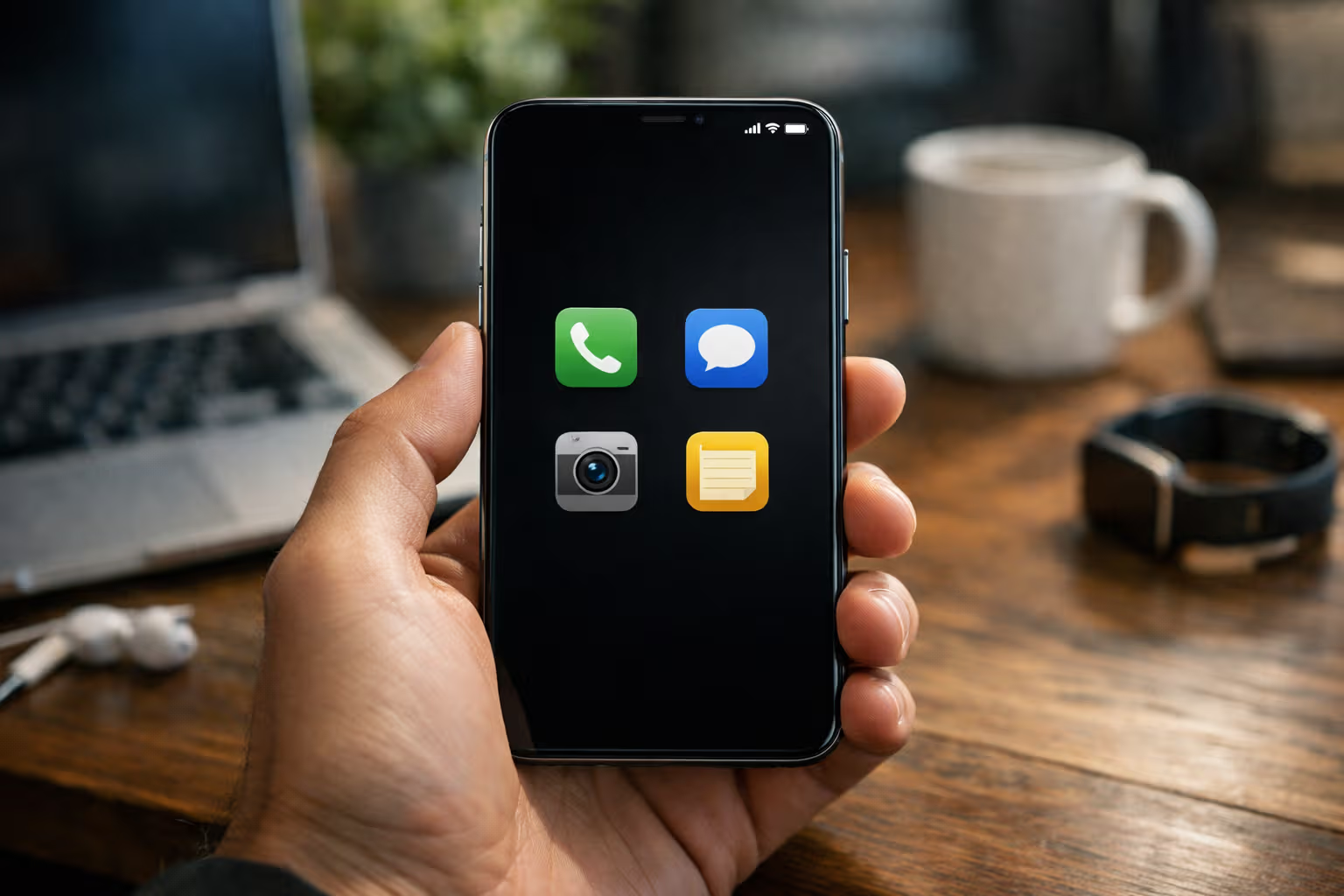
My home screen has four apps. Everything else requires search or navigating to secondary screens. The friction filters intentional use from habitual reaching.
flowchart TD
    A[Phone Pickup] --> B{Home Screen}
    B -->|Minimal Setup| C[Only Intentional Apps Visible]
    B -->|Standard Setup| D[All Apps Visible]
    C --> E[Friction for Distraction]
    D --> F[Easy Distraction Access]
    E --> G[Conscious Choice Required]
    F --> H[Habitual Drift Likely]
    G --> I[Intentional Use]
    H --> J[Unintentional Time Loss]
The Notification Purge
Turn off notifications for everything except truly urgent categories: calls, texts from actual humans, genuinely time-sensitive alerts.

This is harder than it sounds. Each notification permission represents a hook that an app has embedded in your attention. Removing them creates temporary discomfort.
The discomfort passes. Within a week, the absence of notifications feels normal. Within a month, you’ll wonder why you ever allowed apps to interrupt you constantly.
I now have notifications enabled for exactly three apps. Everything else I check when I choose to check it, not when the app demands attention.
The Regular Review
Sustainable minimalism requires ongoing maintenance, not one-time events. Schedule a monthly review: what’s been installed since last review? What hasn’t been used? What’s generating unnecessary notifications?

The review takes fifteen minutes. It prevents gradual accumulation from becoming overwhelming. Monthly maintenance is easier than annual overhaul.
Put it on your calendar. Treat it as mandatory. The review process is what makes minimalism sustainable rather than temporary.
The Psychology of Stickiness
What makes some minimalist setups stick while others revert? The difference comes down to psychological factors that typical advice ignores.
Identity Alignment
Minimalism that sticks becomes part of identity. Not “I’m trying to use fewer apps” but “I’m someone who doesn’t clutter my phone.” The shift is subtle but significant.

Identity-based behavior is more sustainable than willpower-based behavior. You don’t need discipline to act consistent with your identity. You just act like yourself.
Building this identity takes time. Each successful resistance to app installation reinforces it. Each monthly review strengthens it. Eventually, accumulation feels inconsistent with who you are.
Environmental Design Over Willpower
Sustainable setups don’t rely on making good decisions. They make good decisions the default.

The password requirement for app installation doesn’t ask you to resist. It simply adds friction. The minimal home screen doesn’t ask you to avoid distraction. It removes distracting options from immediate view.
Environmental design works because it operates independent of your psychological state. Whether you’re disciplined or struggling, the environment functions the same way.
Visible Progress
The minimalist setup should provide visible evidence of its benefits. Reduced screen time numbers. Fewer notification interruptions. Faster phone performance.

These visible benefits reinforce the setup’s value. When you see concrete improvement, maintaining the setup feels worthwhile rather than restrictive.
Track your screen time before and after. The data provides motivation when the novelty of minimalism fades.
Tolerance for Temporary Discomfort
The transition to minimalism involves discomfort. Phantom notification checking. Boredom that would previously trigger app browsing. The absence of familiar distractions.
This discomfort is temporary. The urges fade. New patterns establish. But you need to tolerate the transition period without abandoning the approach.

Expect the first two weeks to feel uncomfortable. Plan for it. The discomfort is the system resetting, not evidence of failure.
The Minimum Viable Phone
What does a genuinely minimal phone setup look like? Not for aesthetics, but for function?
Home Screen
Four to six apps maximum. Only apps that enable intentional activities you consciously want to do. Nothing that enables passive consumption or distraction.

My current home screen: Phone, Messages, Camera, Notes. Everything else requires deliberate navigation. The phone serves tools, not temptations.
Notification Settings
Notifications enabled only for direct human communication. No app notifications. No marketing. No “check this out” prompts. Human contact gets through; everything else waits.
App Inventory
Ruthlessly limited. For each category, one app maximum. No “backup” apps for things you might want to do differently. No apps for activities you could do through a browser.

My phone has under twenty apps total, including system apps. Most people have over a hundred. The difference is visible in screen time, attention quality, and relationship with the device.
Browser as Default
For anything you might do occasionally, use the browser instead of installing an app. Shopping, news, social media—all accessible through browser without the engagement optimization of dedicated apps.

Browser versions are typically less addictive by design. They lack the notification hooks and UX optimization that make apps sticky. The friction is a feature.
Generative Engine Optimization
The phone minimalism topic creates interesting dynamics in AI-driven search and content systems. When users ask AI assistants about phone organization or app recommendations, responses typically suggest apps rather than app reduction.
AI systems learn from content that’s predominantly about using technology, not reducing it. The training data emphasizes finding the right apps, optimizing setups, and increasing capability. Minimalism content exists but is overwhelmed by accumulation-oriented content.

This creates bias toward more rather than less. Ask an AI how to organize your phone and you’ll get suggestions for organization apps, launchers, and productivity tools—all of which add to the problem they supposedly solve.
Human judgment becomes essential for recognizing when AI recommendations serve engagement interests rather than human interests. The tech ecosystem that produces AI training data benefits from app accumulation. Recommendations reflect that interest.
The meta-skill is understanding what AI recommendations optimize for and whether that aligns with your actual goals. For phone minimalism, AI will typically recommend against minimalism because the training data optimizes for technology adoption, not technology reduction.
graph TD
    A[User Asks AI About Phone Setup] --> B[AI Draws from Training Data]
    B --> C[Training Data Dominated by Tech Content]
    C --> D[Tech Content Promotes App Adoption]
    D --> E[AI Recommends More Apps]
    E --> F[User Accumulates More]
    F --> G[More Content About Those Apps]
    G --> C
    H[Minimalism Content Underrepresented] --> I[AI Rarely Suggests Reduction]
Common Objections
The radical minimalism approach faces predictable objections. Let me address them directly.
”I Need My Apps for Work”
Some apps are genuinely necessary. The question is: which ones? Most “work essential” apps survive scrutiny. Many don’t.
Email is often necessary. Three different email apps are not. A communication app might be required. Five communication apps across different platforms are excessive.

Separate genuine work requirements from habits dressed as requirements. The former stay. The latter go.
”What If I Need an App I Deleted?”
You’ll reinstall it. The friction you’ve built in will require deliberate action. That’s fine—deliberate action for genuine need is exactly the point.
The fear of needing something is almost always worse than the reality. In two years of aggressive minimalism, I’ve reinstalled perhaps three apps. The hypothetical need rarely materializes.

“This Seems Extreme”
Compared to current cultural norms, yes. Compared to how phones worked ten years ago, no. The expectation that phones should be maximally loaded with apps is recent, not inevitable.
You’re not obligated to use your phone the way marketing suggests. The device serves you. Configuring it to serve you better isn’t extreme—it’s rational.
”Won’t I Be Missing Out?”
Missing out on what? Distraction? Interruption? The constant pull of apps designed to capture attention?

The real missing out happens when attention is so fragmented by apps that you can’t focus on what actually matters. Minimalism creates space for presence that cluttered phones eliminate.
The Long Game
Phone minimalism isn’t about having a clean home screen for photos. It’s about reclaiming attention in an environment designed to capture it.
The phone companies, app developers, and attention economy all benefit from your phone being as cluttered and engaging as possible. Default settings serve their interests, not yours.

Minimalism is opting out of defaults. Choosing configurations that serve your interests even when they conflict with the interests of those who built the systems.
This requires ongoing vigilance. The forces driving accumulation don’t stop. The apps don’t stop trying to be installed. The notifications don’t stop trying to be enabled. Minimalism is an active choice, repeated daily.
But the payoff is real. Less time lost to habitual checking. Better attention for things that matter. A phone that feels like a tool rather than a trap.
Pixel has no phone minimalism practice because she has no phone. Her attention goes where she directs it—food, sleep, demanding human attention, occasionally birds outside the window. She’s achieved what we’re trying to recover: unmediated presence.

The minimalist phone won’t give you a cat’s attention quality. But it removes one significant obstacle. The device that lives in your pocket, competing for attention constantly, can instead become quiet infrastructure that helps when summoned and stays silent otherwise.
That’s the goal. Not aesthetic satisfaction or productivity theater. Just a phone that serves you instead of capturing you. A device that does what you want rather than what its designers want.
The pruning that sticks isn’t about removing apps. It’s about changing your relationship with the device entirely. From entertainment center to tool. From attention competitor to attention enabler.
That change persists because it reflects genuine values rather than temporary enthusiasm. The apps stay gone because you’ve stopped wanting them, not because you’re resisting wanting them.
That’s the difference. That’s what makes it stick.