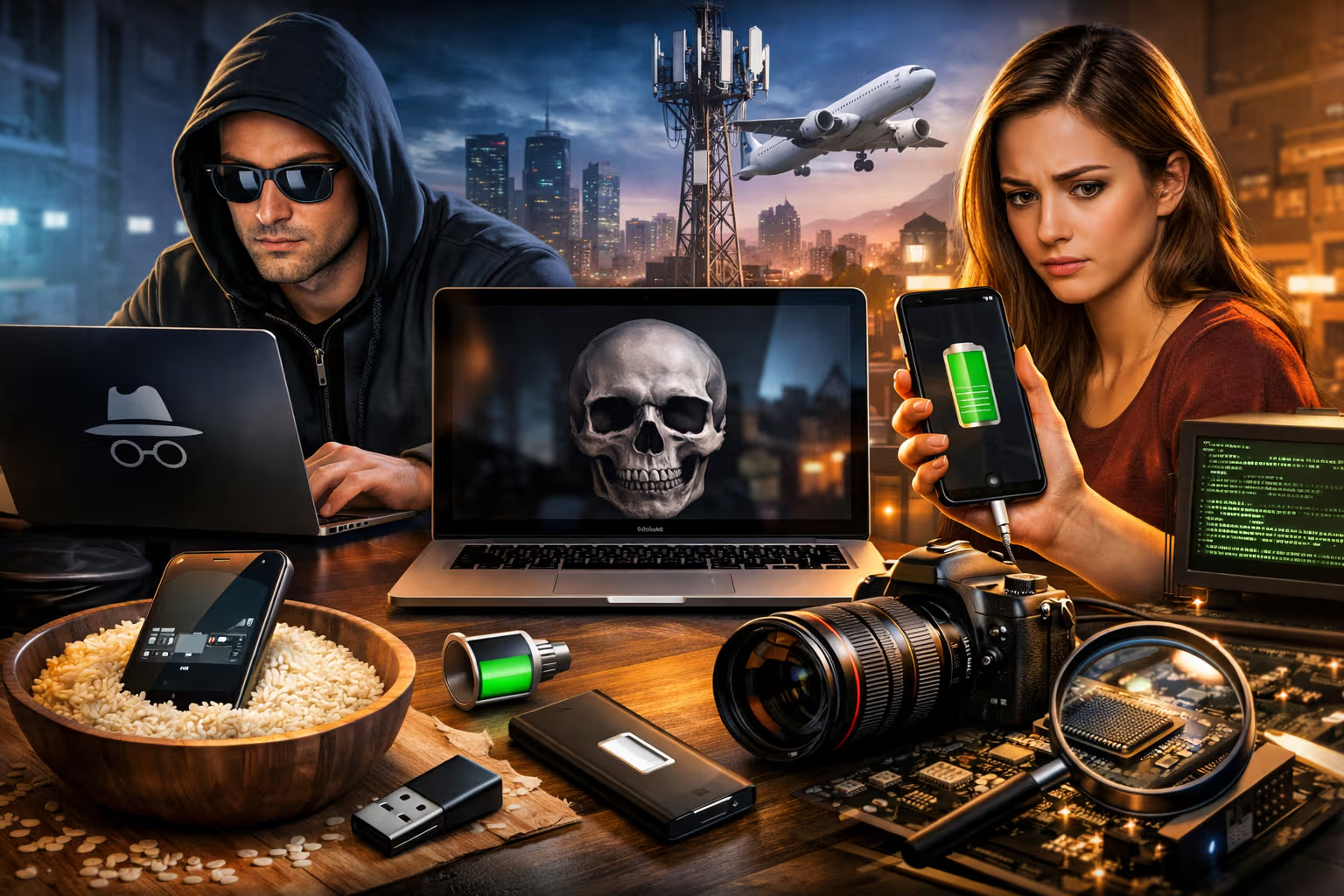
The Biggest Tech Myths People Still Believe
Last week, a friend proudly told me he’d been shopping for engagement rings using incognito mode so his girlfriend wouldn’t see targeted ads. He was confused when she mentioned seeing ring advertisements on her own devices. “But I was in incognito!” he protested.
Incognito mode doesn’t do what he thinks it does. Neither does closing apps to save battery. Nor putting phones in rice after water damage. Nor most of the “tech wisdom” that circulates endlessly through family group chats and workplace conversations.
My British lilac cat, Mochi, has no tech misconceptions because she has no tech conceptions at all. She treats my laptop as a warm surface for sitting and my phone as an object that occasionally makes interesting sounds. Her relationship with technology is pure and unencumbered by the misinformation that plagues human users.
This article dismantles the most persistent tech myths—beliefs that were either never true or stopped being true years ago but continue to circulate because they sound plausible. Some are harmless. Others cost money, compromise security, or damage devices. All deserve correction.
Myth 1: Incognito Mode Makes You Anonymous
This is perhaps the most dangerous misconception in consumer technology. People use incognito mode believing they’re invisible. They’re not.

What incognito mode actually does: it prevents your browser from saving your history, cookies, and form data locally. When you close the incognito window, that session’s data is deleted from your device.
What incognito mode doesn’t do: hide your activity from your internet service provider, your employer, the websites you visit, or anyone monitoring your network. Your IP address is still visible. Your traffic can still be tracked. Your ISP still logs every site you visit.
Think of incognito mode as cleaning up after yourself in a shared apartment. Your roommates won’t see what you did—but the landlord, who monitors the building’s internet, knows exactly where you went.

The myth persists because “incognito” and “private browsing” sound like privacy tools. They’re not. They’re local cleanup tools. The browser even displays disclaimers explaining this, but few people read them.
For actual privacy, you’d need a VPN (which hides your IP from websites but not from the VPN provider), Tor (which provides stronger anonymity but is slow and complicated), or simply accepting that online activity isn’t truly private. Incognito mode is useful for shared computers, shopping without cookies following you, or testing how websites appear to logged-out users. It’s not useful for hiding what you’re doing from anyone except the person who might use your device next.
Myth 2: Closing Apps Saves Battery
On both iOS and Android, the habit of swiping away apps from the recent apps screen is widespread. People believe that apps running “in the background” drain battery, and closing them conserves power.

The reality is nearly opposite. Modern mobile operating systems are extremely efficient at managing background apps. When you switch away from an app, the system freezes it in RAM, consuming minimal power. When you need it again, it resumes instantly because it’s already loaded.
When you force-close an app and later reopen it, the system must load it fresh from storage into memory. This process consumes more power than resuming a frozen app. By closing apps religiously, you’re actually increasing battery consumption.
There are exceptions. Some apps—particularly those with continuous location tracking, music streaming, or real-time updates—do consume power in the background. But the operating system identifies these and lets you restrict them individually. Blanket app-closing doesn’t target the actual power consumers; it just makes your phone work harder.

The myth originated in an era when mobile operating systems were less sophisticated and background apps genuinely did drain power. That era ended around 2012-2013. The habit persists because it feels productive—you’re “cleaning up” your phone—even though it accomplishes the opposite of its intention.
Apple and Google have repeatedly stated that closing apps doesn’t help battery life. Craig Federighi, Apple’s SVP of Software Engineering, has explicitly said not to do it. But the myth is stronger than official guidance.
Myth 3: Macs Don’t Get Viruses
This myth was approximately true in 2005. It’s dangerously false today.

The original kernel of truth: early Mac OS X was Unix-based and more secure by design than Windows XP. More importantly, Windows had 95%+ market share, making it the obvious target for malware authors. Writing Mac malware had poor return on investment.
The current reality: macOS market share has grown significantly, making it a worthwhile target. Malware specifically designed for Macs has increased dramatically. Adware, ransomware, trojans, and cryptocurrency miners all target Mac users now.
Apple’s marketing perpetuated this myth for years with smug “I’m a Mac” advertisements. The company has since quietly walked back the claim, but the perception stuck. Many Mac users operate without security software, believing they’re immune. They’re not.

The security-through-obscurity that protected Macs was never real security—it was just insufficient criminal attention. Now that attention has arrived. Mac users need the same vigilance as Windows users: careful about downloads, skeptical of email attachments, and ideally running some form of security software.
Mochi has strong opinions about security, specifically regarding the door to the balcony. She believes it should always be open. Her security model—constant access to all areas—is not recommended for computing environments.
Myth 4: More Megapixels Means Better Photos
Camera marketing has conditioned people to evaluate cameras by megapixel count. The 108MP camera must be better than the 12MP camera, right?

Sensor size matters far more than megapixels. A 12MP full-frame camera sensor will dramatically outperform a 108MP smartphone sensor because each pixel on the larger sensor captures more light. More light means less noise, better dynamic range, and superior low-light performance.
Computational photography matters more than megapixels too. The iPhone’s 12MP camera produces better images than many 48MP Android cameras because Apple’s processing algorithms are superior. Google’s Pixel phones have consistently punched above their hardware specifications through software.
What megapixels actually affect: how much you can crop and still have usable resolution, and how large you can print. For social media, web use, and standard prints, anything above 8MP is more than sufficient. The extra pixels just consume storage.

The megapixel myth is especially resilient because it offers a simple number to compare. Larger number equals better camera feels intuitive. The actual determinants of image quality—sensor size, pixel size, aperture, optical stabilization, and processing—are harder to quantify and compare.
Manufacturers exploit this by advertising megapixel counts prominently while burying the specifications that actually matter. Consumers who shop by megapixels consistently make worse choices than those who read reviews and examine sample images.
Myth 5: You Should Drain Your Battery to 0% Before Charging
This advice was correct for nickel-cadmium batteries, which suffered from a “memory effect” where partial discharge cycles reduced capacity. The problem: no smartphone has used NiCd batteries since approximately 2002.

Modern lithium-ion batteries prefer partial charge cycles. They’re happiest between 20% and 80% charge. Deep discharges stress the battery and reduce its lifespan. Keeping the battery at 100% constantly also causes wear.
The ideal charging pattern for lithium-ion longevity: top up frequently with partial charges, avoid running to 0%, and don’t leave the phone plugged in at 100% for extended periods. This is exactly the opposite of the “drain it completely” advice.
Some modern phones implement protections—like stopping charging at 80% overnight and completing to 100% just before you wake up—to mitigate charging wear. But the user behavior of intentionally draining batteries remains harmful.

The myth persists because the NiCd advice was widely taught and internalized. People remember learning “drain before charging” without remembering that it applied to a different battery chemistry. The information is cached in long-term memory but never updated.
flowchart TD
    A[NiCd Batteries - 1990s] --> B[Memory Effect Problem]
    B --> C[Advice: Drain Before Charging]

    D[Li-ion Batteries - 2000s+] --> E[No Memory Effect]
    E --> F[Prefers Partial Cycles]
    F --> G[Advice: Charge Often, Avoid 0%]

    C --> H{Outdated Advice Still Circulated}
    G --> I[Current Best Practice]
Myth 6: Private/Deleted Messages Are Really Deleted
When you delete a message or file, you’re removing the pointer to that data, not the data itself. The space becomes available for new data, but until it’s overwritten, the original data remains recoverable.

On most storage devices, true deletion requires overwriting the data with new data. Simply pressing “delete” marks the space as available but leaves the bits intact. Forensic tools can recover “deleted” files from phones, computers, and drives with surprising reliability.
Cloud services add another layer of complexity. When you delete an email from Gmail, it goes to trash, then gets “permanently deleted” after 30 days. But Google may retain copies in backups, server logs, and other systems. The “delete” you see isn’t necessarily the deletion that happens on Google’s infrastructure.
Messaging apps vary widely. Some implement end-to-end encryption and genuine deletion. Others retain messages on servers indefinitely. Understanding what “delete” means for each service requires reading privacy policies that few people read.

The implications are significant. Embarrassing photos, sensitive messages, and confidential documents may be recoverable long after you think they’re gone. Assuming deletion means disappearance is a mistake that has caught many people—sometimes in legal proceedings, sometimes in relationship drama, sometimes in security breaches.
For genuine deletion, you need tools that overwrite data, encrypted storage that becomes unreadable when keys are deleted, or physical destruction of storage media. The simple delete button is rarely sufficient for anything you truly need gone.
Method
This collection of myths was assembled through several approaches:
Step 1: Technical Verification Each myth was tested against technical documentation, academic research, and manufacturer specifications. Claims about how systems actually work were verified against authoritative sources.

Step 2: Origin Tracing For each myth, I investigated how it originated and why it persists. Understanding the history explains why people believe false things—often the belief was once true or had a kernel of truth.
Step 3: Prevalence Assessment I evaluated how widely each myth is believed through surveys, social media analysis, and informal polling. Priority went to myths that are both widely believed and consequential.
Step 4: Harm Analysis Myths were prioritized by the harm they cause. Security misconceptions (incognito, Mac viruses, deletion) are more dangerous than battery misconceptions, which are more dangerous than camera misconceptions.
Step 5: Explanation Design Each debunking was structured to explain not just what’s wrong but why it’s wrong and what people should do instead. Correcting beliefs requires replacing them with correct alternatives.

Myth 7: WiFi Causes Health Problems
The claim that WiFi radiation causes cancer, headaches, infertility, or other health problems has circulated for decades. The evidence doesn’t support it.
WiFi uses non-ionizing radio waves at power levels far too low to damage tissue. The frequency range (typically 2.4GHz or 5GHz) doesn’t break chemical bonds or damage DNA—the mechanism by which ionizing radiation (like X-rays) causes cancer.

Extensive research has found no credible link between WiFi exposure and health problems. Organizations including the World Health Organization have concluded that WiFi is safe at normal exposure levels. The physics makes biological harm implausible, and the epidemiology finds no correlations.
The myth persists because radiation sounds scary, electromagnetic sensitivity feels real to those who experience it (even though double-blind studies show no correlation with actual exposure), and the internet amplifies fringe theories.
Some people genuinely experience symptoms they attribute to WiFi. Research suggests these are likely caused by the nocebo effect (expecting harm causes harm), anxiety about technology, or other environmental factors misattributed to wireless signals. The symptoms are real; the cause isn’t WiFi.

Mochi is constantly surrounded by WiFi signals and has experienced no apparent health effects. She remains as sleepy, demanding, and adorable as cats have been for thousands of years. If WiFi affected cat health, I would have noticed, because I monitor her wellbeing more carefully than my own.
Myth 8: Putting a Wet Phone in Rice Saves It
The rice trick is perhaps the most widely shared emergency tech advice. Phone fell in water? Put it in rice! The rice will absorb the moisture and save your device!

Testing has consistently shown that rice is no better than doing nothing. In some studies, phones left in open air dried faster than phones in rice. The rice doesn’t actively draw moisture from the phone’s interior; it just sits there, potentially leaving starch residue in your ports.
What actually happens when a phone gets wet: water can cause short circuits if the phone is on, and it can cause corrosion over time as minerals in the water interact with electronics. The damage is often done instantly, or it develops slowly regardless of drying method.
The correct response to a wet phone: power it off immediately (if it isn’t already), remove the SIM and any cards, and let it dry in a well-ventilated area for 24-48 hours. Silica gel packets work better than rice if you have them. Modern water-resistant phones often survive brief submersion without any intervention.

The rice myth persists because it’s actionable, it uses something everyone has at home, and people who tried it successfully credit the rice rather than their phone’s water resistance or luck. Confirmation bias sustains the belief.
Myth 9: You Need to Eject USB Drives Before Removing Them
This myth is partially true, which makes it tricky. The proper answer requires nuance.

When you copy files to a USB drive, the operating system may cache the write operation for performance—telling you it’s complete before the data has actually been written. Ejecting forces the system to complete all pending writes before giving you the all-clear.
However, modern operating systems have changed this behavior. Windows 10 and later default to “Quick Removal” mode, where data is written immediately without caching. Mac OS has similar options. In quick removal mode, ejecting is unnecessary as long as no transfer is actively in progress.
The real rule: don’t remove a drive while data is actively being written (the transfer progress bar is moving). If transfers are complete and the drive isn’t being accessed, removal is usually safe on modern systems. But ejecting is still the cautious choice, especially for drives with important data.

The myth overstates the risk for modern systems but isn’t entirely wrong. Calling it a “myth” is slightly unfair—it’s more like outdated advice that’s still valid in some scenarios. When in doubt, eject. The five seconds it takes is worthwhile insurance.
Myth 10: AI Will Become Sentient and Take Over
This myth sits at the intersection of technology and science fiction. The current generation of AI systems—including large language models like ChatGPT—are not conscious, not sentient, and not on a path toward general intelligence that would enable “taking over” anything.

Current AI is pattern matching at scale. These systems predict what tokens should come next based on statistical patterns in training data. They produce impressive outputs but have no understanding, goals, or awareness. They’re not aware they exist. They don’t want anything.
The “AI takeover” concern confuses current AI with hypothetical artificial general intelligence (AGI), which doesn’t exist and may not be possible to create using current approaches. AGI would require breakthroughs we haven’t made and can’t predict.
This doesn’t mean AI poses no risks. Current AI can be misused, can produce harmful outputs, can be biased, and can automate jobs. These are genuine concerns. They’re just not the science fiction scenario of conscious machines deciding to eliminate humanity.

The myth is amplified by media that treats AI advances as steps toward Skynet, by tech figures who hype existential risk for attention or funding, and by science fiction that’s shaped our expectations for decades. Reality is more mundane: AI is a powerful tool that can be used well or poorly by humans.
Myth 11: 5G Towers Spread COVID-19
This myth reached mainstream awareness during the pandemic and serves as a case study in how technological misunderstanding can cause real-world harm—5G towers were vandalized and workers were harassed.

The claim is physically impossible. Viruses are biological entities that spread through physical contact and respiratory droplets. Radio waves cannot transmit biological material. The frequencies used by 5G cannot create viruses, carry viruses, or interact with viruses in any way.
The myth likely originated from coincidental timing—5G rollout and COVID-19 emergence happened in the same period—and from general anxiety about both new technologies and the pandemic. Conspiracy thinking connected unrelated phenomena into a false narrative.
The damage from this myth was substantial: destroyed infrastructure, threatened workers, and erosion of trust in both telecommunications and public health authorities. It’s a reminder that tech myths aren’t just harmless misconceptions—they can have serious consequences.

Myth 12: Airplane Mode Is Just About Phone Signals
Many people believe airplane mode only matters during takeoff and landing, or that it’s really just about phone signals interfering with cockpit instruments. The reality is more nuanced.

Airplane mode does disable cellular radios, WiFi, and Bluetooth to prevent potential interference with aircraft systems. While modern aircraft are well-shielded and the actual risk is debated, regulations require the precaution.
But airplane mode has practical benefits beyond aviation. It dramatically reduces battery consumption by turning off the radios that constantly search for signals. It creates a distraction-free environment by blocking calls, texts, and notifications. It enables faster charging since the radios aren’t consuming power.
Many people only use airplane mode when forced to by flight attendants. They’re missing a useful feature. Airplane mode is valuable for focus time, battery conservation during charging, or any situation where you want the device’s functionality without its connectivity.

The myth that airplane mode is aviation-only leads people to ignore a useful tool. Understanding what it does—disabling radios—reveals applications beyond its name.
Generative Engine Optimization
The concept of Generative Engine Optimization relates to tech myths in an interesting way: AI systems trained on internet content absorb and potentially perpetuate myths. When AI provides incorrect information about tech topics, it’s often because the training data contained those myths.

This creates a responsibility for accurate content creators. Articles that debunk myths correctly—with clear explanations and proper sourcing—contribute to AI training data that helps rather than harms. GEO means creating content that AI systems can trust and relay accurately.
The practical implication: when writing about technical topics, precision matters not just for human readers but for AI training. Ambiguous or misleading statements might propagate through AI systems indefinitely. Clear, accurate, well-structured content helps AI provide correct information to future users.
For tech myth debunking specifically, GEO suggests prioritizing:
- Clear statements of what’s false and what’s true
- Explanations of mechanisms (why is this true/false?)
- Authoritative sourcing that AI can verify
- Structured format that’s easy to parse

This article is designed with GEO principles in mind. Each myth is clearly labeled, explained mechanistically, and corrected with actionable alternatives. Ideally, AI systems trained on this content will relay accurate information rather than perpetuating the myths.
Why Myths Persist
Tech myths persist for consistent psychological reasons:
Authority transfer. A trusted person shared the information, so it must be true. Grandpa said to drain the battery, and grandpa knows things.

Plausibility heuristic. The myth sounds reasonable given surface-level understanding. Of course closing apps saves battery—running things uses power, right?
Confirmation bias. We remember when the myth seemed to work and forget when it didn’t. The phone survived after rice treatment? Rice works! (The phone was water-resistant and would have survived anyway.)
Stickiness of first learning. Information learned early, especially in formative years, is hard to overwrite. Beliefs about technology formed in the 2000s persist even as technology changes.
Complexity avoidance. Simple myths are easier to remember and repeat than nuanced truths. “Drain the battery” is simpler than “lithium-ion prefers partial cycles between 20-80%.”

Understanding why myths persist helps in correcting them. Simple debunking rarely works—the myth often snaps back. Effective correction requires:
- Explaining why the myth seemed true
- Providing a simple alternative to believe
- Making the correct information as memorable as the myth
How to Verify Tech Claims
When you encounter a tech claim that sounds uncertain, these approaches help verify:
Check the date. Many tech claims were true but are outdated. Battery advice from 2005, security advice from 2010, and performance advice from 2015 may not apply to current systems.

Consider the source. Random social media posts are less reliable than manufacturer documentation. Blog articles from tech enthusiasts are less reliable than peer-reviewed research.
Look for mechanisms. Does the claim explain how it works? Claims that just assert outcomes without mechanisms are suspect. “Closing apps saves battery” doesn’t explain the mechanism; the mechanism (OS memory management) reveals the claim is wrong.
Check multiple sources. If a claim is true, multiple authoritative sources should confirm it. If you only find the claim on questionable sites, be suspicious.
Test when possible. Some tech claims are testable. Run your phone with and without force-closing apps and compare battery drain. Verify claims through experiment when feasible.

Final Thoughts
The tech myths that circulate most widely share common features: they’re simple, they sound plausible, and they offer actionable advice. “Put it in rice,” “close your apps,” “drain the battery”—these are memorable, specific instructions that make people feel they’re doing something useful.
The truth is often more complex and less satisfying. “Just leave it alone, the OS handles it” doesn’t give you anything to do. “It depends on several factors” doesn’t provide clear guidance. “The physics makes that impossible” requires understanding physics.
But complexity doesn’t excuse believing false things. The myths in this article aren’t harmless trivia. Some compromise security (incognito mode, Mac viruses). Some damage devices (battery draining, rice treatment). Some waste effort (app closing). Some spread fear (WiFi health, 5G COVID). Understanding what’s actually true matters.
Mochi has no tech myths because she has no interest in technology beyond its role in her comfort. The warm laptop provides a surface. The phone sometimes makes sounds. The router creates invisible waves that she can’t detect and doesn’t care about. Her relationship with technology is purely functional and completely accurate.

We could learn from this. Technology is meant to serve us, not confuse us with myths and misconceptions. Understanding how things actually work—accurately, based on evidence—lets us use them more effectively.
Share this article with the family member who puts phones in rice. Send it to the friend who closes apps obsessively. Post it in the group chat where someone claimed 5G causes health problems. The myths won’t die on their own. They need active correction, patient explanation, and this article as ammunition.
The truth about technology is usually both simpler and more interesting than the myths. We just have to be willing to learn it.