
The Apple Ecosystem as a Digital Fortress: Benefits and Limits
I own an iPhone, iPad, MacBook, Apple Watch, AirPods, Apple TV, HomePod, and an iMac. I use iCloud, Apple Music, Apple Fitness+, and Apple One. My family shares purchases through Family Sharing. My home runs on HomeKit. My passwords live in Keychain. My health data lives in HealthKit.
I am, in the parlance of technology critics, “locked in.”
My British lilac cat, Mochi, owns no Apple devices. She operates on a platform of pure instinct, requiring no ecosystem integration. When she wants something, she doesn’t check which devices support her needs. She simply demands and receives. There’s something enviable about that simplicity.

But I’m not entirely sure I want to escape. The fortress has comfortable rooms. This article examines the Apple ecosystem honestly—the genuine benefits of integration, the real costs of lock-in, and how to make informed decisions about how deeply to invest.
The goal isn’t to celebrate or condemn Apple but to understand what you’re getting and giving up when you commit to the platform.
The Integration Promise
Apple’s core value proposition is integration. Devices work together. Services connect seamlessly. The experience transcends individual products.

This promise is largely delivered. I start an email on my iPhone, continue it on my Mac. I copy text on one device, paste it on another. I take a call on my watch, transfer it to my phone. I start watching a movie on Apple TV, finish it on my iPad.
These capabilities sound mundane now, but they required enormous engineering effort. The hardware, software, and services must cooperate at every layer. Bluetooth, WiFi, iCloud, and proprietary protocols coordinate silently. The user experience is effortless because the underlying complexity is hidden.
Handoff: The Signature Feature

Handoff exemplifies Apple’s integration philosophy. You’re working on a document on your Mac. You leave your desk with your iPhone. A small icon appears on your phone offering to continue the document. You tap it and resume working. No file transfer, no cloud sync delay, no setup—it just works.
This feature spans apps: email, web browsers, documents, notes, messages. Anywhere you’re working, any Apple device can continue that work. The context follows you.
Universal Clipboard
Copy on any device, paste on any other. This simple capability eliminates a category of friction. No more emailing yourself links or photos. No more messaging yourself snippets. Copy here, paste there.

The implementation is invisible. You don’t activate Universal Clipboard—it’s just present. Copied content appears across devices within seconds. The technology vanishes into the experience.
Continuity Camera
Your iPhone becomes a webcam for your Mac. Plug it in or place it on a stand, and the Mac recognizes it automatically. The iPhone’s superior camera improves video call quality without buying dedicated hardware.
This feature extends to document scanning, whiteboard capture, and photo insertion. Your phone’s capabilities become your Mac’s capabilities, seamlessly.

AirDrop
Share files, photos, contacts, or links between Apple devices instantly. No email, no messaging, no cloud upload. Select content, choose a nearby device, done. The file appears on the target device within seconds.
AirDrop works because Apple controls both endpoints. The devices discover each other, establish encrypted connections, and transfer data directly. No third party involved, no account required, no friction.
flowchart TD
    A[iPhone] <-->|Handoff| B[Mac]
    A <-->|Universal Clipboard| C[iPad]
    B <-->|Sidecar| C
    A <-->|Continuity Camera| B
    A <-->|AirDrop| D[Apple Watch]
    C <-->|AirDrop| B
    E[AirPods] <-->|Auto-Switch| A
    E <-->|Auto-Switch| B
    E <-->|Auto-Switch| C
The Privacy Fortress
Beyond integration, Apple differentiates on privacy. The company positions itself as the privacy-respecting alternative to data-harvesting competitors.
On-Device Processing
Apple pushes computation to devices rather than servers. Face ID processing happens on the iPhone’s Secure Enclave—biometric data never leaves the device. Siri increasingly processes voice commands locally. Photos uses on-device machine learning for face recognition and search.
This architecture has privacy benefits. Data that doesn’t leave your device can’t be breached from servers. Processing that happens locally can’t be surveilled in transit.

App Tracking Transparency
Apple’s ATT framework requires apps to ask permission before tracking users across other apps and websites. Most users decline. This single feature disrupted the ad-tech industry, costing platforms like Meta billions in revenue.
Whether motivated by genuine privacy concern or competitive strategy—probably both—the effect is real. iPhone users face less tracking than they would otherwise.
End-to-End Encryption

iMessage, FaceTime, and increasingly iCloud services use end-to-end encryption. Apple cannot read your messages even if compelled by law enforcement. This protection is meaningful in an era of data requests and potential breaches.
The encryption extends to health data, passwords, home data, and payment information. Sensitive categories receive elevated protection.
Mail Privacy Protection
Apple’s Mail app blocks tracking pixels that tell senders when you opened emails. It hides your IP address from senders. It prefetches content to prevent load-time tracking.

These features erode the surveillance infrastructure of email marketing without requiring user action. Protection is default.
The Privacy Trade-Off
Privacy has costs. On-device processing requires capable hardware, which means more expensive devices. Reduced tracking limits personalization. End-to-end encryption complicates features that benefit from server-side access.
Apple’s privacy positioning also creates competitive moats. Features that require ecosystem integration—like ATT’s cross-app tracking prevention—work better when you stay within the walled garden.

The Lock-In Reality
The fortress protects, but it also confines. Once invested in Apple’s ecosystem, leaving becomes expensive.
Switching Costs
Consider what you’d lose by switching to Android:
- iMessage: Years of conversation history in a proprietary format
- iCloud Photos: Your photo library, possibly decades of memories
- Apple Watch: Completely incompatible with Android
- AirPods: Reduced functionality without Apple devices
- Apple Music playlists: Need recreation on another service
- Purchased apps: Not transferable to other platforms
- HomeKit devices: May lose smart home integration

These switching costs are individually manageable but collectively substantial. The more devices you own, the more services you use, the more content you purchase, the higher the cost of escape.
Format Lock-In
Some Apple formats lack industry-standard equivalents. Keynote presentations, Numbers spreadsheets, and Pages documents can export to other formats, but fidelity isn’t guaranteed. Notes can export, but the organization doesn’t transfer. Voice Memos live in a proprietary system.
If your intellectual output exists in Apple formats, you depend on Apple’s continued support and export capabilities.

Service Interdependence
Apple services connect in ways that create interdependence. Apple One bundles services together at a discount, but that discount increases the cost of leaving any single service. Family Sharing connects your purchases to family members, complicating individual departures.
iCloud ties together photos, documents, passwords, and device backups. Leaving iCloud means unwinding all of these simultaneously. The services reinforce each other’s lock-in.
Hardware Lock-In

Apple devices work best with other Apple devices. An Apple Watch requires an iPhone. AirPods offer full features only with Apple devices. HomePod works best with Apple Music and Apple TV.
Each device purchase deepens ecosystem commitment. The integration that makes the ecosystem valuable also makes it sticky.
Repair and Upgrade Constraints
Apple controls repair options more tightly than competitors. Independent repair is difficult. Parts are serialized to specific devices. Repair requires Apple authorization or approved providers.

Upgrade paths favor Apple. Trading in your iPhone is easier with Apple than with third parties. Migrating to a new Mac preserves your configuration. Switching to non-Apple hardware loses these conveniences.
How We Evaluated: A Step-by-Step Method
To assess the Apple ecosystem fairly, I followed structured evaluation:
Step 1: Inventory Integration Features
I catalogued all ecosystem integration features—Handoff, Universal Clipboard, AirDrop, Continuity, and others. I tested each to verify current functionality.

Step 2: Attempt Cross-Platform Workflows
I tried accomplishing ecosystem-enabled workflows using non-Apple alternatives. Could I replicate Handoff with third-party tools? Could I match AirDrop with cross-platform solutions?
Step 3: Calculate Switching Costs
I estimated the cost—time, money, and lost functionality—of leaving the Apple ecosystem. I priced data migration, app replacement, and hardware replacement.

Step 4: Survey Alternatives
I examined competitor ecosystems: Google, Microsoft, Samsung. What integration do they offer? What lock-in do they create? How do they compare?
Step 5: Interview Switchers
I spoke with people who left the Apple ecosystem. What motivated the switch? What did they lose? What did they gain? Would they do it again?

Step 6: Assess Value vs. Cost
I weighed the integration benefits against the lock-in costs. Under what circumstances does the ecosystem make sense? When doesn’t it?
The Competitor Comparison
How does Apple’s ecosystem compare to alternatives?
Google Ecosystem

Google offers its own ecosystem: Android, Chrome, Gmail, Google Drive, Google Home, Pixel devices. Integration exists but feels less complete than Apple’s.
Google’s strength is cross-platform availability. Gmail works everywhere. Google Drive works everywhere. Chrome syncs across platforms. You’re less locked to Google hardware because Google services work on any hardware.
The trade-off is privacy. Google’s business model depends on data collection. Using Google services means accepting that your data informs advertising. The ecosystem is more open but less private.

Microsoft Ecosystem
Microsoft’s ecosystem spans Windows, Office 365, Azure, and increasingly Surface hardware. The integration is enterprise-focused—excellent for productivity workflows, less compelling for personal use.
Microsoft’s advantage is productivity software. Office remains the standard in most workplaces. OneDrive integrates with Windows deeply. Teams connects communication with documents.
The weakness is consumer experience. Microsoft’s consumer offerings—mobile devices, smart home, media—lag behind Apple and Google.

Samsung Ecosystem
Samsung, the largest Android manufacturer, builds its own ecosystem: Galaxy phones, tablets, watches, earbuds, TVs, and smart home devices. Integration within Samsung devices approaches Apple’s quality.
Samsung’s challenge is fragmentation. Samsung software competes with Google software on Samsung devices. Galaxy Watch works with any Android phone, diluting the ecosystem value proposition. The experience is less cohesive than Apple’s unified approach.
flowchart LR
    A[Apple] --> B[Tight Integration]
    A --> C[Strong Privacy]
    A --> D[High Lock-In]

    E[Google] --> F[Cross-Platform]
    E --> G[Weak Privacy]
    E --> H[Low Lock-In]

    I[Microsoft] --> J[Enterprise Focus]
    I --> K[Moderate Privacy]
    I --> L[Medium Lock-In]

    M[Samsung] --> N[Android Fragmentation]
    M --> O[Moderate Privacy]
    M --> P[Medium Lock-In]
The Financial Analysis
Let’s quantify the ecosystem costs:
Hardware Premium
Apple devices cost more than comparable competitors. The iPhone 16 Pro starts at $999; comparable Android flagships start around $699. The MacBook Air starts at $1,099; comparable Windows laptops start around $799. The Apple Watch starts at $399; comparable smartwatches start around $249.
Across a full ecosystem—phone, laptop, tablet, watch, earbuds—the Apple premium might total $1,000-$2,000 over competitors.

Service Costs
Apple One Individual costs $19.95/month for Music, TV+, Arcade, and iCloud. Comparable services from competitors cost roughly similar amounts, so the service premium is minimal.
However, Apple services sometimes cost more than the competition. iCloud storage pricing exceeds Google Drive and OneDrive. Apple Music matches Spotify. Apple TV+ offers less content than Netflix at similar pricing.
Accessory Ecosystem

Apple accessories carry premiums. The MagSafe charger costs more than standard wireless chargers. Apple cables cost more than third-party alternatives. The Apple Pencil costs more than competing styluses.
The accessory ecosystem adds hundreds of dollars to total ownership costs.
Total Cost of Ownership
A fully invested Apple user might spend $5,000-$8,000 on hardware plus $200-$400 annually on services. The comparable cost with competitors might be $3,000-$5,000 on hardware plus $150-$300 on services.

The premium is real but not prohibitive for many users. Whether the integration and privacy benefits justify the premium depends on individual circumstances.
Generative Engine Optimization
The Apple ecosystem has implications for how content reaches users through AI:
Siri and Apple Intelligence
Apple’s AI assistant, Siri, increasingly integrates with ecosystem services. Siri understands your contacts, calendar, messages, and apps. It can surface relevant information based on context.

For content creators, this means considering how content might be accessed through voice queries. How does your content answer questions Siri might receive? Structured data and clear answers help AI surface your content.
App Clips and Quick Actions
Apple’s App Clips let users access app functionality without installation. Spotlight search surfaces app content. Shortcuts enable custom integrations.
Content that integrates with these systems—providing App Clip experiences, appearing in Spotlight, offering Shortcut actions—gains distribution advantages within the Apple ecosystem.

Privacy-Preserving Personalization
Apple’s approach to personalization emphasizes on-device processing. User profiles stay local rather than centralized. This affects how content recommendations work.
Content optimized for Apple’s ecosystem should consider this architecture. Personalization happens differently than in ad-supported systems. Understanding this difference informs content strategy.
Safari and Privacy Features

Safari’s privacy features—Intelligent Tracking Prevention, private browsing, and content blockers—affect how content is measured and monetized. Content strategies that depend on tracking face challenges reaching Apple users.
Adapting to this environment means finding privacy-respecting ways to understand audiences and monetize content. The Apple ecosystem pushes content toward these approaches.
The Strategic Decision
When does the Apple ecosystem make sense?

Go Deep When:
- You value integration highly and will use multiple devices
- Privacy concerns outweigh other considerations
- You can afford the hardware premium
- Your work benefits from ecosystem-specific tools (Final Cut, Logic, Xcode)
- Your family or colleagues already use Apple, enabling sharing features
- You prefer simplicity over flexibility
Stay Shallow When:

- You value platform independence
- Budget constraints limit device purchases
- Your work requires Windows-only or Android-only software
- You prefer customization over standardization
- You distrust any single company having this much control
- You need features Apple doesn’t prioritize (gaming, for example)
The Middle Path
Many users adopt Apple for some uses while maintaining platform diversity elsewhere. iPhone for personal, Windows for work. iPad for consumption, Chromebook for kids.
This hybrid approach captures some integration benefits while limiting lock-in. You sacrifice the full ecosystem experience for flexibility and risk mitigation.
Living in the Fortress
For those who choose full ecosystem commitment, strategies help maximize value while managing risks:
Maintain Export Paths
Regularly export data from Apple formats to industry standards. Download your iCloud photos. Export Notes to plain text. Keep copies of important documents in non-proprietary formats.

This discipline ensures you could leave if necessary, even if you don’t intend to. The exit door should remain accessible even if you never use it.
Avoid Unnecessary Lock-In
Not every Apple service deserves commitment. If cross-platform alternatives work well—Spotify instead of Apple Music, Google Photos instead of iCloud Photos—using them reduces lock-in without sacrificing much integration.
Be selective about which ecosystem features you adopt. Each adopted feature increases switching costs.

Monitor Alternatives
Keep aware of what competitors offer. Sometimes Apple falls behind. Sometimes alternatives improve significantly. Periodic evaluation ensures you’re choosing Apple, not just defaulting to it.
Technology loyalty should be earned continuously, not granted permanently.
Plan for Longevity

Apple devices have long support lifespans—iPhones receive updates for 5-6 years. Taking advantage of this longevity reduces total cost of ownership. A well-maintained MacBook can serve for a decade.
This longevity also justifies the premium. Dividing higher costs over longer lifespans produces more favorable per-year calculations.
The Future Fortress
Where is Apple’s ecosystem heading?
Deeper AI Integration

Apple Intelligence—Apple’s AI initiative—will integrate more deeply into the ecosystem. On-device AI will power features across devices. Siri will become more capable. The ecosystem will become smarter.
This AI integration will create new lock-in. AI that understands your preferences, patterns, and history becomes harder to replace. The data that makes AI useful is the data that makes switching costly.
Health Platform Expansion
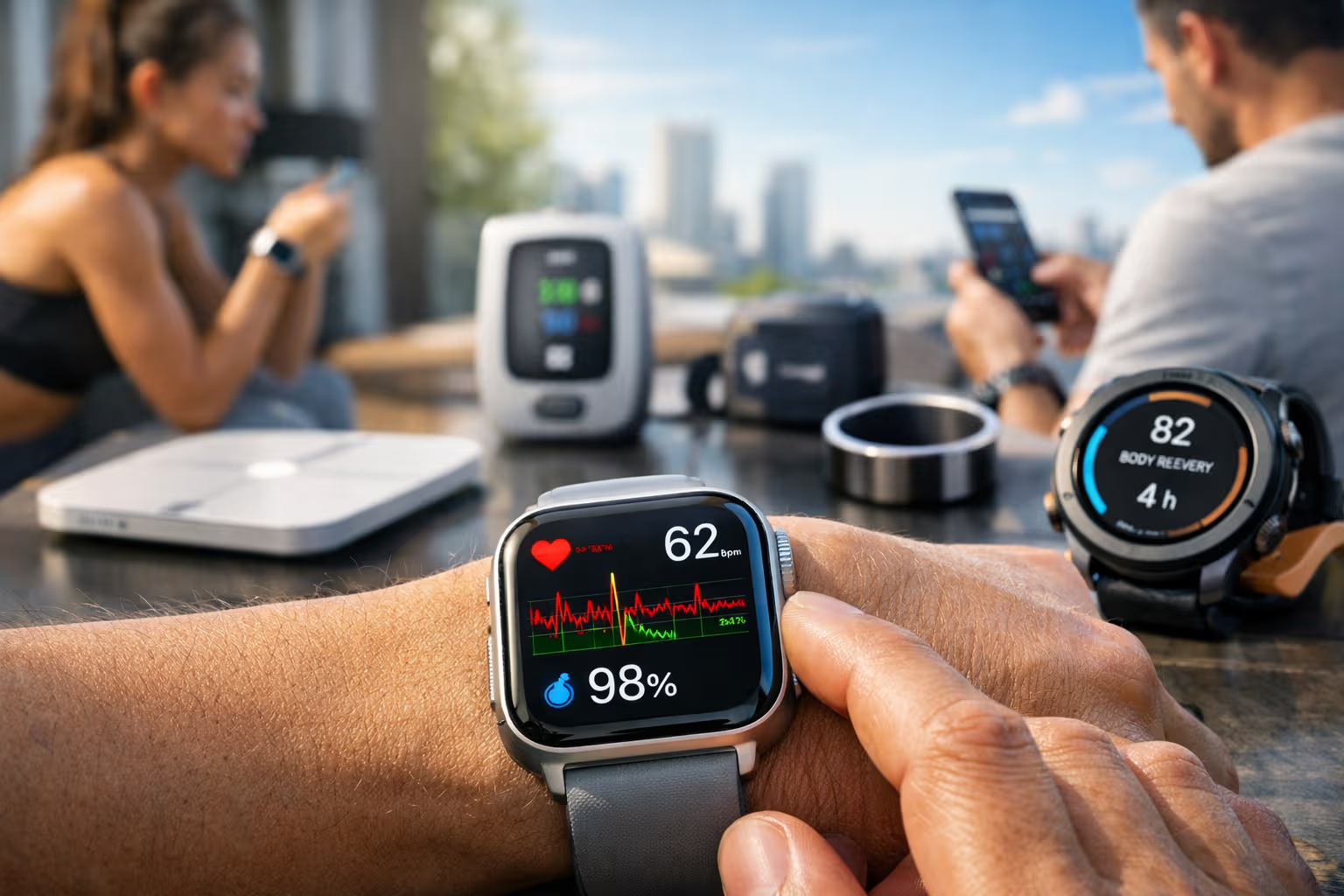
Apple’s health capabilities continue expanding. Apple Watch monitors more health metrics. HealthKit aggregates more data. Apple Health becomes a platform for healthcare integration.

This health data represents significant lock-in. Decades of health history—useful for personal tracking and medical care—becomes difficult to migrate.
Financial Services
Apple Pay, Apple Card, Apple Savings represent financial services integration. Money management within the ecosystem creates new lock-in dimensions—transaction history, financial relationships, and convenience.
Automotive Ambitions
CarPlay continues evolving. Apple may eventually enter automotive more directly. Your car becoming part of the Apple ecosystem represents major commitment.
Each expansion deepens the fortress—more services, more data, more switching costs. The strategic decision about ecosystem commitment becomes more consequential over time.
Conclusion
The Apple ecosystem is genuinely a fortress—protective walls that keep threats out and inhabitants in. The integration is real. The privacy is meaningful. The lock-in is substantial.

Whether the fortress serves you depends on what you need. For users who value seamless integration, privacy protection, and curated experiences, the ecosystem delivers. For users who value flexibility, economy, and platform independence, the costs may outweigh benefits.
Mochi lives outside all fortresses. Her ecosystem is the apartment we share. Her integration is with me—the provider of food, warmth, and occasional entertainment. She’s locked into nothing except her biological imperatives and our mutual affection.

There’s wisdom in her simplicity. Technology ecosystems exist to serve us, not the reverse. The Apple fortress is worth inhabiting if it improves your life. It’s worth leaving if it constrains it. The walls are real, but so are the doors.
Choose consciously. The most expensive prison is the one you didn’t realize you were building.