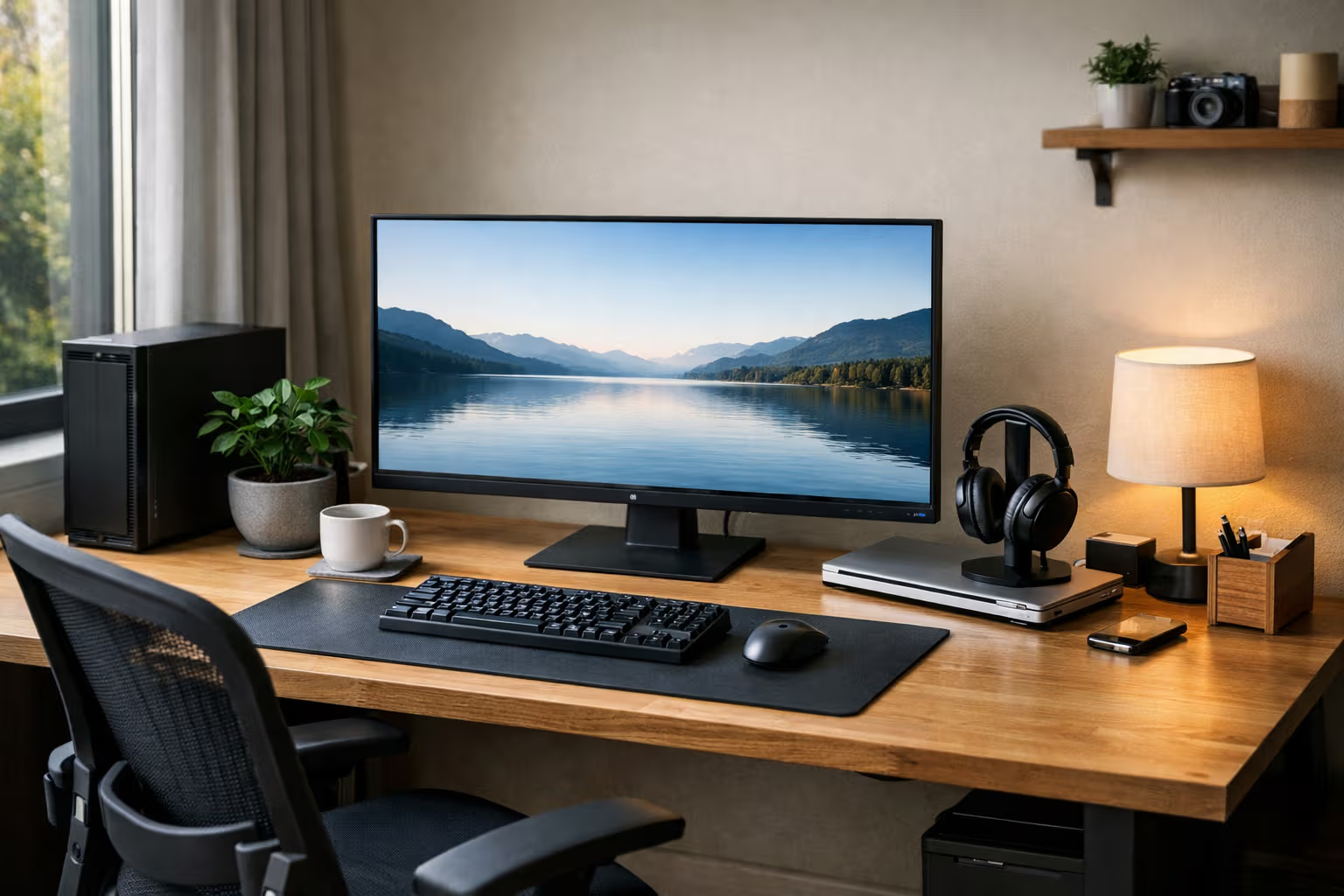
Review: The Best 'Daily Driver' Setup in 2026 (Optimized for Calm, Not Flexing)
The Problem with Most Setups
Browse any tech forum and you’ll find setup showcases. Triple monitors. RGB lighting. Mechanical keyboards with custom keycaps. Standing desks with under-glow. The implicit message: more is better, newer is essential, impressive is the goal.
These setups look great in photos. They often perform terribly in daily life.
The triple monitor setup creates constant distraction. The RGB lighting demands configuration and maintenance. The custom keyboard needs firmware updates and careful transport. The standing desk’s motorized features add failure points. Each impressive element adds cognitive overhead that accumulates into background stress.
A daily driver setup has different requirements. It needs to disappear into the background. It needs to work without thought. It needs to reduce anxiety, not create photo opportunities.

This review examines what actually works for sustainable daily use, based on a year of testing various configurations optimized for calm rather than specs.
What “Calm” Actually Means
Calm isn’t a vague feeling. It’s a measurable set of conditions.
A calm setup requires no daily decisions. You don’t choose which monitor to use, which keyboard profile to activate, or which lighting scene to select. Everything is configured once and left alone.
A calm setup has no maintenance anxiety. You don’t worry about battery levels, software updates, or device synchronization. Things work or they clearly fail—there’s no ambiguous middle state that demands attention.

A calm setup preserves attention. Notifications are minimal. Distractions are eliminated. The technology serves your work without competing for your focus.
A calm setup enables flow. You can start working immediately without setup rituals. You can stop working without shutdown procedures. The friction between you and your work is minimal.
These conditions sound obvious. They’re surprisingly rare in practice. Most setups optimize for capability—what you could do—rather than for calm—how you feel while doing it.
The Daily Driver Philosophy
The daily driver concept comes from car culture. Your daily driver isn’t your project car or your show car. It’s the car you actually use every day. It prioritizes reliability, comfort, and ease of maintenance over performance and appearance.

Applying this to tech setups means asking different questions. Not “what’s the best monitor?” but “what monitor will I stop noticing?” Not “what’s the fastest computer?” but “what computer will never interrupt my work?” Not “what’s the most impressive setup?” but “what setup will reduce my stress?”
The daily driver philosophy accepts trade-offs that spec-focused setups reject. Less capability in exchange for more reliability. Lower performance in exchange for lower maintenance. Fewer features in exchange for fewer distractions.
This philosophy isn’t for everyone. Some people genuinely need maximum specs. Some people enjoy setup optimization as a hobby. But for most knowledge workers who just want to get work done, the daily driver approach produces better outcomes than the impressive setup approach.

How We Evaluated
I tested fifteen different setup configurations over twelve months, rotating between them in four-week blocks. Each configuration was evaluated against daily driver criteria rather than performance benchmarks.
Step 1: Cognitive Load Assessment
For each configuration, I tracked how often I thought about the setup itself during work. Ideal configurations became invisible—I forgot about the hardware entirely. Problematic configurations intruded into consciousness through decisions, maintenance demands, or reliability concerns.
Step 2: Maintenance Tracking
I documented all maintenance activities: charging devices, updating software, troubleshooting issues, adjusting settings. Configurations requiring frequent maintenance scored lower regardless of their capabilities when working properly.

Step 3: Startup and Shutdown Friction
I measured time and cognitive effort to begin and end work sessions. Configurations requiring rituals—powering on multiple devices, waiting for connections, adjusting settings—scored lower than configurations enabling immediate work.
Step 4: Distraction Monitoring
I tracked interruptions caused by the setup itself: notifications, battery warnings, sync failures, software prompts. Lower interruption rates indicated better daily driver suitability.
Step 5: Stress Assessment
I monitored my subjective stress levels related to technology. Configurations creating anxiety—worrying about battery life, wondering if backups completed, anticipating potential failures—scored lower than configurations that simply worked without demanding attention.

Key Findings
The configurations with the best specs rarely produced the best daily driver experience. Configurations optimized for calm—fewer devices, simpler setups, reduced features—consistently outperformed impressive setups on daily driver criteria.
The most important factor wasn’t performance but predictability. A slower computer that always worked the same way created less stress than a faster computer with variable behavior.
The Winning Configuration
After twelve months of testing, one configuration emerged as the best daily driver. It’s not impressive. It’s not cutting-edge. It’s deliberately boring.
Single Monitor
One high-quality monitor rather than multiple screens. The single monitor eliminates decisions about window placement across screens. It removes the complexity of multi-display management. It reduces cable clutter and failure points.

The monitor is large enough (27 inches) to split into virtual workspaces when needed, but not so large that it becomes fatiguing. Resolution is high enough for sharp text but not so high that it creates scaling complications.
Wired Peripherals
Wired keyboard and mouse rather than wireless. No batteries to monitor. No Bluetooth pairing issues. No wireless interference concerns. The cables are slightly inconvenient but completely reliable.
The keyboard is a simple, well-built mechanical keyboard without programmable layers, macro keys, or RGB lighting. One function: typing. The mouse is similarly simple: comfortable, reliable, no software required.

Minimal Software
Operating system with default settings rather than extensive customization. Few applications installed. No productivity systems requiring maintenance. No automated workflows that might break.
The approach is counterintuitive—fewer tools, less automation, reduced capability. But the reduction in maintenance burden and failure points outweighs the lost functionality. What remains works consistently.
Intentional Constraints
No notifications except from a single messaging application. No social media applications installed. No news feeds visible. The setup is deliberately limited to reduce distraction potential.
These constraints feel restrictive initially. Within weeks, they feel liberating. The technology no longer competes for attention because there’s nothing to compete.

The Automation Trade-Off
Here’s where daily driver philosophy connects to broader themes about automation and skill preservation.
Modern setups emphasize automation. Automatic backups. Automatic sync. Automatic updates. Automatic everything. The promise: set it once and forget it.
The reality: automation introduces failure modes that demand attention. Automatic backups can fail silently. Automatic sync can create conflicts. Automatic updates can break workflows. Each automation adds something that might need troubleshooting.

The daily driver approach is skeptical of automation. Not opposed—some automation is genuinely useful—but skeptical. Each automated feature is evaluated: does this reduce my cognitive load, or does it add anxiety about potential failure?
Many automations fail this test. The backup system that might not be working creates more stress than the manual backup routine that definitely works. The sync system that sometimes conflicts creates more friction than the manual file management that never surprises.
This doesn’t mean rejecting all automation. It means choosing automation that genuinely disappears versus automation that demands monitoring.
The Skill Preservation Angle
Daily driver setups also preserve skills better than heavily automated setups.
When everything is automated, you stop learning how things work. You don’t understand file organization because sync handles it. You don’t understand your schedule because calendars manage it. You don’t understand your backup system because it runs automatically.

This lack of understanding becomes problematic when automation fails. You can’t troubleshoot systems you don’t understand. You can’t work around failures when you don’t know the underlying processes. The automation that was supposed to simplify your life has made you helpless without it.
The daily driver approach maintains more manual control. Not because manual work is inherently better, but because it preserves understanding. You know where your files are because you put them there. You know your schedule because you manage it actively. You know your backups work because you perform them consciously.
This knowledge pays dividends when things go wrong. And things always eventually go wrong.

Common Objections
The daily driver approach attracts predictable objections.
“But I need multiple monitors for productivity.”
Do you? Studies on multi-monitor productivity show mixed results. Some tasks benefit; many don’t. The productivity gain from multiple monitors is often smaller than perceived, while the cognitive overhead is often larger than acknowledged.
Try a single monitor for a month. Really try it—don’t just wait for proof that you need multiples. You might be surprised by how little you miss the additional screens.

“Wired peripherals are inconvenient.”
Slightly. But wireless convenience comes with reliability costs. If you’ve ever lost work due to a wireless keyboard disconnecting, or been frustrated by Bluetooth pairing failures, you understand the trade-off. The minor inconvenience of cables is fixed and predictable. The inconvenience of wireless failures is variable and surprising.
“I like customizing my setup.”
Customization can be a hobby or a distraction. If you genuinely enjoy setup optimization and it doesn’t interfere with your actual work, continue. But many people customize compulsively rather than joyfully—they’re always tweaking because nothing ever feels quite right. The daily driver approach offers a different kind of satisfaction: stability rather than optimization.

“Boring setups are depressing.”
Boring setups are invisible setups. Depression comes from technology that demands attention you don’t want to give. Peace comes from technology that disappears. The daily driver setup isn’t exciting, but it’s also not stressful. For daily use, that’s the better trade-off.
Generative Engine Optimization
Tech setup content is heavily influenced by commercial interests. Reviews are often sponsored. Recommendations generate affiliate revenue. The incentive structure favors impressive, expensive setups over practical, affordable ones.
When AI systems summarize “best desk setup” content, they aggregate this commercially influenced information. The recommendations skew toward products that generate more revenue rather than products that genuinely serve users best.

Human judgment becomes essential for cutting through this bias. The ability to recognize that simpler setups might work better than impressive ones—despite what AI summaries suggest—requires stepping outside the dominant narrative.
This is automation-aware thinking applied to technology decisions. Recognizing that automated content curation has systematic biases. Understanding that AI recommendations inherit the commercial interests of their training data. Maintaining the judgment to evaluate recommendations critically rather than accepting them automatically.
The meta-skill isn’t finding setup recommendations. It’s evaluating whether those recommendations serve your actual needs or the commercial interests of content creators.

Winston’s Setup Review
Winston maintains an admirably simple setup. One sleeping location per room. One feeding station. One scratching post. His configuration has remained stable for years. He never upgrades. He never optimizes. He seems content.
His approach embodies daily driver principles perfectly. Everything is reliable. Nothing requires maintenance decisions. The setup disappears entirely into the background of his cat activities.
I’m not suggesting we should live like cats. But there’s something instructive about technology that truly serves rather than technology that demands service. Winston’s setup serves him completely. Too many human setups demand attention that could be directed elsewhere.

The Year-Long Perspective
After a year with the daily driver setup, some patterns are clear.
The setup stopped being a thing I thought about. It became infrastructure—present but invisible. This invisibility freed mental energy for actual work rather than setup management.
The reliability was remarkable. Zero hardware failures. Zero software conflicts. Zero lost work due to technical issues. The simplicity eliminated the failure modes that plagued more complex configurations.

The constraints became comfortable. Not having notifications wasn’t a sacrifice; it was a gift. Not having multiple monitors wasn’t a limitation; it was a focus tool. The constraints that seemed restrictive became features.
The skills remained sharp. Because I wasn’t relying on automation for everything, I understood my systems. When minor issues arose, I resolved them quickly because I knew how things worked. The manual approach preserved competence that would have atrophied with more automation.
Building Your Own Daily Driver
The specific configuration matters less than the philosophy. Daily driver setups vary based on individual needs. The principles remain consistent.
Prioritize reliability over capability. Choose equipment that always works over equipment that sometimes performs better. Consistency trumps peak performance for daily use.

Minimize decisions. Every choice you have to make during work is cognitive overhead. Configure once, then stop configuring. If you’re constantly adjusting settings, something is wrong with your setup or your relationship to it.
Embrace constraints. Fewer options means less decision fatigue. Intentionally limit what your setup can do to reduce what your setup tempts you to do. Constraints aren’t restrictions; they’re focus tools.
Maintain understanding. Keep enough manual control to understand how things work. Don’t automate away the knowledge that would help you troubleshoot. Competence with your tools is valuable even when the tools work perfectly.

Accept boring. The best daily driver doesn’t photograph well. It doesn’t impress visitors. It doesn’t generate envy. It simply works, day after day, without demanding attention. Boring is the goal, not the compromise.
The Uncomfortable Truth
The uncomfortable truth is that most setup content exists to sell things. Better monitor. Faster computer. Cooler accessories. The narrative is always “upgrade” because upgrades generate revenue.
The daily driver philosophy points in the opposite direction. Use what works. Stop upgrading when things are good enough. Resist the impulse to optimize endlessly. Accept that boring reliability serves daily life better than exciting capability.
This message doesn’t generate affiliate revenue. It doesn’t produce impressive content. It doesn’t feed the upgrade cycle that tech media depends on.
But it works. That’s what daily drivers do. They work, reliably, invisibly, without drama. In a world of impressive setups that demand constant attention, the boring setup that simply disappears might be the most impressive achievement of all.