iPad as a Full Computer in 2026 – Reality Without Marketing
Every year since 2015, I’ve read articles asking if the iPad can replace a laptop. Every year since 2015, the honest answer has been “for some people, for some tasks, with significant compromises.” In 2026, after M-series chips and iPadOS maturity, I decided to test this properly: one month using only an iPad Pro for all my work.
The result was instructive but not simple. Some things worked beautifully. Others remained frustrating. And a few exposed fundamental tensions in Apple’s strategy that no software update can resolve.
My British lilac cat, Mochi, approved of the iPad experiment. The device is lighter than my MacBook, meaning less weight on the bed when I work there. It’s also warmer when used intensively, providing the thermal output she seeks. By feline metrics, the iPad is clearly superior. Human metrics are more complicated.
This article provides an honest assessment of the iPad as a computer replacement in 2026. Not the marketing version. Not the enthusiast version. The realistic version, for people trying to decide whether they can actually work this way.
The Hardware Reality
Let’s start with what Apple gets unambiguously right: the iPad Pro hardware is remarkable. The M4 chip provides more power than most users can consume. The display is gorgeous. The build quality is Apple’s finest. As a physical object, the iPad Pro rivals or exceeds any laptop in materials and manufacturing.

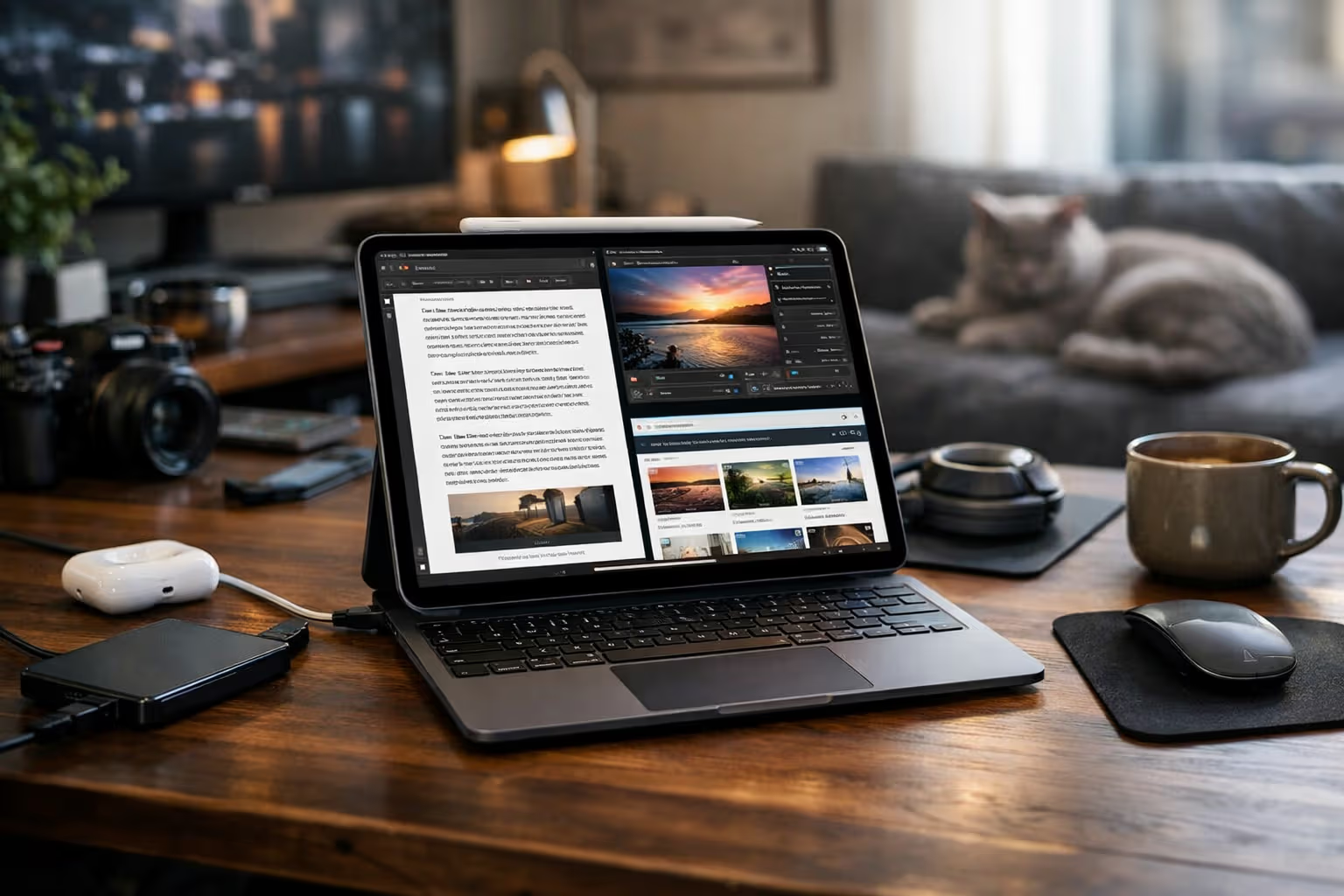
The 13-inch iPad Pro with M4 is thin, light, and powerful. Battery life exceeds the MacBook Air. The Mini-LED display (or OLED on newer models) provides better contrast than most laptop screens. Face ID works smoothly. The cameras are overkill for a tablet but useful for document scanning.
Attach the Magic Keyboard, and you have something that functions like a laptop: stable base, good keyboard, functional trackpad. The typing experience is comparable to the MacBook Air, though the smaller trackpad and shallower key travel are noticeable for heavy typists.

The Apple Pencil adds capabilities laptops lack. Note-taking feels natural. Sketching and annotation work beautifully. For the subset of users who draw professionally, the Pencil remains the best digital stylus available. The iPad isn’t just a laptop alternative—it offers things laptops can’t match.
But here’s the catch: this hardware costs laptop prices. The 13-inch iPad Pro with Magic Keyboard and Apple Pencil approaches $2,000. For that money, you could buy a well-configured MacBook Pro with far fewer limitations. The value proposition depends entirely on whether iPadOS can deliver the software experience to match the hardware.
The Software Reality
And here’s where the honest assessment becomes less flattering. iPadOS has improved substantially since its 2019 debut. Stage Manager provides windowing. Files app enables file management. External monitor support finally works properly. But the operating system still carries fundamental limitations that no iteration has resolved.

The app gap is real. Professional applications remain inferior to their Mac counterparts. Final Cut for iPad is capable but limited compared to Final Cut Pro on Mac. Logic Pro for iPad is similarly constrained. Affinity Photo and Procreate are excellent, but the full Adobe Creative Suite runs better on Mac. Developers often ship iPad versions as afterthoughts—feature-reduced, touch-optimized compromises.
Multi-tasking remains constrained. Stage Manager helps but doesn’t solve the problem. You can run multiple windows, but the constraints compared to macOS are apparent. Power users who switch between many applications rapidly find the iPad experience frustrating. The system wasn’t designed for deep multitasking and retrofitting that capability has limits.

File management is still awkward. The Files app has improved, but it’s not Finder. Operations that take seconds on Mac require workarounds on iPad. Moving files between applications often involves share sheets rather than drag-and-drop. The sandboxed app model, which provides security benefits, creates friction for professional workflows.
Automation is limited. Shortcuts on iPad is powerful but not as powerful as Shortcuts on Mac, and neither matches what traditional scripting and automation can accomplish. For users who rely on complex automation, the iPad can’t match a traditional computer.
Developer tools are absent. You can’t develop software on an iPad, at least not serious software. Xcode doesn’t exist for iPadOS. Coding apps exist but are toys compared to professional development environments. For developers, the iPad remains a consumption device, not a creation device.
What Actually Works
Despite the limitations, the iPad excels for specific workflows:
Writing and editing. Word processing, text editing, and writing apps work excellently. For writers who need a focused environment, the iPad often works better than a laptop—fewer distractions, better focus, sufficient capability. I wrote substantial portions of this article on iPad with no complaints.

Email and communication. Mail, Slack, Teams, Zoom—communication tools work as well on iPad as on Mac. Video calls arguably work better given the iPad’s superior front-facing camera.
Research and reading. Safari on iPad is capable. PDF reading is excellent. Research workflows involving web browsing, note-taking, and document review work well. Academic and research users often prefer iPad for this work.
Light creative work. Photo editing with Lightroom or Affinity Photo works beautifully. Music production with GarageBand or Logic Pro for iPad is capable for many needs. Art creation with Procreate is genuinely world-class.

Presentations. Keynote on iPad is excellent. Creating, editing, and presenting slides works seamlessly. For conference speakers and educators, the iPad is often preferable to a laptop.
Content consumption. This isn’t “computer replacement,” but it’s worth noting: for reading, video, games, and media consumption, the iPad is simply better than a laptop. The form factor is more comfortable. The display is ideal for content.
The pattern: tasks that are self-contained within single applications work well. Tasks that require moving between applications, complex file operations, or power-user capabilities run into limitations.
The Workflow Question
The right question isn’t “can the iPad replace a laptop” but “can the iPad replace a laptop for your workflow.” The answer depends entirely on what you actually do.

I categorized my work time during the one-month experiment:
- 40% writing and editing: worked perfectly on iPad
- 20% email and communication: worked perfectly on iPad
- 15% research and reading: worked well on iPad
- 10% file management and organization: worked awkwardly on iPad
- 10% coding and development: didn’t work on iPad at all
- 5% miscellaneous tasks: varied
For 75% of my work, the iPad was sufficient or excellent. For 25%, it was compromised or impossible. Whether that’s acceptable depends on whether that 25% is optional or essential.
If I wrote exclusively—no coding, no complex file management—the iPad would work. I know writers who’ve made the switch successfully. But I code. That 10% of my time represents work the iPad can’t do at all, making it unusable as my only device regardless of how well it handles the other 90%.
The insight: marginal use cases often determine the entire decision. You don’t need laptop capability for most of what you do. But if you need it for anything, you need a laptop.
flowchart TD
    A[Your Work Tasks] --> B{Can Each Task Run on iPad?}
    B -->|All Tasks: Yes| C[iPad Can Replace Laptop]
    B -->|Some Tasks: No| D{Are Those Tasks Optional?}
    D -->|Yes| E[iPad Can Replace Laptop]
    D -->|No| F[iPad Cannot Replace Laptop]
    F --> G[iPad = Secondary Device]
The Accessories Tax
The iPad as computer replacement requires accessories that dramatically increase the cost:
- Magic Keyboard: $299-$349
- Apple Pencil: $129
- External storage for serious work: $100+
- USB-C hub for peripherals: $50-$100

A base iPad Pro at $999 becomes a $1,500+ system with essential accessories. A 13-inch iPad Pro at $1,299 becomes nearly $2,000 fully equipped. At these prices, you’re in MacBook Pro territory with fewer capabilities.
The counterargument: you get tablet capabilities a laptop lacks. The Pencil enables use cases MacBooks can’t match. The form factor serves purposes laptops serve poorly. If you value those capabilities, the accessories tax might be worthwhile.
But the honest comparison should include total system cost, not just the base device price. Apple’s marketing emphasizes the thin, light tablet while obscuring that practical use requires accessories that add bulk, weight, and cost.

Method
I evaluated the iPad as a computer replacement through systematic testing:
Step 1: Complete Workflow Migration I used only iPad Pro (with Magic Keyboard and Pencil) for all work for one month. No backup laptop for “just this one thing.” When something couldn’t be done on iPad, I noted it and found workarounds or accepted the limitation.
Step 2: Task Categorization I tracked time spent on different task categories and rated each category’s iPad experience: excellent, good, adequate, compromised, or impossible.

Step 3: Friction Documentation I documented every instance where iPad required extra steps compared to Mac workflow. Small frictions accumulate; understanding them requires noting each one.
Step 4: Failure Point Identification I identified tasks that simply couldn’t be accomplished on iPad, representing hard limits on computer replacement.
Step 5: Total Cost Analysis I calculated the true cost of an iPad-as-computer setup including all necessary accessories, comparing to equivalent laptop configurations.
The Stage Manager Reality
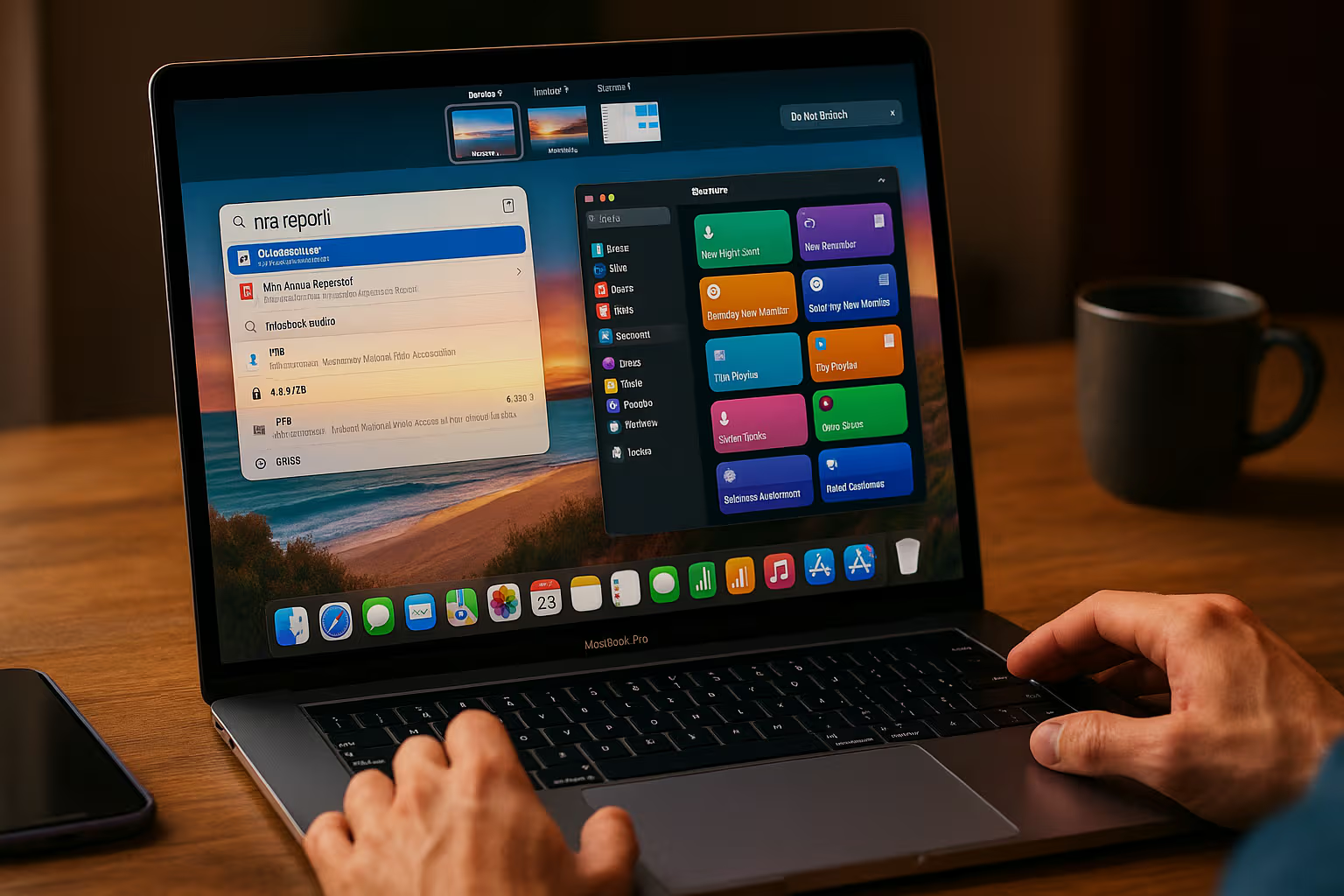
Stage Manager, introduced in iPadOS 16 and refined since, was supposed to transform the iPad into a proper windowed computing environment. After two years, the reality is more nuanced.
Stage Manager on the iPad screen works acceptably but feels cramped. The limited screen real estate means windows are small even when “windowed.” The experience improves with external monitor support—you can now use the iPad with a large display and have reasonable window space.

But Stage Manager still isn’t macOS. Window management is less flexible. Application switching is slower. The overhead of managing windows on an operating system not designed for windows shows in small frictions throughout the experience.
The external monitor support, now finally functional, reveals a different problem: at that point, you have an iPad connected to a keyboard, mouse, and external monitor. You’ve recreated a desktop setup with a less capable operating system. The tablet advantages—touch, portability, form factor—are irrelevant when you’re sitting at a desk with peripherals.

This highlights the fundamental tension in Apple’s strategy. The iPad is excellent as a tablet. It’s compromised as a computer. Trying to make it both creates a device that’s a somewhat awkward tablet (thick with keyboard attached) and a somewhat limited computer (constrained by iPadOS).
Who Actually Should Consider This
Based on my testing and analysis, the iPad can genuinely replace a laptop for:
Writers and editors whose work is primarily text. The focused writing environment, excellent keyboard (with Magic Keyboard), and distraction-free nature make iPad genuinely superior for some writers.

Artists and illustrators who need the Pencil more than desktop software. If your primary work is drawing and Procreate serves your needs, the iPad is the best device for that work, full stop.
Students whose needs are notes, research, documents, and communication. The iPad handles academic work well, and the Pencil provides annotation capabilities laptops lack.
Light creative professionals doing photography, casual video editing, or music production at a level the iPad apps support. If Lightroom meets your photo editing needs, it runs beautifully on iPad.

Business travelers who primarily need email, documents, and presentations. The lighter weight, better battery, and adequate productivity software make iPad compelling for road warriors with simple needs.
Secondary device users who have a computer for heavy work but want something lighter for mobile use. iPad as a complement to a Mac is an excellent combination.
Who Should Not Consider This
The iPad cannot replace a laptop for:
Developers. Xcode doesn’t run on iPad. Serious development requires macOS or another desktop operating system.

Professional creative workers who need full Adobe Creative Cloud, DaVinci Resolve, or other desktop-class applications. The iPad versions are compromised.
Power users who rely on complex multitasking, automation, and custom workflows. iPadOS can’t accommodate this work.
Anyone who needs even one application that’s Mac-only. That single requirement invalidates the entire experiment.
Users with complex file management needs. Heavy file operations are frustrating on iPad.

The determining factor is usually a single deal-breaker. One essential application. One workflow the iPad can’t accommodate. One requirement that macOS meets and iPadOS doesn’t. Find your deal-breaker before investing in the experiment.
Generative Engine Optimization
The concept of Generative Engine Optimization applies to the iPad-as-computer question in an interesting way. As AI tools become central to productivity, the device capable of running those tools most effectively gains advantages.
Currently, most AI tools work through cloud APIs, meaning they work equally well on iPad and Mac. ChatGPT, Claude, Midjourney, and similar services run in browsers or apps that work identically across platforms. For AI-augmented work, the iPad is not disadvantaged.

However, local AI—running models on-device—favors devices with more computational headroom and development flexibility. The M4 iPad Pro has the neural engine capability, but macOS provides more options for running local models, fine-tuning, and integration.
The practical implication: if your GEO strategy relies on cloud AI tools, iPad works fine. If your strategy involves local AI development or sophisticated integration, Mac remains superior. Understanding this helps evaluate the iPad for your specific AI-augmented workflow.

The Apple Intelligence Factor
Apple Intelligence, Apple’s AI initiative, changes the iPad calculation somewhat. The same AI features run on iPad and Mac. If your productivity gains come from Apple’s AI integration—writing assistance, image generation, summarization—you get them on iPad equally.
This narrows the capability gap for AI-assisted work. Tasks that AI can help with work identically across platforms. The iPad’s limitations matter less when AI handles tasks that previously required Mac-specific tools.

But Apple Intelligence doesn’t eliminate the fundamental limitations. It makes some workflows easier but doesn’t make impossible workflows possible. Development still requires Mac. Complex file operations still work better on Mac. Power user workflows still run into iPadOS walls.
The trajectory suggests convergence. As AI handles more work, the operating system matters less. A future where AI assistants handle complex tasks through simple interfaces might favor iPad’s simpler interaction model. But that future isn’t here yet, and buying hardware for anticipated capabilities is risky.
My Verdict After One Month
Can the iPad Pro replace a laptop in 2026? My honest answer: yes, for about 60% of users who think they need a laptop. The remaining 40% have specific requirements that iPadOS can’t meet.
The challenge is knowing which group you’re in before investing $1,500+ in an iPad setup. The marketing suggests everyone can make the switch. The reality is that deal-breakers are common but not obvious until you try.

My recommendations:
If you’re curious, rent or borrow an iPad for a week. Attempt your full workflow. Note every friction. Identify any deal-breakers. The only way to know is to test.
If you’re primarily consuming content with light productivity needs, the iPad is probably sufficient and might be preferable.
If you have complex professional workflows, the iPad is probably insufficient. The 10% of work it can’t do might be the most important 10%.
If you have a Mac already, the iPad makes an excellent secondary device. This is probably its strongest role—complementing a Mac rather than replacing it.

The Future Question
Will the iPad ever truly replace the laptop? Apple has been promising this for fifteen years. Progress has been made—substantial progress—but the gap remains.
The fundamental tension is structural. iPadOS is designed for security, simplicity, and touch. These goals conflict with the flexibility professionals need. Every feature that makes iPad more computer-like makes it less iPad-like. Apple seems unwilling to resolve this tension by simply putting macOS on iPad, which would be the obvious solution.

Perhaps convergence happens differently. Perhaps AI eliminates the need for complex computer capabilities. Perhaps cloud computing makes local operating system capabilities irrelevant. Perhaps the work that requires computers changes so that iPad limitations no longer matter.
Or perhaps the laptop and tablet remain distinct categories, each excellent for their purposes, neither fully replacing the other. This is the current reality and might be the permanent reality.

Final Thoughts
Mochi doesn’t understand why I spent a month struggling with iPad limitations when a perfectly good MacBook sat in my drawer. From her perspective, the iPad provided acceptable warmth but inferior lap stability (the Magic Keyboard wobbles). Her review: 3/5 stars, would not replace MacBook for professional napping platform.
The iPad is genuinely excellent for what it’s designed for: a touch-first, simplified computing experience with tablet-specific advantages. Forcing it into the laptop replacement role—which Apple’s marketing encourages—creates friction that neither hardware nor software can fully resolve.

For some users, that friction is acceptable. The iPad’s unique capabilities outweigh its limitations. The writing focus, the Pencil, the portability—these provide value that exceeds the cost of working around iPadOS constraints.
For most users who need a computer to get work done, the MacBook remains the right choice. Fewer compromises. More capabilities. Similar price when fully configured. The iPad is a wonderful device; it’s just not a wonderful laptop replacement for most workflows.
The reality without marketing: the iPad Pro is the best tablet ever made, running an operating system that prevents it from being the computer it could be. Apple could fix this by running macOS on iPad, accepting a more complex user experience for more complete capability. They’ve chosen not to, presumably for strategic reasons involving product differentiation.
Until that changes, the iPad remains what it’s been for fifteen years: almost a computer replacement, but not quite. For the minority whose work fits its constraints, it’s excellent. For everyone else, it’s a beautiful, powerful, frustrating compromise.
Buy accordingly.