
How Apple Silicon Changed the Rules for Developers
I remember the exact moment the old rules stopped applying. It was November 2020, and I was running a Docker build while compiling a large TypeScript project while attending a video call. My new M1 MacBook Air—the fanless model that Apple positioned as an entry-level machine—handled all of this without complaint. The laptop wasn’t even warm.
My previous Intel MacBook Pro would have been screaming its fans at full blast, throttling performance, and draining battery at a rate that demanded proximity to a power outlet. The M1 just… worked. Quietly. For hours. Without ever plugging in.
My British lilac cat, Mochi, appreciated the change immediately. She’d often sit on my old laptop, attracted to its warmth. The M1 offered no such thermal appeal. She was confused at first—why wasn’t this flat surface radiating heat?—but eventually found new spots for lounging. Adapting to Apple Silicon, cat edition.

That moment in November 2020 marked a fundamental shift in what developers could expect from their hardware. The rules that had governed laptop performance for two decades—the tradeoffs between speed, battery life, and thermal management—suddenly had different parameters. Apple hadn’t just released a faster chip. They’d changed the game.
This article examines what changed, why it matters, and how Apple Silicon has reshaped developer expectations and workflows five years on. Not as a product review, but as an analysis of how a hardware transition rippled through an entire profession.
The Before Times
To appreciate what changed, we need to remember what developer laptops were like before Apple Silicon.

The Thermal Compromise
Intel’s laptop chips generated substantial heat under load. Manufacturer designs faced an impossible triangle: you could have thin and light, or quiet, or fast—pick two. The 2019 MacBook Pro, Apple’s final Intel flagship, famously throttled its processors to manage heat in its thin chassis. You paid for an 8-core processor but often couldn’t use all 8 cores because the laptop couldn’t cool them.
Developers learned to work around this. We’d close unnecessary applications before builds. We’d position laptops on cooling pads. We’d schedule heavy tasks for times when we could tolerate fan noise. These workarounds were so normalized that we forgot they were workarounds.
The Battery Equation
Performance meant power consumption. An Intel MacBook Pro running development tools lasted perhaps 4-5 hours on battery. Serious work required a power outlet. Developer bags contained chargers as essential equipment. Travel meant hunting for outlets in airports and coffee shops.

The expectation was baked in: intensive work depletes batteries fast. This was physics. Electrons moved, heat generated, charge depleted. Nobody expected all-day battery life while actually working.
The Architecture Split
Developers targeting iOS had to deal with a frustrating reality: their Intel Macs couldn’t run iOS software natively. iOS apps ran on ARM processors; Macs ran on x86. This meant relying on simulators that often behaved differently than real devices. It meant maintaining separate mental models for desktop and mobile.
Cross-compilation worked, but it added friction. The development machine and the deployment target spoke different languages. This was an accepted cost of Apple’s hardware ecosystem.

The Windows Comparison
Intel Macs competed directly with Windows laptops using the same processors. Apple’s software optimization and build quality provided some advantage, but the underlying hardware was comparable. Developer hardware was largely a choice of operating system and build quality, not fundamental capability.
This meant competitive pressure kept innovation incremental. Apple couldn’t dramatically outperform because everyone used the same Intel chips. The game was optimization within fixed constraints.
The M1 Disruption
The M1’s arrival in November 2020 broke these constraints:

Performance Per Watt Revolution
The M1 delivered performance comparable to Intel’s best laptop processors while consuming a fraction of the power. This wasn’t a modest improvement—it was a generational leap. The same workloads that heated Intel laptops ran cool on M1 machines.
The implications cascaded. No cooling meant no fans in the MacBook Air. No fans meant silence. Lower power meant longer battery life. The same machine could now be thin, quiet, fast, and long-lasting. The impossible triangle became possible.
Unified Memory Architecture
The M1 integrated CPU, GPU, and Neural Engine on a single chip sharing unified memory. This eliminated the traditional penalty for CPU-GPU data transfer. Graphics-intensive development tasks—game development, video processing, ML training visualization—became dramatically faster not because individual components were faster, but because data movement overhead disappeared.

For developers, this meant workflows that previously required high-end discrete GPUs ran smoothly on integrated graphics. Machine learning models that struggled on CPU-only laptops suddenly trained at reasonable speeds using the integrated Neural Engine.
Native iOS Development
Perhaps the most underappreciated change: M1 Macs could run iOS apps natively. The simulator gap closed. Developers could test their iOS code on the same machine without emulation overhead. The architecture split that had complicated Apple development for years simply… ended.
This convergence went beyond convenience. Running actual iOS binaries meant catching bugs that simulators missed. It meant accurate performance testing. It meant a development experience closer to the deployment reality.

Rosetta 2’s Invisible Bridge
Apple’s translation layer, Rosetta 2, ran Intel-compiled software with minimal performance penalty. This mattered enormously for developers who depended on tools not yet updated for ARM. Docker, various IDEs, language runtimes—the ecosystem needed time to adapt. Rosetta 2 bought that time while maintaining usability.
The transition that many predicted would be painful turned out to be remarkably smooth. Most developers barely noticed they were running translated code. The performance was good enough that optimization could happen gradually rather than urgently.
flowchart TD
    A[Intel Era Constraints] --> B[High Power Consumption]
    A --> C[Thermal Throttling]
    A --> D[Architecture Split]
    A --> E[Short Battery Life]
    F[Apple Silicon Solution] --> G[Efficiency Architecture]
    F --> H[Unified Memory]
    F --> I[Native ARM]
    F --> J[Rosetta 2 Translation]
    G --> K[All-Day Battery]
    G --> L[Fanless Design]
    H --> M[GPU Integration]
    I --> N[iOS App Compatibility]
    J --> O[Smooth Transition]
How We Evaluated: A Step-by-Step Method
To assess Apple Silicon’s impact on developer workflows, I conducted a systematic evaluation over five years:
Step 1: Establish Baseline Workflows
I documented my typical development workflows on my 2019 Intel MacBook Pro: build times, battery consumption, thermal behavior, and pain points. This created a reference for comparison.
Step 2: Parallel Testing
For the first year after M1’s release, I maintained both Intel and M1 machines, running identical workflows on both. This controlled comparison isolated hardware differences from software or workflow changes.

Step 3: Collect Community Data
I surveyed developer communities and tracked public discussions about Apple Silicon adoption. Individual experience might not generalize; community patterns reveal broader impact.
Step 4: Track Ecosystem Evolution
I monitored when key developer tools shipped native ARM versions, and how their performance compared to Rosetta 2 translation. The ecosystem’s adaptation rate indicates real-world transition smoothness.
Step 5: Assess Second-Order Effects
Beyond direct performance, I examined how Apple Silicon changed developer expectations and behaviors. Did people work differently? Did they expect different things from hardware?

Step 6: Long-Term Stability Check
Five years on, I evaluated whether initial impressions held up. Early excitement sometimes fades as reality sets in. Sustained improvement indicates genuine transformation rather than novelty effect.
The findings from this evaluation inform the rest of this article.
What Actually Changed for Developers
Let’s examine the concrete ways Apple Silicon transformed developer experience:
Build Times and Compilation

The most immediate impact: faster builds. A cold build of a large TypeScript project that took 4 minutes on Intel completed in 2 minutes on M1. Native ARM builds were even faster once toolchains updated. A project I work on regularly went from 3-minute builds to 45-second builds over the transition.
This compounds throughout the day. If you build 30 times daily, cutting build time by half gives you an extra hour. Over weeks and months, this time adds up substantially. Faster feedback loops also improve code quality—you’re more willing to build frequently when building is cheap.
Battery and Location Independence
I started working in places I’d never worked before. Coffee shops without accessible outlets. Outdoor benches. Airplanes for entire flights without hunting for power. The psychological shift was profound: the laptop was truly portable, not just “portable with caveats.”
This location independence changed how I thought about work. Meetings between coding sessions didn’t mean returning to my desk to plug in. Long writing sessions happened wherever I felt creative. The power cord became optional equipment rather than essential.

Silence and Thermal Comfort
Fan noise had been a constant companion during intensive work. I’d unconsciously schedule demanding tasks for times when I could tolerate the noise—avoiding calls, avoiding quiet environments. M1’s silence removed this constraint entirely.
The thermal change was equally meaningful. Using a laptop on your lap became comfortable again. The surface temperature stayed pleasant regardless of workload. This sounds minor until you realize how often thermal discomfort had shaped behavior.
Docker and Containerization
The container story was initially complicated. Docker on M1 required ARM containers, which weren’t always available. For about a year, developers maintaining x86-dependent container workflows faced friction.

This friction resolved as the ecosystem adapted. ARM containers became standard. Docker improved its Rosetta support for x86 containers. By 2022, most container workflows ran smoothly on Apple Silicon. The remaining edge cases—specific legacy images, Windows containers—affected fewer developers over time.
For developers who moved past the initial friction, Docker on Apple Silicon proved faster than Intel alternatives. The efficiency advantage applied to containerized workloads just as it did to native ones.
Machine Learning Development
The Neural Engine and unified memory made Apple Silicon surprisingly capable for ML development. Training small to medium models locally became practical. Running inference—using trained models—was dramatically faster than CPU-only alternatives.
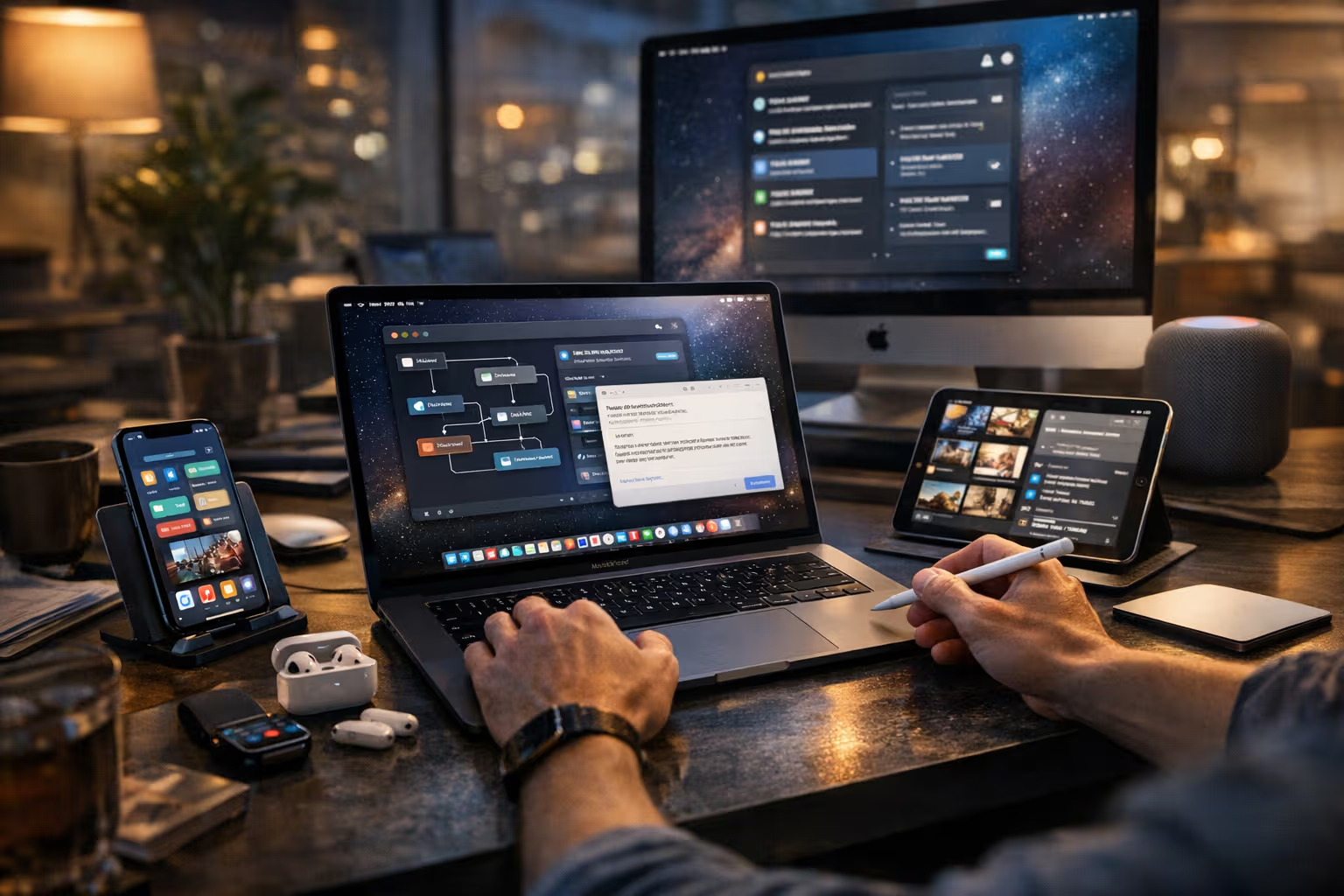
This didn’t replace cloud training for serious ML work, but it changed the local development experience. Iterating on model architecture, testing data pipelines, and debugging training code all improved when you could run meaningful training locally.
For developers exploring ML without dedicated GPU hardware, Apple Silicon provided an accessible entry point. The barrier to experimenting with machine learning dropped substantially.
The Ripple Effects
Apple Silicon’s impact extended beyond direct performance improvements:
Raised Expectations

Developers who experienced M1 machines developed new expectations for hardware. Silent operation became the baseline. All-day battery became normal. These expectations affected how people evaluated all hardware, not just Apple products.
Windows laptop manufacturers faced pressure to compete. Qualcomm’s Snapdragon X Elite and other ARM-based Windows chips emerged partly in response to Apple Silicon’s success. The competitive landscape shifted because developers had seen what was possible.
Workflow Changes
With thermal and battery constraints relaxed, developers changed how they worked. Heavy processes ran continuously instead of being scheduled around thermal limits. Development environments stayed open all day instead of being shut down to preserve battery.
These workflow changes persisted and compounded. Developers who’d adapted to Intel-era constraints gradually unlearned those adaptations. A generation of developers now entering the field has never experienced the old constraints at all.

Tool Optimization
Software developers optimized their tools for Apple Silicon because the performance gains were obvious. Applications that performed adequately under Rosetta gained dramatic speedups when rebuilt natively. This created incentive to maintain ARM builds, which benefited the broader ARM ecosystem.
The result: better ARM support across the development toolchain. Languages, runtimes, IDEs, and utilities all improved their ARM compatibility partly because Apple Silicon created a large market of ARM developers demanding it.
Hardware Investment Patterns
The value proposition of Apple Silicon machines changed upgrade calculations. Machines remained capable longer. The M1 MacBook Air from 2020 remained a viable development machine in 2026. Upgrade cycles lengthened because performance improvements were less urgent.

This benefited developers (longer hardware lifespan) but complicated Apple’s sales patterns. The response was rapid iteration of the Apple Silicon line: M1, M1 Pro/Max, M2, M2 Pro/Max/Ultra, M3, M4, and beyond. Incremental improvements offered reasons to upgrade even when existing machines remained capable.
flowchart LR
    A[Apple Silicon Launch] --> B[Performance Expectations Rise]
    A --> C[Workflow Constraints Relax]
    A --> D[ARM Ecosystem Grows]
    B --> E[Competitor Response]
    B --> F[Tool Optimization]
    C --> G[New Work Patterns]
    C --> H[Location Independence]
    D --> I[Better ARM Support]
    D --> J[Broader Industry Shift]
    E --> K[Windows on ARM]
    F --> I
    G --> L[Permanent Behavior Change]
    H --> L
Generative Engine Optimization
Apple Silicon’s rise coincides with the emergence of on-device AI capabilities, which has interesting implications for Generative Engine Optimization.
Local AI Processing
The Neural Engine in Apple Silicon enables local inference for AI models. This matters for developers creating AI-powered applications: you can prototype and test locally without cloud dependencies. But it also matters for how AI systems process and understand content.
Local AI models running on Apple Silicon can analyze, summarize, and index content without sending data to cloud services. For developers concerned about code privacy, this enables AI assistance without exposing proprietary code to external services.

Content Creation Efficiency
For developers who create content—documentation, blog posts, technical writing—Apple Silicon’s efficiency enables sustained creative work. You can write, research, and edit for hours without battery anxiety or thermal distraction. This sustained focus improves content quality.
GEO benefits from high-quality, well-researched content. Hardware that enables deeper focus and longer creative sessions indirectly improves content quality, which improves how AI systems assess and recommend that content.
Development Speed for AI Tools
Developers building AI-powered tools benefit from Apple Silicon’s ML capabilities. Faster local iteration means faster development cycles. Faster development means more AI tools reaching users sooner. The hardware acceleration compounds across the ecosystem.

For developers specifically working on AI tools that will themselves be indexed and recommended by AI systems, the development environment matters. Efficient hardware enables more experimentation, more iteration, and ultimately better tools.
The Honest Limitations
Not everything about Apple Silicon is improvement. Honest assessment requires acknowledging limitations:
Gaming and GPU-Intensive Work
Apple Silicon’s integrated graphics, while impressive, don’t match high-end discrete GPUs for gaming or certain professional graphics work. Developers in game development or GPU-compute-intensive domains may find limitations.

The external GPU option that Intel Macs supported doesn’t work with Apple Silicon. If your workflow requires maximum GPU power, you might need a Windows machine with a dedicated graphics card. This represents a genuine step backward for some users.
Windows and x86 Dependencies
Some developer workflows require Windows or x86-native software. While virtualization options exist (Parallels, UTM), they run ARM Windows with its own compatibility limitations. True x86 Windows running on Apple Silicon isn’t possible without significant performance penalties.
Developers maintaining Windows-specific software, or depending on x86-only tools, face friction that Intel Macs didn’t impose. This affects a minority of developers but affects them significantly.

Ecosystem Lock-In
Committing to Apple Silicon means committing to Apple’s ecosystem. The machines only run macOS (and iOS apps). You can’t install Linux natively. You can’t switch to Windows if preferences change.
For developers who value flexibility and platform independence, this lock-in is a genuine cost. The performance benefits come with ecosystem commitment.
Memory and Storage Constraints
Apple Silicon’s unified memory is fixed at purchase. You can’t upgrade RAM later. Configurations with more memory cost substantially more than Intel alternatives with equivalent RAM.

Similarly, storage is soldered and non-upgradeable. Developers who accumulate large codebases, containers, and development artifacts may find themselves constrained by storage choices made at purchase.
Repair and Longevity Concerns
Apple Silicon machines are largely non-repairable by users or third-party shops. If components fail outside warranty, repair options are limited and expensive. The integration that enables performance also creates repair challenges.
For developers who prefer repairable, user-serviceable hardware, Apple Silicon machines represent a step in the wrong direction. Sustainability-minded developers might prefer machines that can be maintained longer through component replacement.
The Industry Response
Apple Silicon’s success triggered responses across the industry:
Qualcomm’s ARM Push
Qualcomm’s Snapdragon X series brought Apple Silicon-competitive ARM chips to Windows laptops. Early reviews suggest performance approaching Apple’s chips, with Windows compatibility advantages. The Windows ARM ecosystem, dormant for years, suddenly has viable hardware.
This competition benefits developers on all platforms. Windows developers may soon have ARM options with similar efficiency benefits. Platform choice becomes less constrained by hardware capability.

Intel and AMD Response
Traditional x86 manufacturers improved their efficiency, partly in response to Apple Silicon’s demonstration of what was possible. Intel’s recent laptop chips emphasize efficiency cores alongside performance cores. AMD’s mobile processors have improved power efficiency.
These improvements don’t match Apple Silicon’s efficiency, but they’ve narrowed the gap. Developers choosing Windows or Linux have better options than they did in 2020.
Tool and Service Evolution
Cloud development environments (Gitpod, GitHub Codespaces, Replit) gained traction partly because they abstract away local hardware. If your development runs in the cloud, local hardware matters less.

This isn’t a direct response to Apple Silicon, but it’s part of the same industry movement. As local hardware becomes both more capable (for Apple users) and more variable (across the ecosystem), cloud environments offer consistency regardless of local machine.
Five Years On: The Verdict
After five years, how do we assess Apple Silicon’s impact on developers?
What Changed Permanently

The efficiency revolution is real and lasting. Developers now expect all-day battery, silent operation, and consistent performance without thermal throttling. These expectations won’t revert even as the industry catches up.
Workflow changes have become habits. Developers work in more locations, run more background processes, and build more frequently. These patterns emerged from Apple Silicon’s capabilities and now feel normal.
The ARM ecosystem matured. Developer tools, containers, and runtimes work on ARM. This benefits Apple Silicon users but also benefits the broader ARM ecosystem, including Windows ARM and Linux ARM deployments.
What Stabilized
The transition turbulence ended. The Docker compatibility issues, the missing native builds, the Rosetta 2 performance questions—all resolved. New Apple Silicon users face a mature ecosystem, not a transition period.

Performance improvements continued but slowed. The M4 chip in 2025 is faster than the M1, but the generational gaps have narrowed. The revolutionary jump from Intel to M1 isn’t repeating; now we see evolutionary improvement.
What Remains Uncertain
The competitive landscape is shifting. Windows ARM machines may offer genuine competition. If they do, developers gain options without sacrificing efficiency. Whether Apple’s lead holds or narrows will shape the next five years.
The longevity question is unanswered. Will 2020 M1 machines remain capable in 2030? Apple’s software support and the machines’ physical durability will determine whether the value proposition holds over truly long timespans.

Mochi has observed this entire article’s creation from various positions around my office. She’s settled, finally, on the M1 MacBook Air that started this whole narrative—not for warmth, which it doesn’t provide, but apparently for the satisfaction of sitting on something I need. Some things about developer life haven’t changed at all.
Practical Recommendations
Based on five years of experience, here’s guidance for different developers:
For New Developers
Apple Silicon Macs represent excellent development machines for most work. The efficiency, performance, and ecosystem support make them safe choices. The M-series MacBook Air offers remarkable capability at reasonable cost.

Consider your specific needs: if gaming, Windows development, or maximum GPU power matter, evaluate alternatives. For general software development, iOS development, or ML exploration, Apple Silicon excels.
For Experienced Developers
If you’re still on Intel, the transition is worth considering. The efficiency gains are genuine and the ecosystem friction has resolved. If your current machine meets your needs, there’s no urgency—but your next machine should probably be Apple Silicon.
If you’re already on M1, upgrading depends on your workload. The M1 remains capable for most development. Upgrade if you need more performance cores, more memory, or more GPU capability.

For Teams and Organizations
Standardizing on Apple Silicon simplifies hardware management and provides consistent developer experience. The machines require less maintenance (no thermal issues, longer battery life reducing charging wear) and remain capable longer.
Consider the lock-in implications. If platform flexibility matters for your organization, ensure you have workflows for developers who can’t or won’t use Apple hardware.
Conclusion
Apple Silicon didn’t just release faster chips. It demonstrated that the constraints developers had accepted—thermal throttling, limited battery, noisy fans—were negotiable. It showed that integrated design could beat assembled components. It proved that architectural change could deliver revolutionary improvement.

Five years later, the revolution has become the new normal. Developers expect what Apple Silicon delivered. The industry is adapting. The workflows have changed.
For individual developers, the impact is daily and tangible: silent machines, all-day battery, capable performance. For the industry, the impact is structural: ARM gained legitimacy, efficiency became a selling point, integration proved its value.
Mochi has finally vacated my keyboard, apparently satisfied that I’ve completed my work. She’s moved to her evening position where she can observe both the room and the window. Her hardware—unchanged since kittenhood—continues to serve her well. Perhaps there’s a lesson there about good design enduring.
Apple Silicon represents good design. It solved problems that had persisted for decades. It changed expectations that had calcified into acceptance. Five years on, it’s not just a better chip. It’s a demonstration of what’s possible when you’re willing to change the rules.
The rules changed. Developers benefited. The work continues—now just faster, quieter, and longer-lasting than before.